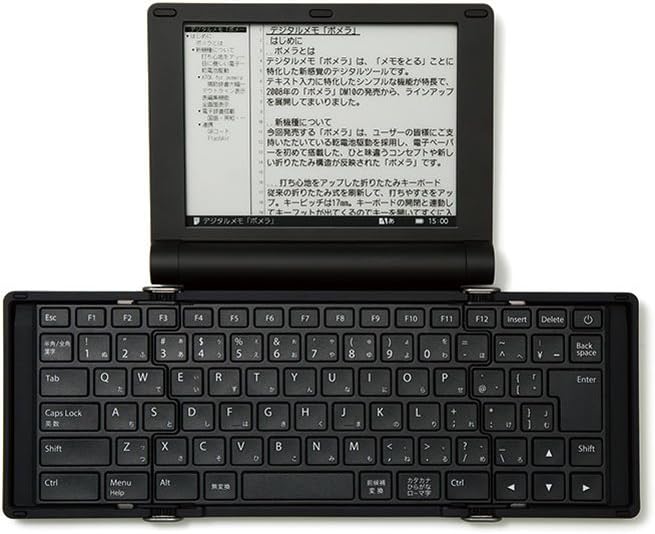

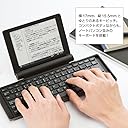
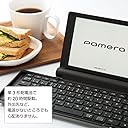
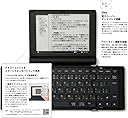
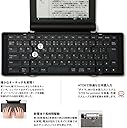
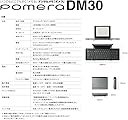
KINGJIM Digital memo Pomela Silva - DM30 SIL (Japan Domestic Genuine Products)
Product ID: 100149268
desertcart.com : KINGJIM Digital memo Pomela Silva - DM30 SIL (Japan Domestic Genuine Products) : Office Products Review: One-of-a-kind tool for writers? - I write fiction, and I started up with this device in the middle of a novel. The first time I sat down with it for a serious writing session, I quickly realized that what I was about to write was crap, so I took a break to unsag my middle. Not sure yet what that's going to look like, but we'll fix it in post. I attribute the ease with which I dodged this bullet to the clarity the DM-30 provides. The *second* time I sat down with it for a serious writing session, I wrote for 5 hours straight and must have produced at least 2500 words. This is at the high end for me in a single session, yet it felt completely natural. It's hard to say, but I think I'd attribute this deep flow state to the non-fatiguing e-ink display almost as much as to the completely distractions-free nature of the device. Does it suck that the keyboard is a Japanese layout and I had to relearn where a bunch of keys are, including the oft-used single and double quotes? Sure does! Is the (monospace) English font hideous? Sure is, though in its defense I find it surprisingly readable. But the English-language localization in the UI is surprisingly good, to the point that I don't even really mind that the entire manual is in Japanese, and IMO the DM-30's strengths outweigh its weaknesses: a) It has an e-ink screen. b) It eliminates all modern distractions from its interface and operating system with extreme prejudice. c) It uses a simple file-based scheme for managing documents, including an SD card slot and USB drive functionality without any funny business I'm aware of. Those are my dream features for an "electronic typewriter", and the DM-30 has them all. What other device can make that claim? Additionally, the editor is surprisingly flexible for navigation and editing, considering that there's no touchscreen. It feels responsive despite being e-ink, and somebody clearly thought hard about how to make it pleasant to use. I think my only real quibbles with the device are some weird text wrapping behaviors with quotation marks (but again this is a localization issue) and that it doesn't have a full size keyboard, nor a particularly great keyboard in the grand scheme of things. For what the device is, though, it's completely serviceable. It's a *lot* better than I was expecting, with very little flex on a flat, hard surface and a key feel that isn't mushy. It doesn't have the wonderful tactility of my desktop Topre board, but it doesn't slow me down at all. If you think the core features are something you could benefit from, I think you can get used to the quirks of this device. And maybe, if enough of us buy one, KING JIM will bestow upon us a fully localized version complete with an ANSI layout. I am kind of surprised that no such product exists already, and it's a real shame their Kickstarter a few years ago failed. Review: finally, this old guy finds a worthy successor to his Poqet PC from 1989 - My beloved Poqet PC ran on two AA batteries that lasted two weeks, had onboard DOS 3.0 and slots for PCMCIA cards that carried WordPerfect 5.0 for DOS and stored your documents. Unfortunately mine is no longer functional and anyway I couldn't get a PC to read the cards anymore. Now comes the Pomera DM30. Pros: 1. No internet -- no distractions. You can curl up somewhere and just write. 2. Runs on AA batteries that last days. 3. Easy to transfer your creative work to a PC via USB cable. No special software needed. 4. Easy-to-read e-ink screen. Has an option to switch to white text on black background (hit F9). 5. Keyboard is close to full size (an advantage over the Poqet). 6. Screen is big enough to show a couple of paragraphs at a time (bigger than Freewrite Traveler). 7. Menu is intuitive and easy to navigate. Cons: 1. Keyboard doesn't lock open so you have to put it on a flat surface. For me, not a big deal. 2. No backlight (that's how the batteries last so long). Again, not a big deal for me. Just a little ambient light is needed. 3. Only one viewable font. (But the font is fine, and you can change the size.) 4. QWERTY keyboard has a couple of keys different from standard. Easy to get used to. 5. A bit overpriced. Should be about $200 less. Still, less than any other similar device. 6. Warranty appears to be good only in Japan. Well . . . even if it breaks down next month I still will have made back on productivity what I spent. I'll see what customer support looks like. 7. Navigation is by keystroke only; no touchscreen; slightly slow key response. But these are not problems with a simple device used for creating pure text documents. For me, a slower pace makes for better writing anyway. Highly recommended!
| Brand | KINGJIM |
| Item Weight | 1.76 pounds |
| Package Dimensions | 9.88 x 7.36 x 2.24 inches |
| Item model number | DM30シル |
| Batteries | 1 CR2 batteries required. |
| Is Discontinued By Manufacturer | No |
| Manufacturer Part Number | DM30シル |
C**M
One-of-a-kind tool for writers?
I write fiction, and I started up with this device in the middle of a novel. The first time I sat down with it for a serious writing session, I quickly realized that what I was about to write was crap, so I took a break to unsag my middle. Not sure yet what that's going to look like, but we'll fix it in post. I attribute the ease with which I dodged this bullet to the clarity the DM-30 provides. The *second* time I sat down with it for a serious writing session, I wrote for 5 hours straight and must have produced at least 2500 words. This is at the high end for me in a single session, yet it felt completely natural. It's hard to say, but I think I'd attribute this deep flow state to the non-fatiguing e-ink display almost as much as to the completely distractions-free nature of the device. Does it suck that the keyboard is a Japanese layout and I had to relearn where a bunch of keys are, including the oft-used single and double quotes? Sure does! Is the (monospace) English font hideous? Sure is, though in its defense I find it surprisingly readable. But the English-language localization in the UI is surprisingly good, to the point that I don't even really mind that the entire manual is in Japanese, and IMO the DM-30's strengths outweigh its weaknesses: a) It has an e-ink screen. b) It eliminates all modern distractions from its interface and operating system with extreme prejudice. c) It uses a simple file-based scheme for managing documents, including an SD card slot and USB drive functionality without any funny business I'm aware of. Those are my dream features for an "electronic typewriter", and the DM-30 has them all. What other device can make that claim? Additionally, the editor is surprisingly flexible for navigation and editing, considering that there's no touchscreen. It feels responsive despite being e-ink, and somebody clearly thought hard about how to make it pleasant to use. I think my only real quibbles with the device are some weird text wrapping behaviors with quotation marks (but again this is a localization issue) and that it doesn't have a full size keyboard, nor a particularly great keyboard in the grand scheme of things. For what the device is, though, it's completely serviceable. It's a *lot* better than I was expecting, with very little flex on a flat, hard surface and a key feel that isn't mushy. It doesn't have the wonderful tactility of my desktop Topre board, but it doesn't slow me down at all. If you think the core features are something you could benefit from, I think you can get used to the quirks of this device. And maybe, if enough of us buy one, KING JIM will bestow upon us a fully localized version complete with an ANSI layout. I am kind of surprised that no such product exists already, and it's a real shame their Kickstarter a few years ago failed.
Y**K
finally, this old guy finds a worthy successor to his Poqet PC from 1989
My beloved Poqet PC ran on two AA batteries that lasted two weeks, had onboard DOS 3.0 and slots for PCMCIA cards that carried WordPerfect 5.0 for DOS and stored your documents. Unfortunately mine is no longer functional and anyway I couldn't get a PC to read the cards anymore. Now comes the Pomera DM30. Pros: 1. No internet -- no distractions. You can curl up somewhere and just write. 2. Runs on AA batteries that last days. 3. Easy to transfer your creative work to a PC via USB cable. No special software needed. 4. Easy-to-read e-ink screen. Has an option to switch to white text on black background (hit F9). 5. Keyboard is close to full size (an advantage over the Poqet). 6. Screen is big enough to show a couple of paragraphs at a time (bigger than Freewrite Traveler). 7. Menu is intuitive and easy to navigate. Cons: 1. Keyboard doesn't lock open so you have to put it on a flat surface. For me, not a big deal. 2. No backlight (that's how the batteries last so long). Again, not a big deal for me. Just a little ambient light is needed. 3. Only one viewable font. (But the font is fine, and you can change the size.) 4. QWERTY keyboard has a couple of keys different from standard. Easy to get used to. 5. A bit overpriced. Should be about $200 less. Still, less than any other similar device. 6. Warranty appears to be good only in Japan. Well . . . even if it breaks down next month I still will have made back on productivity what I spent. I'll see what customer support looks like. 7. Navigation is by keystroke only; no touchscreen; slightly slow key response. But these are not problems with a simple device used for creating pure text documents. For me, a slower pace makes for better writing anyway. Highly recommended!
D**.
Great machine! Look up YouTube videos for operating hints
I love this device! Very portable, very easy to figure out how to use. Look through YouTube for some instructional videos so you can see how to switch the language to English, and you should be good to go. You’ll want to use it on a flat surface. If you’re using your lap, put it on a hardcover book, a clipboard, etc. to support it. Quirks: The Caps Lock key causes Japanese characters to come up. Hit it again to switch back. I’ve had to fiddle with this occasionally, to get it to go back, but I’m using it on a clipboard on my lap which is surely less steady than, say, a desk. I do recommend watching YouTube videos, as the manual that comes with the device is in Japanese. Then you’ll see tips and tricks that might’ve taken a while to find independently. The DM30 creates .txt files. I’m using an SDHC card to save them, but it’s possible to save data on the device itself.
J**M
Best value, a bit quriky
So I'd like to start by saying that I found this product because I couldn't afford Astrohaus products like the Freewrite or Traveler. Part of me knew that those products were kind of gimmicky and though thet were purported to do what I wanted, the obvious drawbacks and price tag required me to find something else. I am so happy I bought this product over anything else. It has a fairly responsive E-ink screen which is great on the eyes. Not much input delay, some as it to be expected, but it's a non-issue for me. Keyboard is not rickety but it does not lock in the open position so typing on the lap is not great. I just use a book and I'm good to go. Keys feel good and have a satisfying sound - a bit cramped but you adapt and it really is a great keyboard for the size and dimensions. The device is a little quirky and takes some getting used to. It took me about two hours to move in and set myself up with my own settings and customization. I'm not sure how to bind/ swap keys but I believe you can. Overall a great product if a bit quirky, this is the for Japan model so its not necessarily in sync with everything we are accustomed to in the US. I still love it. If you want something to write on distraction free, this is your best bet over Astrohaus products or a Alpha smart device. Best value by far, solid performance and it is exactly what I expect when I think of a modern "typewriter."
E**K
Limited functionality, overpriced and defective
These simply do not work. It corrupted two different memory cards before I gave up. Most sellers of this item are price gouging and refuse returns.
B**L
Awesome distraction-free writing tool
This is a great alternative to the FreeWrite products and considerably less expensive and more portable. Additionally, it has an outline feature (start any line with a Period) that lets you put a bunch of notes, scenes, etc. into a single document. I love it.
M**.
Doesn’t boot.
I love this thing! It’s a great little device for running around and writing. My issue is that sometimes i can’t turn the device on. This only happens if I’ve been using the machine for some time and then turn the machine off (it goes to sleep or I close it if I’m taking a 5-10 minute break). Then, when I return to the machine and press the power button, nothing happens. I can’t boot up the Pomera no matter how many times I press the power button or open and close the machine. Then, magically, after a couple hours of leaving the machine alone it will boot up without issue. I can’t tell if I have a defective product or if this is a common issue with this machine. Really sucks though.
S**)
I like it...
To change the default language of the machine from Japanese to English, press the Menu/Help key located at the lower left hand side of the keyboard. Various headings in Japanese will appear on the screen. Use the arrows to go to the last heading on the right side of the screen. That is Settings in Japanese. Arrow down that column to Language and select. Press English. Nearly all the headings and subheadings will now be in English. To convert what you type from Japanese to English there is a key on the keyboard with Japanese symbols, located under the Escape key. I'm calling it a toggle key because it switches the alphabet on the screen between English and Japanese. Discovered quite by accident when looking for a way to make my typed words change from Japanese, which I cannot read, into English. If you need more help email the company your questions. I found them responsive and helpful. The instructions manual is in Japanese because the machine was created for the Japanese market. You can also google pomera dm30 to learn what other owners say about the machine. The keyboard is mostly like a standard U.S., abit smaller, with a few differences that I adjusted to without too much difficulty. I need to be able to write offline as I have hackers I need to protect my work from. This machine allows for offline typing. I'll have to figure out how to print what I write without going online, if that's possible. I'm not tech savvy and am disabled, but I figured out how to change the language on this machine with only a small amount of effective help from posts by other dm30 owners. It's a nice machine, good keyboard. Would buy again.
Trustpilot
1 month ago
1 month ago