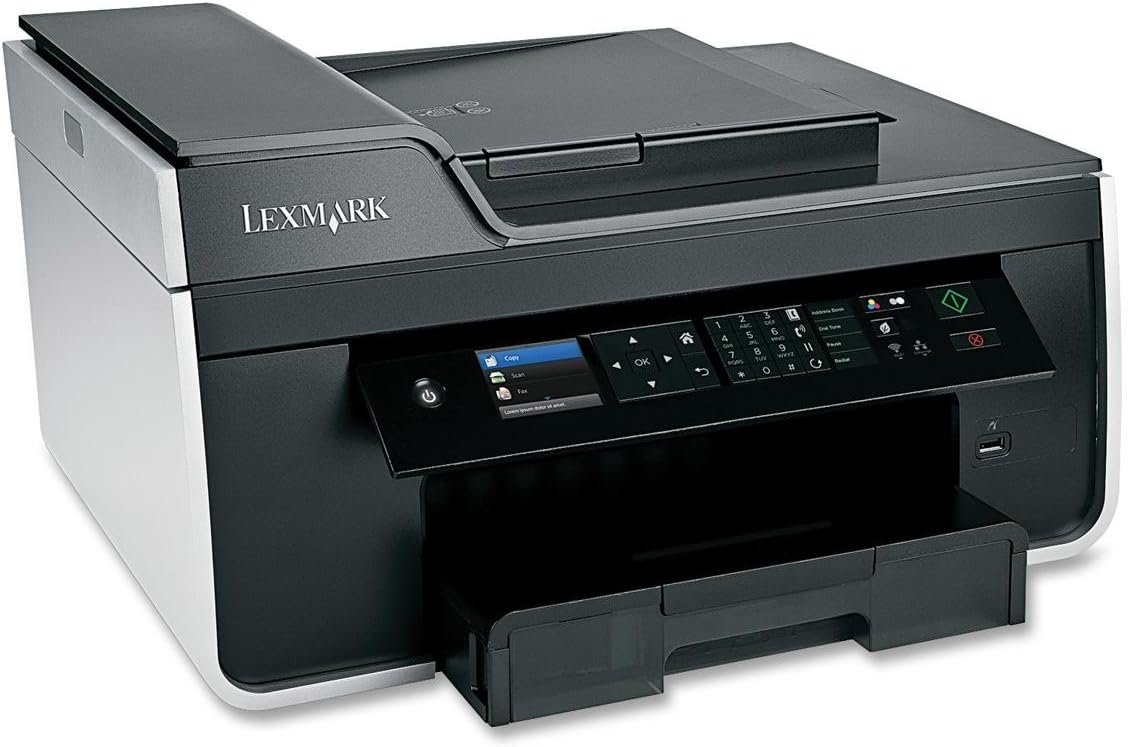
I recently bought the Lexmark Pro 715 printer which was highly rated by PC magazines. After spending several days with it, I can imagine why. It is the most user-unfriendly and idiotically-designed printer I have ever used. This is to warn anyone away from this disaster of a printer. Specifically, here is what I learned about it: SETTINGS The printer will retain NO settings that you set for printing, copying, scanning or faxing. Instead, when you set the settings, it applies those settings only for the one document you are working on, and then returns to the factory default settings. This means that every time you want to print, copy, scan, etc. a document you have to go through the entire set-up menu and re-set the settings the way you want them. I am a writer and editor who works from home and have to work with and send out dozens of documents every day. Obviously, it is a nightmare to have to continuously reset settings for every document I want to print, copy, scan, or fax. I can't imagine what kind of idiot would design a printer where you can't set the default settings that you want and have them remain in place until and unless you change them. The settings that you set up through the set-up menu do not change the settings that are on the front control panel of the printer to match, including b&W or color ink and eco-mode. So not only do you have to change the settings for each document in the set-up menu, you also have to change them on the front panel if they are not consistent with the settings you want. NO ON-DEMAND COPYING, SCANNING, OR FAXING Unlike every other printer I have ever used, the Lexmark Pro-715 will not simply copy, scan, or fax a document at the touch of a button. Instead, you first have to navigate to the "copy," "scan," or "fax" icon. Then you press OK, and it takes you to a menu of settings options. If you choose to leave everything as it is in the default mode, which is a mode I would NEVER use as it is the most expensive option possible in terms of ink usage and printer wear, then you can press the Start key and the operation will begin. This is a nightmare for efficient operation and quick handling of printing, scanning, and faxing tasks. In my case, you have to also change all the settings each time, as detailed above. SPECIFIC PROBLEMS WITH COPYING After copying a document, instead of returning to the home screen so that you can immediately begin another task, this printer returns you to the set-up menu for copying. You then have to exit from this menu return to the home screen then go through the burdensome process described above. SPECIFIC PROBLEMS WITH SCANNING There is no option for where you want scanned documents to be located in your file system. They are sent by default only to the "My Documents" folder. Every other printer I've ever used allowed you to indicate the path to the specific file folder you wanted scanned documents to be stored in, e.g., in a "My Scans" folder created within the "My Documents" folder. There is no option HOW you want the scanned document to be saved - it saves scanned documents ONLY as PDF files, which are much larger than plain text documents and hence a problem in terms of attaching multiple documents to e-mail communications. Every other printer I've ever used allowed you to save a scanned document as an ordinary Word text file, or, indeed, in multiple possible formats. SPECIFIC PROBLEMS WITH FAXING Unbelievably, the FAX function on the Lexmark Pro-715 begins PRIOR to the fax number tone which starts when the fax number you are dialing answers your call. Consequently, in testing the FAX function on this printer I repeatedly experienced malfunctions because the fax operation terminated too soon before the tone triggered transmission of the FAX. Every printer I have ever used did not begin FAX transmission until it "heard" the fax tone sent by the fax machine that answered your fax transmission call. The Lexmark Pro-715 does not allow for the entry of a long distance calling card # to be used to access a long distance FAX number. Prefixes can be added but only up to 8 characters, not enough for a telephone access number to be entered. Consequently, this machine is completely useless to me for sending anything but local faxes and 90% of our fax transmissions are to long distance FAX numbers. SPECIFIC PROBLEMS WITH PRINTING Because of the large amount of ordinary mail correspondence I have, as a writer and editor, I need to print envelopes on a frequent basis. With the Lexmark Pro-715 this proved not only to be arduous, but almost impossible. Here is what you have to do with this printer to print an envelope: Completely remove the paper tray from the printer, remove the paper, load the envelope(s), reinsert the tray, attempt to print the envelope then remove the entire tray again, and reload the paper. Every printer I have ever used was set up so that you could simply load an envelope on top of the paper in the tray and print it out. But it gets worse! When you insert an envelope into the tray, you get a menu on the LCD screen asking you to scroll down through 20 or 30 types of paper and envelopes and select the correct envelope size. You have to do this EVERY time you want to print an envelope! The paper tray in the Lexmark Pro-715 indicates a format for loading the envelopes which results in the envelopes being printed upside down. When I brought this to the attention of the Lexmark Support team they said it was a "known issue" Each time you print an envelope, you get an error message on the LCD screen saying "change tray 1 to Envelope 10 envelope paper". In other words, because you've inserted envelopes to print, you now have to go back and change the settings after each envelope that prints back to the letter paper setting for what is loaded in the paper tray. Finally, virtually every time I tried to load and print an envelope it crumpled up the corner of the envelope. This happened on 9 out of 11 tries! I have provided this much detail on the disfunctionality and exceedingly poor design and functionality of the Lexmark Pro-710 printer in order to illustrate that my profound dissatisfaction with this product is NOT a whimsical, trivial matter. This is unquestionably the most poorly designed, most user-unfriendly, and most inefficient printer that I have ever used and I've used at least a dozen over the course of my work experience.