

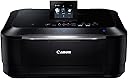

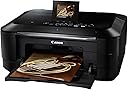





Canon 5293B002 Wireless Color Photo Printer with Scanner & Copier
Product ID: 1161828
🎨4800 x 9600 dpi
📸HD Movie Print
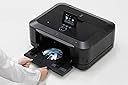
🖨️CD/DVD printing
Buy anything from 5,000+ international stores. One checkout price. No surprise fees. Join 2M+ shoppers on Desertcart.
Desertcart purchases this item on your behalf and handles shipping, customs, and support to Vanuatu.
📸 Capture, Print, Impress!
The Canon 5293B002 Wireless Color Photo Printer is a multifunctional powerhouse that combines printing, scanning, and copying capabilities. With an impressive optical scanning resolution of 4800 x 9600 dpi and the ability to print directly onto CDs and DVDs, this printer is designed for both professional and personal use. Its Intelligent Touch System and Easy-PhotoPrint Pro software make it easy to create stunning prints from your favorite memories, including HD movie clips.
| Manufacturer | Canon Office Products |
| Brand | Canon |
| Item Weight | 23.6 pounds |
| Product Dimensions | 18.5 x 15.6 x 7.9 inches |
| Item model number | 5293B002 |
| Is Discontinued By Manufacturer | No |
| Color | Black |
| Number of Items | 1 |
| Sheet Size | 4 inch x 6 Inches, 8.5 inch x 11 Inches |
| Manufacturer Part Number | 5293B002 |
A**T
My first Canon ... and it's great.
My printers don't necessarily get a tremendous amount of use. I'm a freelance web developer with clients scattered across the globe, so much of my work is shared online. Still i do need one. In the past i have primarily used Epson printers and been pleased, but when my 7 year old printer died, the reviews on this Canon Pixma MG8220 intrigued me and it had the features i needed, so i decided to give it a try. I'm glad i did. The print is sharp, the colours accurate, and overall it is living up to the positive reviews i read.I was most impressed with how it is engineered. The box is sleek, with very few nooks and crannies in which dust and cat fur can accumulate. The first time i sent a document to the printer i forgot to open the paper tray into which copies are delivered. As it turns out, the printer opens the tray gently and automatically when a sheet of paper is on the way out. I've been scanning in old photographs, using Photoshop to touch them up, and re-printing them. Because it has six inkwells, including one for grey, the black and white reprints are rich with depth. The scanner is also designed to work with slides and negatives. The underside of the scanner cover has a white background that popped off to reveal templates to hold the slides/negatives as well as what appears to be an additional light source dedicated to these films. I was able to easily set up the wireless/airprint in order to print from my tablet and other computers in my home/office. Scanning also works with wireless.The only cons i've found are that, like my old Epsons, this machine does drink a lot of ink, so i use draft mode to print when i don't need deep/dark colours. Duplexing works nicely, but it is a bit slow. When you first take it out of the box, you may wonder where all the controls are. In fact, they are embedded into the cover in the form of a sort of touch screen. Very cool. Great engineering design. Overall, i could not be more pleased.
I**E
Print quality is excellent, software is terrible, ink consumption is high
Update 2019: I finally got this to work with Linux!!! Yea!!! But installing the software is still a major pain. Do a search there are a couple of websites that explain the process. Also Cannon did eventually fix the page size bug that prevented you from being able to print using GIMP in MS Windows. But it took them years to fix it.One caveat, the colors are dye ink NOT pigment ink, prints will fade eventually. So if you want to sell your photography to hang on a wall this is not the printer you are looking for. It is fine for disposable art such as cards.Also I see that the price of this printer has gone sky high from when I bought it in 2013. Perhaps it's because they know people are going to buy inexpensive 3rd party ink instead of paying absurd prices for cannon ink. Thus the printer loses it's ink subsidy? Before buying this I suggest that you check out Brother, especially if you use Linux because Brother cares about and fully supports Linux and is much cheaper.------------------------I am a very experienced photographer, I occasionally even sell my work.The image quality of this printer is excellent, it was everything I'd been lead to believe. The print speed, although not as fast as claimed, is very good.However the software for this printer is so bad that it makes the printer almost unusable.First off, you can forget about using it with Linux. Even though CUPS has full support for this printer, the color rendition is terrible, this is a fault/limitation of the 3rd party Linux drivers. Canon uses very sophisticated algorithms and apparently they put most of that processing in their printer driver instead of in the printer itself. For Linux to be able to do a good job of printing it would have to duplicate the proprietary functionality of canon's driver. As it is, the colors are not even the correct hue (ordinary text prints okay),When you use this printer on MS Windows, there are two different items of software. The first is the printer driver itself which should give any/all programs the ability to print to this printer. However the problem with the printer driver is that it reports an incorrect page size and has other incompatibility problems that make it unusable with GIMP (my photo editing software) and other programs that I tried. This appears to be the result of bugs and/or poor design of the canon printer driver. I've used quite a few different printers over the years and this is the only one that I've had this problem with, so the fault is definitely cannon's software.So the only viable way to print photos on this printer is to use the photo print software provided by cannon. This software does produce excellent image quality and can print most sizes of paper, but even so I had problems with aligning a smaller photo on a larger page, the options are very limited and unreliable.It feels like a battle and requires multiple test prints every time I want to use a different size paper. Especially when trying to print 5x7. It was impossible to print 10x7 using the canon software.The user interface of the canon photo printing program is quirky and tedious to use. What is especially horrible about the cannon software is trying to browse to a particular folder that is other than the default, in fact navigation is so bad that I gave up and resigned myself to copying the image to be printed into the location where cannon expects to find it. Also you are limited to the type of images that it will print, basically jpeg and maybe a couple of other formats only. So you should expect to have to convert your files to jpeg if they are not already in that format. The canon software also forces you to play a game of 'twenty questions' with each image that you want to print, there is no simple two step load and print button here, you must tell it lots of very repetitive things with each print.I tried all of their different quality settings, glossy, matte, etc. that were supposed to be used for different types of paper (I used several different types of paper). If there was any actual difference between the settings it was slight to none.As others have mentioned it does seem to use a lot of ink, with very little printing I've already had to replace two of the ink cartridges. But a study by Red River Paper on ink consumption claims that when printing large quantities this printer can be economical.Over-all, despite the outstanding image quality, I would have difficulty recommending this printer to others, especially for people who do a lot of photo printing. If it wasn't for the great image quality I would have given this printer 1 star.
Trustpilot
3 weeks ago
1 week ago