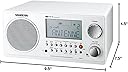
I rated this radio at five stars in spite of problems with its user manual and the somewhat cumbersome procedure for enabling and disabling the alarm. Its FM reception and pleasing audio offset these problems. Several reviewers fault this radio's alarm feature for being inscrutable. After using this radio for several weeks, I realized that the source of confusion concerning this feature is the user manual; it is very badly written. The manual is harder to understand than the alarm feature on this radio is to operate. Some reviews also fault this feature for not having a dedicated alarm set/unset switch. Although I understand the reasoning for this criticism, I found that once I became familiar with setting the alarm and with enabling and disabling it, there was no confusion. If you live in an area with stations that broadcast RDS data, the WR-2 will set its clock using this data within a minute of connecting it to a power source, as long as you do not turn on the radio during this process. Otherwise, you can tune to an RDS-broadcasting station and press the hour button to set the time using the RDS data. The radio will gradually raise the volume from zero to the previous listening level at the alarm's set time: no jarring transition from quietly sleeping to skull-rattling audio. In contrast to the alarm feature, the radio's tuning features and preset operation are dead simple. Once a station is tuned using the scan button or the rotary dial, long pressing any of the preset buttons stores that station in the corresponding memory, and a simple button press tunes the radio to that station. Unfortunately, scanning works only from lower to higher frequencies unless the supplied remote control is used. That is not a significant problem, though. This radio sounds great. It isn't a high-end audio system, of course, but it sounds much better than its size would indicate. Also, it includes audio input and output RCA-type jacks on the back panel and a 3.5 mm stereo mini headphone jack on the front. It even has a 12-volt DC power jack (center pin +), presumably for use in RVs and boats. AM reception is not stellar, and the audio level on the AM broadcast band is several times lower than that of the FM band. Adjusting the volume control about ten steps higher compensates for this without introducing audio distortion. Reducing the bass setting by about four or five steps when listening to AM stations also assists in making audio more intelligible. There is a balanced external AM antenna terminal, which surely would help with reception, as does the use of inductively-coupled, capacitively-tuned AM antennas. However, at night I receive KGO 810 KHz in San Francisco, CA, about 750 miles away, with little static and no fading using only this radio's internal ferrite bar antenna. KGO is a clear channel station at night, though, so this may not be an indication of the WR-2's quality. FM reception is simply fantastic in my setup. I live in Milton, WA near the bottom of the hill in an upper floor apartment. I bought a cheap 300 Ohm twin lead folded dipole antenna, a 300 Ohm to 75 Ohm transformer, a female-to-female F-connector adapter, and a 12-foot RG-6 coaxial cable with male F-connectors at both ends for connecting to this radio. The dipole is tacked to a north-facing external wall at the ceiling in a T configuration. I twisted the down lead several times before connecting to the transformer and coiled the slack in the coaxial cable and secured the coil with zip ties. There is a toggle switch on the back of the radio for switching between the internal FM antenna and an externally connected one. It is imperative that this switch be placed in the external position for use with an external FM antenna. Otherwise, FM reception is very weak. With this setup, I receive KISM 92.9 MHz from Mount Constitution in the San Juan Islands, about 100 miles away, in full stereo. The WR-2 can decode this station's RDS data without problems on most days, and I receive 41 other FM stations clearly. The Sangean WR-2 is a pleasure to see, operate, and hear. I seek excuses to listen to this radio in my bedroom rather than watch the television in the living room. In my opinion, it is worth every penny. UPDATE: July 12, 2015 (two-and-a-half years later) This radio still works as well as it did the first time I turned it on. There are some things I feel buyers need to know to get the most from this product that the user manual and people's unrealistic expectations do not help with. First, I'll address some people's expectations of radio reception. Reviewers have given this radio poor marks for its AM reception and in some cases its FM reception. I agree with the poor marks for AM reception to a point. AM radio used to be a very much more important part of American culture, and AM stations were both more plentiful and more powerful. However, the AM antennas in older radios were also beefier. The one in this radio is not as good as the ferrite bar antennas in many older radios. I'm thinking of the GE Super Radio here, which has a great AM antenna. But there are other issues in today's AM radio reception environment that just did not exist twenty years ago. Today there is ubiquitous Wi-Fi and cellular phone service; the signal environment is very crowded. Typical homes have many more sources of AM radio interference operating in close proximity to any AM radio you may want to use. Also, many areas have power companies that offer Broadband over Power Lines (BPL) Internet service, which is known to cause severe interference to AM radio reception. Simply put, the FCC doesn't give a damn about your AM talk radio needs. Many AM radio stations are being required to operate on lower power than in years past. This combined with more sources of interference and with this radio's less than stellar ferrite bar antenna result in rather poor AM reception in many cases. Now, the criticisms of its FM reception are another matter. I read one review that said the reviewer could only pick up two stations in the San Francisco Bay Area. I'm from San Jose (South Bay) and lived there from 1959 until 2005. There are many FM stations all over that region. With a properly connected and installed FM antenna there is no way this radio will not perform to anyone's expectations. The most important circuit in a radio receiver is the antenna. This radio does not come with an adequate one for FM. You simply must buy or build a better one and connect it to the back of this radio and then place it as high as possible and oriented toward the stations you want to listen to. In my antenna system I have a twin-lead FM dipole antenna, a balun (bAlanced to UNbalanced) transformer that enables connecting the two lead wires from the (balanced) twin-lead antenna to a length of (unbalanced) RG-59 coaxial cable. I also have a female-to-female adapter to enable connecting the male coaxial connector of the balun to the male connector of the RG-59 cable. Both ends of the RG-59 cable have male connectors, so this cable connects directly to the radio's female coaxial connector. To help with unwanted signals from the down-lead that connects the antenna to the balun, I twisted the down-lead between twenty to thirty times so that it spirals down the wall I have it attached to. This helps to reject unwanted signals off the sides of the antenna. Also, to attenuate unwanted voltages on the coaxial cable from reaching the radio, I took twenty-six inches of the coaxial cable and coiled it into three turns and secured it with zip ties at three points on the resulting coil. You can read about how to do this at http://ham-radio.com/k6sti/balun.htm. Finally, I properly installed the antenna in a horizontal position near the ceiling in the room where the radio is. I don't even have it properly aimed. To pick up stations in Seattle (I am now in Lacey just east of Olympia) I should have the elements of the dipole aligned along a roughly east-west line so that the wires are broadside to the north-south direction along which Seattle and Lacey fall. I have mine facing east-west. Dipole antennas are roughly bi-directional; they pick up stations best in two opposing compass directions at once. Still, I pick up most Seattle stations without a problem and all local stations, too. Now, to address the criticisms of this radio's user interface. Some of the criticism is justified by its design and some of it is justified by its really crappy user manual. I'll try to clear up the confusion caused by its user manual, but bear in mind that I am not a technical writer. There are two rows of buttons on the front of the radio. The top row is devoted to controlling the power/sleep, band/Aux, and station presets. The bottom row is concerned with setting the time, the alarm, and all other miscellaneous functions. The only button on that row having anything to do with radio tuning is the SCAN button at the far left. Some buttons have secondary functions which are always accessed by pressing and holding down the button to activate the secondary function. For instance, the power button turns the radio on and off when it is pressed and immediately released. But when pressed and held down, it activates the sleep function and allows setting the radio to play from 120, 90, 60, 30, or 15 minutes before automatically shutting off. Similarly, the BAND button toggles the AM or FM radio bands. But when this button is pressed and held down it enables the Auxiliary function which plays whatever audio source is connected to the auxiliary connector on the back of the radio. The preset buttons (M1-M5) tune the radio to the frequency stored in their memory when pressed and immediately released. But when pressed and held down they store the currently tuned frequency in their associated memory. On the bottom row of buttons there is a SCAN button. When pressed and released it will scan the band for the next station and lock on to that station's frequency. When pressed and held it will turn off stereo reception on FM stations. It has no effect on AM stations since there is no AM stereo reception. This function behaves oddly though. It would be nice if when you turn it off it stayed turned off until you turn it back on. But it only stays turned off as long as you stay on the station you were tuned to when you turned it off and don't use preset buttons to tune to another station. I have found that it usually stays off if I manually tune using the tuning knob though. I will point out that unless you are connecting headphones or external speakers to the headphone jack, there is no good reason to receive stations on FM in stereo, and FM reception is improved when not using stereo. However, a simple improvement to this radio is to connect a pair of powered computer speakers to the headphone jack on the front of the radio. Speakers of good quality will be required to best the performance of this radio's internal speaker. Now, setting the time and the alarm. It can be done with the radio on or off, but I find it is much easier to always have the radio off when doing either of these two tasks. Setting the time and alarm is the source of most people's confusion with this radio, and the user manual just makes matters worse. If you have ever used a computer program that used modes to change how the user interface behaves and been infuriated by software like that, you will understand why some people hate this radio. An example of software that uses modes is the Vim text editor. It happens to be the editor I am using right now to type this review. It has two modes of operation: command mode and insert mode. In command mode the keyboard becomes a cockpit of command buttons that each do something different to the text in your file. In insert mode the keyboard acts like a typewriter and simply inserts text into your file. The buttons on this radio also have modes, but they are not nearly as confusing as the Vim text editor is. The key is to remember what mode you are in while trying to set the time or alarm. Next to the SCAN button is the DISPLAY button. This is the mode switching button. The default mode is time-setting mode. The radio is ready to enter time setting mode whenever the time is displayed or when dashes are displayed indicating that no time has been set. In either case, you only need this button for purposes of changing settings when setting the alarm. When you press it, the alarm time will be displayed and the alarm status will flash on and off indicating that alarm setting mode can be activated. What this does is change what will happen if you press and hold the SET button. When the time is displayed and you press and hold the SET button, the time-setting mode will be activated. When the alarm time is displayed and you press and hold the SET button, the alarm-setting mode will be activated. There is a sequence that each button is to be pressed when setting the time or the alarm time: left to right; the buttons are arranged in the order they should be pressed. They can be pressed out of order, but you will never go wrong pressing them in sequence from left to right. In the case of setting the alarm always begin by pressing the DISPLAY button, then the SET button, then the SELECT button, then the HOUR and MIN. buttons, and finally press the SET button again to complete the process and store everything needed for your wake-up alarm. The process is similar for setting the time, except that you begin with the SET button and skip the SELECT button altogether. To set the time begin with the SET button. Most buttons on this radio select a secondary function when pressed and held and perform their primary function when pressed and immediately released. This button does nothing when pressed and immediately released; it must be pressed and held to enable the buttons to its right to function for setting the time or alarm time. In this sense, the SET button acts to change the mode of the buttons to its right. Normally, the AF (Alternate Frequency) button can be used to tune to a station's alternate frequency if its RDS data supplies that information (theoretically). I have not found any stations that do this, so I have not been able to test this function. The CT button lets you set the clock on the radio using RDS data from stations that transmit a time signal with their data. One station in my area does this. I simply tune to this station and press the CT button. The time on the display flashes for up to a minute and then stops when the time signal is received, setting the clock to the exact second. Sweet. The button to the right of this one has a little car icon above it. This is the traffic information button. I have not tested this function. For my purposes these buttons are for setting the time manually and for setting the alarm. Getting back to setting the time, press and hold the SET button until the time begins to flash. Then press the HOUR and MIN. buttons to set the hour and minute. Finish by pressing and releasing the SET button to lock in your changes. Setting the alarm is only slightly different. In this case, begin at the left with the DISPLAY button. Press and release it to change to alarm setting mode. This displays the alarm time and causes the alarm status to flash. Then press and hold the SET button until the alarm time flashes to indicate that you can now set the alarm time and alarm type. Next, press the SELECT button to set the alarm type: buzzer, radio, or both. When you select either radio or radio and buzzer you can set the station you want to wake to using the band button and tuning knob or the station presets during this step. Then use the HOUR and MIN. buttons to set the alarm time. Lock in your changes by pressing and releasing the SET button. To turn off the alarm on your days off press DISPLAY, press and hold SET, then press SELECT until the alarm indicator only says alarm. Then press SET once more to lock in the change. Repeat this process again to turn it back on after your days off, using the SELECT button to set either buzzer, radio, or both. Your previously set time and station will still be stored until you change them. The snooze function on this radio is activated by pressing any button except the power button; the power button turns off the alarm until the next day. To recap: 1. DISPLAY, 2. SET, 3. SELECT, 4. HOUR, 5. MIN., and 6. SET in sequence from left to right and back to SET at the end will cycle you through setting both time and alarm. Again, you only need the DISPLAY and SELECT buttons when setting the alarm, but going from left to right and locking in your changes by pressing the SET button a final time will let you set both the time and alarm on this radio. I regularly change the alarm time and turn it on and off on weekends in the dark just by feeling from left to right to know which buttons need to be pressed next. If you prefer to see the time while listening to the radio, press the DISPLAY button. The time will remain displayed until you change stations or turn off the radio. Some of the preset buttons also have secondary functions when the radio is off that are accessed through pressing and holding them down. The M1 button will let you see the radio frequency for the alarm function. Pressing and holding this button down twice more (three times total) will cancel the radio frequency used for the alarm. The M3 button lets you change the time format from AM/PM (12 hour format) to 24 hour format. After pressing and holding the button to display the clock format, press and hold it again for eight seconds until it flashes. Then use the tuning knob to change the format. Press M3 again to lock in your change. The M5 button can be used to change the tuning step of the manual tuner. DON'T DO THIS UNLESS YOU KNOW WHY YOU WOULD NEED TO DO SO. Pressing the volume knob (yes it is also a button) lets you set the treble and bass. Successively pressing this knob cycles through treble and bass and finally back to its normal function of setting the volume. This radio continues to work well for me. It might be improved with an external AM antenna such as a Select-a-Tenna or similar product or with an external wire or ferrite bar AM antenna connected to its AM antenna terminal on the back. I don't listen to AM radio except occasionally at night to find distant stations. This radio is best as an FM radio and works adequately as an alarm clock. I would prefer a simpler interface to its alarm function, not to mention better alarm features like dual alarms and seven-day weekday/weekend alarms. It would also be better if the volume could be stored as part of the alarm settings. But I am not complaining. I've used it for two-and-a-half years as my only alarm clock without issues. That said, I think this radio shines best as a table radio either in a garage or on a shelf where a proper FM antenna can be properly installed. Given that it comes with a remote control, it can be placed somewhat out of reach and still be operated from the convenience of a chair across the room. If you don't have or need an external FM antenna, placing it on a high shelf will very likely improve reception.