🎶 Upgrade your sound game—don’t get left behind in analog lag!
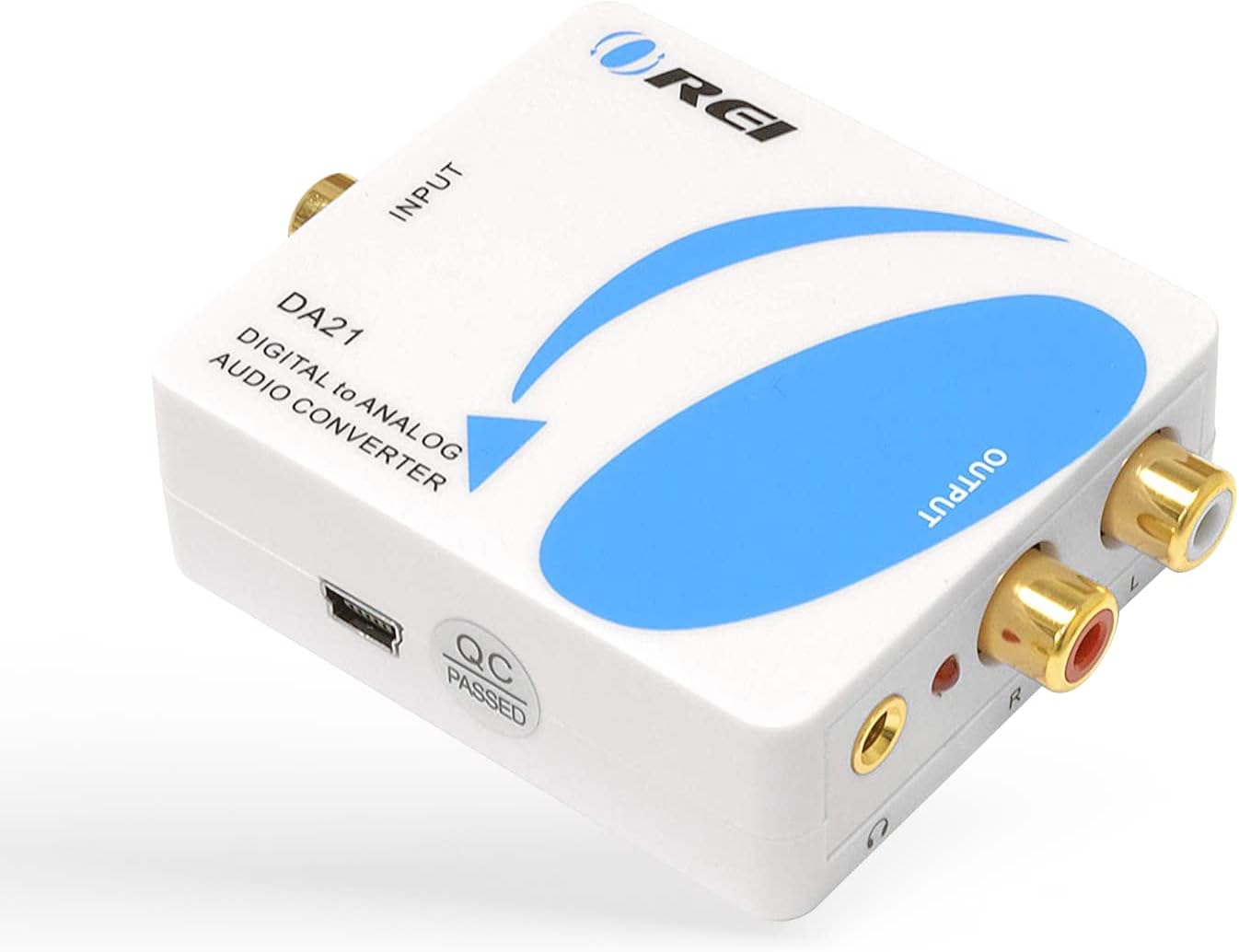
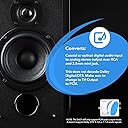
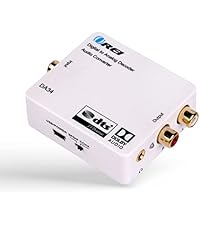
The OREI DA21 converts coaxial or optical digital audio inputs into high-quality 2-channel analog stereo output via RCA and 3.5mm jacks. Supporting all popular PCM sample rates up to 192kHz at 24-bit resolution, it’s ideal for connecting modern digital devices to legacy analog speakers and headphones. Compact and reliable, it excludes Dolby/DTS decoding, ensuring pure PCM audio conversion for crystal-clear sound.


| ASIN | B008EPW7TA |
| Best Sellers Rank | #22,910 in Electronics ( See Top 100 in Electronics ) #58 in Signal Converters #60 in Digital-Analog Converters |
| Brand | OREI |
| Customer Reviews | 4.3 4.3 out of 5 stars (1,305) |
| Date First Available | June 24, 2012 |
| Global Trade Identification Number | 00610395790280 |
| Interface Type | Coaxial |
| Is Discontinued By Manufacturer | No |
| Item Weight | 6.4 ounces |
| Item model number | DA21 |
| Manufacturer | Orei Products |
| Minimum Supply Voltage | 5 Volts (DC) |
| Mounting Type | Cable Mount |
| Number of Channels | 2 |
| Number of Pins | 1, 2, 3 |
| Product Dimensions | 2.95"L x 2.17"W |
| UPC | 610395790280 887480723328 796594185772 |
| Upper Temperature Rating | 104 Degrees Fahrenheit |
B**A
Does the job, even with my 2.1 Speakers
I have a PS3 and Xbox that I use with my Logitech Z623 2.1 speakers but I use to have to switch analog cables every time I switched playing consoles to use my speakers. I couldn't just hook up my speakers to my TV as this would only give me 2 Channel stereo audio (I would not get bass from the sub woofer this way). I also could not just buy an analog splitter as I plan on buying either a PS4 or XBOX ONE in the future, neither of which support analog, only optical so I had to find a way to split an optical cable (which I did) an then convert the optical to analog and still get 2.1 sound from my system because I didn't buy those speakers to not get my bass. I do not know much about audio systems so I wasn't sure what would work and what would not so before I bought the converter as I could not get anyone to confirm that I would get 2.1 audio using it with my speakers, I tried a couple of cheaper options that didn't work at all. Finally, after posting on youtube, (I tried asking the sellers but they either could not confirm or said it it would not work) a knowledgeable user assured me that this converter would do the job and I was very happy to find out he was right after getting this converter in the mail. I decided to spend a little more to get this converter over the cheaper ones listed as I thought it would assure me a better quality converter and from what I can tell it is reliable. While the AC cable is pretty basic and the converter is light weight, its construction is solid and it even has an aux output. The converter displays a red light while plugged in but it's no problem under a desk and the converter does output slightly lower audio than without but that is to be expected and it isn't a big deficit for a speaker system but more importantly, the audio is still very clean. Furthermore, I don't get any static noise from the converter when I leave my speakers on but I am also using it with premium quality analog cables. Bottom line, buy this converter if you need one and yes, you can get 2.1 audio using this with an optical cable and analog cables to a proper 2.1 speaker system.
C**D
Excellent option for legacy systems
Works great. Crystal clear signal. Small form factor. Converts optical signal perfectly. Recommend for legacy systems.
K**L
Gives You the Inputs...but Output is slightly weak
I have my LG 42LM3400 42" 1080p 60Hz Cinema 3D LED TV connected through a digital optical cable to this device. The stereo output is connected to an old all-in-one Panasonic Home Theatre System (it's from 2005, so it only plays DVD's). I use only a PS3 and Chromecast to view media, no cable. The device works very well, audio is always in sync and there is no distortion. I have had no overheating from the device. It hangs from the digital cable connected to the TV, so it probably receives decent cooling. I do have 2 complaints though. 1. Although the device is always powered on, sometimes the audio doesn't output immediately upon power up of the TV and PS3. This never occured with my old LG TV connected to the Panasonic System. It doesn't bother me though because it doesn't always happen and it lasts for at most 2 seconds. There is never interuptions after the TV is on. 2. Volume's maximum setting is much lower than when I had my old TV directly connected to the Panasonic system. This is an issue when watching Netflix if there are other semi-loud device on (fans, air conditioner, vaccuum). I would probably need an amplifier to get the volume I used to have with straight analog connections. I still think this is a good buy if you need to hook your new TV with digital only outputs to an old analog Home Theatre System. It's cheaper than buying a new system and it works fine. Just don't expect Movies to be at their loudest. Curiously, when streaming audio on the PS3, the volume get noticeably louder than other content. I'm very pleased with this item as it has worked great for the past 2 months.
B**K
Works fine, but has to be reset regularly
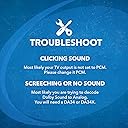
I am using this audio converter with a Sony BDP-S5100 Blu-Ray player. My Blu-Ray player has no analog stereo outputs, just the HDMI and the digital coax outputs. In order to use headphones, this audio converter (or something similar) is essential to convert the digital PCM signal from the coax output of the Blu-Ray player to analog stereo suitable for my headphones. Anyway, this device works fine for that purpose; I have been pleased with the quality of the sound produced. Just keep in mind that you have to remember to set your Blu-Ray player (or Roku, or whatever) to output PCM stereo sound, not digital surround sound, else this won't work (since it *does not* have surround sound decoders for Dolby, DTS, etc.). I leave this device on all the time. My only complaint is that every day or two, when I turn on the Blu-Ray player, I get no sound - but, once I reset the Orei, everything works fine. So, it looks like the Orei locks up regularly; however, it has not done this during active use. Once I pull the power plug out and reinsert the jack, everything works fine again. In my case, the Orei is in a hard-to-access location, so this is a major irritant. If you don't mind resetting it, or if you turn the Orei off and on every time you turn your source player off and on, this may not matter to you.
C**N
Nesecitaba un producto como este para la salida de audio digital de un proyector que usamos para reuniones por motivos religiosos...Funciono muy bien, compacto, pero muy funcional sin ninguna distorsion de audio. La verdad buena relacion calidad/precio. Y les digo funciono muy bien esa primera y unica vez porque de ahi a los dos dias entraron unos ladrones y se llevaron todo(Esto es Mexico). En fin......ahora tendremos que empezar a comprar todo de nuevo y no dudare en comprar otro...Saludos¡¡¡¡
H**P
Excellent stereo d/a converter. Connected to Sony UBP-X700B 4K blu-ray player and ancient Quad 66/606 amplifier. Worked perfectly straight out of the box using coaxial cable - not supplied, but I have plenty of old cables knocking around so no problems there. It comes with an optical digital cable but not something I need at present. As the technical specs clearly state it does not convert anything to or from surround sound - just PCM stereo, so avoid this model if you have a surround setup. Update 5/2/26 - really good customer service from this seller and over a problem entirely of my own making. Can't recommend them highly enough!
F**O
Lo compré para conectar una pantalla Samsung con salida óptica a un sistema de sonido Logitech análogo 2.1. Buena relación calidad precio.
E**.
Si tu Tele no tiene salida análoga (como ya casi todas las pantallas hoy en día), tal vez te has preguntado cómo conectarle tus bocinas de PC para por lo menos tener un buen subwoofer que te dé mejores bajos que las bocinas de fábrica. Con este pequeño gadget podrás hacerlo, INCLUYE CABLE ÓPTICO DE 1M. Muy simple de conectar; 1- Tienes dos modos de entrada, óptico y coaxial (digital). 2- Y dos modos de salida, RCA y 3.5mm, ambos compatibles con cualquier estéreo o bocinas de PC. Todas las bocinas de PC de 2.1 canales se conectan a la PC usando 3.5mm y raramente RCA, así que ni siquiera necesitarás comprar un cable para conectarlas al adaptador. 3- Sacas el sable óptico y le quitas los protectores de las puntas, y lo conectas al adaptador y a tu consola, debes oír un click en ambas. 4- Conectas el adaptador a la electricidad y al adaptador y encenderá la luz roja. 5- Le conectas tu bocinas o audífonos. 6- La PS4 automáticamente da salida óptica todo el tiempo aunque no tenga nada conectado, pero si no quieres que las bocinas de tu tele funcionen te metes al sistema y al audio y le des-seleccionas la salida de audio HDMi para que sólo quede la óptica, pero igual no estorban, y no tiene (el convertidor) lag, así que serán como más bocinas al mismo tiempo. 7- Si son audífonos los que usas, asegúrate de conectarlos primero a un amplificador para audífonos, porque de lo contrario el volumen será siempre el mismo; en las bocinas de PC no tendrás este problema porque vienen con su control de volumen (por lo general). Detalles: - El adaptador no tiene switch de ON/OFF, así que si no lo quieres dejar prendido por alguna razón que pudieras tener, tienes que desconectarle el plug de corriente, o el enchufe de la luz. - El cable óptico, al ser fibra de vidrio es muy tiezo y será algo estorboso al principio porque parecerá resorte; así que déjalo un poco estirado por la noche para que se relaje y ya no se haga bolas.
R**O
EL CONVERTIDOR FUNCIONA SIEMPRE Y CUANDO USE SOLO LA TELEVISIÓN, PERO SI INTENTO CONECTARME A INTERNET DESDE LA TV (EJEMPLO YOUTUBE), HACE UN RUIDO (ZUMBIDO), POR LO QUE NO SE ESCUCHA EL AUDIO. POR LO TANTO NO CUMPLIÓ CON MIS EXPECTATIVAS.
Trustpilot
1 month ago
1 day ago