🎯 Dominate every game with precision and style—your ultimate arcade upgrade awaits!
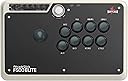
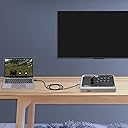
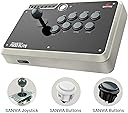
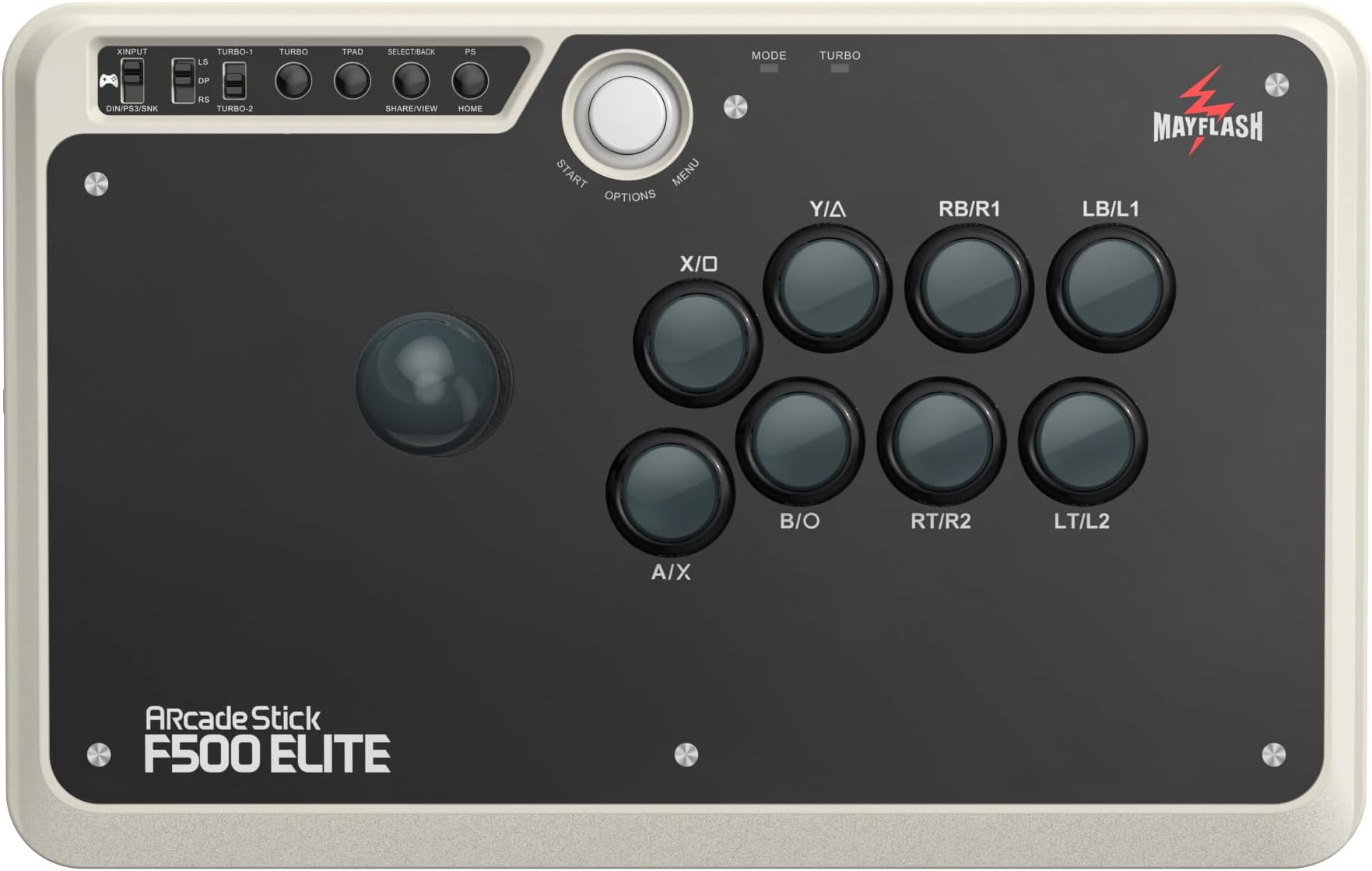
The MAYFLASH Arcade Stick F500 Elite is a versatile, high-performance arcade controller featuring premium Sanwa components, broad multi-platform compatibility including Xbox Series X/S, PS4/PS3, Switch, PC, and more. Designed for serious gamers and modders, it offers easy customization, durable metal construction, turbo functions, and headset support, making it the go-to choice for competitive and casual players seeking precision and longevity.


| ASIN | B07QJ1JJ7J |
| Best Sellers Rank | 5,476 in PC & Video Games ( See Top 100 in PC & Video Games ) 11 in PC Joysticks |
| Customer reviews | 4.4 4.4 out of 5 stars (1,606) |
| Item model number | F500 Elite |
| Product Dimensions | 41.5 x 28.2 x 14.4 cm; 3 kg |
| Rated | Unknown |
M**B
Make sure you update the firmware when you get it!!!
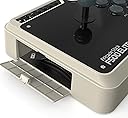
Mine didn't work on Xbox, fortunately I'd previously visited the Mayflash website to see what it said and spotted a new firmware on there. Instructions are in the manual for how to update and it worked straight away when done (the update only took about 10 seconds). It's good to know that Mayflash keeps on top of these things. With my Android TV and PC it worked straight out of the box. I can't imagine I will ever use the arcade stick to browse netflix on the TV but it's good to know I can in case I have some sort of finger tip impediment one day that prevents me using a remote control. I felt the price of this was a bit high and I was inclined to go for a cheaper model (of Mayflash) but went with this due to reviews of the others not being as good. I like the fact it supports every system around and hopefully the next gen consoles too with firmware updates. I'm happy with it. The build quality is good and it feels like something that will last a few years with metal plates top and bottom. The lead is nice and long and which gets stored in a section at the side. With the lead coming out of a compartment at the side it should prevent accidentally damaging it by pulling too hard on the cable (though it looks like spare cables can be bought). There is a wrist strap for rumble feature on there but I can't imagine who would want that. I've owned a few arcade sticks in the past going right back to the Dreamcast one and this feels the nicest I've had. I can't imagine I will feel the need to ever change buttons or stick as they feel pretty much perfect but it's good to know I can just in case anything ever wears out. It's also possible to customise the art work by taking off the top clear panel (held in place by magnets) but that would require removing all the buttons and stick so it's a bit of effort. I've already beaten all my high scores on shooters on MAME so the investment is paying off. I can't comment on the cheaper Mayflash sticks as to whether or not this is worth the extra but if you're a keen player of fighters or arcade style shooters and want something that feels sturdy then I recommend it.
A**A
PERFECT VICTORY!
TD:DR Look for sticks no further. I've been quite good at Street Fighter, Dodonpachi, and similar since they released last century. I could break into the top 100 scores globally, on occasion. But I just play for fun. I've tried lots of different machines. Many, many coin ops later, and later still, home consoles and PC, I own maybe 10 sticks and many, many lol, more controllers. I'm most impressed by this stick. It's super easy to mod but it has OG SANWA in anyway so I just changed to the octagonal gate included. It clips out so anyone with a screwdriver can do this. Multi platform connectable and by the flick of a switch. It's heavy. Heavier than the Dreamcast stick. It doesn't move about. SANWA parts don't really need recommendation. Better than Hori and even 8bitdo at their price point. The response is super delicate on stick and button. This is important to me. Im currently 8 weeks deep in physio for I chronic hand pain (not from games lol) I can still beat you with this stick. Indeed, that's why I picked this up for £90. A warehouse listing very good condition; there's absolutely minimal finger pain from use. It's my current go to controller, (with an 8bitdo elite pink 2.4ghz as backup fellow chronic pain gamers) No one needs a stick for over £100. You can get this stick and change any parts you like, even as a beginner. You'll not even need soldering. A few screws and a printout later and you've got something unrecognisable. Yes, you can easily pop out an inlay and replace with custom graphics. There's loads of templates online. Or just change the gate like me (hence no pics). So yeah, I hope I've made my point. It was the most satisfying stick to use in the last 40 years. Flawless victory. Okay, the back button really needs moved one space right but that's it lol, it's nbd GREAT!
B**G
A no-brainer for retro gaming
Setting up the arcade stick was a bit tricky because the supplied USB cable wasn't type C so it doesn't actually fit into the current generation of XBox controllers (ones that have the third (share) button) and the unit refused to work with a type C cable that I used to charge the battery with. In the end I used an old Afterglow pad and that worked fine. Having to do it this way also confirms that you don't necessarily need an official controller to get the device to work correctly. I also tried it with an X360 Elite using an unofficial controller and the only minor problem I encountered was having to change to "LS" mode for the joystick to work. The arcade stick itself is very, very good and as of yet I haven't encountered any compatibility problems playing the games I purchased it for. It's also quite big (14" x 9" in old money) and heavy, which means that if (like me) you're planning on buying it to use on your knee in front of the TV then it's more than sturdy enough to find a comfortable position to do so. One other positive is that there's plenty of space around the joystick, so your hand will never encroach the edges of the unit during useage The joystick itself is highly responsive and comes with both a 4 and 8 way restrictor which can be easily swopped to suit your own personal taste. The 4 way (square) one also has 45 degree rotation so you can position it in a diamond shape to better suit U-D-L-R movement. Buttons are equally as responsive and require the merest of touches to register an input. There's also a 'turbo' (autofire) option that's dead easy to implement on any of the 8 buttons. My only real negative is that a high level of dismantling is required if you want to add some custom artwork under the transparent face-plate. Also (less of a negative and more of a personal preference) it would have been nice to have a slightly wider sleeve included to reduce the joystick deadzone. All in all though, the F500 elite is a great entry level arcade stick and once I overcame the hurdle of adapting to a joystick I had absolutely no regrets about making the purchase. Yes, it did take me a while to convince myself that £97 (a "used, like new" purchase) was justifiable but once I'd used it a few times all doubts were completely removed. So much so that my A+B buttons do have a tendency to self-press (due to the level sensitivity) but I was reluctant to send it back because I won't get another one for the same price....so I'm just going to purchase x2 replacements and keep what I have. One final point. Apart from games that need both sticks (Smash TV, Robotron etc etc), the F500 Elite is fully compatible with Antstream.
P**E
Quality Arcade Joystick
Good quality and does what it says on the tin. I primarily use it for Mame on my desktop PC, so no problem remapping buttons etc. Comes with a total of 3 plastic restrictors, square (installed), diamond and octagonal. You have to unscrew the back (6 Phillips screws) to swap out restrictors so it's not something you would want to do often. I've settled on the octagonal one for now which is best for shooters and all-round but for games like Pacman, Mr.Do, Bombjack you might prefer diamond or square because the diagonal rests tend to hinder more than help if you're going for serious scores. The square and diamond configurations are interchanged by rotating the inner section which is not obvious by looking at it, you have to research, there's no instructions and it's tricky and scary to perform because the hard plastic looks brittle. The joystick also comes with various adapter cables for connecting USB C & Micro USB to USB type A.
J**C
Mayflash Arcade Stick F500 Elite - A Seamless Fusion of Quality and Compatibility
With the advent of Street Fighter 6 and Mortal Kombat 1 last year, followed by the recent release of Tekken 8, I decided it was an opportune time to invest in an arcade stick. Initially considering entry-level options, I stumbled upon the Mayflash range of fight sticks. After thorough research, I settled on the Mayflash F500 Elite arcade stick, and I must say, my decision has been more than rewarding. One of the primary draws is the inclusion of premium Sanwa hardware components, featuring 9 buttons and a 4-way joystick. The tactile quality of these buttons and the joystick lends a premium feel, enhancing the fluidity and reliability of gameplay. The arcade stick itself boasts a substantial weight, complemented by rubber feet that ensure stability when used on a surface. Alternatively, if you prefer placing the fight stick on your lap, its weight and size provide a balanced and steady gaming experience. Compatibility with my Xbox Series X has been seamless. For those mentioning poor compatibility in their reviews, it's likely they haven't completed the firmware update. Addressing this, I promptly performed the firmware update upon receiving the arcade stick. The process, outlined on the official Mayflash website, involves downloading the firmware installer to a PC. After running the installer, pressing and holding the “Start” and “Select” buttons on the arcade stick, and plugging the USB cable into the PC, the update completes effortlessly. Connecting the arcade stick to the Xbox Series X was equally straightforward. Plugging the F500 Elite USB cable directly into the front USB port of the console and using a USB-A to USB-C cable to connect the F500 Elite to the Xbox controller, I experienced flawless functionality. The simplicity of setup and the performance of the arcade stick with my console left me thoroughly satisfied. The quality components and premium feel make it more than suitable for professional players. Additional features, such as the headset port, mic mute button, and vibration wrist strap support, further enhance its appeal. The arcade stick also supports turbo functions with different speed settings. The exceptional build quality and broad system compatibility establish the Mayflash Arcade Stick F500 Elite as a stellar choice, particularly given its price point. I have nothing but praise for this product and wholeheartedly recommend it.
A**S
Great responsive stock and well worth the money!!
A great stick for the price. Nice and heaven for tabletop play and a long cable for sofa play. Compatible with all my consoles. Very responsive and great looking. Can be customised if desired.
C**8
Great Solid Product!
Not the cheap product, this one is expensive but for all the good reasons. Stable, heavy base solid architecture, just the right arcade feel overall. More than I could ask for but I know it will not let me down over the many years of use. High quality build and components, for professional players only.
A**E
Wow,for big hands, comfortable and customisable.
Nice quality stick with quality parts,no need to change anything,in my personal opinion,looks a bit dull but I'm liking it's colour more I use it. Works great for bigger hands ,for the stick and buttons, quality Sanwa parts. Came with Octangle plate,none Sanwa and 4 rubber feet & screws,also 2 cables and instructions,as expected,well boxed and protected. So far,I'm loving the comfort from this stick.Have an 8bitdo arcade stick and was going to return it, as this is more comfortable and better for gaming out of the box.Have decided to keep my 8bitdo and send this back now.As I only use it on my Switch and the 8bitdo works on my Snes mini but not the Mayflash. 4 Stars from me, because it's a bit dull and not being wireless,apart from that it's a great stick, don't be put off with my opinion.
J**N
Arcade top
Controle perfeito sem oque reclamar
S**O
MAYFLASH F500 Elite: qualità Sanwa e gate ruotabile, un acquisto eccellente
Ho acquistato il MAYFLASH Arcade Stick F500 Elite e ne sono estremamente soddisfatto. Uno dei punti forti è il gate limitatore Sanwa quadrato a 8 vie, ben realizzato e soprattutto ruotabile, così da trasformarsi in un gate a 4 vie con forma a diamante. Questa caratteristica lo rende ideale per i classici arcade come Pac Man, Galaga o 1942, dove la precisione delle direzioni cardinali è fondamentale. Nella confezione è incluso anche il gate ottagonale (non Sanwa), utile per chi preferisce un diverso tipo di controllo. Il joystick utilizza componenti di qualità: leva Sanwa con switch Omron e pulsanti Sanwa, una combinazione che garantisce reattività, solidità e un ottimo feeling. Ero indeciso se acquistare il modello F500 V2 a 74,99 EUR, per poi eventualmente modificarlo con componenti Seimitsu o Sanwa. Considerata la differenza di prezzo, alla fine ho preferito optare direttamente per la versione Elite a 111,99 EUR. La mainboard del V2 offre quattro connettori JST a 2 pin per le direzioni UP, LEFT, RIGHT e DOWN, ma anche nella versione Elite è possibile aggiungerli senza difficoltà se si dispone di un saldatore. Accessori inclusi: • cavo USB A femmina → USB C maschio (15 cm) • cavo USB A maschio → USB micro maschio (100 cm) • cavo USB A maschio → USB C maschio (100 cm) • cavo USB A maschio fisso (300 cm) • 4 piedini in gomma con relative viti • gate limitatore quadrato a 8 vie commutabile a 4 (Sanwa) - premontato • gate limitatore ottagonale (generico, non Sanwa) Nel complesso, un arcade stick che supera le mie aspettative e che consiglio senza esitazioni. Venduto da TransChased e spedito da Amazon.
M**R
Fijne Arcade Stick!!
Fijne Arcade Stick!! Uitgerust met Pro Sanwa buttons en stick! Makkelijk te vervangen als ze versleten zijn! De stick voelt stevig aan, mooi retro kleur in grijs/beige net zoals je allereerste PC van vroeger! Wat ool mooi is dat je onder de buttons een andere decal kunt plaatsen. Ik heb de Stick gekoppeld aan mijn X Box 360 i.c.m de Wingman XB 2. Zo hoeft er geen losse, bedrade X Box 360 contoller aan worden gehangen om te dienen als "sleutel" om zo te kunnen gamen. Zet de switch van de MayFlash Arcade Stick op "PS3" en je bent er klaar voor!
S**R
Great Gaming Stick
Still happy with the joystick after two years... After doing a fair amount of research into gaming pads and joysticks, I looked at many brands, including but not limited to, 8bitdo, console controllers, x arcade, hori, razer panthera, mayflash standard models, and others. I also looked at the design of the Mayflash compared to other gaming pads and joysticks to find the best ergonomic design, dimensions, and weight. Once I found I found the mayflash F500 elite I was quickly sold. Even though the price tag was at the higher end of what I wanted to spend, I am extremely happy with my purchase. I like the bigger design of the F500 elite compared to the F300 elite since it helps prevent joint problems that I have experienced getting back into gaming more recently. There is more space around the stick portion on the left hand side when compared to the other mayflash models which helps prevent joint problems. I can use this stick while gaming in my living room chair or at my desk without feeling like the stick with break easily or be jerked around because of its solid heft. It weighs in at 11 lbs, which is the size of a small infant. In other words, the unit is not going to slide around on you in your lap or on your desk. The case build is solid and high quality as well. The size of the stick is important as I have the real estate on the gaming stick to rest my hands when necessary to prevent joint fatigue. The sanwa buttons provide quick response and the plug and play functionality is great too. I like the elite because it came with the Sanwa buttons so I didn't have to swap them out like I would have in the standard F500 model. I am not into competitive fighting games where I would use this to enter a tournament so I can't speak to it's effectiveness in that realm. I also like the ability of the stick to work with other controllers (adapter purchase is separately required for this to work). The Dinput feature works great to game on PC and Raspberry Pi too. The turbo buttons are nice for games where you would otherwise repeatedly press the same button to keep firing. The potential to customize the artwork is a plus should I decide to do so in the future. The only feature I wish this joystick would have is wireless functionality built into the product. If you buy a separate dongle you can hook up an xbox or playstation controller directly to the stick and have wireless functionality. I would like wireless Dinput build into the stick.
G**S
Perfekter Stick für Einsteiger
Der Stick ist für den Preis unschlagbar für Ein/Umsteiger. Die Bauteile sind die gängigen berühmt berüchtigten Sanwa Originalteile, welche sich beim spielen einfach nur gut anfühlen. Der Stick an sich hat einen Boden aus Metall der für ein ordentliches Gewicht sorgt damit er beim spielen nicht verrutscht. Der Rest des Gehäuses besteht aus gut verarbeitetem Hartplastik. Oben drauf befindet sich noch eine mit Magneten befestigte Glasplatte, welche sich einfach entfernen lässt um ein eigenes Artwork darunter einzusetzen (Vorsicht: ein gängiger A4 Drucker reicht hier von der Größe her nicht aus). Wer gerne Fighting Games wie Tekken, FighterZ, Street Fighter etc. spielt und sich überlegt mal einen Stick zu probieren, dem ist dieses Modell zum Einstieg uneingeschränkt zu empfehlen. Mir macht es mittlerweile um einiges mehr Spaß auf dem Stick als auf einem Gamepad zu spielen, außerdem tun mir die Finger nicht mehr so schnell weh. Einziger Negativpunkt für mich persönlich, wobei das schon sehr speziell ist: Der Stick funktioniert leider nicht über die Steam Link App meines Samsung SmartTVs. Zwar erkennt der Fernseher den Stick problemlos, aber sobald die Verbindung zu meinem PC hergestellt wird, erkennt Steam ihn nicht mehr. Nochmal, dies bezieht sich nur auf die Nutzung via Steam Link über einen SmartTV, nicht auf Steam im allgemeinen, am PC funktioniert alles problemlos.
Trustpilot
2 months ago
5 days ago