Buy anything from 5,000+ international stores. One checkout price. No surprise fees. Join 2M+ shoppers on Desertcart.
Desertcart purchases this item on your behalf and handles shipping, customs, and support to Vanuatu.
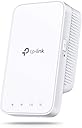
🚀 Boost Your Wi-Fi, Boost Your Life — Stay Connected Everywhere!
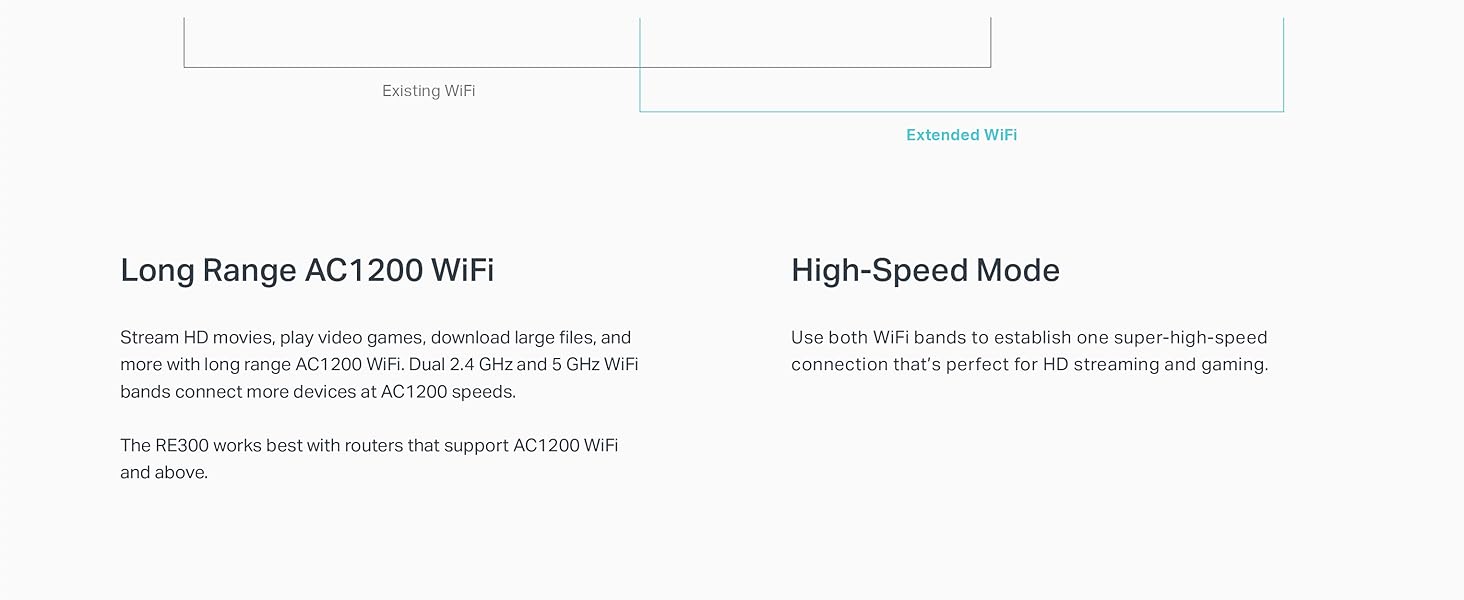
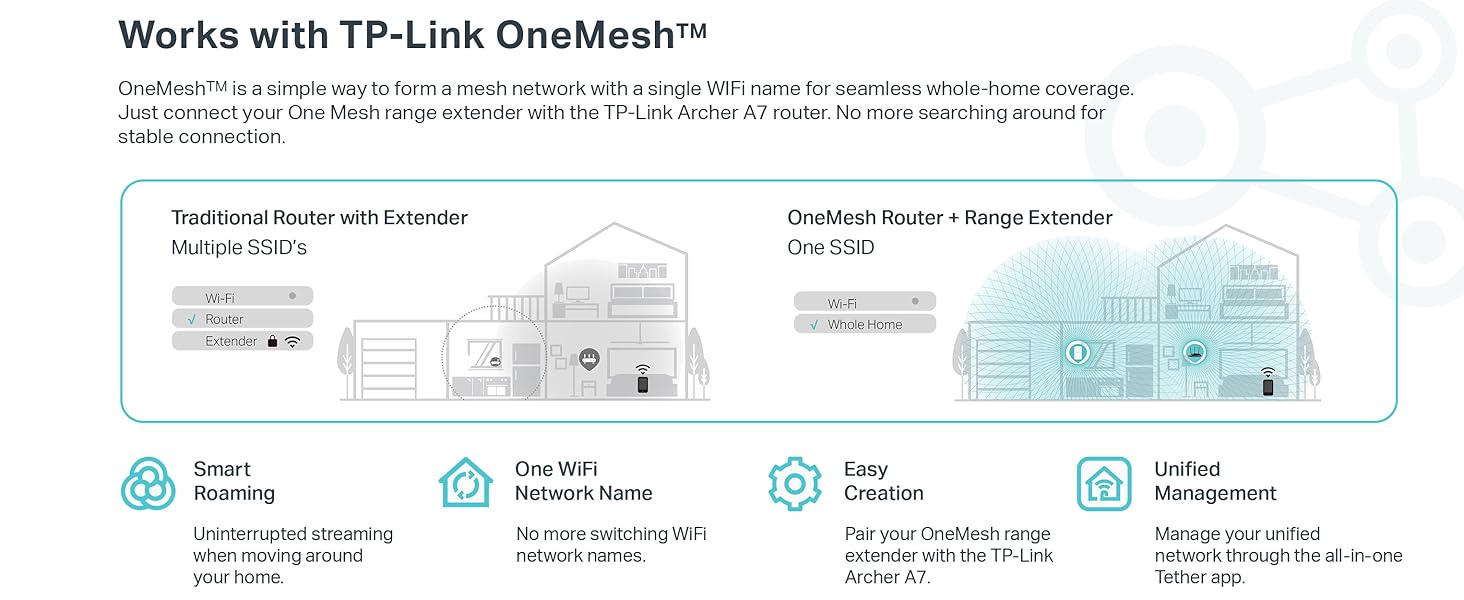
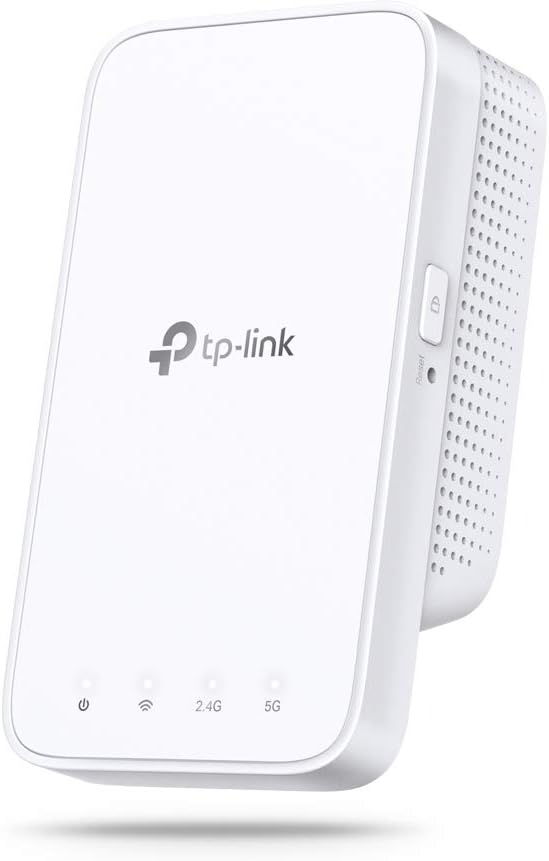
The TP-Link AC1200 WiFi Extender (RE300) expands your wireless coverage up to 1500 sq.ft, supporting up to 25 devices with dual-band speeds up to 1200 Mbps. Featuring OneMesh technology, it seamlessly integrates with compatible TP-Link routers for uninterrupted roaming. Easy to install with a smart signal indicator and backed by 24/7 support and a 2-year warranty, it’s the savvy choice for professionals seeking reliable, high-performance home or office Wi-Fi.


| ASIN | B07Q2WQWT7 |
| Best Sellers Rank | #274 in Repeaters |
| Brand | TP-Link |
| Built-In Media | AC1200 OneMesh Wi-Fi Range Extender RE300, Quick Installation Guide |
| Color | White |
| Compatible Devices | Personal Computer, Security Camera, Smart Television, Smartphone, Tablet |
| Connector Type | RJ45 |
| Customer Reviews | 4.1 4.1 out of 5 stars (24,782) |
| Data Transfer Rate | 1200 Megabits Per Second |
| Frequency | 5 GHz |
| Frequency Band Class | Dual-Band |
| Frequency Bands Supported | 2.4 GHz, 5 GHz |
| Global Trade Identification Number | 00840030700064 |
| Item Dimensions D x W x H | 2.7"D x 2"W x 4.9"H |
| Item Weight | 6.4 ounces |
| Manufacturer | TP-Link |
| Range | 1500 Square Feet |
| UPC | 840030700064 |
| Unit Count | 1.0 Count |
| Warranty Description | 2 year manufacturer, 2-year warranty and unlimited free 24/7 technical support |
| Wireless Compability | 802.11a, 802.11ac, 802.11b, 802.11g, 802.11n |
K**A
Easy To Install, Flexible Features
I've become a fan of TP-Link in recent months. I install internet for a living right now and I've been looking for a simpler solution to recommend folks. You can go blow huge money on mediocre mesh systems like the Orbi which will set you back $500 for a 3-pack these days, or you can buy a TP-Link router and buy a couple of these extenders and create a smooth mesh system that's low-profile and can get you up to 3,000-4,000 sq ft of coverage without breaking a sweat or spending all afternoon getting it squared away. If you download the Tether App from TP-Link, it's easy to get these extenders setup. Right now I'm not connected to a TP-Link router but eventually I'll probably replace my modem/router combo from my ISP with a TP-Link A7 or whatever their AX/WIFI-6 setup is because I like the idea of a mesh network but I don't like the restrictive nature of some of the ones out there. All that being said, this extender seems to get the job done. I still get hiccups and packet loss but I'm starting to think it has everything to do with my ISP's modem/router unit or my ISP specifically and less-so the equipment in my home. I have a 3 level home (2 main floors and a bonus room/attic at the top) and want quality wireless connections on every floor. I sat this extender on the 2nd floor and game and use my PC on the 3rd floor. I initially used the 5G band for the better speed but as I sorted through the settings on TP-Link's Tether app, I found that there's a "high speed mode" available. What I quickly found is that you can choose 1 of 2 things here: use the 2.4 GHz WIFI band from your internet source broadcast as a dedicated communication channel or a 5 GHz WIFI band dedicated to communicating with your internet source broadcast and then use the other band to connect your devices to. What that does (I happen to be familiar with this process - there's no real instructions) is create a finite connection over one band and throttle-up the other band for your devices to connect to. I used the 5 GHz band to create the modem/router > extender pairing for maximum performance between those two devices (they aren't that far away from each other so the 5 GHz band is fairly strong where the extender is) then I use the 2.4 GHz band to connect my Xbox One X and my PC. The results are fantastic for the price I paid for the extender. I ran a speed test on my Xbox One X and got 105 Mbps down, 10 Mbps up, 100% wireless connection strength, 0% packet loss, and 24 ms ping. That's solid performance given that my maximum download speed is 150 Mbps if the network is completely free of other users. You may or may not need to use the "high speed" setting and dedicate bands like I did, but I wanted my connection to be as solid as I could make it so I used the faster band to connect my extender to the internet and the "slower" band (2.4 GHz is slower most of the time) to establish high quality connections with my devices so I can move around more. I'm very pleased so-far. If anything changes I'll report back but I spent a couple hours testing out online gaming with my Xbox and it seems to work pretty well. A couple hiccups at first but the experience smoothed out quite a bit as time went on.
K**R
2 years later and still going strong-ish
You definitely have to be a little tech savvy with some patience to set this up. It occasionally disconnects, but I just reset it. Other than that, it works like magic! It doesn’t make your main internet slow, and the scheduled on & off is a big bonus because you don’t waste energy. I did recently have an issue connecting my 2G network, which is the main one, but just switched it off and just using the 5G now. I think the biggest problem is my old router. Definitely have to update those often. I even think using only the 5G made the connection stronger. If I can ever connect to the 2G again, I’ll update here with connection strength tests. I would definitely recommend for dead zones that are a little far (60 feet and a story from our router for us). If I had a bigger need for a stronger connection, I would definitely upgrade to the get a larger range. It cuts off pretty much at those 60 feet, but any longer would just be a luxury for us. Maybe one day, but for the reason I got it, like I said, it works like magic. I Zoom, stream, browse, social media on my phone all at once without an issue. I have found AT&T WiFi calling to be mostly troubling on this connection. Luckily I have just enough cell service so I turn off my WiFi when making calls. I keep it on because all other WiFi calling connections have worked perfectly and the city I live in has terrible cell service. Really can’t beat the price and service for a simpler extender. Before I bought this, I bought the older model that had a smaller range and it did absolutely nothing. I would definitely start with this as a base and upgrade higher if your extender needs are greater. And make sure your router doesn’t need a model upgrade from your provider.
N**N
Excellent Coverage for Separate homes
As a disclamer, yes, I do have more technical knowledge and I am full-time in IT industry. Which may lead many to expect that I prefer more expensive brands of equipment to strain the best optimal performance per dollar. However, the budget and circumstances I am currently experiencing have made me decide on a lesser of two options. Yes, I have considered the google wifi mesh pucks, but, the always on microphone and the thought of google following me throughout the house bugged my paranoia senses and I opted for a piece of hardware that would put a focus on 'performing' rather than being 'innovative'. The current setup, the main house we live behind has a stock, all-in-one Docsis 3.0 cable modem with WiFi. Prior to the upgrade, we used a Linksys RE2000 WiFi extender. The previous extender 'worked' but tapped at a mediocre 1.8mbps down and 0.8 up speeds. This is part 1 of upgrading the wireless experience in the guest house as the construction for internet runs on a DSL connection (were too far for service) and satellite (too pricey for yearly subscription). After a few WiFi analysis runs, I found that the wireless signal would broadcast from inside the house to the outer rim of our pool (length of the pool is 55ft). We have an outlet on the outside of our house covered by a storm cover which is signal enough to catch a good signal (WiFi analyzer bars were in the green) and repeat both the 2.4ghz and 5.0ghz signal. Now -- onto the review of the device. The TP Link WiFi extender is an excellent purchase if you are looking to build a Wireless Mesh network for your backyard/backhouse. This device does not support a wired connection, which, considering most networked devices in the home run on WiFi, can be a good or bad thing. If you prefer for devices in the home with ethernet connections to be connected via ethernet, consider using a over power line device (carries the signal through your outlet). I considered a similar solution in my case, but the wiring and time involved did not justify the speeds. your mileage may vary. Since the AC1200 WiFi extender does not have an ethernet connection, initial setup requires a cell phone with a decent signal and the use of their TP Link tethering app. While I was skeptical, I continued with the setup, which requires patience on behalf of the end user. Registering, downloading, syncing and then connecting can take an upwards of 30 minutes. To shave some time off of the overall process, I kept my existing wifi extender up, connected to it, ran the configuration through the tether app, then swapped the devices. I tested the signal and found we had whole house WiFi for a 930~ sq 1 bedroom back house. I connected other devices, then with some minor adjustments, found that all devices were clocking in a decent 9~10mbps down and 2mbps up speeds. These are exceptional to watch HD streams with some loading, light browsing and downloading of pdfs,ebooks and moderately large files. A few options to consider, I am running this WiFi extender across a decent sized pool, with a Docsis modem that is connected in a closet on the inside of the main house. I'd estimate the signal from the modem to the guest house front door drops to 1 bar signal. A few things to consider: 1. This is a WiFi extender, a powerful one for the price. You will not get 'excellent' speeds the further you are away from your main hub and bouncing multiple extenders off of each other will diminish the speeds. Consider using this for end-to-end coverage of a large home or to push the signal out of an older router/modem. 2. Setup is simple enough if you have a few things on hand, namely your WiFi password, decent connection on your cell phone and a good position for the extender to be plugged in. 3. If you are trying to extend the signal to another house/guest house please see below for some suggestions. Final thoughts & WiFi part 2 After dealing for about 6 to 8 months with the old Linksys WiFi extender, I expected to see drops in video quality, bandwidth issues and below average connectivity. By plugging in this WiFi extender to 'upgrade' an existing device over 3+ years old, I nearly doubled performance and coverage in under a half hour. Considering that there is another family with wireless devices closer to the main router, part 2 of my project is to provide an entirely separate wireless router on another SSID to separate bandwidth. Currently, my thought is a single wireless signal hosting 10+ devices (4 laptops, 7 cell phones, 4 tablets, 2 smart t.v.s and 1 console) will continue to struggle unless another private SSID is utilized to better organize the signal. To do this, I opted for a TP Link AC1200 WiFi router, with a hidden SSID to connect the backhouse WiFi separate from the main home. Its in my experience that a 'guest' wifi and a 'internal' WiFi will have varying degrees of performance based on those connected to the signal so its my hope of a dedicated router to extender will improve not only the speeds but dedicated coverage in the guest house.
C**S
Background: Last year, I upgraded to a Bell Fibe Gigabit plan. I was continually experiencing wi-fi signal issues in my living room (which weren't present beforehand.) The only solution they offered was to rent 4 of their "Wi-Fi Pods." which would cost an extra $20 every MONTH. That left a sour taste in my mouth as I already pay for their most expensive plan. Therefore, I logged on to Amazon and purchased a tp-link RE300, and I haven't had a wi-fi signal problem since. Positives: • Easy to install and understand the instructions, even if you're not technically inclined. • Great app that lets you view all the devices on your network. • It's not ugly - aka, my wife didn't complain that it had to be in the kitchen. • Strong, consistent signal • I'm able to sit outside on my patio and get wi-fi, something I couldn't do before. Negatives: I honestly haven't experienced any problems with this device. If I do, I'll be sure to update this review. Bottom Line: I'm happy with the device, and I feel it is well worth the money; it certainly beats paying your ISP extra every month (yeah, I'm still bitter about that situation, haha.)
H**M
حلو
M**A
Works so well 👌🏻
S**M
Purchased this Wi-Fi Extender as I need to extend my exiting network and cover all the dead areas of my house. It is doing a great job till date. I was able to extend the network and all the dead spot vanished. The coverage has been wonderful and with both the 2.4 GHZ and 5 GHz channels, it covers all the devices providing them with optimum speed and bandwidth. The installation has been an easy one as I have followed the steps to install it as per the instruction manual. Even when ever it's been switched off by mistake it takes just a few minutes to come up to speed and start's providing great network connectivity. It's a great product and would not hesitate to recommend it to anyone who want's a quick, easy and cheap way to extend their current network area.
M**O
Fácil de instalar e integrar al ruteador de la casa. Además bastante estable la señal. Un excelente producto. Lo recomiendo plenamente.
Trustpilot
2 months ago
2 weeks ago