📡 Unleash Your Screen: Stream, Watch, Enjoy!
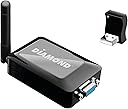
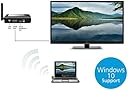
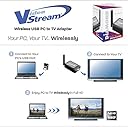
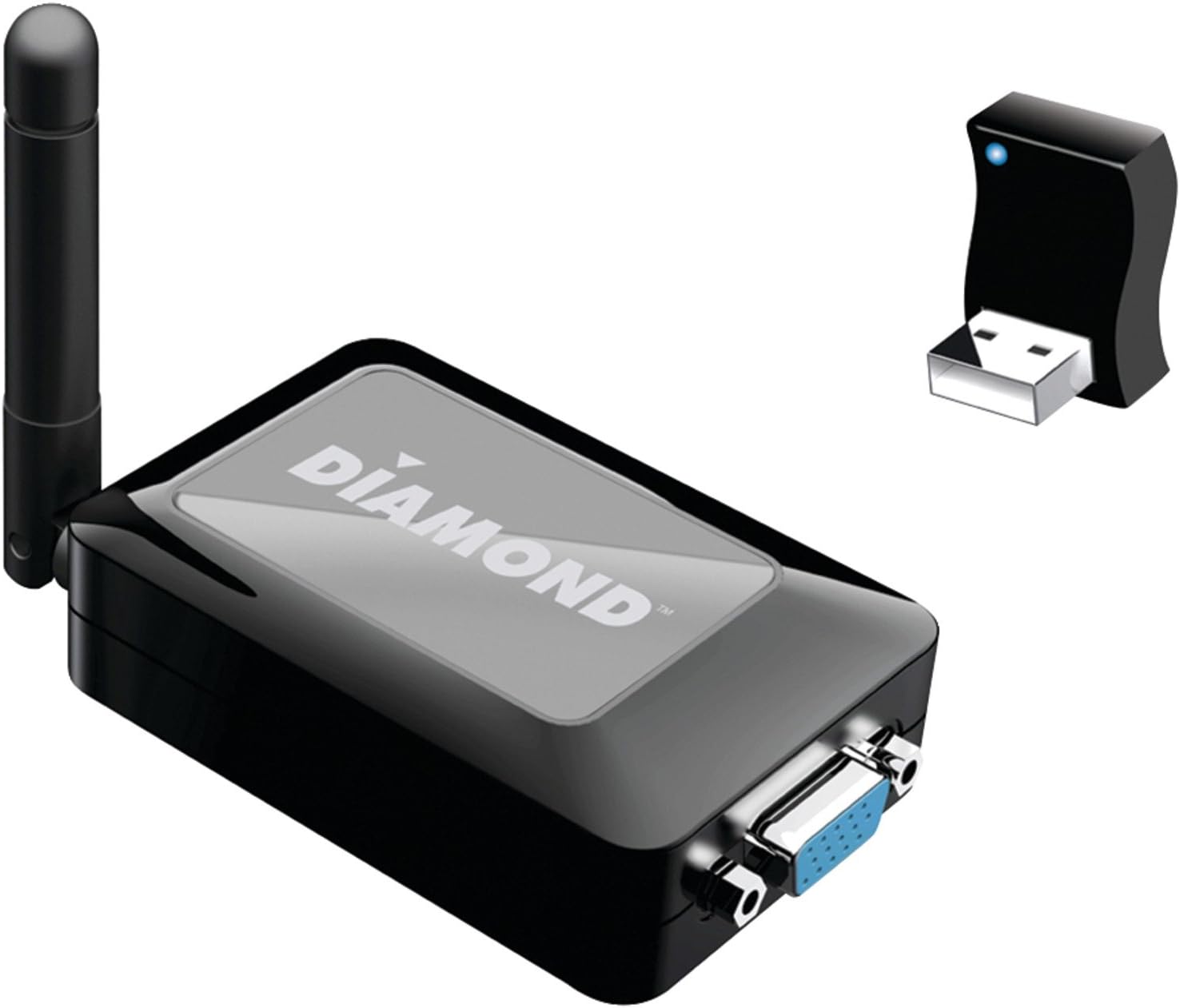
The Diamond Multimedia WPCTVPRO is a versatile wireless USB adapter that allows you to stream HD video and internet content from your PC to your HDTV. Compatible with multiple operating systems, it supports 1080p resolution for a high-quality viewing experience, eliminating the need for bulky set-top boxes.


| ASIN | B00AKYVMG2 |
| Customer Reviews | 4.1 4.1 out of 5 stars (524) |
| Date First Available | July 21, 2011 |
| Is Discontinued By Manufacturer | No |
| Item Weight | 1.76 ounces |
| Item model number | WPCTVPRO |
| Language | English |
| Manufacturer | Diamond Multimedia |
| Product Dimensions | 8.25 x 2.65 x 10 inches |
B**S
Works great for Teleprompter system
I bought this for use with a teleprompter setup and it works like a charm! My teleprompter system consists of a PC with prompter software, a mirrored prompter (just like you see in TV studios) with a flat-screen monitor underneath and facing up to reflect into the angled mirror and, previous to this Diamond WPCTVPRO, a very long VGA cable connecting the PC output to the prompter monitor input. Wow! Defines my satisfaction with this Diamond device. It has eliminated a tripping hazard that I had with the VGA cable and made everything involved a little more convenient. I've had the "transmitter" dongle/PC at least 30 feet away with no problems in reception of the "receiver" connected to the prompter monitor. I'm using the VGA output of the WPCTVPRO receiver for the monitor (which is a cheap, old 15" LCD that only has a VGA input). For s&g's I've also tried the receiver using its HDMI output with another monitor - no problems; excellent picture quality and reception. I've had people walk between the "line-of-sight" transmission and there's not been one hiccup, nothing! I've trucked and dollied the teleprompter camera while the WPCTVPRO was operating -- no reception problems. It appears to be a very strong signal. The product comes with a small pamphlet that explains installation -sort of (there's more detail on the mfg website: (...)), and it comes with a mini-CD for installing the drivers. I didn't use it because the pamphlet indicated it was best to let Windows (7) download the drivers on its own. The pamphlet's instructions were a bit confusing in that it said for Windows 7 installation to plug the USB dongle into the PC USB port first, then d/l the drivers. Immediately after the d/l instructions it said to *not* plug the USB dongle in yet. Well, heck, I'd already had it plugged-in and d/l'd the drivers so I figured I was screwed. Not. I guess it didn't matter. Everything worked just fine. There's a Windows taskbar icon for the WPCTVPRO program. Once you have the dongle plugged-in (is has a little blue LED "on" light, as does the receiver - flashing= no signal, steady=receiving) the taskbar icon is functional. Clicking on it provides a menu of functions including PC display settings [video] that is redundant with the Windows display settings (dunno why others here don't mention it) plus an [audio] setup as well. It also has a menu of WPCTVPRO options for the output. This taskbar icon menu has (imho) everything needed to make the system work for me. Again, its wireless capabilities (and really, why else would I or you buy it?) are flawless. I'm not kidding, and this is not a planted review. I can only guess that the hardware and software have been significantly improved over time since some of the negative reviews here (although some are more recent). I've also allowed the system to stay powered-up for 24 hours to 1) See if it failed, and 2) See if either component got too warm/hot. Well, no failure and the dongle did get slightly warm, but nothing alarming. That's it. 10-4, over & out.
J**)
works fantastic
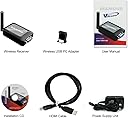
this thing works great we absolutely love it. I have this hooked up to my Acer laptop with win 7 & my LG 42" HDTV with a Harman Kardon surround system. I did have a slight problem getting it to work at first but quickly realized it was caused by a faulty HDMI cord that came with it. I ended up using a VGA cable with audio plug and it worked. I mean it worked fantastic the video & audio sent from my computer to the TV came in crystal clear. its so nice to be able to watch music videos off you-tube & listen to itunes on my TV & sound system and not have to worry about someone tripping over a cord. now there is one very slight problem that I should mention. its not a problem for us but might be for someone else. when someone walks between the computer & tv the audio will cut out for a split second and if someone stands to close to the computer in front of the USB adapter or to close to the receiver on the TV the signal will be lost but will restart after a few seconds after the person moves away from it. also make sure your computer is at or above the requirements for this to work. this was well worth the money and I plan on buying another one for our Daughter. I forgot to mention the distance between my computer and tv is about 26 feet. also have the receiver out in the open NOT behind the tv or anything else it must have a clear signal between the adapter and the receiver to work properly. if using WIN 7 DO NOT INSTALL THE SOFTWARE DISK. installing the disk is for WIN 8,VISTA,XP if you install it for WIN 7 it will cause problems your computer will freeze up soon after its installed. with WIN 7 set up hook up the receiver to your TV if using a VGA cable you will need an audio cable as well. then plug in the USB adapter to your computer and follow the on screen set up and your good to go. Specifications Supports 1080p Full HD 5.1 Digital Audio 3.5 MM 2 Channel Stereo Up to 30 foot range HDMI cable included USB to HDMI wireless HD 1080 PC to TV transmitter and receiver System Requirements Processor Core2 Duo Processor 2.4GHz Memory 1GB RAM Available Slot USB 2.0 Operating Systems Supported Windows 8, Windows 7 32Bit/64Bit, Windows Vista 32Bit, Windows XP Others 500 MB Hard Disk Free Space HD Display with HDMI input CD DVD Packaging Package Contents WPCTV1080P HDMI USB transmitter/USB base receiver INSTALL CD Quick Start Guide HDMI cable POWER ADAPTER VGA cable & 3.5mm audio cable does not come with this
L**Ý
This product is workig very good and i am happy with, only sometimes is having prolem with connection but to restore the connection unplug the power cable and plug it back. Otherwise there is no prolem,i only dislike the pixelation on the tv wich is bad,but this is beacause of the screen resolution. This product i would recomend to everyone.
T**T
The product was easy to install, configure and use. Now the tablet pc is connected to the class projector and i am free to move in the classroom. It's not made for high speed image flow, but for a teaching environment, it's great.
S**A
good product.
J**Z
Es buena opción para proyectar en pantallas sin necesidad de cables. En Mac funciona perfecto el VGA como HDMI. En HDMI puedes mandar el audio a las bocinas de la TV. Le pongo solo 3 estrellas porque aún no es compatible con Windows10.
A**R
Questions to producer. Why do not you add the AC adapter kit if it is necessary to work on device at all?
Trustpilot
3 weeks ago
2 months ago