We remain fully operational. Our teams are working around the clock to ensure your deliveries continue safely.

DOWNLOAD THE APP


Copyright © 2025 Desertcart Holdings Limited
DOWNLOAD THE APP


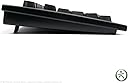
⌨️ Master your workflow with the keyboard that switches gears as fast as you do!
The Matias Dvorak Keyboard is a robust, ergonomic 104-key mechanical keyboard featuring a unique physical switch to toggle instantly between Dvorak and QWERTY layouts. It boasts quiet tactile switches ideal for professional environments, a built-in 3-port USB hub for enhanced connectivity, and newly added multimedia controls for seamless audio management. Its durable matte finish ensures longevity, making it a smart choice for millennial managers seeking efficiency and style in their workspace.
| ASIN | B00AU6GY90 |
| Additional Features | Switchable DVORAK / QWERTY |
| Antenna Location | Office |
| Best Sellers Rank | #10,027 in Computer Keyboards |
| Brand | Matias |
| Built-In Media | Matias keyboard |
| Button Quantity | 87 |
| Color | Black |
| Compatible Devices | Gaming Console, Laptop, PC, Smartphone, Tablet |
| Connectivity Technology | USB, USB-A |
| Customer Reviews | 3.5 out of 5 stars 26 Reviews |
| Enclosure Material | Plastic |
| Hand Orientation | Ambidextrous |
| Item Weight | 2.2 Pounds |
| Keyboard Description | USB |
| Keyboard Layout | Dvorak |
| Manufacturer | Matias Corporation |
| Mechanical Keyboard Switch Model | Quiet-Click |
| Mfr Part Number | FK207QPC |
| Model Name | Matias Dvorak Keyboard |
| Model Number | FK107 |
| Number of Keys | 87 |
| Number of Sections | 1 |
| Power Source | USB Powered |
| Recommended Uses For Product | Office |
| Series Number | 107 |
| Special Feature | Switchable DVORAK / QWERTY |
| Style Name | Contemporary |
| Switch Type | Clicky |
| Theme | Dvorak |
| Total USB 2.0 Ports | 1 |
| UPC | 833742003011 |
| Unit Count | 1.0 Count |
| Water Resistance Level | Not Water Resistant |
H**E
New version of this keyboard is great!
Updated Review (May 20, 2021): I decided to order the DVORAK Keyboard again and I received a great surprise. They updated the Keyboard!!! It now looks much more tougher as it is not made of plastic as the previous version. I don't know what material it is but it looks cleaner (matte finish from what I see) and durable. Maybe this one will last more than 6 years. What else is new in this keyboard? They added multimedia control on the keyboard! Hurray!! I bet someone listened to users feedback. This is great. I orignally placed as 4 stars, but now with this update it is 5 stars now. Amazon or the seller should update the photos for this Dvorak Keyboard because it is still displaying the old version. Original Review (May 12, 2021): I bought this Keybaord in August 19, 2015, and yesterday (May 11, 2021) some keys died off. This keybaord has lasted almost 6 years. Is 6 years the average lifespan of a keyboard? Looking online I just learned that the average life span of a mechanical keyboard is 10 to 15 years. And the really good ones last more than 20 years. I thought 6 years was good until I looked it up. The keyboard is fine. It is great to be able to switch between DVORAK and QWERTY Keybaord with a push of a button. I wish the keyboard had more ergonomic design such as place to rest your hands. And one thing that I really miss when using this keyboard is that it does not have a multimedia keys. It is sometimes very troublesome to try to use the mouse and move the cursor to a specific app or window to control the volume, instead of just simple press in the keyboard. I am currently debating if I should re-buy again or buy an ergonomic keyboard even if it comes with QWERTY. Or perhaps I shall buy it again as my elderly dad is already used to the DVORAK Key layout and it will be a big hassle for him to re-learn another layout.
A**R
Inherent problem makes it very unreliable
This is the second one of these that I have purchased. I really want to get comfortable with the Dvorak system and these keyboards are difficult to find. Unfortunately my first one of these had a very annoying flaw - randomly repeating keys (by random I mean several times an hour sometimes). I will press a key and let off and the key will just start repeating as if it was being held down, until I strike another one to "cancel" it. There have been times when I have hit the backspace key and turned away for a few moments and look back to find that half of my document has disappeared. As I said, this is my second. I figured that perhaps it was just a manufacturing defect on the first, but no, this second one shows the same symptoms straight out of the box. It's a shame, because it has a good solid feel to it with nice key travel. I just can't depend on it to not go haywire at an inopportune moment.
R**N
A Solid, Versatile Choice for Dvorak or Dual-Layout Keyboard Users
I purchased this keyboard to replace a Logitech illuminated keyboard that I bought in May 2005, both for use with Linux. I have purchased over a dozen keyboards since the mid-1980s, so I have experienced quite a range of designs, innovations, quality, and price. Here are the good points of this keyboard: Mechanical keyboard - Great tactile feedback, not soft or mushy Rapid delivery - Ordered on a Monday (est. delivery time was 4-9 days) and it arrived by UPS in only 2 days...Wed. afternoon Superior packaging - A space-efficient, double-wall corrugated outer box meant the contents, including the inner box arrived in perfect condition Two USB-2 ports on the keyboard - Plug a wired mouse or other USB device into the keyboard to reduce the snarl of cables behind the tower Switchable - Different typists can select their preferred keyboard layout at the touch of a backlit button on the keyboard Keycaps include both Dvorak and QWERTY letters - Great aid when switching between layouts; no sticky labels needed Three extra function keys (programmable F16, F17, F18) - Good way to handle unusual custom function key needs An extra Tab key at top, left of numeric pad - Makes spreadsheet navigation easy (tab = 1 cell to right; [Enter] = 1 cell down) Things I wish were different: Instead of the three extra function keys, I prefer volume & mute buttons to save reaching for the speaker knobs If your OpSys is set up for Dvorak (as my Linux is) system changes (including order of layouts) are required for switching to work as designed The keyboard's [Scroll Lock] key does not work but this is not important since I only use [Scroll Lock] once or twice a year That's it. For me the 'pros' outnumber the 'cons' by better than 2:1 which means that I'm happy with this choice, and would not hesitate to choose this keyboard again.
E**F
A Fantastic Dvorak Keyboard
Dvorak is the only way to go, and you can get a keyboard to go with it. The point of Dvorak is for faster touch typing, but I like the keys matching up with what I'm typing even though I don't look, and it's easier to cheat and find the symbols you rarely use than trying to remember where they are while using a Qwerty keyboard. I also noticed that there was less resistance with the keys on this keyboard than the one I switched from and other keyboards I've used since, making it even easier to type faster. With this keyboard, you don't need to change the keyboard settings to Dvorak. Plug it in, and it does it automatically for you--great for computers where you aren't able to change the settings such as at school or work, depending on the rules of the office. If others need to use your keyboard who haven't joined the ranks of Dvorak users, the button at the top lets you switch automatically to Qwerty--again, no needing to change computer settings. As an added bonus, it makes for a great conversation starter.
A**.
came with two 4 keys and a missing 7 key ...
came with two 4 keys and a missing 7 key. Now the " key takes two strokes to register. if anybody knows how to fix this problem please let me know.
C**N
Keyboard
With life so busy I have not been able to spend the time I need to learn the new keyboard. It does have a setting for the QWERTY keyboard and that gives me the option to use it as needed. I feel when I have time to learn the keyboard it will be awesome because I am not a good typist at this time.
M**S
Run-away space key
I really liked the feel of this keyboard, and the ability to switch over to QWERTY on the fly was a useful feature for my wife who lacks behind me in terms of nerdiness. Now, however, the keyboard is completely unusable because of a run-away space key: Hit SPACE and you'll get spaces forever like someone is holding the key down. (Mechanically, it rebounds without problem.) Two stars instead of one because I've read other reviews where this happens right out of the box. Mine worked for a good year. I had bought it directly from the company.
D**.
Well Worth the Purchase - Excellent DVORAK and QWERTY Keyboard
A REAL Dvorak keyboard, USB with two extra USB ports in the back. A white rectangularly shaped switch above F11 can be pressed, it will glow BLUE and it shifts the board into QWERTY. Push it again and the blue LED extinguishes and the keyboard is back to Dvorak. UNIX/LINUX users will want to add Console support for Dvorak - and I never thought the console would auto-detect which keyboard was bing used - I can switch console keyboard by pressing the white key until it glows blue and shift keyboards and console responds correctly. Nice, nice, nice. Don't stall on buying this, it's worth it.
Trustpilot
2 months ago
3 days ago