🔒 Stay ahead of threats with smart security that never sleeps!
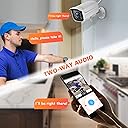
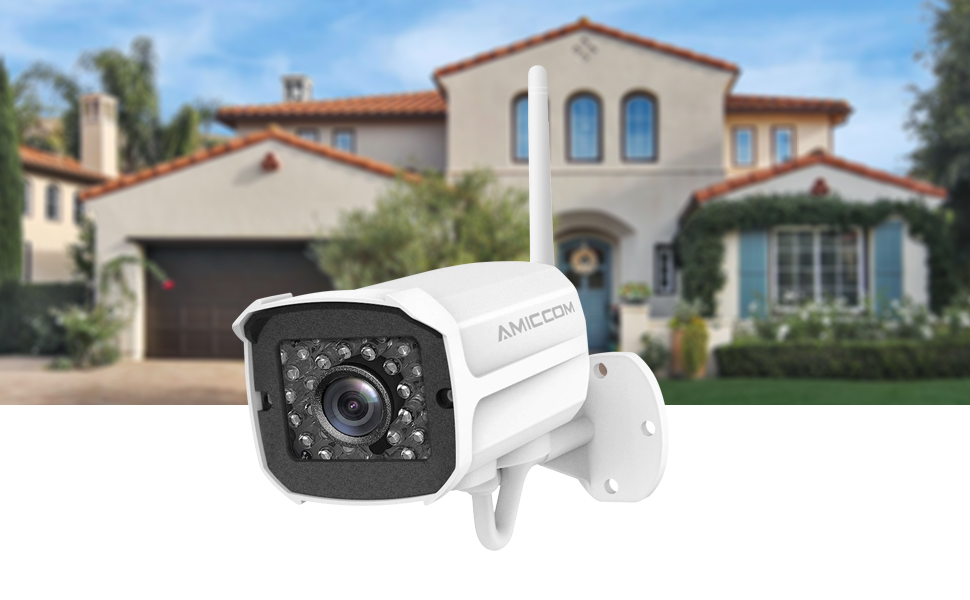
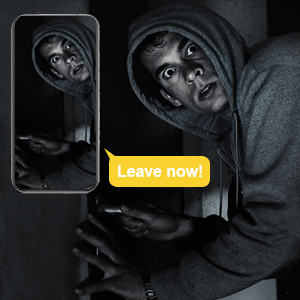
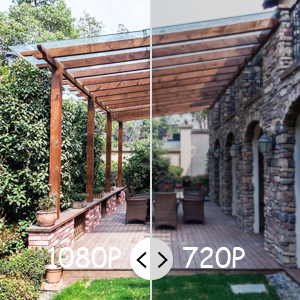
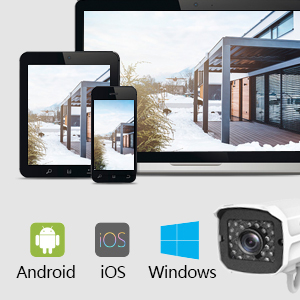
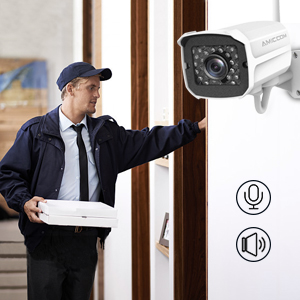
The AMICCOM Outdoor Security Camera delivers professional-grade 1080P HD video with a 3.6mm wide lens and night vision up to 32 feet. Featuring IP66 waterproofing, it withstands extreme weather from -4°F to 122°F, ensuring durability year-round. Its smart motion detection with customizable zones and real-time alerts keeps you connected via iOS and Android apps. Two-way audio lets you communicate remotely, while local storage supports up to 128GB Micro SD cards for continuous recording. Perfect for millennials seeking reliable, tech-savvy home security with seamless app integration and robust performance.


| ASIN | B07Z3BZF35 |
| Alert Type | Motion Only |
| Antenna Location | Outdoor Security |
| Are Batteries Required | No |
| Brand | AMICCOM |
| Color | White |
| Compatible Devices | Ios |
| Connectivity Protocol | Wi-Fi |
| Connectivity Technology | Wireless |
| Controller Type | Android, iOS |
| Customer Reviews | 4.0 out of 5 stars 5,657 Reviews |
| Form Factor | Bullet |
| Indoor Outdoor Usage | Outdoor |
| Indoor/Outdoor Usage | Outdoor |
| Item Dimensions | 4 x 3 x 5 inches |
| Manufacturer | AMICCOM |
| Model Number | Z5-New |
| Mount Type | Wall Mount |
| Night Vision | Night Color |
| Night Vision Range | 32 Feet |
| Number of Items | 1 |
| Other Special Features of the Product | Motion Sensor, Night Vision |
| Power Source | Battery Powered |
| Recommended Uses For Product | Outdoor Security |
| Room Type | Outdoor |
| Special Feature | Motion Sensor, Night Vision |
| UPC | 763032027765 795802670475 763032027758 796820018591 |
| Unit Count | 1 Count |
| Upper Temperature Rating | 50 Degrees Celsius |
| Video Capture Format | MPEG-4 |
| Video Capture Resolution | 1080p |
| Water Resistance Level | Waterproof |
| Waterproof Rating | IP66 |
| Wireless Technology | Wi-Fi |
R**T
Nice for the Price
The setup for these were a little difficult but if you follow the instructions closely you'll get it eventually. You are basically using a smartphone to program it. You create an account for the Jawa app, download it, and it will do the rest. Just make sure your phone is on WiFi that is NOT 5G as it is not supported. I was surprised at the quality of these cameras (I bought 2 but 1 at a time) and how well the app and the software works with them. The app uses a lot of battery power on my phone so I turned off the notifications in the app and that fixed that issue. I don't need it to alert me whenever it detects motion but if you do just be aware of the battery drain. The IP Camera video client software I downloaded for my Windows computer allows up to 16 cameras to be monitored. In the picture you can see that you can set the monitor to view 1, 4, 9, 16, 6 (1 large window in the upper left with the others around it), or 8 (1 large window in the upper left with the others around it) cameras. It has worked fine for the two I have. I like that you have sub-account management so you can let others access the cameras. We have several adults living with us so they can watch the cameras without making any changes. You can set a password (screen swipe) to unlock a camera for playing back any videos if you want to lock it down. The others just have to create an account and download the Jawa app. Where to get it and the client software are included in the manual. The speaker is small and not the best so two-way communications will probably result in a lot of "What did you say?" replies unless the camera is close to the person being observed. Our cameras are up high since we are monitoring our backyard and carport but if it was lower and closer it should be understandable. I bought a 128GB Micro SD card for these. They have been running for about 2.5 days, recording set for "All Day", and motion detection areas defined. The app for the one that is recording the most shows 102.8/119.05GB free space. Doing the math in my head that means I am getting about 15 days of recording in the "SD" format which is acceptable. You don't need to babysit these SD cards as the camera will overwrite older videos as the SD card fills up. The videos you playback have audio that is very good so the microphone does a good job of recording. There is a delay between when the activity is recorded and your ability to play it back. In the manual (yeah I'm "that guy") it says 20 minutes. I don't think it is that long but just be aware that it is not immediate. There is also a delay in motion detection. What I mean by that is I was waiting for a package to be delivered and I was watching the camera in real time. I heard a knock on my door but watching the camera it was still showing the delivery person walking up to the door. It is about 5 seconds. No big deal, just realize there is a delay. There is a "gotcha" with the gift they say they will give you as part of registering the warranty. You email them and request the gift and they reply that you have to review their product and send them the review and then they will send the gift - a 32 GB Micro SD card. They did not reply to me saying that is not part of the offer according to what is included in the box; register for the warranty and get the gift. I told them I wanted the SD card to put into the camera to test it and then I would review it but have not received a response. I'll send this review in but doubt I'll get the SD card.
M**Y
Good because...
Firstly, this is not my first wifi security camera. I'm adding to my network. This camera seemed to be a GREAT deal. Leary, I got one. Amazing!! The manual is so much better than any other Asian made manual. It's not perfect, but it's a far cry from the others. Very detailed. Amazing!! The motion detection AREA is settable in the app. This means I can prevent false recordings from the moving shadows and car lights. In fact, I'm having this issue with my other cameras, which only have sensitivity setting, not AREA setting. Crazy good. AMAZING!!! Pairing was easy. BUT you need to just follow the app. The camera speaker speaks and asks for the phone to be near, but dont do it until the app tells you. The picture quality is great. Looking at recordings is reasonably fast and works well. *****IMPORTANT I found out to get it to record on motion, you have to turn on ALARM setting. In that setting, you can turn off local alarm and have it record. Otherwise it will not. The manual is lax in this.
L**L
Good Camera for the Price
We’ve only had this for a short period of time, but so far, for the price it seems to be a great value. Pluses: HD/SD screen viewing option, 24/7 recording ability with SD Micro card (not included, but we got a 129GB), ease of setup and mounting with viewing area, and the two way voice ability (you can talk thru your camera via the app and it records outside sound). Downfalls, but not a total walk away: they give you a 1ft power tail to connect from camera to the inline 5ft cord. Then, the power plug has a 3ft length to attach to this. My recommendation: one length that connects at the camera, then to the power module, therefore minimizing the number of plugins. That would lesson the chances of electrical issues and potential ability of someone disabling the camera. Other suggestion would be to make the power plug at the outlet smaller or 90 degree to depart down out of the outlet. Ours plugs into the outdoor outlet with weather cover and unfortunately sticks out to far to allow the cover to fully close and secure. For those that like numbers, the plug sticks out about 3 inches straight out. I’ll have to go to the home center and see if we can get a deeper cover to allow this. The instructions are simple, but can be a little head scratching at times. Working with the app though, we figured it out and works just fine. Make sure you get all the set up stuff done before taking the camera out and mounting it. We adapted ours to use on our IPhones for the notification options while we’re away. Sensitivity at it’s lowest still was picking up people walking down the sidewalk with max viewing area incorporated. The app allows adjustment of that, and since doing, we get less notifications for non pertinent movement. Overall, like I stated, it’s a good buy and product for the money. Worth a go if you don’t want to spend big money for a full optioned package, doesn’t need a professional to install and provides everything you need to give you some sense of security.
N**L
Camera's Great, app is unusable
I purchased 2 of these cameras and had a neighbor and my son buy one as well. They've had no issues. I, on the other hand, have had nothing but headaches since connecting them. The cameras themselves connect to the router, as they're supposed to, and they even told me (thru their speaker) that the "Network Connection Established". HOWEVER, when I go the JAWA app, it says the cameras are "Off Line". My IT son diagnosed my problem by going into the guts of the Xfinity router, and found that indeed, the cameras are providing information to the router. The problem arrises when the cameras try so send information to the internet . . . or more precisely, when the information comes back to my modem. Xfinity blocks access to my computer because it sees the request as a THREAT to my computer (see attached photos). This begs the question, what else are they trying to get from my computer? Is Xfinity better at finding threats than other providers ? ? ? or is it in the code of the request that makes it APPEAR to be a threat ? At this point I'm not willing to find out. I called the number JAWA provided (877-877-1984) to get help, and after two days of trying finally got thru to a gal who told me I HAD to write an email describing my problem . . . which I did. I received a very prompt CANNED reply, which was basically the same instructions provided with the camera. So I replied, telling them that I had followed their instrunctions and provided the information below to try and help them diagnose the problem. Again, I received a prompt reply telling me that THE (I assume there's only one) tech who can help is on vacation and won't be back till February. So I don't expect much help from JAWA on this issue. I also contacted Amazon for assistance, and had a very nice long conversation explaining my issue, and she gave me an email address to contact the seller for help . . . we'll see how that goes . . . On another note, I hope I can get the issue corrected, because the camera itself is GREAT. The picture is very clear, and the night vision is better than I'd hoped. To read a more detailed expalantion, and a way to test your camera, see below. I have two of these cameras, both of them are connected to my network and if I go to my router using the program "VLC" I can connect to them via an "RTSP" command. (Under the Media tab, OPEN "Network Stream", Under the Network Tab, enter " rtsp://admin:123456@(enter camera ID here . . . can be found in the JAWA app under Settings; Camera Info; IP): port number (this number is the "port" the camera uses. I had to find it by googling the camera and port number)" Example: rtsp://admin:[email protected]:5600 Thru that program I can see the cameras and they are operating as they are supposed to. According to my IT son, my problem is with the JAWA app. According to him, the cameras are connected to my router, but the when the app tries to contact the cameras thru my router/internet (Xfinity with their router) I get a message (on the router) that it detected a threat and therefore stopped the request. Good luck
T**P
Good for price but could use improvements
The instructions aren't the best English but I managed to get it all set up on my phone and over Wifi. There is a power cord extender which is a nice feature. There is a couple second lag in the video, which gets even worse with higher quality view selected, but I'm guessing that is partly from my home wifi. You can manually record video which saves directly to your phone, but it seems to skip and miss a second here and there, which could be concerning if you are catching something fast. Where I have it installed, outside, this shouldn't be an issue though. I don't see any setting about being able to record upon motion detect, nor do I see any settings at all about motion detection (sensitivity, etc), which is strange because the listing definitely mentions it. You can install a micro SD card (in an internal slot behind a water-sealed flap), perhaps when I install one it unlocks the settings for motion detection and recording? I have an SD card coming in the mail to install, so if this improves the functionality I will update this review. There is an "Alarm" setting in the app that will notify the user if there was motion within an area of the camera that the user can pick, and it can alert the user via phone app (sound, vibrate, or both), AND has the option to sound a siren from the camera if it is triggered, but I don't see an option for recording video upon motion detection. You can speak through the camera so your voice comes out from the camera speaker as well. The night time mode doesnt like being faced towards a light colored flat wall as the reflection kind of "whites out" the image. Not a problem for me since it is installed outside, but I noticed this as I was setting it up and testing it inside. This could be a problem if your house or shed or garage has a large flat light colored surface and you want a clear picture at night. The mount has a ball swivel which means you can adjust it to basically direction you want, away from a bend in the mount. The bend in the mount does impart some physical restriction in one direction but if you pay attention when mounting then it shouldn't be an issue. All of these types/style of camera seem to have a 120V wall plug, which means you must mount the camera physically close to an outlet, which outside could be a problem, and/or use an extension cord semi-permanently. This of course seems to be an easy way for an intruder or interloper to deactivate the device, by simply unplugging it from the nearby outlet. This one doesn't have a battery backup, which would be a really great addition for the cases of mains power outage or somebody mischievous who unplugs it. I don't know if any do have a battery backup, I'm assuming more expensive ones do.
K**E
Entry Level Cameras
The price is well set for what these are. If you’re look for a high end security camera keep looking. There are some obvious flaws to choosing these as home security. 1. Setup - The first camera I set up was easily done within a minute after plugging in and mounting. The second was was another story. It wouldn’t pair with my WiFi. I moved it to several locations and eventually next to the router itself. I ended up taking it apart to find the reset button internally. After I reset it and ran back through the setup it was good to go. 2. Connection - The instructions say picture is best run at 100+ K/s. Despite proximity to my router and high speed internet mine rarely operate above 80. At times I’ll get a network alert. It appears they fall out of sync occasionally. 3. Construction - Overall construction is pretty solid. The powder coat finishing is nicely done and the mount is sturdy. Downside here is the screws provided. They couldn’t have chosen worse screws. Every last one stripped will using my power drill. I pulled them and used some from the hardware store. No issues. 4. Resolution/Imaging - Fairly decent, but not high end. The night vision leaves a lot to be desired. The infrared illumination isn’t that powerful. If it’s set up in a small room it’s ample, but if you’re try to see more than 15’ away? No. 5. Security - Not the best design. A couple other reviews mention the fact that it does take a micro sd card, but you could easily unplug and remove the sd card with a philips head. I’d recommend the company switch to a star/hex but screw to secure the sd card area. The other down side is it’s easily unplugged. I wouldn’t trust this for long term outdoor use. Someone can easily unplug you device. Lastly, the motion sensor works decently (If anything it’s too sensitive), but the alarm goes off in a few seconds. Overall, I’m still “satisfied” with my purchase, but I won’t be buying additional units. The two I bought are going to remain indoors.
H**)
Our high expectations for this camera truly came through.
So at the advice of a police officer, after concerns for our safety, he suggested we look into security cameras. We have thought about many times but didn’t act on it. So, I buy nothing, without some time researching Seaver all products from various review sites. For me, I always look at the poor ratings first, that will you the clientele purchasing this item and whether their expectations seem realistic. I do the same thing with traveling plans. So after a few weeks of review, Amiccom, come we’ll recommended. 1. Very prompt delivery 2. Just as expected and heavy duty(very impressed) 3. Easy installation with all parts provided 4. Easy app to install and easy to sync with WiFi (FYI.. if you are a talker..you have to be quiet for A little time) 5. Amazing picture clarity(you can see precise rain Drops) 6. Profile of our side of house and our front door is Absolutely amazing( the clarity is so great.. (us Girls can check our makeup..no kidding) I’m not Funny either 7.you can have both cameras visualized on 1 screen of your phone 8. Also, a plus, you can have as many of your family Members download the app as well. (Neat Feature) We truly are happy with these cameras. We are considering getting 2 more for our RV AT Fenwick Island Take Care..
L**9
Great video and sound
First off. The 5 stars is for the camera itself. The app on the other hand I would give about a 2. I got this for the fact it has two way audio. Most outdoor cameras at this price don't have that option. Make note that when connecting this to an internet connection that it has to be all one word. Say yours is My_Internet, then it will not connect. You'll have to change it to MyInternet in order for it to sync to it. You can do all this inside first before mounting outside. So when you unplug it to install outside, it'll remember and connect back to your internet within a few minutes. You can't do much with the app and you can't access the camera ip to change any settings unfortunately. The app won't tell you your IP so I found mine by looking at what was connected to my router. And I discovered the port number is 80 for those wanting to connect to a different app like IP Cam Viewer. I use a host ip address but you can just type in your IP you found for your camera and leave the port blank, it'll default to 80 on its own. The user I couldn't change so it's admin by default and the password I was able to change in the app itself under settings and NVR password so I could use it on the IP Cam Viewer app. I don't remember what the default password was but it's usually 123456. The camera and sound quailty are great. It also lights up the area pretty well at night. If you're not picky about changing a bunch of settings then this camera is for you.
Trustpilot
2 months ago
5 days ago