Buy anything from 5,000+ international stores. One checkout price. No surprise fees. Join 2M+ shoppers on Desertcart.
Desertcart purchases this item on your behalf and handles shipping, customs, and support to Vanuatu.
🚀 Print Like a Pro with Unmatched Efficiency!
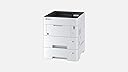
The KYOCERA 1102TR2US0 Laser Printer is designed for high-performance printing, delivering up to 57 pages per minute with a maximum input capacity of 1200 sheets. It features a quick warm-up time of just 25 seconds and offers versatile connectivity options, making it an ideal choice for busy office environments.
| B&W Pages per Minute | 55 ppm |
| Color Pages per Minute | 55 |
| Total USB 2.0 Ports | 1 |
| Hardware Connectivity | USB, Ethernet |
| Connectivity Technology | Ethernet |
| Resolution | 600 x 600 |
| Processor Count | 1 |
| Control Method | Remote |
| Controller Type | Push Button |
| Print media | Paper (plain) |
| Maximum Copy Speed Black and White | 57 ppm |
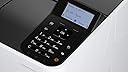
| Display Type | LCD |
| Additional Features | Compact |
| Printer Output Type | Monochrome |
| Item Weight | 19.7 Kilograms |
| Paper Size | 8.5 inch x 14 Inches |
| Maximum Sheet Capacity | 1200 |
| Wattage | 675 watts |
| Is Electric | Yes |
| Dual-sided printing | Yes |
| Color | White |
J**S
Fast copier that works better than I expected
I had an old Lexmark T630 that I used to run my home business. I print 8 cases of paper a year. After many years o great service the Lexmark had to be retired from service. A friend of mine recommended the Kyocera printer. Looking at the reviews some people complained about the time it took to print others felt that ir should have wireless WIFI built in but overall the ratings were good. I purchased the printer and 2 optional 500 sheet trays. I hesitated initially getting it online because I thought it would take a long time to install the trays and load and get running the print driver. It took less than an hour to get everything together and running. The printer is very fast and works as advertised. In printing 2 cases of paper I think I have had only one paper jam. That is great. It takes just a 2 or 3 seconds longer that my Lexmark does to start printing. This is not a problem for me. The toner is also reasonably priced. I would recommend this printer to people in a home office or work group. It is a good printer.
C**R
Fantastic duplexing workgroup printer
We have a workgroup of about 10 people using this printer, which replaced an old HP LaserJet printer. The old printer cost almost $3000 15 years ago, weighed close to 200 pounds and had a toner cartridge that cost hundreds of dollars. This printer is faster, quieter and DUPLEXES. The genuine toner cartridge costs $74. We bought an additional tray for legal paper and everyone who uses it loves it. I've seen the complaints about slow first pages, which I don't get. If you frequently print 1 page, then wait a while to print another page, etc. etc. then maybe that warmup delay would be annoying, but any other modern printer that quickly goes into sleep mode will do a similar thing. Adequate superlatives do not exist for this machine.
E**
Corrispondenza del prodotto ordinato e funzionalità
Consegna puntuale e prodotto integro e perfettamente funzionante.
A**L
Excellent
After using another brand of printer for many years and paying through the nose for toner and suffering constant jams and misfeeds this printer is a breath of fresh air.We print in bulk and this unit just shrugs it off. Takes a ream of paper and just works. No issues in over 400,000 pages.I am buying another.
T**G
Quality Printer
This Unit is Quality and cheap to run
C**N
Support
"Buongiorno, il seriale indicato appartiene a un dispositivo rivolto al mercato tedesco, non può usufruire della garanzia del produttore italiana. Cordiali saluti,"Ma allora l'Europa unita, leggi comunitarie, è l'Europa che ce lo chiede... Mah
J**R
Imprimante tambour / four fixes, conçue pour imprimer 500.000 copies
J'utilise des imprimantes laser de toutes marques depuis plus de 30 ans et je dois dire que Kyocera surpasse tous ses concurrents en qualité et en design. Chez Kyocera, les cartouches comportent uniquement de l'encre, les tambours et le four étant fixes dans l'imprimante. Le tambour et le four de la Kyocera P3155dn sont conçus pour durer 500.000 copies. C'est dix foix plus que ma précédente imprimante laser, le jour ayant lâché à 50.000 copies, et le tambour vers 30.000 copies. Kyocera offre une solution qui est à la fois écologique et très bon marché. Par ailleurs, l'imprimante est "driverless" sous Linux et Mac OS X (Airprint), donc aucun driver à installer, elle est totalement plug-and-play. L'interface réseau Gibabit assure des transferts très rapides. Il y a 20 ans, j'ai eu une imprimante Kyocera, qui était increvable et que j'ai changé pour des raisons de support Postscript. Je suis heureux de revenir vers Kyocera et pas prêt de changer de crêmerie. J'espère seulement que Kyocera restera en bonne santé financière, car les vendeurs de produits durables (j'estime que cette imprimante peut tenir 15 ans) ont parfois des difficultés financières ... car leurs produits sont increvables. Bravo et longue vie Kyocera.
Trustpilot
2 days ago
1 week ago