Buy anything from 5,000+ international stores. One checkout price. No surprise fees. Join 2M+ shoppers on Desertcart.
Desertcart purchases this item on your behalf and handles shipping, customs, and support to Vanuatu.
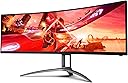
๐ Elevate your workspace with the ultimate ultra-wide powerhouse!
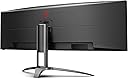
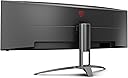
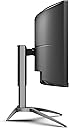
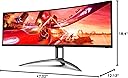
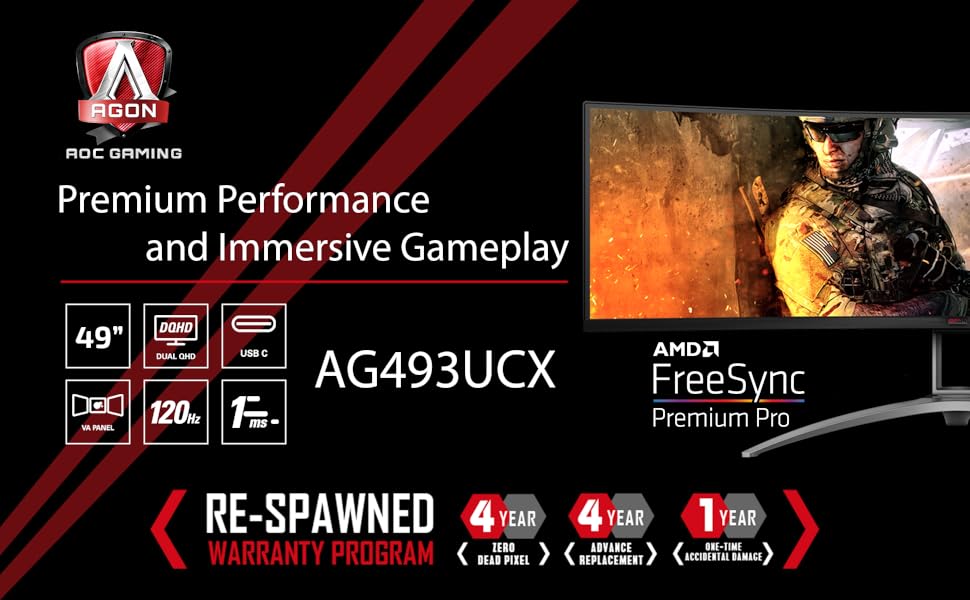
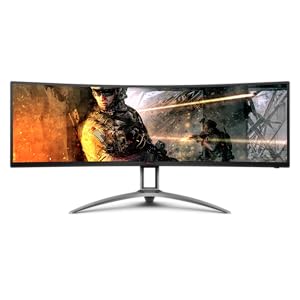
The AOC AGON AG493UCX is a 49-inch curved VA panel monitor featuring a massive 5120x1440 Dual QHD resolution, 120Hz refresh rate, and 1ms Adaptive-Sync response time. It offers vibrant color accuracy with 121% sRGB and DisplayHDR 400 certification, height adjustability, and versatile connectivity including USB-C with 65W power delivery. Backed by a 4-year zero dead pixel warranty, itโs designed for professionals and gamers seeking immersive visuals and reliable performance in one sleek, ultra-wide display.


| ASIN | B07ZSGR4CH |
| Adaptive Sync | FreeSync |
| Additional Features | Curved, Flicker-Free, Height Adjustment, Ultrawide Screen, Wall Mountable |
| Aspect Ratio | 21:9 |
| Best Sellers Rank | #637,365 in Electronics ( See Top 100 in Electronics ) #12,230 in Computer Monitors |
| Brand | AOC |
| Brightness | 550 cd/m2 |
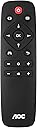
| Built-In Media | HDMI CABLE POWER CABLE C5 DISPLAYPORT CABLE Remote control |
| Color | Black/Silver |
| Color Gamut | 90.1 |
| Connectivity Technology | HDMI 2.0 x 2 USB-C 3.2 x 1 (DP alt mode, upstream, power delivery up to 65 W) DisplayPort 1.4 x 2 USB 3.2 (Gen 1) Headphone out (3.5mm) |
| Contrast Ratio | 80,000,000:1 |
| Customer Reviews | 4.2 out of 5 stars 568 Reviews |
| Display Resolution Maximum | 5140 x 1440 Pixels |
| Display Technology | VA |
| Display Type | LCD |
| Global Trade Identification Number | 00685417722280 |
| Hardware Connectivity | DisplayPort, HDMI, USB, USB 3.0, USB Type C |
| Has Color Screen | Yes |
| Image Contrast Ratio | 80,000,000:1 |
| Is Electric | Yes |
| Item Dimensions D x W x H | 18.4"D x 47.02"W x 12.13"H |
| Item Type Name | computer monitor |
| Item Weight | 45.9 Pounds |
| Manufacturer | AOC International |
| Model Name | AGON |
| Model Number | AG493UCX |
| Mounting Type | Wall Mount |
| Native Resolution | 5120x1440 |
| Number of Component Outputs | 3 |
| Picture Quality Enhancement Technology | DisplayHDR 400 |
| Pixel Pitch | 0.2331 |
| Processor Count | 1 |
| Refresh Rate | 120 Hz |
| Resolution | Dual QHD |
| Response Time | 1 Milliseconds |
| Screen Finish | Curved |
| Screen Size | 49 Inches |
| Screen Surface Description | Curved |
| Shape | rectangular prism |
| Specific Uses For Product | Gaming, Multimedia, Personal |
| Total Number of HDMI Ports | 2 |
| Total USB 2.0 Ports | 1 |
| Total USB 3.0 Ports | 3 |
| Total Usb Ports | 4 |
| UPC | 685417722280 |
| Unit Count | 1.0 Count |
| Viewing Angle | 178 Degrees |
| Warranty Description | 1-Year (One-Time) Accidental Damage Warranty, 4-Year Advance Replacement Warranty, 4-Year Zero Dead Pixel Guarantee |
K**R
Ultra-Widely Impressed!
I have to start by saying I'm a spoiled I.T. consultant. I live on computers and when it is one of my machines, I demand the best for my monitors. I do still game a little, so I wanted a monitor that could handle a game or two. However, I mainly use the monitor for work, and don't prefer dual monitors so like like the ultra-wide concept. I have been on 27" and 32" monitors for a long long time. I now own an LG 38" curved, and a Samsung 32" 4K curved. The LG is on a Mac Mini and the Samsung was on my old i7 custom Windows rig. I just upgraded to an AMD Threadripper custom rig and decided to upgrade my monitor too. I was not ever really happy with the Samsung 32" Curved 4K, so time for a new monitor! After hours and hours of research, reading reviews, etc... I initial bought a Lenovo 43" Legion ultra-wide curved monitor but in the end returned it. The Lenovo was impressive, a super nice monitor, but I am used to a taller (32") monitor. So going with a dual 24" equivalent just didn't cut it. I really wanted the new LG 38" but for $1600 to $1700, I didn't see the value. So I read more reviews, looked at more specs, and ended up buying the AOC Agon 49". (I like the AOC better and got it for the same price of the Lenovo on sale, so a better value too) So what do I have to say... well my initial comment is the AOC 49" monitor is nothing short of amazing. It has better specs than the Samsung (minus the new Odyssey G9s) and is $200 less. I have no dead pixels (and an awesome 4 year warranty against dead pixels). The monitor is big and bright. The resolution is great, I love the 5120x1440. Graphics, text, photos... it all looks good. I can't yet speak to gaming but I can only assume it is excellent based on the specs and what I have seen so far. I also can not speak to AOC's support, some say it is bad but per their comments I wonder... hum? And in reality, very little support is any good. My only con, and this is a preference, is the monitor stand, although adjustable up/down, does not raise the monitor high enough. That could just be me, I'm tall, but it was easily resolved by buying a monitor arm mount. So overall, if you're in the market for a 49" ultra-wide, regardless of your usage, you can't go wrong with the AOC Agon 49" monitor!
S**W
Amazing monitor. And can do 5120 x 1440 w/ the right cable to your laptop!
This thing is amazing. Does 5120 x 1440 easily w/ a windows pc. The tricky setup was with a laptop. My Macbook pro (AMD 555 pro video card, 2017 model) would not natively display 5120 x 1440. It would do full resolution over usb-c or HDMI (would only go to 3840 x2160). I read it might have something to do with the handshake over thunderbolt 3 in mac (if you boot to windows via boot camp, 5k would work, so it's not hardware). But w/ the right adapter, I can happily report it works! I also had to manually change the display refresh rate. 5120x1440 at 75hz was what worked. I had to download DisableMonitor, a utility from github to do so. There are a few other software packages that let you change refresh manually in MacOS, but this one was free. Two adapters that worked: 1) Belkin Thunderbolt 3 Dock Plus w/ 2.6ft Thunderbolt 3 Cable (Thunderbolt Dock for macOS and Windows) Dual 4K @60Hz, 40Gbps Transfer Speeds, 60W Upstream Charging. $200 (little pricey, but great doc so far). 2) Cable Matters USB C to DisplayPort Adapter with 8K HDR DisplayPort 1.4 - USB Type C and Thunderbolt 3 Port. $18. And the Cable Matters 8K DisplayPort to DisplayPort Cable (DisplayPort 1.4 Cable) with 8K 60Hz Video Resolution and HDR Support - 6 Feet. $13. Way cheaper! I ended up sticking w/ the Belkin doc and DisplayPort cable. Two cables that did NOT work: 1) Moshi USB C to DisplayPort Cable 1.5m/5ft, Support 5K@60 Hz, 4K HDR, VESA Certified, Aluminum Housing, Thunderbolt 3 Compatible. 2) Cable Matters USB C to DisplayPort Cable (USB-C to DisplayPort Cable, USB C to DP Cable) Supporting 8K 60Hz in Black 6 ft. I ran the USB up port to my PC, then the usb-c to the doc (which is connected to the Mac). Works the other way around too (usb-c to PC, USB up to Mac) Caveat: The kvm works but I have to switch between usb-c and usb up port manually in the monitor display (you have to switch the display port anyway so it's like two extra clicks, not an issue at all). So I can use a single usb and mouse to control both! (plug both into back of monitor). Also, I HIGHLY recommend the RK Royal KLUDGE RK71 keyboard. It has both wired and wireless mode (I just use the bluetooth to both pc and mac), can swap between pc and mac mode, and bluetooth up to 5 devices. You can just turn off the RGB if you don't like it. But it's an amazing keyboard! Hope this helps someone! I struggled for a while and thought I'd share. RS
D**Z
Built in KVM, less than perfect
Just purchased this screen to use with both work laptop (now pretty much permanently working from home) as well as my gaming PC. Really happy overall. Starting with setup, pretty straight forward, however the tiny instruction scrap of paper could have more details, such as showing the exact ports on the back. (the port labels are tiny and very hard to see on the monitor itself. Had to tip the monitor and use flashlight to verify connection ports). The instructions also did not clearly spell out how to use the KVM that is built in, however, learned much of that ahead of time from other reviews. KVM - it did work. Had my laptop connected via USB-C, gaming pc on the display port. The USB pass through, hooked my powered hub which had my speakers, headset and keyboard/mouse remote wireless receiver. When the the computers were on and running, no problem, everything switched nicely. Bringing out of sleep state, not so good. Keyboard/mouse, usually not able to login after kicking it out of sleep mode. The other issue I had was on the laptop side, screen had a slight flicker connecting via USB-C. Worked with it for a day, tweaking refresh rate, display adapter drivers, etc. In the end, my solution was to abandon the built in KVM and use my physical KVM switch that I already had. Now the Laptop was on HDMI and the gaming PC was technically on both HDMI and display port. (Had to use the hdmi for the KVM to detect signal, but used display port for the actual output.) This is working much better as keyboard/mouse immediately active on selected device. Once that was all worked out, laptop, at the lower 3840x1080 is working fine for work. Everything is clear and crisp. The gaming PC is fantastic at the 5120x1440 resolution (only through display port). So far, only had time to try a couple of my racing games and on the full resolution, was flawless. Really fills in the peripheral vision. If it were not for the built in KVM not meeting my needs, would have given 5 stars. But overall, very happy and would recommend to others.
J**R
Former dual screen user never looking back..
Purchased product for use for work, school, and light gaming. Have been a dual monitor user for a number of years but bought a new Macbook Pro M1 and learned it wouldn't support dual monitors without some additional tweaking. Was thinking about moving to a single, larger widescreen monitor and it seemed like the time to give it a try. Can say that I will never look back. The 49" screen gives me plenty of real estate for all active windows for work (Browser, iMessage, Slack, Webex..) and also for school (Browser, MS Word, PDF reader, Notes Application, etc). It is undoubtedly one of the best pieces of tech I have ever owned. Only downside is the first unit I received went out after 2 months. It would turn on but not display a picture on any input source. I contacted support and they shipped me a new unit in 7 days. I set it up and shipped the defective unit back. The new unit is functioning great so far (crossing fingers). Even with the RMA event, I still give it 5 stars due to the quality of the display and the usability.
N**E
Bad color, horrible Picture-by-Picture modes.
I had high expectations... coming from two 32" AOC monitors that had a 144Hz refresh, 2560x1440 resolution, and 1ms response. Packaging, set-up, and physical construction are all good on this monitor. The you turn it on and you realize something's wrong with the color... it's just "off". No big deal, makes some tweaks and changes and everything looks "ok". I'm not a gamer. I bought this monitor for work so FreeSync and other features are meaningless to me. What is important is the Picture by Picture mode. Since I share my desktop fequently I can tell you there isn't a video conferencing service (Chime, Zoom, GTM, WebEx, Teams) that will re-size you're output for people with normal size monitors or laptops. Yes, I know, I can share individual applications but in my line of work I switch between sharing 5 - 10 different applications during every sessions. Sharing the entire desktop is the only efficient way to accomplish this. When switching to PBP on this AOC 49" Ultrawide you'll immediately notice that one half of the screen has a "warm" color tone while the other half of the screen has a "cool" color tone. It's very distracting. Repeated attempts to get some kind of explanation from AOC have gone completely unanswered. No, it's not my cables or my inputs or my computers - in PBP mode you can swap inputs in the menu which flips your left screen over the right and vice versa. Yes, I tried multiple cables, multiple inputs - using the exact same cables and inputs with my two 32" monitors produces an exact color match on both monitors, so it isn't me I promise! In the attached pictures you can see the difference between the two halves of the screen. Incredibly annoying. I've already purchased another 49" Ultrawide with the same spec's that cost $200 more - without mentioning the brand name of that one I can tell you the color quality is superior and consistent throughout the entire screen; and unlike the AOC the PBP and PIP modes are actually adjustable. Oh, that's the other thing, enabling PBP on the AOC automatically disables almost every setting on this monitor. All of those fancy game-play settings and the color and picture control - disabled in PBP mode. Extremely disappointed in this monitor, happy to have something else that works. I should've just spent the extra couple hundred from the start. If you've been looking at 49" Ultrawides that you already know there are really only 2 others that have similar spec's but cost a bit more, get one of those don't take the chance on this one.
T**W
Pretty darn good work monitor, minus the speaker volume
Purchased this monitor to use for work. I have it on a Vivo heavy duty monitor arm, and the result works really nicely if you take the time to tuck up all of the cables properly. Picture quality is just fine for work, as is the resolution and the high refresh rate. Previously I used two 4k 27" monitors and while the picture was better with them, it was just too many pixels for the computer to handle comfortably - my laptop fan would run constantly to try to hold it together. This looks a lot better than 1080p, but without the crazy pixel count of a few 4k monitors - a nice compromise. Workspace wise, it's about the same as two 27" monitors for width, but without the bezel in the middle you can use the space better. I can be on a Microsoft Teams call in the center of the monitor, and easily have e-mail open on one side and the thing I'm actually working on on the other side - meaning 3 work areas on the same screen. As others have mentioned, the UI of the monitor menu is poor, but it doesn't matter much once you get things set up right. The only REAL annoyance of the monitor to me are the speakers. They actually sound *ok*, but they are just too loud to start with, which is bizarre. The volume scale goes from 1 to 100, and I have my speakers set at volume of 1 - literally the quietest it will go and not be muted, and it's still relatively loud - I wish it could go quieter. That's not a dealbreaker in my mind, but it is bizarre that they have it set up so oddly. Overall though, as a work monitor I find it works fantastic - definitely glad I purchased it!
D**.
Decent while it lasted.
Was good at the time while it lasted. It's quite heavy and large, as to be expected of a 49" LCD panel. The KVM was nice although it only switched between a PC and USB-C device (which couldn't utilize the full display resolution). I was a bit wary of downgrading from IPS to VA to get the ultrawide experience, but it was a good price. Unfortunately, the screen started showing horizontal lines across the screen a little after 3 years. It's still covered under the 4 year warranty. However, AOC has since stopped producing super ultrawide monitors, so there are no replacements available. Therefore, I would have to buy a replacement from a third-party seller before they would reimburse me. I'm glad I didn't pay the full $1000 MSRP for it though. For the $400 I paid, it was probably worth the try. I've since bought an OLED 49" and it's so much thinner and more colorful. Of course, the burn-in fears are there, but at least it feels like more of an upgrade to the IPS monitors that I was originally using.
S**N
Almost comically large
I say comically large because I'm used to either 17 inch super grainy work monitors, a 15"Macbook, and the AOC 34" curved 4K which is now at work to supplement the issued shnicklefritz. When I first turned it on I was wondering if I made a mistake, that maybe I would miss the height of the 34", or that turning my head was going to be too painful. *note* this is for personal use, internet, life management, basic productivity apps, etc. After a 6 hour session, the bezel-less transition is super nice, scaled resolutions basically make this like having 2.5 monitors in one. My head isn't going crazy, because I say my brain can only handle having 3 windows open at once and it doesn't reach end-to-end. When I do have multiple things open, the nicety of not minimizing makes me not notice the turns, anyways. The stand is huge, plan accordingly, but I'm making it work on one of those Costco 4x2ft fold-out beer pong tables just fine with a Bluetooth keyboard. Not really a console gamer, but I could envision warping on the far sides as well as being difficult for a FPS to scan. *USING THE HDMI AND USB-C THAT CAME WITH THE PACKAGE, MACBOOK IS UNABLE TO RESOLUTE TO THE 5120X1440 SO FAR, AND AFTER MANY VIDEOS IM GOING TO TRY THE USB-C TO DISPLAY PORT 1.4, AND HOPEFULLY DISPLAY SETTINGS WILL LET ME MAX OUT THE POTENTIAL, STAY TUNED. CURRENTLY MAXING OUT AT 3840X1080(still looks pretty good but the resolution is what I care about over refresh rate etc). Built-in speakers are definitely sufficient and allow for the computer to be docked closed and out of the way. Something I guess I wish the 34" had. I know this is touted as a gaming computer but I purchased it for the price, AOC has not done me wrong in the past quality and longevity-wise, and build/packaging was a good experience for me thankfully. So far I'm still excited and the possible remorse buyer definitely went away.
P**D
Great 49 inch monitor that does it all.
Great monitor for both work and gaming. Easy to flick between USB C input for my work laptop connection and my desktop PC input connection on DP using the AOC remote control. I use the same keyboard and mouse connected to the monitor for laptop input and desktop PC using the inbuilt KVM switch. Great having the inbuilt speakers which works well with USB C laptop. I use a different speaker system for my desktop PC. I would definitely buy this again very happy with purchase
M**T
Fantastic Purchase , Fantastic guarantee , >>Streamer<< - PUBG - Roblox Arsenal
I have a gaming / streaming setup.. so I had three monitors, on top of alot of equipment on my desk. Though it is a 49 inch monitor, it comfortably fits on a desk, as long as you take your time and patience to place it correctly. I can multi-task with this monitor -- using it as two separate 27 monitors, or by using multiple windows. Windowed gaming is very easy, with more than enough space for OBX controls, and chat, on either side of the Gaming window (center). Gaming in ultra wide screen with this is amazing. example >> PUBG, A+.. was shocked at how much I enjoyed it. >>Roblox Arsenal, A+. super fast, super clear, super sharp >>ANY driving game, amazing. I personally didn't have any issues with motion sickness. 144hz and 1ms is also major at this size. The brightness on this monitor is amazing, and more than enough for anyone, in my opinion. Colors are clear and defined. Blacks are very black, and whites are very white. Out of the box adjustments are ok... but adjustments just make it better. I literally have no complaints. With the 1 year "accidental damage" replacement, and 4 years guarantee, the decision to purchase was made easier, for ease of mind. A positive review. I have nothing negative to say... time will tell. Luck, happiness, and good health to all! Chow!
A**.
Gorgeous device
This monitor initially arrived to me with a large crack along the right side of the screen. However, amazon was able to promptly send me a replacement, and I must say this monitor is gorgeous and responsive (I am typing this review on it right now!). I have not been able to play many games with it yet due to needing a GPU upgrade to unlock its full potential, but so far the picture is breathtaking. There are also speakers built in to the monitor, which aren't great, but It was a feature I was looking for and am happy to have them to clear extra speakers off my desk for basic sounds. I use a headset for gaming and would recommend that as opposed to using the built in ones.
A**R
They knew what they were doing when selecting how long the warranty lasts.
The screen will start spazzing out and dying on you the second your warranty expires. At that point, the company will tell you to eat rocks.
B**N
Great Monitor. Highly recommend.
Great monitor, wonderful display, fast refresh, amazing warranty, and great price. I would very much recommend this monitor. I was worried going from a 5k monitor that it would look very pixelated. This is not the case, display is beautiful. Not as good as 5k but good enough for sure. A few negatives/Notes: -KVM is between USB-C display and all others. You canโt use the KVM without using one of the devices on USB-C. -USB-C Display can not go full resolution, you need Displayport to hit full resolution, and because of KVN having to be on USB-c for one port, you cannot use the KVM function correctly without sacrificing image quality on the USB-c Port. This is the only downside of the monitor and for me it is a considerable one, but not one I would return the monitor for.
Trustpilot
2 months ago
3 weeks ago