Buy anything from 5,000+ international stores. One checkout price. No surprise fees. Join 2M+ shoppers on Desertcart.
Desertcart purchases this item on your behalf and handles shipping, customs, and support to Vanuatu.
🖥️ Elevate your workspace, elevate your game — the ultimate ultrawide monitor arm for pros who demand more.
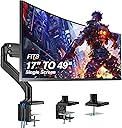
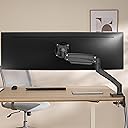
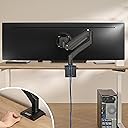
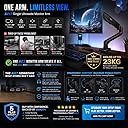
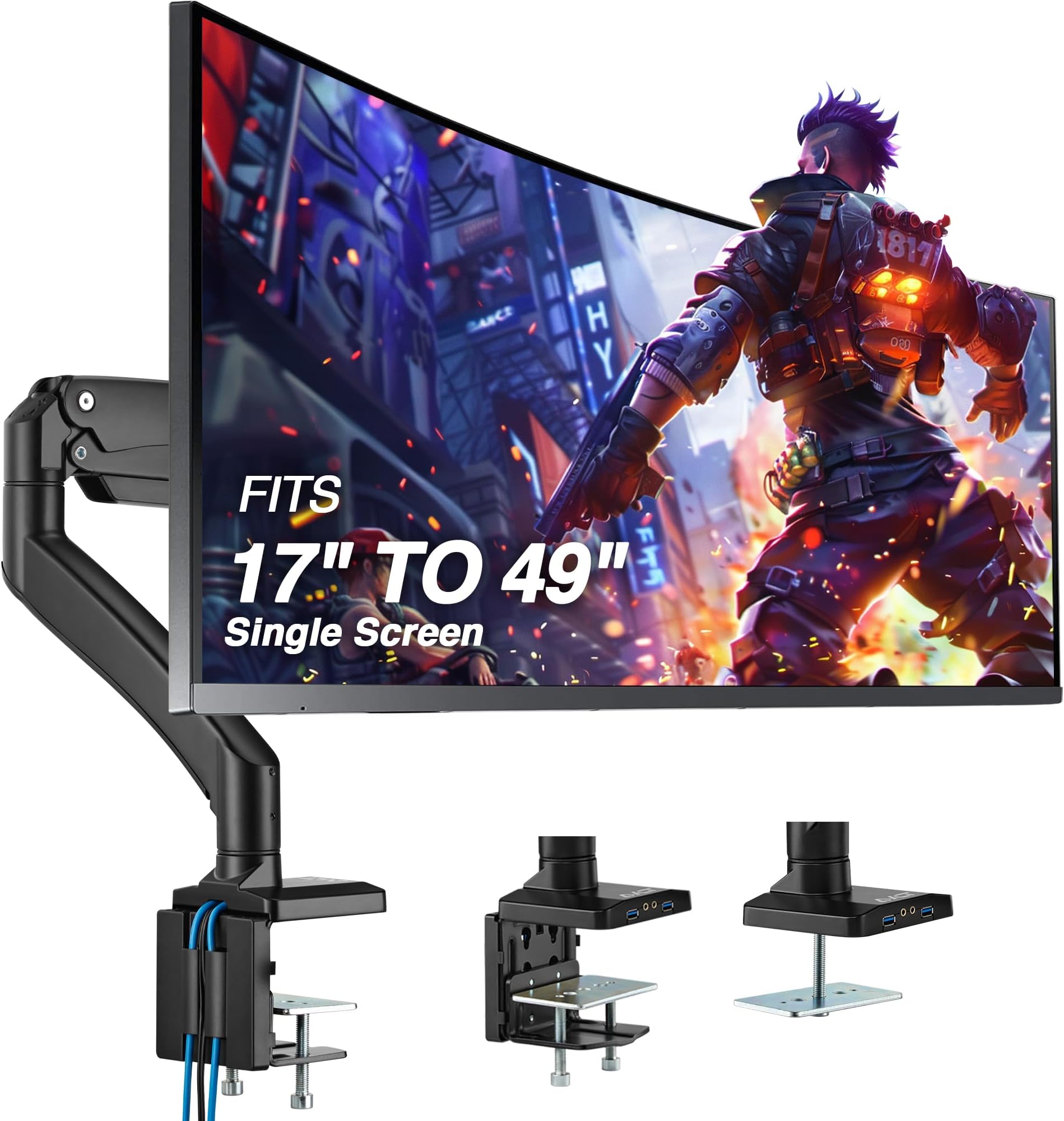
The AVLT Single Ultrawide Monitor Arm supports screens from 17" to 49" weighing up to 50 lbs, featuring a premium aluminum build with adjustable pneumatic height (10"–23"), full motion swivel, tilt, and rotation. It includes built-in USB 3.0 and AUX ports for easy connectivity, a compact heavy-duty base that saves desk space, and offers versatile mounting options with VESA compatibility. Designed for durability and ergonomic comfort, it comes with a 3-year warranty and lifetime tech support.


| ASIN | B0819BLM2Z |
| Best Sellers Rank | #499 in Computer Monitor Arms |
| Brand | AVLT |
| Color | Black |
| Compatible Devices | 17 to 49inch Monitors, 17 to 49inch TVs |
| Customer Reviews | 4.5 out of 5 stars 1,225 Reviews |
| Enclosure Material | Aluminum |
| Item Weight | 11.5 Kilograms |
| Manufacturer | AVLT |
| Material | Aluminum |
| Maximum Tilt Angle | 75 Degrees |
| Maximum-Supported Screen Size | 49 Inches |
| Mfr Part Number | AVLT-DM40-1 |
| Minimum-Supported Screen Size | 17 Inches |
| Model Number | AVLT-DM40-1 |
| Mounting Type | Tabletop Mount |
| Movement Type | Tilt |
| Warranty Description | 3 Year Warranty |
H**S
It WILL Hold Your Super Ultrawide, but...
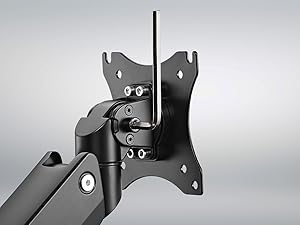
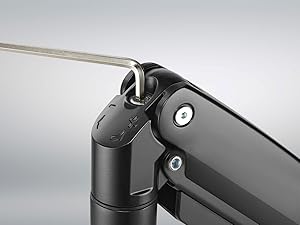
Monitor: Samsung CRG9 (the 49" Super Ultrawide behemoth that weighs nearly 30 pounds) For those worried that their monitor will drop down and become one with their desk: it won't, IF you set it up correctly. Out of the box, there will be some significant assembly especially for a monitor arm, do not worry about this, all the tools required will be provided. One of the Allen wrenches has a flat head at the end, just in case you need one for the VESA mount screws, but it will also be important for the flathead screws on the joint pieces that hold the mount together. (There are two joints. One is between the base and the "bicep", the other is between the bicep and the "forearm". These are the joints that you must tighten the flathead screw to ensure that these parts stay together.) The base is the densest part of the mount, it is very heavy, boasting two poles on the clamp that are adjusted with the Allen wrench to ensure a steady hold on the edge of your desk. This thing isn't going anywhere. Some have complained how you must use the Allen wrench to tighten these poles. Don't worry, you want the Allen wrench, there is no other way to ensure a stronger clamp without them if you aren't using the grommet. There are a couple parts that you must assemble for your base. It is very straightforward inside the instruction manual. What they don't tell you in the instruction manual, is that the plate for the clamp that sits on the two tightening poles DOES NOT lock in to the tightening poles for the clamp. It freely sits on top of them inside two concave cuts on the face of the plate. This does not, by my observation, hinder the ability of the clamp to hold the mount steady. NOTE: There is a piece of thin rubber with a sticky side that you can use to stick to the plate of the clamp to ensure a steadier hold, and a scratches desktop. The base acts as a middleman between two of your USB, audio + mic connections and your PC. There are cables that come directly out the other side of the base that can connect into your PC. This can be useful for a mouse and a keyboard, as well as your headset. Then, you will attach the bicep to the base. There is a flathead screw that you must adjust at the joint. The tighter it is, the harder it will be to turn your monitor arm via that joint. The looser it is, the easier. Do not make this too loose or it may pop off. This is the most important part: When you attach the forearm to the bicep, at the bicep joint, turn the big Allen wrench screw COUNTER-CLOCKWISE! This is what ensures your monitor stays off the desk and in the air. When thinking like an airplane, this is what ensures the altitude of the monitor. Try to turn this a few times until it is somewhat loose before attaching the monitor. The second most important part: Before attaching the monitor, especially if it is a large, heavy monitor like mine. Tighten the mount itself, the portion that your monitor will actually sit on. Tighten this screw significantly. This is what holds your monitor from pitching downwards automatically. Overall: I've had this monitor arm for a few days now. And I wrote this review almost like an instruction manual because it took me two months to find one. I did NOT want to flush 300 dollars down the drain on an Ergotron. It's a great mount, very sturdy, will certainly last a while. For my purposes, which are to set the monitor in a fixed position and moving it periodically, this is perfect and has freed my desk of an incredible amount of space. It is not the easiest to turn especially on the bicep and base joint, but it is easy to yaw and roll, in case you ever needed that. A couple downsides: the fact that the plate for the clamp does not screw into the poles, and I cannot pitch my monitor. However, this is negligible to me as I will never need this feature. 5 stars.
M**S
The Best Monitor Arm I’ve Ever Owned
I bought this monitor arm back in February 2022, and I’ve used it daily for over 3 years. It’s hands down the best Amazon purchase I’ve ever made. I have it holding up a 32-inch LG HD monitor, and it’s mounted on a glass surface attached to an electronic standing desk. Because of the glass, I had to install it using a reinforcement plate, but once set up, this thing has been completely solid. No sagging, no slipping, no issues. The adjustability is incredible. I can move my monitor around freely depending on whether I’m working, gaming, or watching movies. It’s still smooth after all this time. I honestly thought the moving parts would loosen up or wear out, but they haven’t at all. One of the surprise features is the built-in USB ports. I assumed they would eventually stop working, but I’ve used them consistently for years and they still work flawlessly. That kind of longevity is rare. Cable management is also excellent. My setup looks super clean, even with multiple devices connected. I don’t usually write reviews. In fact, I never do. But this is the first time I’ve bought something where I truly feel like I got more than I paid for. It’s a high-quality, long-lasting product that deserves real recognition. If you’re on the fence about which monitor arm to get, or you’re worried about mounting on non-standard surfaces like glass, I can say with full confidence that this one delivers.
A**.
Was Tentative on this Purchase...
I was tentative on purchasing this AVLT Monitor Arm after pouring through the reviews, but I rolled the dice. I am happy to report that his arm is definitely a quality product. Range of motion, sturdiness and stability are "top shelf". Assembly was easy and I learned from the reviews to take my time. I opted for the grommet mount because of the way my sit/stand desk is designed. This mounting method is solid but make sure you think about where your want your monitor to "be" and the associated scope of motion, left to right. I took queues from what other people have commented on and here are the tips worth mentioning again. 1) It's it best to thread your cables through the arm sections prior to mounting everything. Because of the way the cover retention screws go into the arm sections, you will thank yourself while installing things - as even using a short philips head screw driver in a mounted position will still be frustrating due to the angles involved, finding the screw head in an upside down orientation and then tightening everything up. 2) My 32" Strix Gaming monitor weighs less than 20 lbs without the stand but I still needed to tighten up the tension screw quite a bit to prevent the arm from sagging. So make sure to tighten that tension screw a good 3 to 4 full-turns before you mount your display into the arm clip. A few people mentioned this in other reviews and it's good advice. If you skip this step you're apt to slamming your monitor down onto the desk surface. So make sure to not have anything underneath! I think what sets this arm apart from many others is the provision of the USB 3.0 hub and the audio mini jacks in the base. This arm is a recommended purchase and certainly less expensive than a number of bigger named products.
K**.
Stylish and sturdy
It does as a monitor arm should. I have had monitor arms before. I tend to set it and forget it. So as long as I can move it about just the once to get a good spot, while freeing up desk space I am happy. This one moves well and supports the Acer Z35 monitor, which I think is just over 20 lbs. I have attached the arm to a glass desktop. I am NOT recommending it for that. I have reinforced the desk in a few ways to support this extra weight. The cable management is good but the space is limited. Screw in panels are used to hide cables. Setup was easy. The unit feels sturdy and well made. The video on how to set tension was clear. Rotation of the screen (portrait/landscape) is a bit wonky but maybe better/smoother on a flat panel. It is very easy to set the tension a little high, it takes a minute to get it right. Once setup though it's really nice. Also this one came with audio jacks and usb cables, but they made it very easy to remove the extra cables if you dont need them.
J**S
Effective ultrawide monitor arm solution
This review is on the AVLT 13" - 43" single monitor arm in white. So after sorting through the reviews and seeing it on YouTube I decided to roll the dice and purchase. Initial thoughts; great weight, build and quality of materials. So I have a LG 49WQ95C-W 49" Curved UltraWide on a whiteboard Uplift standing desk. First concern was the weight and size of the monitor being 49" and 27 lbs. Second concern was the durability of the whiteboard desktop. To address the desktop, I purchased the AVLT Adjustable Reinforcement Plate to help distribute force applied on the desk. Now for the monitor, I actually had to mount the monitor to the arm twice. (I initially didn't like the placement of the arm and had to move it) First time was done by installing the vesa mount clip to the monitor while it's still in its face covering packing styrofoam. It was a challenge to do by myself because of the weight and size of the monitor to guide the clip into the AVLT Arm. The second time I installed the monitor, I again used LG's original styrofoam to hold the monitor while I maneuvered the AVLT arm with a vesa mount installed toward the monitor. I found screwing the monitor to the already secured vesa mount much simpler with this application. Once installed you have to add loads of tension to the arm to hold the monitor up which is 6 lbs under threshold. So far so good, it's been holding steady and really maneuverable with arm rotation and extension. Side to side tilting of the monitor isn't bad and has been staying level. Tilting the monitor face up and down isn't readily available since you have to lock the head in place with the provided hex key. (Wish I could adjust it on the fly but it's not a show stopper for me) My only gripe about the arm is the cable management. Tucking away 2 hdmi, 1 dp, 1 power and 2 usb cables into the cable management channel isn't terrible but doing so with the wiring cover that has screws right in the middle was a pain. The screws take up valuable space and push the cables outwards. It would've been great if the plates side-clipped into the arm instead which would free up the center space. Overall I am very happy with it so far and it's much more cost effective over the Ergotron. FYI, remember to reduce preload prior to removing your monitor for ease and to avoid injury.
C**.
A Sturdy and Sleek Solution
The AVLT Single Monitor Arm Desk Mount has proven to be an outstanding addition to my workspace, offering a sturdy and sleek solution for my 13"-43" monitor. Its heavy-duty build ensures reliable support for my flat, curved, or ultrawide monitor, and I appreciate the thoughtful design that keeps it looking clean and unobtrusive. One of the standout features of this monitor arm is its exceptional sturdiness. It's clear that it's built to last, providing a secure and stable hold for my monitor. I can trust that my valuable monitor is well-supported and protected from accidental falls or slips. The heavy-duty construction also contributes to its durability, assuring me that it will stand the test of time. It's worth noting that the robust build of the monitor arm does come with some weight to it. While this is a testament to its durability, it may not be the most lightweight option out there. However, the added weight ensures a solid foundation and reinforces the feeling of reliability when using this arm. I particularly appreciate the sleek design of this monitor arm. It doesn't overpower my workspace with unnecessary branding or distracting elements. Instead, it seamlessly integrates with my desk setup, providing an elegant and minimalist appearance. This clean design allows my monitor to take center stage without any unnecessary visual clutter. The versatility of the AVLT monitor arm is impressive. The full motion, height swivel, tilt, and rotation adjustments make it easy to find the perfect viewing angle. Whether I need to adjust the monitor for comfortable reading, working, or watching videos, this arm can accommodate any preference. Furthermore, the cable management feature is a thoughtful touch. It helps keep my workspace tidy and organized, preventing cable tangling and clutter. This attention to detail further enhances the overall sleek and professional look of my setup. In conclusion, the AVLT Single Monitor Arm Desk Mount is an excellent investment for anyone looking for a sturdy and sleek solution to mount their 13"-43" monitor. Its heavy-duty construction ensures reliable support, while its minimalist design seamlessly blends into any workspace. With full motion adjustments and convenient cable management, this monitor arm delivers a superior and versatile user experience. I highly recommend it to anyone seeking a high-quality and reliable monitor mounting solution.
B**A
Smooth, stable, built like a tank, and clean cable management. 4.875 stars.
Assembly was quick and easy. I have a desk hutch so I couldn't use and cannot comment on the edge clamp, other than to say it feels bombproof in the hand. Through-grommet installation was uncomplicated...or would have been had a modesty panel not been so close to the hole location. I had to notch the panel to accommodate the large bottom clamping plate. But that's a demerit for the desk. That big stout plate made for a rock steady installation. Attaching the monitor was pain free. The mounting plate fit comfortably in the recess of my monitor's VESA 100 mount, so no spacers or other kludging was required. HOWEVER, I did discover one temporary fault. The plate had a tiny bit of play in it that I fixed by loosening its three screws and retightening them sequentially, a little at a time. Problem solved. Cable management is clean and pretty simple. While some reviewers don't like the screw on the upper channel, I don't mind it. My installation includes two somewhat oversized video cables, USB-in, and power. Things will get pretty cozy if you have more but there's certainly room. If you have wild and wooly cables, you might need 2½ or 3 hands to put the covers on. Using the mount is a treat. It's smooth and stable throughout its range of motion without snagging or significant sagging. But then, my monitor's 12.1 lb (5.5 Kg) weight does not sorely test the arm's 33-lb (15 Kg) rating. I love the real estate reclaimed from the stock monitor stand and I have to say, effortlessly swinging it out the way for a bit of cleaning or maintenance gives me a little rush of freedom.
C**X
Wish I would have gotten one sooner!
I used this mount for my Alienware AW3423DWF. Important note about that exact monitor model is that the back is cut out EXACTLY for a 100x100 VESA, and this mount wants you to slide it onto 2 top screws which is impossible to do because you have zero space for that due to how Alienware manufactured the back. What I had to do was screw in the back plate with all 4 screws and just slide in the silver pole part into the other desk clamp pole part. It wasn't all that hard to do by myself. This mount works great for my 34" ultrawide and I like the fact that it can support up to 43" just in case I want to get a giant screen one day. It took quite a bit of adjusting the gas spring screw to get it to stay up, but once that was all done it was super easy to adjust. I cannot believe how big of a difference just changing the position of your monitor makes. Being able to put it up high and tilt it down slightly makes games feel so much more immersive, I love it. I really do wish I would have gotten one of these long ago, no idea why I held off for so long. My only real complaint is the adjustment for tilting forward and back. It's a pain in the ass! You have to use a lot of force to tilt back, but at the same time you can't use too much force because then it will tilt too far back! I of course tried loosing the bolt but that doesn't work because then it can no longer support the weight of the display and it tilts all the way down. I think this part needs to use what a heavy duty speaker mount I have uses. Called a compression lock for sturdy angle adjustment. It has these notches underneath the bolt's head and the surface the bottom of the bolt head grips to. So when you adjust the tilt you feel it snap into place. I'm still very satisfied with it, and definitely recommend it.
P**D
High quality
Worth every penny! Excellent quality and sturdiness. Excellent instructions. Do not take a chance with a cheaper support. This one will make you very happy!
J**A
All metal, heavy duty, hides cables
I wanted to mount my 34" ASUS curved monitor above my laptop to replace two 27" monitors on either side to free up tons of desk space without compromising screen real estate. The arm had no problem holding up the monitor (7.7 Kg/17 lbs) and hid all the cables nicely. Other than the covers for cable management covers, everything is metal. I was a little concerned with some of the negative reviews, but everything worked out great.
J**P
No USB/3.5 HUB
EVERY picture in product description shows USB and 3.5 hub but that is not true.
C**C
Very happy with it but some suggestions for improvements
Well packaged and relatively easy to install. Very sturdy for holding my 40inch ultra-wide, pretty good looking too, and the USB and Audio ports are valuable features. The cable management cover was the one that took me the most time to screw back on and could be improved by making the compartment larger, and also by making the cover a clip on instead of screws. Other than that: 1. a USB C port to replace one of the two USB A ports would be good to be kept up to date with current technology. 2. Cable management that can completely hide the cables from view (see photo 3) would be good. Overall I am happy with the purchase.
B**R
Buena calidad , sporta monitor asus pg348q de 12kg
El soporte es de muy buena calidad, intuitivo para armar, el problema que encontré es la parte donde van los cables, es realmente ajustado, el cable que uso para conectar el monitor es un DP de un grueso normal, queda demasiado apretado, apenas cabe con mucho esfuerzo y en entre los ángulos del brazo quedaba con unas curvaturas que francamente parece que se rompería el cable por la tensión, por lo que me vi en la necesidad de dejarlo por fuera en la parte superior del brazo (como en la foto); Es el único punto de mejora/queja , podrían mejorar esa parte de la gestión de cables, hacer más espacio para cables gruesos ya que los tornillos que lleva para sostener los plásticos de los sujetadores ocupan casi el 70% del interior y no dejan pasar los cables libremente. Pongo unas fotos de lo que incluía la caja para los que compren sepan como viene y que incluye Por último, mencionar que los puertos USB del brazo no son un hub , literal cada puerto trae su propio cable , asi que serían más una extensión , lo cual me agrado bastante, me costó encontrar uno que soportara los 12kg de mi monitor, es algo caro! pero seguro durara mucho tiempo y creo que si lo vale
Trustpilot
1 day ago
3 days ago