Buy anything from 5,000+ international stores. One checkout price. No surprise fees. Join 2M+ shoppers on Desertcart.
Desertcart purchases this item on your behalf and handles shipping, customs, and support to Vanuatu.
๐๏ธโ๐จ๏ธ Stay Ahead of the Unexpected โ Your Smart Homeโs Watchful Eye
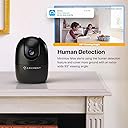
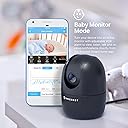
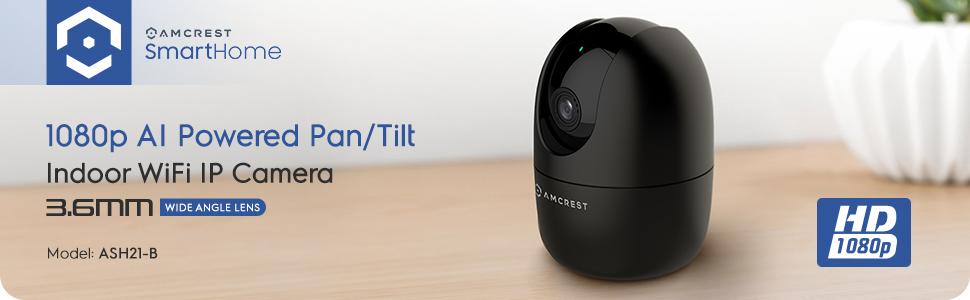
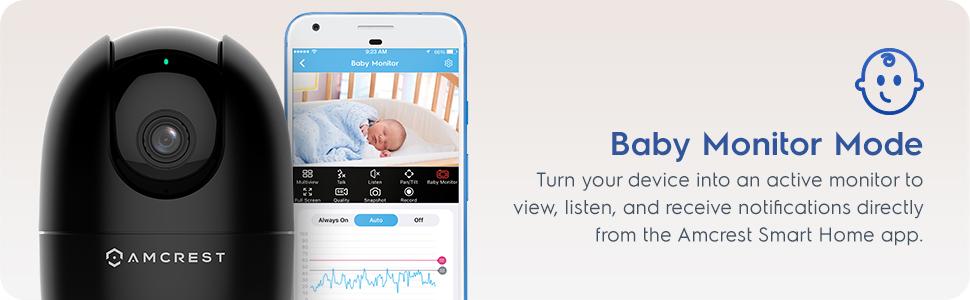
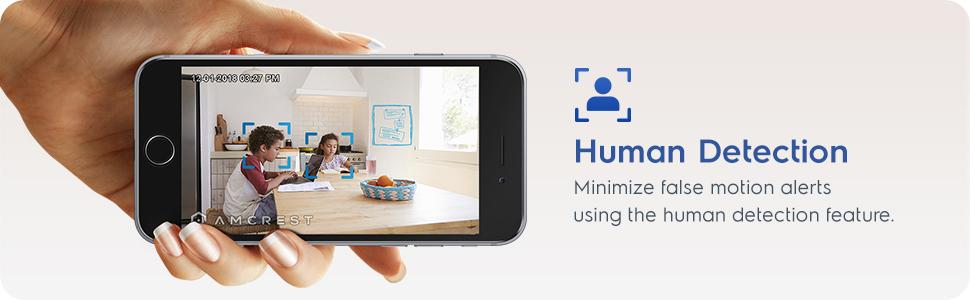
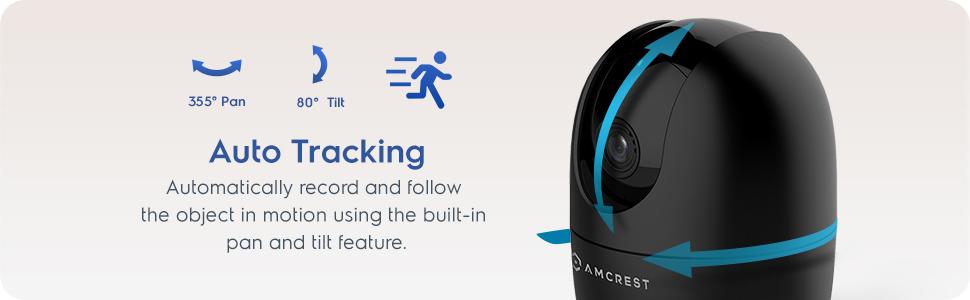
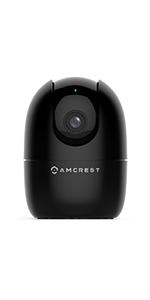
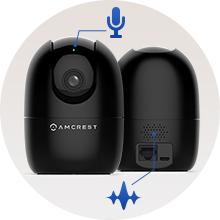
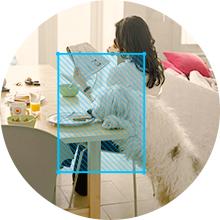
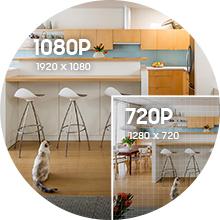
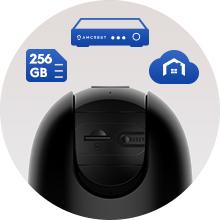
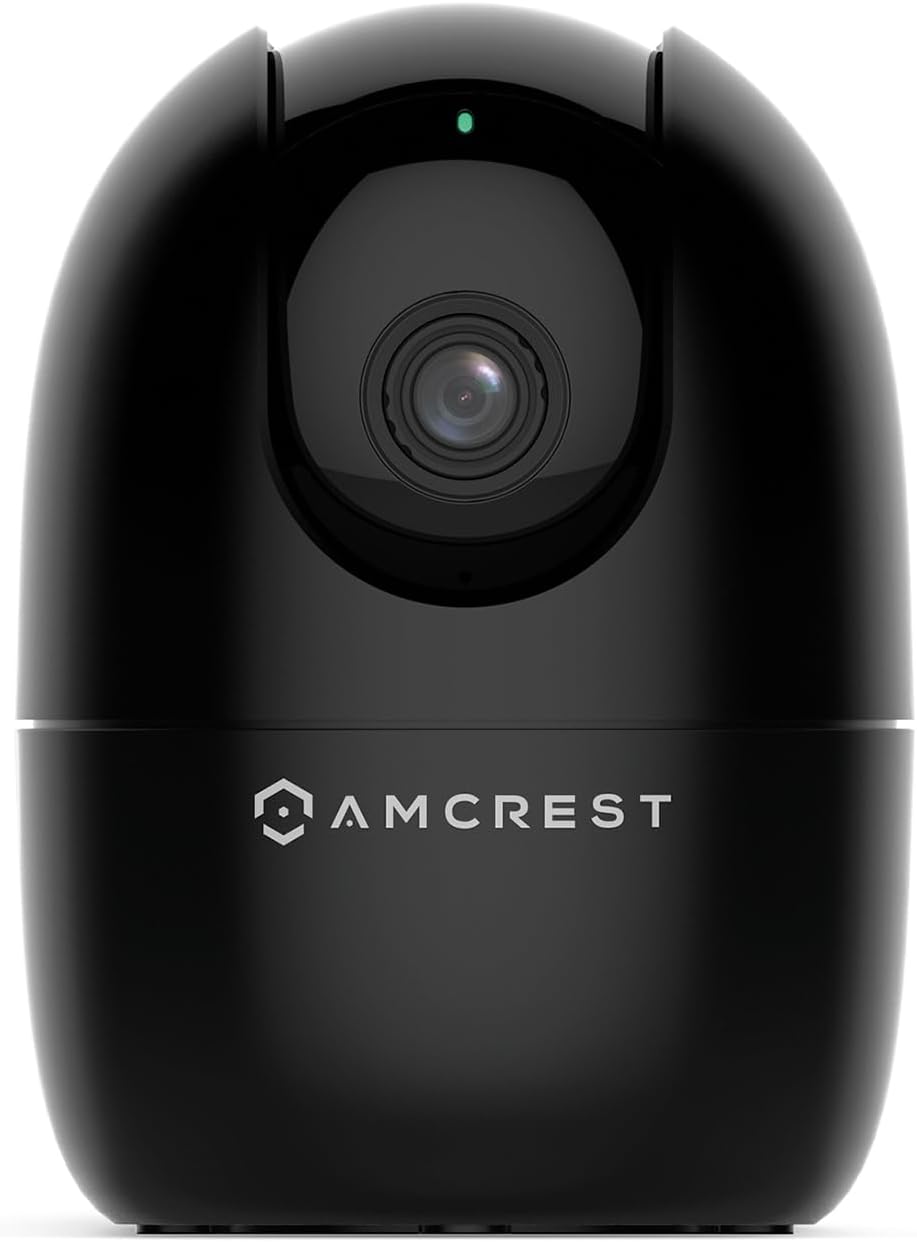
The Amcrest ASH21-B is a compact indoor WiFi camera delivering crisp 1080p video at 30fps with a 93ยฐ viewing angle. Featuring pan, tilt, and digital zoom, it offers flexible coverage enhanced by a built-in AI chipset for real-time human and pet detection without cloud reliance. Night vision extends visibility up to 33 feet, while sound alarm modes and multi-user sharing make it ideal as a nanny or pet monitor. Compatible with Alexa and supporting local or cloud storage, itโs designed for easy setup and reliable smart home security on 2.4GHz WiFi networks.


| ASIN | B08644FKP1 |
| Alert Type | Motion Only |
| Antenna Location | Baby Monitor,Dog,Indoor,Pet |
| Are Batteries Required | No |
| Best Sellers Rank | #119 in Dome Surveillance Cameras |
| Brand | Amcrest |
| Built-In Media | WiFi |
| Color | ASH21-B (Black) |
| Compatible Devices | Alexa |
| Connectivity Protocol | Wi-Fi |
| Connectivity Technology | Wireless |
| Control Method | App |
| Controller Type | Iris |
| Customer Reviews | 4.0 out of 5 stars 6,533 Reviews |
| Effective Video Resolution | 1080 Pixels |
| Enclosure Material | Plastic |
| Form Factor | Dome |
| Frame Rate | 30 fps |
| Global Trade Identification Number | 00850007530983 |
| Indoor Outdoor Usage | Indoor |
| Indoor/Outdoor Usage | Indoor |
| Item Dimensions | 4.17 x 3.04 x 3.04 inches |
| Item Weight | 8.48 ounces |
| Light Source | Infrared, LED |
| Manufacturer | Amcrest |
| Model Number | ASH21-B |
| Mount Type | Wall Mount |
| Night Vision | Night Color |
| Night Vision Range | 33 Feet |
| Number of Channels | 1 |
| Number of IR LEDs | 1 |
| Number of Items | 1 |
| Other Special Features of the Product | Image Sensor, Motion Sensor, Night Vision, Portable |
| Photo Sensor Resolution | 2 MP |
| Photo Sensor Technology | CMOS |
| Power Source | Corded Electric |
| Recommended Uses For Product | Baby Monitor,Dog,Indoor,Pet |
| Room Type | Bathroom, Bedroom, Classroom, Hallway, Kitchen, Living Room, Office, Study Room |
| Special Feature | Image Sensor, Motion Sensor, Night Vision, Portable |
| Specific Uses For Product | Indoor Use Only |
| UPC | 850007530983 |
| Unit Count | 1.0 Count |
| Video Capture Format | MP4 |
| Video Capture Resolution | 1080p |
| Viewing Angle | 93 Degrees |
| Voltage | 5 Volts (DC) |
| Waterproof Rating | IP67 |
| Wattage | 5 watts |
| Wireless Technology | Wi-Fi |
| Zoom Type | Digital Zoom |
D**S
Great Cameras.
These cameras are great. I have some old Foscam cameras that I set up years ago manually using IP forwarding. They still work and I still use them. I got these Amcrest cameras to put at my mother's house so I can keep on eye on her when she's alone. I wasn't sure if these would work. They say "baby monitor" so I thought maybe you can only view them when you're home on your home's network. They have all the features of my older cameras and a much better picture. I bought two cameras and may get a couple more. Very easy to set up. The app works great. Image quality if really good. Night vision. I can pan left, right, up and down from the app. I can get notifications when it detects motion or when it detects just people in the room. I haven't set up any storage as I don't really need that. You can use an SD card that goes in the camera or use Amcrest's online storage (which you have to pay for). Unless something happens to these and they stop working, I'm completely satisfied with them. If they do start to have problems, I'll update my review.
C**T
FAST setup, Great Camera from a Dependable Company
I am new to Amcrest Smart Home, which is what this camera is optimized for, but it took less than seven minutes from the time I opened the box and powered on the camera, to the time I was seeing live video in the Amcrest Smart Home app. Though I'm generally not a fan of "Smart Home" apps, the Amcrest app is intuitive and easy to understand. I especially like that they have English words under the icons, so that I'm not expected to try to figure out what each icon means. That's a huge plus. There is about a 3-second delay in the video when viewing the app over Verizon 5G. The delay is about 2 seconds when I'm on my home wifi (the same wifi as the camera is on). Both of these delays are quite normal and common for products like this. There is about a 6-second delay (on Verizon 5G) when pressing the "Talk" button in the app, until the speaker turns on in the camera. If I needed to speak to someone in range of the camera right away, to prevent a problem or alert them to something, six seconds is a LONG time. I understand the reasons why delay is inherent in devices such as this, but ut would be helpful if Amcrest were able to reduce that delay through firmware adjustments. The "Listen" feature is immediate when I tap the speaker icon, but it takes two seconds for spoken audio to play in the app. The audio sync with the camera appears to be perfect, so that's very good. I don't have much need for the baby monitor function, but running it through its paces, I can see where it could be very valuable. I thought being able to set the loudness threshold on the microphone was a very nice touch, to keep the app from notifying you if the baby is just moving around, but not in distress. The rest of the features, Full Screen, HD/SD Quality, Snapshot and Record all functioned as expected. Video quality is really good for a WiFi camera, especially when viewed over Verizon 5G. However, I don't think it's any better than my other Amcrest cameras...which isn't really a problem, since my more than 25 Amcrest cameras all look great. I have this one set to 1920x1080, 20FPS, Bitrate 2048, and it's smooth and clean looking, even in low-light conditions, which is something I've come to expect from Amcrest cameras. Though the Smart Home app works great, I will be using this camera primarily with BlueIris, and it was a bit challenging to get the settings just right for use with that software. However, I knew that going in, because the Amcrest marketing materials state that the camera is optimized for the Amcrest Smart Home app. Frankly, I didn't expect it to work at all with BlueIris, so it was a nice surprise when it did. I do wish pan/tilt worked inside BlueIris, but I can always use the Smart Home app to position the camera when needed, so that's not a dealbreaker. The packaging was almost all cardboard, with just a couple of sections of foam to protect the top and bottom of the camera. I LOVE this about Amcrest cameras. There is a minimum of plastic/foam in all their packaging, and that is a huge positive to me. The Quick Setup Guide was very simple and succinct, understandable since the app really walks you through the setup. I would have liked to try the Smart Tracking feature, but I couldn't figure out how to turn it on. I pressed the button that matched the icon in the manual, but it didn't track me. I won't be using that feature, so it's not a big deal. But it would be a good idea for Amcrest to include that in future editions of the Quick Setup Guide. Rather than just describing the feature, they could actually instruct people how to turn it on. My overall impression of this experience is basically the same as I've had with all my other Amcrest cameras. They just WORK. To not have to spend hours fiddling with a camera is a very good thing. Especially one like this, where you maybe want to throw it in your luggage and have a camera watching your hotel room or VRBO while you're out. If you're looking for a great quality camera for use as a nanny camera, doggie camera, or just add it to your collection of home security cameras, this camera is a great addition.
J**.
Excellent Camera but...
This was purchased/provided for review. This camera is definitely worth the money when you use the provided app. The overall camera image and audio quality is really crisp and shows details relatively well. The Setup: So to begin, the camera comes with all the necessary cables and mounting hardware needed to start setting up the device whether you are using WiFi or Wired. Setup is done though the Amcrest Smart Home app. All I had to do was scan the QR code and off I was to setting up the WiFi connection and naming of the device. Once you have it setup, the camera will do a quick check for firmware updates and install accordingly. From there you can immediately start viewing the camera feed and using the 2-way audio and PTZ features as you would expect. The on screen joystick for the PTZ feature works nicely but the camera does take a few moments to start moving. I was unable to get it to move smoothly with the phone app but after setting up the Home surveillance pro software I was able to move it as one would expect, smoothly and almost instantly. DVR/NVR Setup: This is where things got confusing and a bit frustrating until a handful of google searches later I was able to piece together the setup. According to the Amcrest website, you should be able to setup the camera on any of the Amcrest NVR/DVR software or hardware as well as BlueIris with very little configuration. This is about 70% true. They fail to tell you that the only way for the camera to show up on these options is by using the ethernet connection rather than WiFi. Once I connected the unit with the included ethernet (You want to buy or make your own. It's super short) I was able to get it to show up in the Amcrest Surveillance Pro software and also tested it with Motioneye hosted on docker. Both options show it perfectly with RTSP configuration. With a cheap $11 PoE adapter I was able to supply power and ethernet so I only needed one cable running to it. Final thoughts: I would definitely suggest this camera to anyone that wants a really quick setup and little to no knowledge of networking or configurations. If you are a little more advanced and want to use it with any NVR software you'll need to do a little digging for the correct configuration and will have to use an ethernet connection for it to work. I don't have any kids so I wasn't able to test the baby monitor/tracker feature of this camera.
P**.
Decent Security Camera, but no Pet Detection
Pretty easy to set up and does all of the security camera basics (movement detection, night vision, etc). My main complaint is that it clearly advertises "Pet Detection" in the title and mentions "Dog Camera" and "Pet Camera" multiple times, but it does not support pet detection at all - just general movement and human detection. Pros: + Image quality is fine for 1080p + Night vision works well enough for small spaces with very low light + Pan/Tilt is a nice addition, especially at this price point (when on sale) + Motion detection works well, and Human detection works OK Cons: - No Pet Detection, despite being advertised - Camera sometimes needs to be rebooted Notes: Uses about 1-3GB per hour of recording at full HD (1080p). With motion detection on in a relatively inactive space, a 64GB SD card gives me about 3 months of recording history.
D**N
Very good camera for the price
Great camera overall. I've gotten several different low-cost wireless cameras like this one. The Amcrest is definitely one of the better ones. It's a great value what you get for what you pay. Yes you can definitely get better cameras, but they will cost you a lot more. This won't break the bank and you get a decent camera. I use it for a baby monitor as it has the really nice baby monitor sound feature where you can set a threshold that turns the sound on for you so you don't hear every little sound. Here's the best features, pros and cons compared other cameras I've used: Pros: - Great quality 1080p video. A lot of other cameras only give you 720p at a similar price range. - A lot easier to set up compared to some others, just scan the code with the app and it adds it very easily. - Live feeds loads faster than others I've used. - Has motion zones you can set, others like Yi don't have this in all cameras. - Baby monitor feature is really nice to set a sound level threshold, most others don't have this. Cons: - Makes a loud "connected" voice when it connects to the internet and no option to turn it off. If the internet goes off and back on it will do this unfortunately (and possibly wake your baby). - The scrolling back through recorded clips is a bit of a pain. You have to scroll through a million clips to try to find the one you want and then play it. Other apps use a more of a timeline interface which makes it a lot easier to find the exact time you want or just randomly go to times to see what happened. - Cannot use the same account on multiple devices, you have to "invite" to another email to be able to login on two phones. So overall a great camera. You're always going to get some little annoying thing you'll have to put up with that the camera doesn't do, so you have to pick the brand/camera that does specifically what you need.
L**L
Good camera but BIIIIG setup warning for samsung users!!!
The camera is great - ive used amcrest camera to keep an eye on my home while on vacation for years, and this version is a nice upgrade over my much older model. However, theres a biiiig bug with the samsung app - it has a hard time detecting wifi networks, and the app doesnt let you manually type it in. I was about to give up and send the camera back when I found an old thread on their website from users who had the same issue. Fortunately, the users in the forum had a solution - to setup the camera on an apple device. Setting up the camera on my ipad worked for me (and the camera now works fine on my s24 android phone) but that obviously isn't a solution for every samsung user...and the thread was over 4 years old, so apparently this is a long-standing problem that amcrest doesnt seem to be in a hurry to fix. Don't love that, tbh.
M**Y
Excellent Camera for In Home use and Pet Tracking
I have now used the camera for approximately 1 month. This is the second Amcrest camera I have that uses the Smarthome app. The other is an outdoor wifi camera. I also have several Amcrest camerasthat use the original AmcrestViewPro App. It would be nice to see all cameras consolidated into one app. Once I had this camera setup and running in the SmartHome app I was able to add it to my list of Cameras in the Pro app but it seems silly to have two apps for cameras from the same company. Setup was simple - I hardwired the camera into my network initially to complete the setup. It was quick to complete and I was able to see video right away. I tested it with motion tracking and human detection. Both of these work well however the screenshot for human detection frequently did not show the person if they only passed by quickly. One other issue I ran into is that once I removed the wired connection, the camera would not display in the SmartHome app for several hours but I was still able to access it in the Pro App. The problem resolved itself prior to me being able to contact support. I tested the camera while I was in home on the same network and while I was several thousand miles away while traveling for business. Video quality and connection speed was excellent in both scenarios and I had no issues controlling the camera. The camera works well both in daylight and full darkness. I tested the camera in a few different rooms in my home and it worked well in all locations. It appears there is a mount included in the box for this camera but nothing in the instructions about installing or using the mount. I do understand the use case for this camera would not frequently require a mount but it would be nice to include something in the packaging. I do not have a baby in the home so I was not able to test the baby monitor function fully.
M**F
A Hassle to Setup, but it Works
This is a nice camera for the money. The quality is good, zoom works, and it's pretty small compared to other cameras. However the setup was more of a pain than needed. You have to sign up for an account which is new given my older Amcrest cameras did not require this. You also have use 2 apps! One app to sign into the said account with to set it up and then you have to download an entirely separate app to view and work the thing. This is annoying. You cannot just use View Pro app alone. Setup will fail (ask me how I know). You need the Smart Home app too. Again, annoying. Once you get it setup, it works fine. I don't know why they couldn't just get it all into 1 app. My older Amcrest cameras didn't need 2 apps, just the View Pro app to work. It also uses a micro USB cable, which is pretty long. Why not USB-C like everything else nowadays? Once I downloaded the 2nd app, it connected to my wifi fine. The brightness is good. It seems to go in and out of night vision mode, even with a light on some feet away. It will stay in night vision until it detects a bright light. Then it'll go into regular mode. Turn the lights out and it stays in regular mode for X amount of time before switching to night vision mode. Why it has a delay I don't know, maybe it's to do with the inner workings? It also just might be the one I have with the lighting I have. When you pan and tilt it, you have to be careful not to pan it down all the way or else all you'll see is the bottom on the plastic part of the camera. Also annoying. It works connected to the wifi while you're near the wifi and also works remotely using my phone's mobile data. Overall it works. Giving it 3 stars for making you sign up for a pointless account, having to use 2 apps for it to work, for having a micro USB cable in the year 2026, and if you pan tilt down too much the view is blocked by plastic.
Trustpilot
3 days ago
1 month ago