Buy anything from 5,000+ international stores. One checkout price. No surprise fees. Join 2M+ shoppers on Desertcart.
Desertcart purchases this item on your behalf and handles shipping, customs, and support to Vanuatu.
โก Power your home network like a proโfast, smart, effortless!
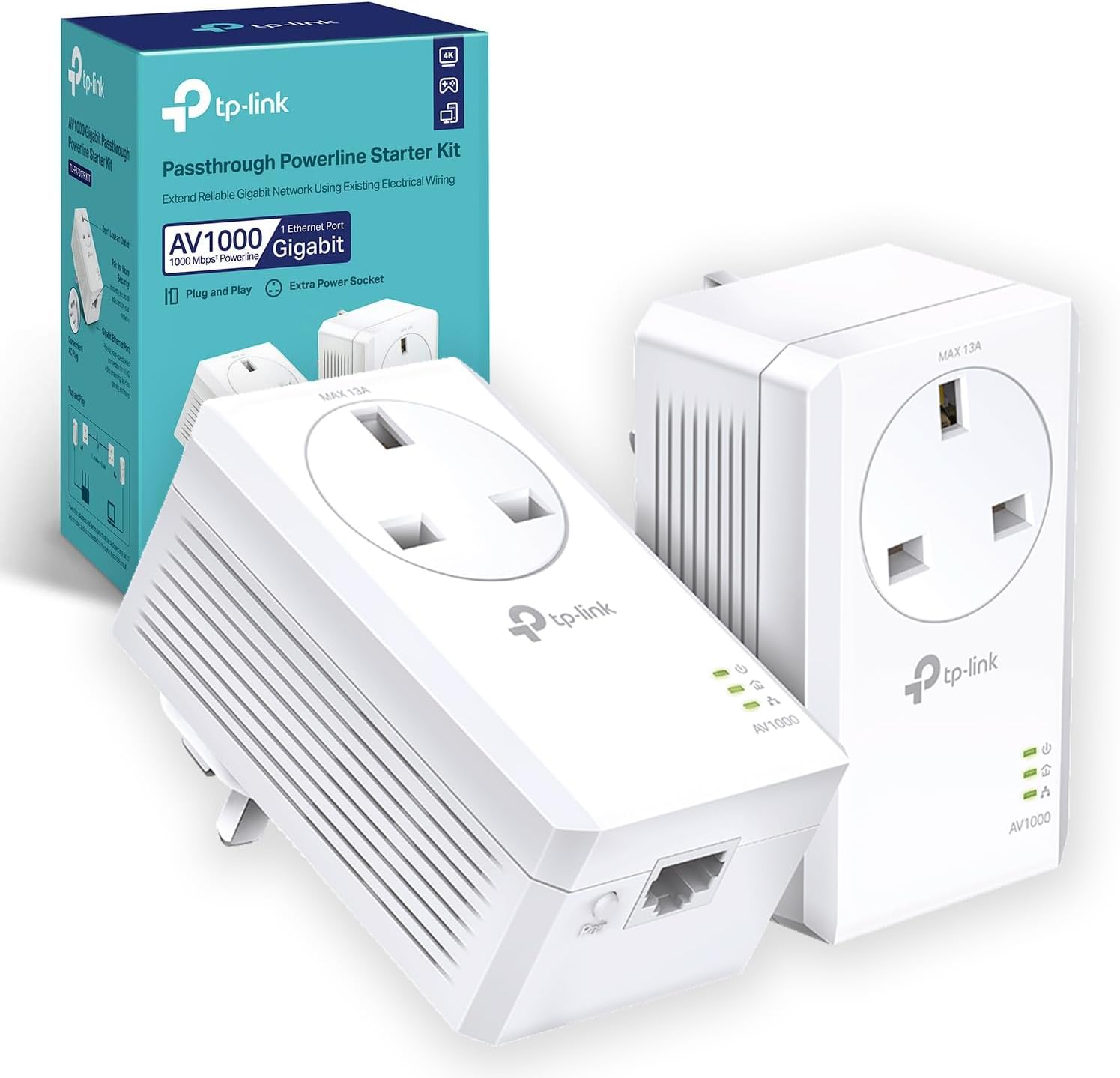
The TP-Link TL-PA7017PKIT is a high-performance Gigabit Powerline Adapter Starter Kit delivering up to 1000 Mbps speeds over your homeโs electrical wiring. Featuring an integrated passthrough power socket and patented power-saving technology, it offers easy plug-and-play setup with no configuration needed. Ideal for 4K streaming, online gaming, and expanding wired network coverage without losing power outlets, it supports up to 16 adapters for scalable whole-home connectivity.


| ASIN | B089DKK2K7 |
| Best Sellers Rank | 546 in Computers & Accessories ( See Top 100 in Computers & Accessories ) 2 in Powerline Network Adapters |
| Box Contents | TL-PA7017P KIT |
| Brand Name | TP-Link |
| Color | White |
| Compatible Devices | Desktop, Laptop, Smartphone |
| Compatible Operating System Family | Linux, Windows |
| Country of Origin | China |
| Customer Reviews | 4.4 4.4 out of 5 stars (2,732) |
| Data Link Protocol | Gigabit Ethernet |
| Data Transfer Rate | 1000 Megabits Per Second |
| Hardware Interface | Ethernet |
| Item Dimensions L x W x H | 12.6L x 7.1W x 7.2H centimetres |
| Manufacturer | TP-Link |
| Manufacturer Part Number | TL-PA7017P KIT |
| Minimum Required Operating System Version | Mac OS 10.12 Sierra |
| Model Number | TL-PA7017P KIT |
| Product Warranty | 3 year manufacturer |
| Unit Count | 1.0 count |
A**R
Stable wired connection without long cables โ ideal for multi-storey homes
I bought this when trying to run LAN games with my son, as our Wi-Fi connection just wasnโt stable enough and kept dropping out. We live in a three-storey house, so running a long Ethernet cable wasnโt practical. I came across these and honestly didnโt even know they existed before, but theyโve been a great solution. Setup is simple โ you plug one directly into a wall socket near your router and connect it via Ethernet, then plug the second unit into another wall socket where you need the connection and run a cable from that into your device. A really useful feature is that you donโt lose a plug socket, as the unit includes a pass-through plug. One important thing to note is that it needs to be plugged directly into the wall โ it doesnโt work properly through extension leads. In terms of performance, the connection has been very stable, which is exactly what we needed for gaming. Speeds may be slightly slower than Wi-Fi for large downloads, but the reliability more than makes up for it. Overall, a great solution if you want a consistent wired connection without trailing cables through your house.
R**S
Perfect
Great product. It allowed me to connect internet in our garden office which is around 20 meters from the house. Since the WiFi is not powerful enough for that distance, I though I should have to send a long ethernet cable, but I remembered I saw these devices once and gave them a try. Amazing product! No cables, no mess! They also have a socket, so they dont reduce the number of socket available!! Such great feature. The Internet speed is obviously reduced but I prefer that than to have to drill stone walls and dig the ground to cover the cable. Our Internet in the house is a gigaclear connection of 500mb/s (250-300mbs/s real when using wifi), and the garden office receives around 50mb/s using wifi, so the speed is reduces around 5 or 6 times, which is enough to work and have zoom meetings while listening to music. I'm sure these numbers can improve if the distance is less, but the product works great. Highly recommended!
2**B
It works - easy to set up
This was purchased to route upgraded broadband signals through the house electrical circuit to remote appliances (the TV primarily, for iPlayer). It replaced an older Netgear circuit. It has worked for some months now without any problems, and never caused any "stuttering" while the data is running through. It should be capable of serving many more outlets.
J**H
Perfect upgrade
Bought to replace old Devolo 500mps adaptors that failed after 12 years. So far, i'm impressed. Next day delivery with Prime. Setup very straightforward, it takes a second or so to pair units, do it close together before moving them to chosen locations. 2 adaptors in each pack (ports relates to the number of ethernet plug in points on the adaptor, either one or 2 per unit depending on what you've purchased). Ive got 4 adaptors around the house, not obvious from the blurb but from TP-Link website i think you can have up to 16. 2 weeks in and they've performed faultlessly on security cameras, sky box and gaming PC. For those interested in speeds and loss, my own observations using the same computer/cable. Cable into the router 150 down, 30 up ping of 8ms (as advertised by provider). Speed through adaptors on the same ring, 100 down, 30 up, ping of 12ms. Speed through adaptors on different rings, 85 down, 30 up, ping of 12ms. My old units (when working) gave 18 down, 12 up and a ping of 16ms on different rings so this is a significant improvement, really pleased with the quick and reliable ping for gaming. Last caveats, I've used my own cables not the ones provided (another review suggested they arent great). I also haven't tested speeds when all being used at the same time, that said we have been using things simultaneously and i've not noticed a problem. Edited after a year to add At times I was dropping connection during gaming. Subsequently went onto the TP-Link website and downloaded the latest app/software. Ive updated all the units to the latest software, also worth noting that via the app you can prioritise online gaming (rather than voice or video), this was defaulted on. You can also turn off power saving, which for the moment, seems to have cured the temporary drops in connection.
C**R
Brilliant piece of kit , simple to fit with no expertise required.
Works like a miracle! I am approaching 80 and a couple of years ago bought an H P computer with which I used an ethernet cable from the BT hub because I thought only laptops worked with just wifi. This week the broadband changed to fibre and Openreach engineer ran a new cable from the telegraph pole to the house. Then a wire from the roof to the bottom of the wall and set up the hub on the windowsill instead of around the room and into the study as before. She said the signal would reach everywhere. The model of computer I bought did not have wifi and ethernet. Several people on the internet were complaining that usually both are standard in UK but apparently not in USA. So I asked GPT what to do and it advised this TP link. Dubiously I bought from Amazon expecting to enlist help from someone with technical nous. So I plugged it into the socket and plugged the hub into it ( meaning I didnโt need to worry about additional wall socket) and attached the supplied wire into the hub and the TP. Then repeated the action with the computer, placing the supplied cable into the computer and TP then using the same wall socket for the TP link and computer. When I switched on the computer, the internet had magically installed itself just as before! This is a wonderful device and if it just lasts the four years some other reviewer complained about then I will be looking to buy a new computer with wifi (if Iโm still around lol!).
S**N
A breeze to setup WiFi
Quick and easy to setup
Trustpilot
3 weeks ago
1 day ago