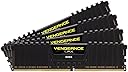
⚡ Power your next-gen rig with Corsair Vengeance LPX – where speed meets style!
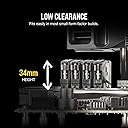
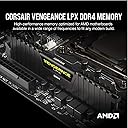
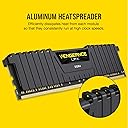
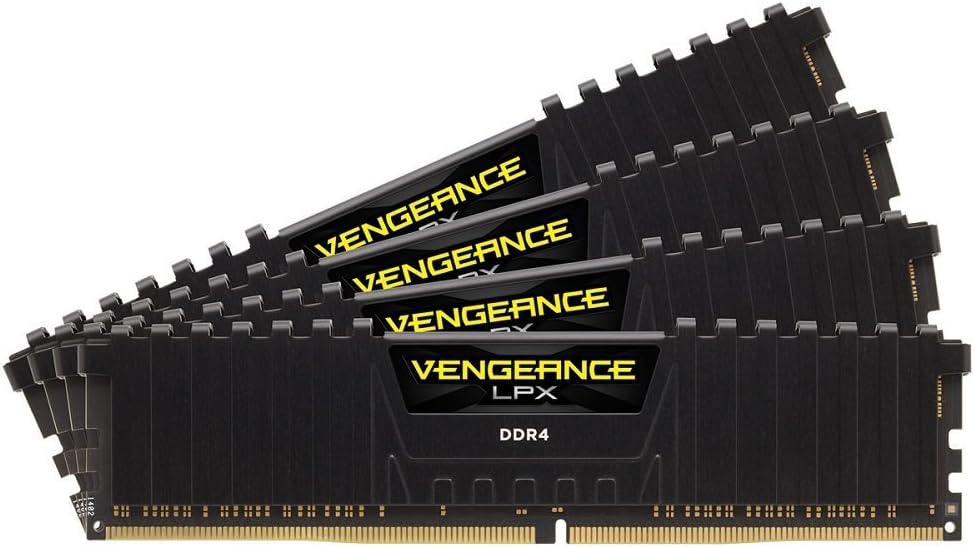
The Corsair Vengeance LPX 64GB DDR4 2666MHz kit combines hand-sorted memory chips with a high-performance 8-layer PCB and aluminum heatspreaders to deliver reliable, cool, and fast memory optimized for Intel and AMD platforms. Its low-profile design fits most builds, while XMP 2.0 support ensures easy overclocking and broad compatibility, backed by Corsair’s industry-leading warranty.


| ASIN | B016ORTR1U |
| Additional Features | High Performance |
| Best Sellers Rank | #181 in Computer Memory |
| Brand | Corsair |
| Built-In Media | Memory Module (4) |
| Column Address Strobe Latency | 16 |
| Compatible Devices | Desktop |
| Customer Reviews | 4.7 4.7 out of 5 stars (2,132) |
| Data Transfer Rate | 2666 MHz |
| Form Factor | DIMM |
| Global Trade Identification Number | 00843591071833 |
| Item Type Name | Corsair |
| Item Weight | 100 Grams |
| Manufacturer | Corsair Memory Only |
| Memory Speed | 2666 MHz |
| Model Name | CMK64GX4M4A2666C16 |
| Number of Pins | 288 |
| RAM Memory Technology | DDR3 2133^DDR 400 |
| RAM Size | 64 GB |
| UPC | 843591071833 |
| Unit Count | 1.0 Count |
| Voltage | 1.2 Volts |
| Warranty Description | 2 year Manufacturer |
M**E
Solid memory that's been running almost 24/7 for the past 5 months without any problems
There's already a lot of technical reviews on this product so I'll try to keep my review to a minimum. I purchased to packs for a total of 32GB of memory to use with an Asus X-99 Deluxe MB and an I7 5930K CPU. The system runs pretty much 24/7 and for the past 5 months, haven't had even a slight hiccup. I'm a light gamer and use the PC a lot for video editing and Photoshop work as well as some business applications. Everything is fast, fluid and frustration free. One point to note, during initial installation, the Asus X-99 wasn't showing one module at all which caused the matching module in the same bank not to be detected. Initially I thought I had a bad stick, which happens from time to time. I swapped the modules around and then noticed the problem didn't move to a different slot. Made me look at the MB. Long story short, I had to update the BIOS for the X-99 Deluxe. Once I did that, all memory was working great and being recognized by the system, problem solved. When making the initial purchase, I was on the fence with these modules and a few others that were slightly faster. For my use, these worked well and were less expensive and I couldn't justify the cost difference. Other people may have different needs so make your purchases accordingly. Right tool for the right job.
B**.
Works as advertised
Wanted to upgrade from 32GB to 64GB (max for my current motherboard). The Corsair was listed as compatible with my motherboard MSI Z170A PC Mate (MS-7971) which I bought in 2016ish. There were hundreds of compatible memory listed, but not so many still available for purchase. I didn't want to take a chance on a product not on MSI's compatibility list. I wasn't entirely sure if 2/32GB sticks would work so opted for 4/16GB sticks. Installed easy, and not any bigger than the original memory, so no fit issues. Took 3-4 reboots, w/BSOD each time, before the system registered the new memory, but after that seems to be running without a hitch. Price was very good, less than I originally spent for 32GB. Don't use for gaming so I can't evaluate for that and haven't used long enough to be able to comment on stability but so far, very happy.
J**B
No issues, very pleased
Corsair CMK64GX4M4A2666C16 Vengeance LPX 64GB (4x16GB) DDR4 2666 C16 Desktop Memory Kit for DDR4 Systems Poped it in and no issues at, all 64GB reading in System, no more sudden game closing with 32GB.
J**H
Great value
I had ordered one about two or so years ago for my old computer build. I decided to build a rig for my son's birthday and I no longer use my old desktop, so when I found out that my old ram worked on his new mobo, I ordered another stick to make sure he had 16gb of ram total. I parted out a few things from it like the ram stick I had, the case, and a few fans as well. It's not the fastest ram his mobo can support but it is a very good choice for him. I was glad they had it still and for less than half the price I originally paid for it.
P**T
Wrong item
So it's an awesome product, however instead of an 8 gb @ 2666, I got 16 gb at 2133. I was pleasently suprised to see instead of 16 gb I had 24 after the upgrade with a very minor difference in speed. I have decided I will keep it, however I think QA should inspect each unit of this ASIN to see if there is a mismatch. The box art seems to say the right description. Even the stick itself says 8gb 2666. It isn't until I go into the BIOS that it says what it actually is. So this goes a little deeper than I was expecting...
A**N
Enthusiast results
From an enthusiast standpoint these are... Well, they actually do much better than expected, being a value set. But these things are full of ifs. You are probably saying, "why buy a corsair value pack if you want to overclock?" Well, sure. I convinced myself the money was more valuable than that last 0.5% of system performance. But these actually do reasonably well. Details: They come with two XMP profiles, one set up for 2666 at 1.20V and one set up for 2800 at 1.37V. ROG suggests that "most" DDR4 ICs can handle timings of 15-15-15-34-T2 at 1.40V or less. So here are my results. The 2666 profile handled 15-15-15-34-T1 at 1.30V and passed two iterations of memtest86. I was surprised they could handle T1, but then again I only have 16GB right now. The 2800 profile, though, is a bit tricky. I was able to make 15-15-15-34-T2 stable, but only at 1.47V. Long term effects of such a high voltage are not known this early in the DDR4 lifeline. Basically, running this you could potentially degrade the memory and wind up unstable again, then have to downclock or replace your RAM. The other wacky thing about their XMP profile for 2800 is the PCI clock. 126.96 Hz. This will do some maddening things to you unless you have a good CPU sample. The gist is this: at a 100 MHz Bclk you can reach 4.5 GHz and probably get stable at around 1.25 Vcore (I am running a hex, your mileage may vary with 5960x). If your Bclk is 126.96, though, you can't reach 4.5 - you get to choose between 4.44 and 4.57. You probably have a 1 in 3 chance of your CPU being stable at 4.57 GHz, and if you're like me you get stuck at 4.44 instead. So now you have to choose between 4.44 GHz @ 2800 15-15-15-34-T2, or 4.50 @ 2677 15-15-15-34-T1. There is something magic about that 126.96 Bclk. It seems like you could pick something else and reach 2800 with different settings - bus every other config I've tried (so far) to reach 2800 at a different PCI clock has failed pretty horribly. Like, reset BIOS, your system won't even post. Overall, this set does well, handles tight timings fine, even runs at 2800. But the 2800 profile is pretty awkward to work the rest of your system around. Again, not an enthusiast set, but I've put it through the whole course and these are my results. All 4 sticks work fine. For the competitive price and corsair dependability I gave it 4 stars.
Z**E
Easy install and affordable.
I just got a Lenovo M920T and they wanted about $600 for 64GB or RAM and this was done for $300. It took 5 mins to install and it works im at 35. Whatever 16 16 and base 4 gb. I bought two more to get my 64GB. I did somw window shopping on here and its 10 more than most of the 16gb single RAM but I thinks its worth it.
S**T
I was on 16 GB ram previously and this thing is a game changer. Worth the buck!
M**N
Great performance for the pric , installed in a pc gamer. That a decent ram for the price i paid!
Y**N
Great RAM, upgraded from 16GB to 32GB, no issues with it.
A**R
Put them in and turn on XMP profile and you are running 64GB of RAM on your brand new 3900x + Asrock x570 Taichi at 2666Mhz. Did not try any overclocking or anything yet. Just works out of the box on 2.10 Bios. If you use PrimoCache you can get speeds up to 10,000 mb/s on cached files! This is probably more reasonable price for 64GB Kit. Since I'm not doing a ton of gaming it doesn't matter what speed these are as I need more RAM than raw CPU speed.
L**A
Las memorias trabajan bastante bien hasta ahora, uso mi computadora para composición musical y efectos visuales, actividades que requieren mucha ram. Al expandir a 64 Gb noto que el flujo de trabajo es más veloz ya que el cpu no está virtualizado tanto (ya que al llegar al tope de ram las cosas se ponen más lentas). Las puse y fueron detectadas sin problemas, eso si, en el bios tuve que configurar para que modificará la frecuencia de la ram, ya que si no lo hacía estás iban a trabajar en una frecuencia más baja
Trustpilot
5 days ago
2 months ago