🎮 Elevate Your Game with Unmatched Clarity!
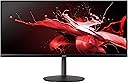
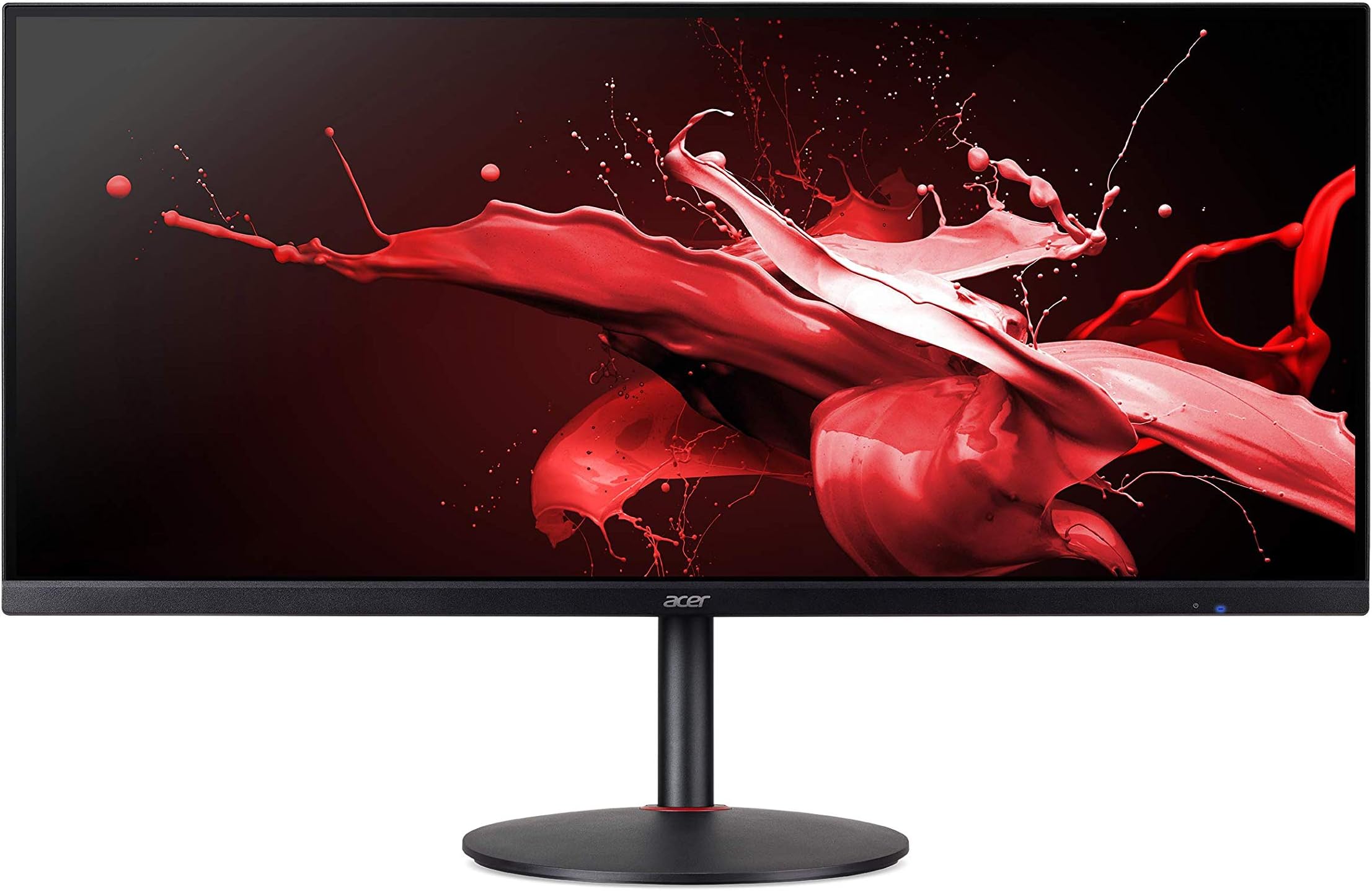
The Acer Nitro XV340CK Pbmiipphzx is a 34-inch QHD IPS gaming monitor that delivers stunning visuals with a resolution of 3440 x 1440. Featuring AMD Radeon FreeSync technology, a rapid 144Hz refresh rate, and a 1ms response time, this monitor is designed for gamers seeking an immersive experience. With a sleek zero-frame design and multiple connectivity options, it’s perfect for both gaming and productivity.


| ASIN | B08BG4GWRL |
| Adaptive Sync | FreeSync |
| Additional Features | Backlit |
| Aspect Ratio | 21:9 |
| Best Sellers Rank | #979,435 in Electronics ( See Top 100 in Electronics ) #18,360 in Computer Monitors |
| Brand | Acer |
| Brightness | 250 cd/m² |
| Color | Black |
| Compatible Devices | Speaker |
| Connectivity Technology | HDMI, USB |
| Contrast Ratio | 1000:1 |
| Customer Reviews | 4.0 out of 5 stars 333 Reviews |
| Display Resolution Maximum | 3440 x 1440 |
| Display Technology | LED |
| Display Type | LED |
| Hardware Connectivity | HDMI, USB, USB 3.0 |
| Has Color Screen | Yes |
| Image Contrast Ratio | 1000:1 |
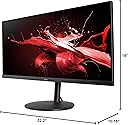
| Item Dimensions D x W x H | 10.16"D x 32.2"W x 19"H |
| Item Weight | 26.4 Pounds |
| Manufacturer | Acer |
| Model Name | XV340CK |
| Model Number | XV340CK Pbmiipphzx |
| Mounting Type | Wall Mount |
| Native Resolution | 3440x1440 |
| Number of Component Outputs | 4 |
| Picture Quality Enhancement Technology | AMD Radeon FreeSync |
| Refresh Rate | 144 Hz |
| Resolution | QHD Ultra Wide 1440p |
| Response Time | 1 Milliseconds |
| Screen Finish | Glossy |
| Screen Size | 34 Inches |
| Screen Surface Description | Glossy |
| Specific Uses For Product | Gaming, Multimedia, Personal |
| Total Number of HDMI Ports | 2 |
| Total USB 3.0 Ports | 2 |
| Total Usb Ports | 2 |
| UPC | 193199533579 |
| Viewing Angle | 178 Degrees |
| Warranty Description | 3 year parts and labor |
| Warranty Type | Limited |
M**L
Best value UWQHD high refresh monitor on the market.
First and foremost: manufacturer-reported response times are lies. There are no "1ms" monitors, I promise. OLED TV's can't even get that low of a total response time, but you don't want to use one of those for a monitor anyway due to image burn-in. Real response times as thoroughly testing by RTINGS: Best Overdrive Setting: Normal Rise / Fall Time: 5.3 ms Total Response Time: 10.6 ms Overshoot Error: 0.8% Dark Rise / Fall Time: 6.0 ms Dark Total Response Time: 12.4 ms Dark Overshoot Error: 0.0% Don't be discouraged, those are good numbers. I've had TN panels with faster average response times than that and I honestly can't tell the difference. This display is fast and smooth with minimal ghosting/overshoot. You can get a faster response than that by using a higher overdrive setting but you WILL see tons of overshoot, and it looks bad. Build quality is pretty good considering the price and features. G-Sync works well. The colors look great after a quick calibration. Not the brightest monitor I've had but when properly calibrating a monitor you typically end up LOWERING the brightness anyway. Input lag according to RTINGS testing: Native Resolution: 4.2 ms Native Resolution @ 60Hz: 9.2 ms Variable Refresh Rate: 3.8 ms Variable Refresh Rate @ 60Hz: 9.2 ms Again, fantastic numbers. Honestly, just check the review on RTINGS lol. They have all the equipment to properly test displays and do so with no bias. I never buy a monitor without checking for a review from them. If they haven't reviewed it, I don't take a chance on it.
A**M
Good monitor for the price
This is a great monitor for the price.. I am coming from lg wk600 29inch 1080p 21:9 monitor.. I wanted a bigger one with more resolution and a speaker.. Initially I was doubted to get curved monitor.. but I think I made right choice with flat monitor as I do mostly office works, picture editing and i don't want to change the perspective on straight lines.. The colors are great This one got two display port and it automatically switches inputs unlike my lg OSD software it's great G Sync works perfectly 144hz is sweet Good sound from monitor too.. Cons: Brightness is little less but I think it's right amount for me who works long hours.. even if it got more I might have reduced it.. HDR is just marketing and useless on these monitors. . That's the case with most hdr monitors in this price range..
B**S
Caught fire
The monitor's build is a bit "economy", but given its features for the price and, from what little I saw of it, reasonably good screen quality in an atypical form factor, I was overall rather pleased... ...for about five minutes, before a loud hissing noise caught my attention, and smoke began to billow from the monitor. Thankfully I was still in the room, and quickly pulled the power cord, but I dread to think what would have happened if I'd been asleep. If you buy one of these, keep a close eye on it, and maybe don't leave it plugged in.
H**K
Really great performance, but don't use it in a bright room/at angles.
For context, I'm upgrading from a $100 benQ meant for mass purchase office work that I bought 8 years ago to this Acer Nitro. Cons: -This screen is frustratingly dark. Period. In addition to that the other reviewers mentioned noticing that even upon an already dark panel, the corners are visibly darker than everywhere else. That is 100% accurate. This screens brightness maxes out at what is 54% brightness on the above mentioned crappy office monitor. -An extension of the above issue is the viewing angle. Coming back from the restroom when I look at this screen from even a 45 degree off-from-center angle, reading the options of a video game pause menu was a challenge. The one deal-breaker I would tell a potential buyer would be: if you will be using this from any angle other than dead-on perpendicular, find another monitor. Pros: -So far it seems to be everything the specs claim. Sure that sounds small, but given the price point, the panel, and the best in class specs combined with a ~$400 tag if you shop around, that's pretty freaking hard to beat. -Not big for most people, especially those looking for a primary monitor, but... It is basically the only top spec 2k Ultrawide monitor out there that is *not* curved. This will mostly be used as my secondary monitor mounted on a wall arm, and in portrait mode paired alongside a LG CX48 -I really like the stock base/stand. Seems super sturdy and is pretty low profile and functional. Overall: The very dark/dull brightness is a big punch to the gut. If it did not have that, and was even mediocre in brightness, this would be the best bang for your buck ultrawide out there by a mile. If you can compensate, adjust, or deal with a fairly dark screen, the performance of this thing will keep you *very* happy. Gaming in the evenings given what I paid for this has ben an absolute delight. Overall I'd recommend it.
F**A
My phone camera doesn't do justice - Really Great Monitor for the money
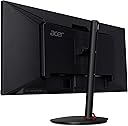
This monitor really is amazing. It's definitely worth the $449 I paid for. The colors are gorgeous. The detail coming from TN 16:9 1080p to 21:9 IPS 1440p Ultrawide is insane. Make sure that you have the graphics card to properly run it too. On my GTX 1060, it's a real struggle to find any games that can run smoothly with the visuals I want. I'm waiting for next gen GPUs to make the upgrade. For those coming from TN 1080p screens, you are definitely going to love this monitor. The colors are going to be the main thing that hits you first. Then the increased wideness when you play games is going to be next. When you can find a game that takes advantage of ultrawide like Forza, you're going to really enjoy yourself. I just can't stop driving around. There are toggle buttons in the back that are actually pretty convenient. They aren't the joystick kind, but there is a texture on the power button so that you know not to press it when messing around with the settings. There's also a USB hub in the back that's pretty convenient since you can plug in any USB device like a keyboard and/or mouse in there. For those on the fence since it's not curved, it's really up to you if you want the curve. For me, since I've never experienced curved, it's not a deal breaker for me. In fact, I prefer it being a flat display. But like I said, it's really up to you. In terms of brightness, you should be fine. 250 nits doesn't sound like a lot, but I don't even have my monitor at 100%. The brightness is perfectly fine for gaming or watching videos. If you're looking for a monitor with proper HDR then this isn't for you. Yes, it does support HDR but the brightness is way too low to take advantage of it. But the brightness is still fine for everything else. In terms of Backlight Bleed, I haven't seen much. Even for this wide monitor in the dark, there's very little backlight bleed that for most of you, it won't bother you at all. In terms of gaming, make sure that the games you play properly and fairly support ultrawide. Overwatch for example does support ultrawide, but it crops the vertical view so it becomes sort of unplayable. Once you make the switch to ultrawide, it becomes harder to view normal 16:9 content. It feels like your vision has been narrowed and it can be irritating at times. In terms of ghosting or smearing, I haven't noticed any ghosting at all. It's a really smooth experience. The 144hz feels really smooth. Before this, I had a 240hz TN 1080p monitor and I can say there isn't really much of a difference. Maybe the 144hz is a tad bit less smooth, but its still incredibly good. I'd take this over the 1080p one every day of the week. It really is a treat experiencing 1440p though. For reading, I haven't noticed any pixelization that you'd find in a 1080p screen. Everything just looks better. I can agree with everyone that says that 1440p 144hz is the sweet spot for gaming. You will most likely enjoy or even love this monitor like I do. This monitor feels more focused for casuals or people that focus more on the visuals in their games rather than competitiveness. I have gotten used to 16:9 content again, but it's a real treat finding games/videos that have proper 21:9 support. So don't worry about it, it's a really good monitor.
A**D
Nice budget gaming ultra-wide
So I was looking for a 34" monitor for quite some time for gaming and work. My main problem was trying to find one under $500 that was QHD. LG and other companies have plenty of gaming QHD ultrawide's but most are $600+. I was lucky to find a reddit suggestion for this and did my research and didn't find much on this monitor. I thought I might as well try it as I could always return if needed. I received the monitor pretty quick and undamaged. Took it out of the box and set it up in my office. Sits nicely with the included stand on my desk, but I will warn others that have smaller desks, you may want to invest in a monitor arm to save space. I had 0 dead pixels so far on my unit. Colors are really sharp. As others will state, the brightness on this isn't the best, but in a relatively dark room like I have, it doesn't really matter. 144Hz refresh rate only works on Display Port connection. If using HDMI it maxes to 100Hz refresh rate. Gaming on it is a dream. Having played World of Warcraft and Elder Scrolls Online only on 27" or less really makes me appreciate the bigger size in seeing more of the environments. It does have built in speakers which was a surprise to me as I didn't expect them. They're pretty decent sounding speakers, but for those audiophiles, use a pair of speakers/monitors instead. Definitely would recommend to anyone looking for a budget QHD Ultrawide Gaming Monitor.
C**G
Not as good as it seems
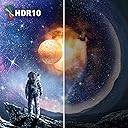
So when I bought this, I thought that I had done enough research and had finally found the one that checked my boxes: 144hz? Check* 1ms? Check* 21:9? Check* Freesync? Check* 34 inch? Check* HDR? Check However these checks are full of compromises that I should have figured would come from a sub 600 monitor with all these features. First off: vrb must be enabled to have 1ms response and the brightness is then capped very low on a monitor that isn't very bright to begin with (250 nits). Then at 1 ms your refresh rate is limited to 120 hz. The 24 less hz is pretty marginal but I still wish I knew that with this monitor you cannot "have your cake and eat it too". I know you are thinking "this guy makes a big deal about 24hz refresh?!?!?! PSSSHHH he is just too picky. I'm sure the brightness is just fine with 1ms response enabled." Trust me, the brightness cap with 1ms response makes you simply not use it at 1 ms. Do not buy this if you need the 1 ms. Shortly after my refund window a purple vertical line showed up on the left side of my screen. Replaced the cable, updated my drivers, updated my bios, connected monitor to other pc, lowered refresh rate, held power button with cables unplugged. Line doesn't go away. Called Acer support and they promised my monitor back to me in 3-4 weeks. I am a student and I work from home. I literally could not go nearly a month without a monitor. Amazon has thankfully graced with an extended return window upon request. I want a 34 inch, 1 ms, 144hz, 3440X1440p freesync monitor that can use all of those features all at once. This Acer monitor cannot. Furthermore 1ms is only achievable with VRB enabled which makes the brightness unusable in any room brighter than a movie theater. Conclusion: It is a flat screened ultrawide with all the premium features for a not so premium price and that is a very difficult thing to find. However the premium features are diminished by the caveat of only being able to use 1 thing at a time. Want HDR? no 1ms, freesync or 144hz. Want 1ms? deal with annoyingly low brightness and only 120hz. Want Freesync? no 1ms response or hdr. It's a nice monitor but a little deceptive with the features it advertises. Unfortunately for this price, you cannot have your cake and eat it too so either spend more money or settle for less features because you get what you pay for and this simply doesn't deliver on all of its promises like I thought it would.
J**N
Nails the important specs while compromising slightly on less important ones for a great price.
Absolutely no question, the best price on a 2K ultrawide with 1ms response time, 144 hz refresh, and IPS. Nails the important specs you care about most while compromising slightly on less important others. Positives: -Specs for the price -Installed speakers are in the back, and have good volume and hit low frequencies pretty well for monitor speakers. -Plenty of ports for hooking up multiple machines. -Monitor is built well, and I have had no problems running with it. Downsides: -The biggest complaint is that the backlight is not incredibly strong. If you can't control ambient lighting, then you may have some issues, otherwise you will only be minorly inconvenienced. Its really only a problem if you run dark apps and have the sun shine right in your window. -Only other minor complaint is there is no cable management. -These are the compromises you make to get this performance at this price. For those who haven't had an ultrawide: This is a great place to land, and you will appreciate the extra real estate more than you think you will. ***Just be aware that your refresh rate may go down if you are using HDMI output depending on your machine's specs (display port recommended for gaming)***. Also for ultrawides, a curved screen is better if you'll be up close just so your eyes aren't constantly adjusting, but this is barely noticeable for me personally (also be prepared to shell out serious dough for curved).
F**X
スペック等、下調べは必須だが満足いく商品
型落ち製品としては値段が高かったが、湾曲ばかりで平面ウルトラワイドQHDで144Hz以上の選択肢がほぼ無いので購入。下調べを丁寧にやったおかげで不満は特にないが、画面設定メニューに日本語表記があるのに日本語の説明書が無いのはちょっと不便かなと思う。ゲームのみに使用するなら湾曲モニターでいいが動画編集も行うのでやはり平面が良い。海外製品なので電源は3ピンコネクターが付属、2ピンコネクターへの変換が必要になります。ゲームと動画編集の両方を目的としているかたは購入検討されてみてはいかがでしょう?
M**L
Seller went above and beyond
Ordered this, but sadly was out of stock. The seller reached out and offered a free upgrade. I couldn't be happier. Great quality, no issues. Work's well. Happy!
N**N
Horrendous viewing angles - May have been a malfunctioning unit
Viewing angles made the screen unusable. When looking at it from a decent distance straight on, three inches of the display on either side had washed out colours and blacks. Those areas of the screen were functionally unusable, as I had to physically move my head to the side to be able to read what was there. I haven't seen anyone else mention this issue so it may have been a defective unit, but buyer beware.
阿**将
ドット落ち
左上がダメになってる。
Trustpilot
1 week ago
2 weeks ago