Buy anything from 5,000+ international stores. One checkout price. No surprise fees. Join 2M+ shoppers on Desertcart.
Desertcart purchases this item on your behalf and handles shipping, customs, and support to Vanuatu.
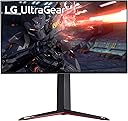
🎮 Level up your game with LG UltraGear: Where speed meets stunning 4K clarity!
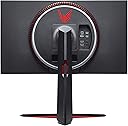
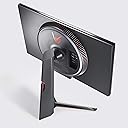
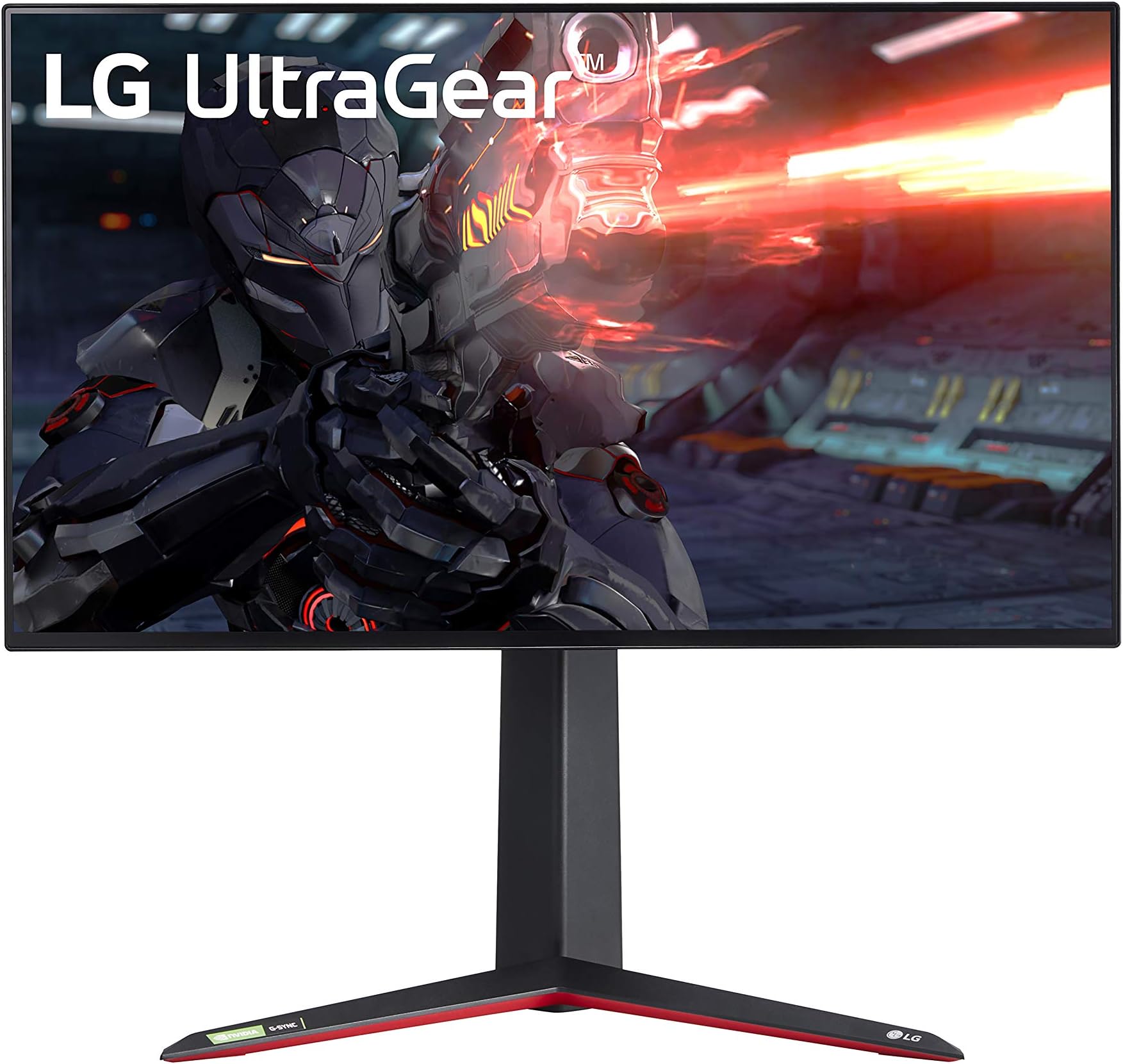
The LG 27GN950-B UltraGear is a 27-inch 4K UHD Nano IPS gaming monitor delivering pro-level performance with a blazing 1ms response time and 144Hz refresh rate. It supports NVIDIA G-SYNC and AMD FreeSync Premium Pro for smooth, tear-free visuals, features HDR600 for enhanced dynamic range, and offers extensive ergonomic adjustments. Designed for serious gamers and creative pros alike, it combines cutting-edge display tech with stylish RGB lighting and a virtually borderless design, making it a top-tier choice under $1000.


| ASIN | B08BCRYS6B |
| Adaptive Sync | G-Sync |
| Additional Features | G-SYNC Compatible, Hardware Calibration, Height Adjustment, High Dynamic Range, Pivot Adjustment, Tilt Adjustment |
| Aspect Ratio | 16:9 |
| Best Sellers Rank | #111,328 in Electronics ( See Top 100 in Electronics ) #2,550 in Computer Monitors |
| Brand | LG |
| Brightness | 400 Candela |
| Color | Black |
| Compatible Devices | Monitors |
| Connectivity Technology | USB |
| Contrast Ratio | 1000:1' |
| Customer Reviews | 4.2 out of 5 stars 1,121 Reviews |
| Display Resolution Maximum | 3840 x 2160 Pixels |
| Display Technology | LED |
| Display Type | IPS |
| Hardware Connectivity | DisplayPort, HDMI, USB 3.0 |
| Has Color Screen | Yes |
| Image Contrast Ratio | 1000:1' |
| Is Electric | No |
| Item Dimensions D x W x H | 8.2"D x 29.2"W x 20.4"H |
| Item Type Name | LG 27GN950-B 27 Inch UHD (3840 x 2160) Nano IPS Display UltraGear Gaming Monitor with 1ms Response Time 144Hz Refresh Rate and G-SYNC Compatibility (Black) |
| Item Weight | 16.9 Pounds |
| Manufacturer | LG Electronics |
| Model Name | UltraGear |
| Model Number | 27GN950-B |
| Mounting Type | Wall Mount |
| Native Resolution | 3840x2160 |
| Number of Component Outputs | 2 |
| Picture Quality Enhancement Technology | Adaptive Sync, HDR10, DisplayHDR 600, and DCI-P3 98% color gamut |
| Power Consumption | 95 Watts |
| Refresh Rate | 144 Hz |
| Resolution | 4K UHD 2160p |
| Response Time | 1 Milliseconds |
| Screen Finish | Glossy |
| Screen Size | 27 Inches |
| Screen Surface Description | Glossy |
| Shape | Rectangular |
| Specific Uses For Product | Gaming, Personal |
| Total Number of HDMI Ports | 2 |
| Total USB 3.0 Ports | 2 |
| Total Usb Ports | 2 |
| UPC | 719192641495 |
| Viewing Angle | 178 Degrees |
| Voltage | 240 Volts |
| Warranty Description | Limited: 1 Year Parts & Labor |
| Warranty Type | Limited |
D**K
4K 144hz Gaming Unleashed!
If you’re reading this, you’re likely going through the same decision making process I was, is it time to make the step up to 4k 144hz or go another handful of years at 1440p for the high refresh. The big fear being, can you actually use the extra hz at such a high resolution. Well, what I’m going to tell you is, if you have the graphics horsepower then it absolutely is finally the time to make the leap. How much horsepower is enough? 3080/3090 would be the target. If you’re packing less than that, 1440p may be the better option for you. First, lets start with the color on this thing. The picture on this POPS. Probably the best color I’ve seen on a gaming monitor under the $1000 mark. It’s bright, it’s accurate, best of all it looks great without calibration. Right out of the box. So even the no fuss/plug in play group will be quite happy with this model. It is easily accurate enough for photo/video editing. HDR also looks good on this screen, but not quite to the level of FALD monitors—but, it’s hard to fault it there considering you aren’t paying FALD pricing that is easily 2-3x the price and has hurdles to leap just to get 144hz out of it. Being an IPS, the contrast ratio isn’t great, and blacks can end up looking slightly grey due to that, but it isn’t terrible either. It’s an IPS, anyone looking at an IPS knows what to expect in this regard. Of course, people looking at this are likely here to ask about how it is for gaming. My response? It’s perfection. Ghosting isn’t an issue, even in high speed titles, while slower paced titles don’t show any signs of overshoot. Just leave the response time set to fast and forget about it, that setting will work for everything. Just make sure you have some serious GPU grunt backing it up or you’ll find yourself lowering the settings or dropping the resolution. Speaking of which: if you do drop the resolution, the monitor does a very good job of scaling the image—so it isn’t the end of the world should you find yourself slightly outgunned by a newer title. I personally am running this with a 3090 backing it up and it is a match made in heaven. The gsync compatibility works perfectly, and the input lag is way under 1 frame. I also feel I should talk about the RGB light ring. Lets be honest here, RGB is a feature that you either love or you hate. People who like it have it on everything for their rig, and people who hate it make it well known. For this monitor, the RGB is very well done. I’m a big fan of the ability to have it sync with whatever video is on the screen. It does seem to lag behind the picture by a small amount, but it isn’t too bad and you only notice that fact if a scene goes dark to light very quickly. It works as an excellent bias light for late night gaming. The RGB at maximum settings is bright, we’re talking it glows with the fury of a thousand suns. I wish it had more options, but if you are on the side of the fence that enjoys RGBs then you will love this. I do have one qualm with this monitor, and anyone who’s reading this probably knows what that is: The local dimming feature. The local dimming, being edgelit with only 16 zones, is not a great implementation. It works, but it leaves very noticeable streaking in the zone if the area above or below the bright highlight is dark. IMO it is best to leave that feature off for this reason. LG could have shaved the price on this unit $100 and just left that out, because it is perfection without it. I'm not taking a point away for this because it can easily be disabled. All in all, I am quite happy with this monitor. One of the first monitors to actually manage 144hz on a 4k screen in 10bit color mode with HDR running without chromatic sampling, and it does so at a very solid price point. [Note: this monitor can overclock to 160hz with the firmware update, and my model can maintain that 160hz. I am scoring this monitor as if it couldn’t though, because there are likely panels that will not reach that speed.]
T**.
Great Monitor! About the best 4k 144hz monitor to be found under 1k
First, I need to point out that this is my first 4k monitor (switched from 1080p finally), so I may have quite the biased opinion as it is my first 4k gaming experience. I have had the monitor for about a week now and have found zero issues with it. I paired this monitor with an RTX 3080 FE, and it runs beautifully. Setting up G-Sync on the monitor was super easy, as you just have to flip it on in the settings (I haven't touched any other settings on the monitor), and check the Nvidia Control Panel to ensure that G-sync is on (it auto-detected and set it without any input). I believe the G-sync is my favorite feature, as all of my games are buttery smooth, including Microsoft Flight Simulator. I wish I could comment more on the color quality, but I am coming from a basic 1080p monitor and really have nothing for which to compare. I think the monitor was well worth the money, and while I don't care about having RGB lights on a monitor, they are super cool nonetheless. Below, I will list some notes on the monitor so I don't sit and babble mindlessly. Pros: -4K and 144Hz refresh rate -G-sync Compatible (do some research and you will likely find that compatible monitors work just as well as ones with full G-sync chips/G-sync Ultimate etc) -RGB light ring on the back.... Its really cool to see the light ring glowing in the back, and has some profiles to change them to your liking, if that's your thing. Personally I no longer care about circus lights. -Beautiful colors and screen quality (my opinion of course) -Did not find a single dead pixel -Did not observe any IPS bleed ( basically a smoky white glare on corners of some IPS monitors in dark scenes) -Stand allows a good amount of options for positioning -Easy to set up Cons: -Watch out for the height and depth of the stand. It does adjust up and down, but the lowest position is still higher than I expected. It fit in my space by little more than 1/4 inch height wise. The stand sits back pretty far from the screen, and the legs jut forward quite a bit. (Ill update with the actual dimensions when I get a chance) -no HDMI 2.1. This is a very new technology and I don't care because the latest Display ports allow for the max performance of this monitor. Bottom line here is that unless you were planning to hook this up to a PS5 or Xbox Series X, this doesn't matter at all really, unless you absolutely insist on HDMI, in which case dont expect 144HZ at 4k and that's a limitation of HDMI 2.0, not the monitor. Other considerations: Look up the actual dimensions of the monitor including the stand to make sure it will fit well in your space, or be prepared to use VESA wall mounts.. I was a bit surprised by how much total depth the monitor took up. Do yourself a favor and pair this with a high end GPU. A pretty screen and high refresh rate isn't of much useful value if you can't feed it. HDR 600?? I haven't tested the HDR at all, nor do I really care to. I'm not impressed by HDR in its current implementation by game developers (or maybe I have just never seen an HDR 1000 fancy pants monitor perform), so I don't think I will ever turn it on.. I will say though, if its your thing you should look at other reviews for that info, but be prepared to pay a STEEP premium for the latest in HDR tech. Overall, you get what you pay for, and for the combination of the product's quality, specs, and features, appearance, and performance, I believe this monitor is the best you are going to find under 1k, at least through all of my research.
T**R
Should have been the best console monitor ever...
Despite the fact the monitor should (like all late 2020 bloomers) have come with at least one HDMI 2.1 port like LG's Nano television lineup, it doesn't. But honestly 120 frame gaming on next-gen consoles is a bit of a pipe dream anyhow. The problem is the PS5 lacks the overall necessary bandwidth over hdmi for HDR, VRR, and 120 hz (its capped at sokething like 30 gigs vs the Series X's 40 gigabit hdmi bandwidth - note I own and enjoy both, but I always go with facts). Basically, the Series X is barely able to offer that sort of performance and Sony has admitted the PS5's target performance is 4k at 60 fps with support for television panels being their priority. Truth is that both consoles could handle 1440 at 120, but currently only Microsoft supports it and even then it comes at the cost of HDR. Neither console is capable of fluid 4k 120 fps without heavy optimization and currentltly the PS5 has the advantage in most games because developers must optimize for it first - an entire build must be deployed to be a native PS5 game whereas only a patch needs to be applied for an Xbox game to transform it into the Series X version (thats why the ps5 store lers you download either the ps4 or ps5 version and Microsoft's only has one version). Any engineer or tech minded person will tell you native build trumps patch every time. Anyhow this isn't a review for consoles, its a review for what I believed to be the best console monitor ever. I bought it for use with my Playstation 5 (the other was for my series x) and for the first 30 or so minutes I had the best picture I've ever witnessed on the console. Let me rewind a bit, I saw this panel demoed some months back and fell in love with its sleek design, near borderless screen, and stunning lighting effects. Its the first display I've seen to offer a decent HDR experience for less than a thousand bucks! I ended up ordering two of these. I carefully removed it from its beautiful packaging (a little lackluster considering this panel's cost and some of the styrofoam was damaged in transit) and after a painless assembly I hooked it up using Sony's recommended HDMI cable AND its included powersupply. I was hesitant about using ANYTHING but the supplied cables considering its actually a higher grade HDMI cable I don't think that was the issue. In fact Sony states the same thing as LG in regards to using generic cables with their hardware. I own numerous LG products and promote the heck out of LG. My latest television panels are a Nano IPS and OLED from LG, my best sound setup uses several LG components, and I could go on, Im an LG fan. I tested the PS5 on all my LG panels with excellent results and so I was very excited to use this GN950 panel. I know the PS5's sweet spot is 4k at 60 fps which this monitor should have trumped easily. The specifications of this monitors response timings and resolution capabilities are staggering, so much that Sony's system shouldn't have stood a chance. On Christmas day tragedy struck. I got up early in the AM to wrap presents for the kiddos and get in some gaming on the new monitor. Until this point I had only gamed in HDR for about 20 minutes.. The PS5 has some issues with going into rest mode currently and so I have it disabled, but I do have it set to allow the display signal to go to sleep and due to LG's own warnings I had the display set to its best screen/power saving. Beyond setting the display up and making sure it wasn't too bright, I really didn't delve into the panels more complex settings. All I can tell you is for a short while I was about to give it a 5 star rating without even rigorously testing it.. im very used to LG doing an awesome job with quality and I really do love their products. During my short lived gaming session I went into the PSN store to see some of their year end deals. I decided to disable HDR and tryout the HDR effect instead because I was pretty much in the dark with it being early morning and not wanting to wake anyone. IPS displays are their worst in dark rooms and while this one is definitely more on par with your average VA panel it only has a 1000 to 1 ratio. As rtings.com will tell you this monitors only weakness is a pitch black room, but its local dimming and variable backlight do a great job combating it. I left it sitting on a store page and had to run to the bathroom; I was gone maybe 10 minutes. When I returned the screen was pitch black and so I thought my PS5 either bricked or went into an accidental rest mode. Still the led rim was shining brightly around the console and I could hear the Playstation sounds coming from the external LG PL7 I hooked up to the panel. The worse thing in Christmas history happened.. My one and only gift was defeated at the hands of a crappy console. I panicked and quickly unhooked the PS5 (after a minute or two of trying to get the monitors menu up) from the monitor and proceeded to hard reset it. The last bit of life trickled from the monitor and though it was vertically flipping/flickering I was able to barely see the menu. I was able to get over and factory reset the monitor then I powered it down for 3 minutes per LGs unhelpful support... well long story short the monitor is dead and I'd be weary of using it on any gaming console. This is a pc monitor that some clever marketing has convinced us its for consoles and its not. I believe the new consoles and this monitor has too many conflicting features and though I have one unit on the way (remember I ordered 2). ILL BE SENDING IT BACK as well because it probably won't fair any better. I'd be lying if I didn't say I hope this next one fairs better though. I plan to purchase an odyssey G7 and several of my friends have confirmed that the Samsung works well with the PS5 and it offers a truer HDR experience. Do not buy the faker edition though as its firmware cant be updated because its a different model. Thanks for reading and good luck! I will update my review should this other one work like everyone has promised.
F**.
Two very minor issues.
Product us great, a bit pricey. Especially for a multi monitor setup like I have. I purchased three of these and am very happy with my purchase. Two minor issues First- the “sphere” lighting feature is a great bonus, however the software that it runs on only supports a single monitor, even further, it won’t even run if you simply have more than one plugged in. You can still use static colors, and built in dynamic aura effect from on monitor settings, but not the music/video matching settings. Hopefully this is addressed in a software update. Second is that all the outlets come straight out the back, but inset a bit. This causes two issues, first, in order to firmly seat the connections, you need to but pressure in the screen. Second, if you use any larger HQ connectors or right angle connections, they won’t fit due to the inset. These two minor issues aside this is a fantastic monitor at this resolution and refresh rate.
C**.
Very Solid Gaming Monitor with Two Important Notes
This gaming monitor falls in the very solid but not great category except for two important notes: 1. This has HDMI 2.0 ports; for those users without display ports, you will want to purchase this monitor instead for the HDMI 2.1 ports (https://www.amazon.com/LG-27GP950-B-Ultragear-Compatible-DisplayHDR/dp/B0B26PVB3X?ref_=ast_sto_dp&th=1&psc=1). The cost is approximately the same but it comes with the requisite HDMI 2.1 ports to run at 144Hz (note the lighting sphere is cosmetic so I wouldn't recommend it for the pricier model). 2. Unless you have a phenomenal graphics card, you need to run the Response Rate / Overdrive at Fast and not the Fastest setting. I run an Nvidia 3080 RTX and, at the Fastest setting, there is a lot of inverse ghosting with text and frozen images on faster games like Rocket League. So with this monitor like most, you need to find the sweet spot for your own setup, and the Fast or Normal settings are the most reliable. Work your way up from Fast or Normal , but tinker back and forth to find your own customizable setting, which you can then save as a Gamer 1 or 2 profile. A couple of other noteworthy caveats: on my older Razer Blade 15, I run this via a USB-C to Display Port connection (the default is 1.4DSC but you can always force it down to 1.4) and I don't have significant issues running most games at the high (not max) settings. I can run max settings on the laptop screen but the tradeoff is view-ability, the resolution, and the gorgeous colors in 4K. Finally, don't bother with overclocking to 160Hz since it's a mess and leads mostly to screen blackouts and non-functional image quality. Again, if you have a phenomenal graphics card, this monitor wouldn't be your first choice anyways, though I could see overclocking having at least some notional value. In summary, there are plenty of 4K 144Hz monitors out there, including the other LG I mentioned and recommend for the HDMI 2.1 ports. But I purchased this one for its track record of reliability and consistently excellent image quality, which you can achieve as long as you put in some time with a little necessary tinkering. Overall, this is a high quality monitor though not in the great category; not many monitors at this price point will even achieve that high quality standard.
A**R
Some of the best money I've ever spent on PC hardware
Despite the massive price increase since I purchased mine last year, this is STILL arguably my favorite piece of PC hardware I've ever purchased. Picture quality is phenomenal, and I consider myself to be a bonafide videophile. For a gaming monitor, the specs are just insane - brightness, contrast, black levels, color reproduction, motion clarity, refresh rate, input lag, customization, etc. It's all simply the best I've ever seen in a dedicated gaming monitor, and nothing comes close. Every single gamer friend I've shown this monitor to in person couldn't help but stare, slack-jawed, in awe, over the images being produced. Now, to be fair, it's not an OLED, it's a gaming monitor, so you shouldn't expect picture quality of a high end home theater, but it's as close as I've ever seen in a dedicated gaming monitor, and it's probably the best you can get for under $2,000, ESPECIALLY if you care about gaming features and specs like high refresh rates and zero ghosting/motion blur. So unless you want to drop the big bucks on a full size (40+ inches minimum) OLED that you'll have to replace every year because of screen burn in, you aren't going to find anything better than this. Trust me, I spent hundreds of hours researching before making this purchase. If you can afford it, don't hesitate.
F**S
Excellent purchase
This monitor is awesome. It works exactly how I expected it to on both my gaming PC and my Mac. By night, I run this on a $4K gaming PC build with a 2080TI graphics card and an i9 processor, mainly for Fortnite. I get steady 144 fps (mainly due to new RTX support). By day this monitor is connected to a 2016 15" MacBook Pro that I use for coding and design. Overall, I'd say this monitor has pretty accurate colors and supports most of the P3 spectrum. I paired this with a Brydge dock and hub, along with a USB switch to switch from Mac to PC with the click of a button. All in all, the monitor is awesome and well worth the money if you're looking for a premium monitor that is excellent for gaming and excellent for UI design and coding/work. Keep in mind though that you need a powerful machine to run 4K at high frame rates. As far as the quality of materials, I would say they're subpar since it's all plastic and a little too gamer-like for my liking. The stand is not my favorite but I put up with it, though nothing a VESA arm can't fix. The LED lighting is pretty cool and I like it more than I thought I would. TLDR: This monitor is awesome for gaming AND for UI design/coding, small bezels, stand is okay but just get a VESA arm
D**Y
An Amazing Gaming 4K Monitor for PC/XBOX/PS5
The LG27GN950 is an amazing monitor. 4K144hz looks amazing on PC while being able to display 4K60hz,1440p/120hz on XBOX SERIES X and 4K/60hz,1080p120hz on PS5 (remember the PS5 does not have a 1440p display option) LG Nano IPS technology has wide viewing angles and amazing color that makes everything you display POP. This is an IPS panel and does not have the contrast as a very good VA panel (Samsung Odyssey G7) but the HDR on the LG is super bright with a nits reading of 700+. You will love and enjoy this monitor for PC and Console gaming. Also the LG Sphere lighting 2.0 will make your wall so immersive with its various lighting options especially Video Sync mode where it can expande your display with color making it more immersive and fun! See more at Viktors Reality on Youtube!!
S**H
Wonderful monitor at this price point!
I bought this product for 43k and the colors are great! Interfacing is also good, just a downside, no usb-c input so you need to spend extra on adapters or cables, no hdmi 2.1 either but it makes up with it’s stunning diaplay, no speakers either. Also 144hz at 4k resolution is too much just in terms of display and normal use, when it comes to gaming, it goes without saying, you need to have a super abled setup to push that resolution without dropping framerates in most modern games! Overall a great buy, just be aware of the input option from your device.
J**S
Excelente para la generación 30 de nvidia.
El mejor monitor que he tenido y por el precio tenía que serlo ya que si bien es caro cumple con todo lo que indica, tengo una rtx 3090 y funciona de maravilla.
A**.
Amazing 4k gaming value
Amazing value, 4k gaming at 144hz with such amazing colors. Packaging was premium and the monitor feel premium. I was looking for something like this for at least 2 years. I’m getting 120hz through DP 1.4 and I’m using 2x1080ti which drive an acceptable frame rate but I’m getting a new rtx 3090 which should push 144hz with dsc. Make a cool rgb glow in the back.
I**A
GREAT PICTURE QUALITY, GREAT 4K RESULOTION
IF YOU ARE BUYING FOR PS5 KLEEP IN MIND NOT ALL GAMES WILL LOOK GOOD WITH HDR OTHERS WONT SUPPORT IT, BUT ITS AN AMAZING MONITOR IT GETS THE JOB DONE AND THE GAMES LOOK SO REAL ITS CRAZY BUY IT!!!!!!!!!! BEST ONE OUT THERE I DID MY HOMEWORK
A**R
Best at this price
Although it has no hdmi 2.1 , but at 44k its a great deal. With xbox 120fps 2k is supported ,so no issues.Hdr is good. 27 inch is bigger than i expected tbh .RGB lighting works well . Delivery packaging was loaded with protective foam. Overall great for gaming and as a pc monitor .
Trustpilot
3 weeks ago
3 weeks ago