Buy anything from 5,000+ international stores. One checkout price. No surprise fees. Join 2M+ shoppers on Desertcart.
Desertcart purchases this item on your behalf and handles shipping, customs, and support to Vanuatu.
🌐 Elevate your outdoor network game with pro-grade speed and durability!
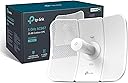
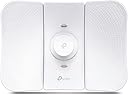
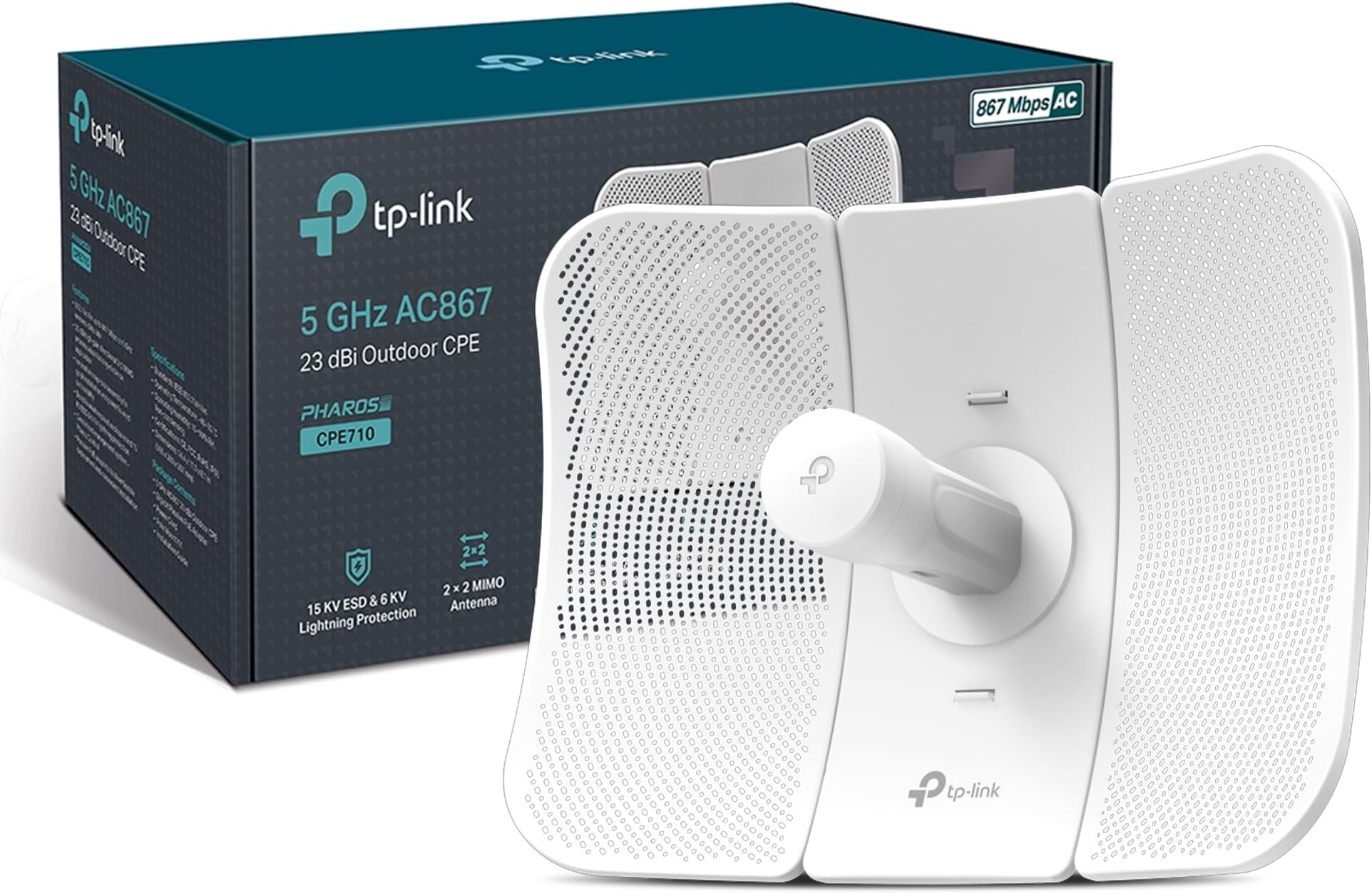
The TP-Link CPE710 is a professional-grade outdoor wireless CPE designed for long-range point-to-point or point-to-multipoint networking. Operating on the 5GHz band with Wi-Fi 5 (802.11ac), it delivers up to 867Mbps through a high-gain 23dBi directional antenna. Its rugged IP65-rated enclosure with lightning and ESD protection ensures reliable performance in harsh weather. Featuring passive PoE for flexible installation and centralized management via Pharos Control software, the CPE710 is ideal for professionals seeking stable, high-speed outdoor connectivity.


| ASIN | B08C5KY25X |
| Antenna Location | Industrial, Outdoor |
| Best Sellers Rank | 14,534 in Computers & Accessories ( See Top 100 in Computers & Accessories ) 44 in Network Antennas |
| Box Contents | CPE710 |
| Brand | TP-Link |
| Brand Name | TP-Link |
| Colour | White |
| Compatible Devices | ALL |
| Compatible devices | ALL |
| Connectivity Protocol | Wi-Fi |
| Connectivity Technology | Wi-Fi |
| Coverage | Outdoor, Wide Area |
| Customer Reviews | 4.0 out of 5 stars 199 Reviews |
| Data Transfer Rate | 867 Megabits Per Second |
| Frequency | 5 GHz |
| Frequency Band Class | Single-Band |
| Frequency band class | Single-Band |
| Has Internet Connectivity | No |
| Is Modem Compatible | No |
| Item Dimensions L x W x H | 36.2L x 28W x 20.6H centimetres |
| Item Weight | 1.72 Kilograms |
| LAN Port Bandwidth | 100 Mbps |
| Manufacturer | TP-Link |
| Manufacturer Part Number | CPE710 |
| Maximum Upstream Data Transfer Rate | 867 Megabits Per Second |
| Model Name | CPE710 |
| Model Number | CPE710 |
| Model name | CPE710 |
| Operating System | TP-Link OS |
| Other Special Features of the Product | Centralized Control, Weather Resistant, PoE |
| Product Warranty | 1 Year Manufacturer |
| Router Network Type | Wireless |
| Security Protocol | WPA2, WPA3 |
| Special feature | Centralized Control, Weather Resistant, PoE |
| Unit Count | 1.0 count |
| Wi-Fi Generation | Wi-Fi 5 |
| Wireless Compability | 5 GHz Radio Frequency, 802.11ac |
| Wireless communication standard | 5 GHz Radio Frequency , 802.11ac |
A**X
Exceptional performance but designed for professionals
I upgraded from two CPE510 to two CPE710 a year or so ago as I needed faster ethernet ports. I've seen lots of reviews saying that they are difficult to assemble, difficult to configure and that the interface looks like something out of the1990s. The clue is in the name... "CPE" stands for "Customer Premises Equipment" - they are primary designed for network professionals to install and set up. It's not a basic plug-and-play bit of kit, like a range extender. And they are NOT designed to be used as outdoor access points - they are not great for that and Tp-link do not recommend them to be used as such in their documentation. Used in pairs to bridge one network segment to another they work amazing well. Mine beam over 600m, connecting two Cisco switches with negligible drop in speed, serving my office with 3 PCs, laser printer, CCTV, a Cisco access point, Raspberry Pi, weather station and goodness knows what else. RTFM and do some WiFi 101 research and you should be good to go.
M**O
Excellent kit
I bought 2 of these to send gigabit broadband to my garden shed, approx 20mtrs. Pretty easy to set up but doesn't come with mounting poles. I referred to some pretty good tutorials on YT but pretty easy to sort. Set one as transmit and one as receive and hey prestro. 800mbps in my garden shed. Good value for money, easy to assemble, very fast Internet.
G**B
Its complex but it works.
As with many pro level network things, consumer level set up has been forgotten. so you will need to do the whole IP address set up thing and in todays world TP-Link that's really a dumb move, it should have some kind of network negotiation built in so that you can make the initial set up easier, so for this reason I've scored it down. This being said I'm using it as a long range access point to some battery operated cameras and result to date have been solid. its running on its minimal power settings and once configured seems to do its thing without issue.
D**T
Not quite what i was expecting
Bought 3 of these TP Link devices as we now have a 1gbps internet connection to our property…. We mostly get ~940mbps on ethernet both down and up. You can see in the pictures I’ve attached the speedtest and this doesn’t even reach the rated 876mbps these devices claim to handle up to 38km, we’re more 0.6km away for these devices. We have one main one at the business (internet fibre supply goes here), we then have this wireless device sending as an access point to the house and venue (client mode). I was expecting at this distance to get much closer to the 867 speeds. I have checked the signal strength and made sure these devices line up as perfectly as possible. The speedtest was done via my macbook by directly plugging it in via ethernet to the TP Link device. I always use CAT 7 cable too (re-done our whole office with CAT 7 as we have a local 10G network).
L**N
A useless device in 2023. Feels like 2000.
Okay, I am giving this review to this antenna based on what it was for me. First of all it's a very very slow device and sometimes also felt like as if it was defective. Every time I wanted to go to the main settings via IP address, this antenna would not allow me. I had to unplug it from power at least 5 times to have success one time. I don't understand the logic of this device to exist today in 2023. Every settings this device has is at least 20 years old. No matter what I did, it would hang and not move on or allow me to go to settings. When I was there after many times trying, I simply could not save settings or move to another option. For example picking up my location and setting up London time was impossible. It would stay stuck in China. TP-Link should remove this device all together from Amazon or Amazon should not allow it to exist at all. Please note, my review is for the TP-Link CPE710, 5GHz 867Mbps 23dBi Outdoor CPE Antenna. Thanks.
A**R
High Quality 5GHz Wireless WiFi Link
I used to use CPE510 devices for remote links but they are only 100Mb devices. These are the big brothers of these with 1Gb capability. If you already use CPE510s, these can operate together. Oh, the CPE710 is also cheaper too.
M**M
Powerful
This is a WiFi booster. I can get strong connection to my WiFi from around 300+ meters now. Initially I thought it was for to connect to a cell tower
A**R
Best Budget Wi-fi Satellite Extender
Satellite Wi-fi is the best booster ever, my official on the back of the garden 100 feet long and before this has so many issues with a basic extender. Now I can watch 4K HD TV and no issue on Teams either losing connections. Definitely worth buying and easy to install
M**J
la configuration réseau demande des connaissances en informatique.
Ce produit est formidable pour établir un pont wifi entre deux points.(domicile &bureau. Il fonctionne très bien. Par contre la configuration réseau 📶 demande des connaissances en réseau Ethernet voir informatique. Je recommande ce produit. Testé sur une distance de 11km à vue.
S**D
Verbindung über 560 m ohne Sichtkontakt.
Habe damit eine Verbindung zu unserer Scheune in rund 560 m Entfernung hergestellt um eine PV Anlage zu überwachen. Ohne Sichtkontakt! Eine Antenne habe ich am Kamin befestigt und bei der Scheune habe ich einen Holzpfahl ans Dach gebaut, für etwas mehr Höhe. Links und rechts sind direkt höhere Dächer, die ggfs Blitzte eher anziehen. Das ganze geht über mehrere Hausdächer und ein Hallendach. Beide Antennen haben die ersten 20-30 m keine Hindernisse, erst dann kommen die ersten Dachfirste. Die Antennen konnte ich ohne Sichtkontakt nur grob ausrichten, habe über GoogleMaps ne Linie gezogen und mir ein paar Landmarks gemerkt und danach ausgerichtet. Die Geschwindigkeit ist so um die 6-10 mbps. Bei ganz genauer Ausrichtung ist evtl noch etwas mehr drin. Am Wohnhaus habe ich die Verbindung mit Powerlan gemacht und bei der Scheune über nen Fritz.repeater um die Wechselrichter auszulesen. Klappt seit März '23 bisher super und ohne Ausfälle.
E**D
Great if it thinks there's no radar
The kit itself is great and works fine, you need a pair of them, set receiving one as the access point and wire that into a separate ap-mode router, then log your phone etc into the receiving router wifi. Plug the other into your main router that is connected to the web and set it as the transmitter side. The main issue you might have frustration with is the connection dropping if it thinks it detects radar on the frequency it is using, it doesn't tell you this is the reason it just loses connection which you can monitor in the admin software. This is the 'DFS' system you can read into where it has to take itself off the frequency for a certain amount of time then scan for other clean channels, check it doesn't think those have radar on them and reconnect to one of those, this can be a never ending cycle. There can be a lot of false positives especially in heavy residential areas with reflective surfaces or real ones say near a marina where boat radar will exist, weather stations etc. In some countries all the permitted frequencies for public use are DFS ones, other counties have frequencies for the public to use that aren't DFS channel frequencies so the connection stays up even if it thinks it sees radar. You can see which channels are available in which countries in the settings and you pick the country you are in. I think Wikipedia lists available channels and their DFS status for various countries.
M**A
High-speed, long distance Wi-Fi sharing.
Send your Wi-Fi over 10 km without dropping a fraction of speed. This is fantastic for sharing your Starlink with your friends in the next suburb. I use it to share with my father on his farm. Excellent, easy to set up, and works a treat.
G**I
Funziona benissimo in punto a punto a 800 m: 670 Mbps su 1 Gbps
Ho usato il TP‑Link CPE710 in modalità punto a punto a circa 800 metri, senza ostacoli, collegando due punti dove il cavo ethernet non era realizzabile. In ingresso ho 1 Gbps e alla fine del link misuro circa 670 Mbps, con un segnale stabile e latenza molto contenuta. Il CPE si è mostrato robusto e affidabile all’aperto, con buona resistenza alle condizioni meteo e connessione che non tende a saltare. La configurazione è semplice via interfaccia web e il 5 GHz con antenna direzionale a 23 dBi rende il link molto più pulito rispetto al 2.4 GHz, con meno interferenze. Se hai bisogno di un CPE economico e performante per collegamenti a lunga distanza, in particolare in punto a punto, il TP‑Link CPE710 è una scelta molto valida, come hanno dimostrato le mie misure reali su 800 metri.
Trustpilot
1 month ago
1 month ago