⚡ Elevate your system with speed and stability that won’t quit!
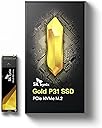
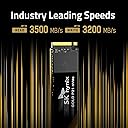
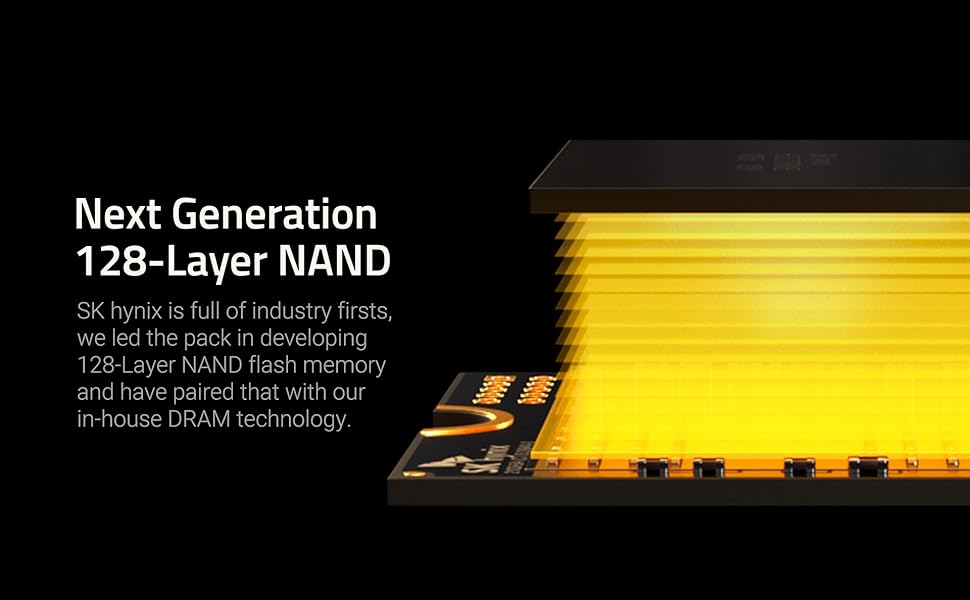
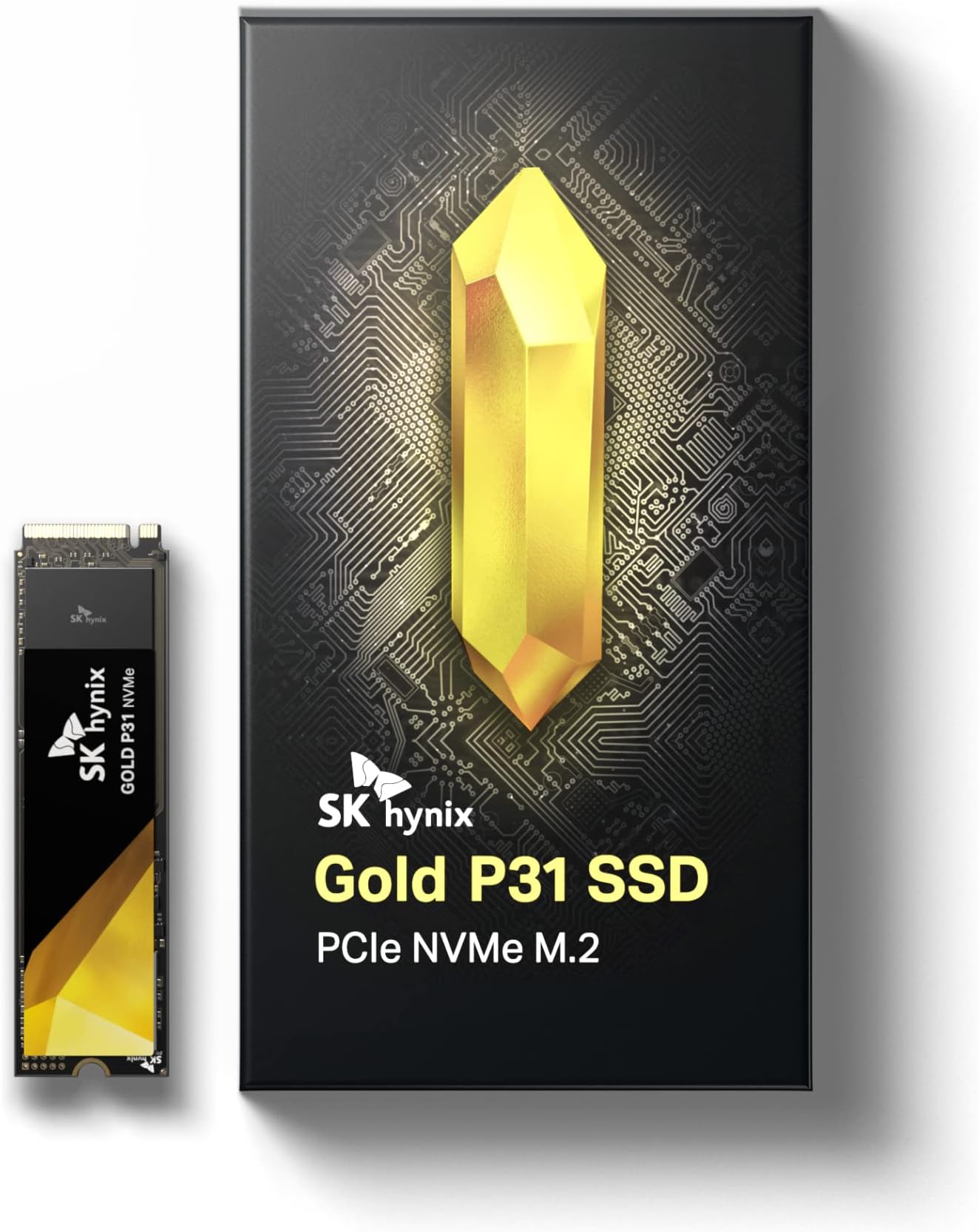
The SK Hynix Gold P31 1TB PCIe NVMe Gen3 M.2 2280 SSD delivers top-tier performance with blazing read speeds up to 3500MB/s and write speeds up to 3200MB/s, powered by advanced 128-layer NAND flash technology. Its pioneering thermal efficiency ensures cool operation under heavy workloads, while a robust 5-year warranty and 1.5 million hours MTBF guarantee long-term reliability. Designed in a compact M.2 2280 form factor, it offers easy installation and compatibility with desktops and laptops, making it the ultimate upgrade for professionals demanding speed, stability, and efficiency.


| ASIN | B08DK2FB7G |
| Additional Features | Portable |
| Best Sellers Rank | #583 in Internal Solid State Drives |
| Brand | SK Hynix |
| Built-In Media | Solid State Drive, User Guide |
| Cache Memory Installed Size | 500 |
| Color | Gold |
| Compatible Devices | Desktop, Laptop |
| Connectivity Technology | PCIe NVMe 3.0 |
| Customer Reviews | 4.8 out of 5 stars 9,836 Reviews |
| Data Transfer Rate | 2800 Megabits Per Second |
| Digital Storage Capacity | 500 GB |
| Enclosure Material | 128-Layer Nand Flash |
| Form Factor | M2 |
| Global Trade Identification Number | 08809433501212 |
| Hard Disk Description | Solid State Drive |
| Hard Disk Form Factor | 2280 Inches |
| Hard Disk Interface | Solid State |
| Hard-Drive Size | 500 GB |
| Hardware Connectivity | Solid State Drive |
| Installation Type | Internal Hard Drive |
| Item Dimensions L x W x Thickness | 3.15"L x 0.87"W x 0.09"Th |
| Item Weight | 7 Grams |
| Manufacturer | SK hynix |
| Media Speed | 3200 megabits_per_second |
| Mfr Part Number | SHGP31-500GM-2 |
| Model Name | SK hynix SuperCore Series - Gold P31 |
| Model Number | SHGP31-500GM-2 |
| Number of Items | 1 |
| Read Speed | 3500 Megabytes Per Second |
| Special Feature | Portable |
| Specific Uses For Product | Gaming |
| Unit Count | 1 Count |
| Warranty Description | 5 year manufacturer |
K**.
SK hynix Gold P31 2TB SSD - Unleashing Blazing Speeds and Unrivaled Reliability
My experience with the SK hynix Gold P31 2TB PCIe NVMe Gen3 M.2 2280 Internal SSD has been nothing short of extraordinary, and I'm excited to share my positive review of this high-performance storage solution that has transformed my computing experience. Exceptional Speeds: The standout feature of the SK hynix Gold P31 SSD is its exceptional speed. The PCIe NVMe Gen3 interface, combined with the M.2 2280 form factor, unlocks blazing-fast read and write speeds. Whether I'm loading large files, running applications, or booting up my system, the SSD's speed has significantly reduced wait times, providing a seamless and responsive user experience. Generous Storage Capacity: The 2TB storage capacity of the Gold P31 SSD offers ample space for storing a vast array of files, applications, and multimedia content. This generous capacity ensures that I can keep my system clutter-free and have room for future storage needs without compromising on performance. Reliable Performance: Reliability is a key aspect of the Gold P31 SSD, and it delivers consistently stable and reliable performance. Whether handling demanding tasks or supporting multitasking, the SSD's reliability instills confidence in its ability to meet the demands of intensive computing without sacrificing performance. Efficient Heat Management: The SSD's efficient heat management is worth noting. The innovative design incorporates a graphene heat spreader, which helps dissipate heat effectively, ensuring that the drive maintains optimal operating temperatures even during prolonged, resource-intensive tasks. This attention to heat management contributes to the overall longevity and reliability of the SSD. Energy-Efficient Operation: The Gold P31 SSD operates with remarkable energy efficiency. The drive's low power consumption not only contributes to a greener computing experience but also translates to extended battery life for laptops, making it an excellent choice for both desktop and portable systems. Easy Installation and Compatibility: The M.2 2280 form factor ensures easy installation on compatible motherboards. The SSD is compatible with a wide range of systems, making it a versatile choice for users upgrading existing setups or building new ones. The straightforward installation process adds to the overall user-friendly experience. High-Quality Build: The SK hynix Gold P31 SSD boasts a high-quality build with attention to durability and longevity. The drive's robust construction and premium components contribute to its reliability and ability to withstand the rigors of daily use, ensuring that it remains a dependable storage solution for the long term. Competitive Pricing: Considering its top-tier performance and expansive storage capacity, the Gold P31 SSD offers competitive pricing in the market. The balance of performance, reliability, and affordability makes it a standout choice for users seeking premium storage without breaking the bank. Overall Satisfaction: In conclusion, the SK hynix Gold P31 2TB PCIe NVMe Gen3 M.2 2280 Internal SSD has surpassed my expectations with its exceptional speeds, generous storage capacity, reliable performance, efficient heat management, energy-efficient operation, easy installation, high-quality build, and competitive pricing. This SSD has transformed my computing experience, delivering the performance and reliability needed for a wide range of tasks. Highly recommended for users who demand top-notch storage solutions that elevate their systems to new heights. Elevate your computing experience with the SK hynix Gold P31 SSD!
F**D
Great performance and price
Bought the P31 Gold to take over as primary drive from my Intel 600p 512GB SSD, located in the upper M2 slot above the GPU and under the CPU radiator/fan (a more confined space). Physical installation: Installed easily in the lower M2 slot under the GPU (GTX 1070). Cloning: The standard Macrium cloning software from the sk Hynix web site (SKHSSD.exe) did not work due to VSS errors I could not resolve (their manual just said to look on the internet for solutions, none of which worked). Instead, I went to Macrium's web site and downloaded Reflect, which worked. After updating the BIOS settings, the new drive booted fine. Tests using Crystal Disk: - Temps: Both SSDs peaked at 66C, while the P31 Gold idles 8C to 10C higher (very little difference when using the upper M2 slot). If I manually increased the GPU fans to 80% or so, the SK Hynix's temp dropped significantly as the GPU pulled more hot air away from the drive. I added an internal fan to blow across the drive - the SK Hynix temps improved and are just 4C-5C above the Intel's. - Read/Write speeds: the P31's throughput was 2x to 5x faster in most cases, which means any R/W operation finishes much faster, for less time at the higher temps. The Intel came close in random writes. Bottom line: Very good value, fast read/write and reasonable temps with the proper air flow, but not very good online customer support yet (however, once installed, it's really not needed). I may try a heat sink in the future and remove the internal fan to compare the difference. 1 Year later - very satisfied. Removed the internal fan that was blowing directly on the SSD, and temps remained well within normal ranges when compared to other similar capacity SDDs; so I decided against adding a heatsink. My only advice for new SSD buyers is to get more than you think you need; I had a faulty app that caused unnecessary SSD life loss due to excessive writes before I was able to isolate the problem.
J**D
Fast, reliable, always working like the first day.
This Nvme its one of the best in the market. Currently i have a big 2TB WD Black Gen4 and the speed in commond daily task are none. Hynix its a very googd drive, cooler and always give me 3500/3200 R/W speeds Today afte 3 years or more, its like new and working as auxiliary disk in a Nvme/usb enclosure. Reccomended!
S**E
Great drive with a fast DRAM cache
Even though this drive has "low specs" for a modern nvme drive, don't be fooled. It includes 2GB of LPDDR4-2133 for it's DRAM cache (which many faster drives don't have) and a decent sized Pseudo-SLC cache at 185 GB. Once the drive fills it's Pseudo-SLC cache it transfers at a fast 1400 MB/s, which may be faster than low end newer Gen 4/5 nvme drives. Do not get the wrong idea about only have 2GB of DRAM not mattering because of it's "small" size. This cache is mainly for the drive's metadata not for caching your data. Drives without a cache either use a tiny 64MB HMB (Host Memory Buffer), which is system RAM or no caching at all. Those drives will be fetching the metadata from the nvme which can make a difference in responsiveness. With a 185GB Pseudo-SLC cache, which caches your write data, I highly recommend reserving that amount on the drive. This means making sure that about 180 GB is NOT partitioned on the drive. This will ensure that there is always at least 60GB is available for the Pseudo-SLC cache. So that you understand, the drive controller will utilize flash from it's data area for caching. This drive uses TLC flash which is 3 bits per cell. When it uses the flash as a Pseudo-SLC cache it instead uses the flash in 1 bit per cell mode. If you reserve 180 GB then the drive can use that for 60GB of Pseudo-SLC cache. This is large enough to matter as the drive fills, but not so much as to greatly reduce the drive's formatted capacity.
K**O
Great price and killer speed
I bought this after doing some research into an fast budget NVME M.2 SSD. SK Hynix makes SSDs for major OEM manufacturers and decided to sell their own brand. I usually buy Samsung, Sandisk, or WD, but after doing some research I got this instead. I wanted to support a Korean company. What can I say. It plugged right into my ASUS mobo with my PC cases provided mobo standoff screws. Even though it's not a PCI 4.0 SSD and is an PCI 3.0 SSD, for the price and speed I like it a lot it's comparable to the new PCI 4 drives out there. It works with Win10 and various Linux distros without any issues. From what I read, it does not work with Apple OS X. SK Hynix, if you ever read this review, please add support for Apple products. Those fanboys would promote your products like nobody's business. Disclaimer regarding my Crystalmark benchmark - I don't run this in RAID. Lastly, SK Hynix does not provided the necessary motherboard standoff screws and screw to install this drive. Keep this in mind when purchasing this product to avoid lost time and frustration during your own build. Purchase them separately, or hopefully your motherboard or case provided them. I wish SK Hynix provided them and they should have to keep consumers happy. Otherwise, I would recommend this product to others.
D**Y
Best overall deal!
I first purchased a Samsung 970 EVO Plus because I used to have an 860 and I recall that Samsung had their custom drivers and software that actually upgrades the firmware for better performance (unlike most other brands...) - until I decided to do one last search before I sealed the deal! The Samsung would have cost me $195 after taxes, but I looked and I kept seeing reviews on this drive and I remember that SK Hynix did have drives, but they were not listed on 'other' sites that I was thinking about buying from. EVERY review rates this drives as near perfect and the fastest PCIE 3.0 drive on most levels - especially write speed, and it is second to NONE in power efficiency and low power use! The only negatives are the PCB color (for some) and some small read drop off when compared to some, but it is still near the top. Anyone who knows the computer industry knows that SK Hynix, along with Micron and Samsung are the actual NAND and other memory manufacturers that sell or make chips for all of these various SSD and/or RAM brands, all others do not make the memory. This is why this drive is a top performer as they have their own, custom controller, which is very fast. Plus, they have a 128 layer NAND which is a first in the industry and provides many benefits. After review after review, I realized that the only drives that outperform this one are the most expensive and/or the PCIE 4.0 drives - which heat up a lot and are only available on AMD platforms. All reviews marveled at the low power use and efficiency of this M.2 drive to the point that they were shocked and memorized by it's unusually highly efficient performance! They could not believe it's performance period - let alone for a lot less than other brand's top drives. This is on par with Samsung's top and most expensive drive - the pro and/or the plus. I tried to go on their website and it was a very slow moving site with no real information on the product and no toolbox software or no custom drivers, so I was wondering how committed they were. However, I knew that they made the memory, so it explains why this drive is so great. Yes - the PCB could have been colored black - or yellow instead of old school green, but I am not able to see it once installed anyway, so it does not matter much to me. I tried finding info on it such as TRIM, drivers or encryption, but it DOES have all wear leveling features but no encryption. I did not mind the absence of encryption since my Teamgroup (which beat my old 860 Samsung by a lot) SSD did not have encryption or it's own drivers or firmware updates. Once this was installed - it blew away the Teamgroup, the old Samsung and it made my already speedy PC feel like a new PC! The Samsung that I had always tested below the advertised speed. The Teamgroup drive tested 3110 read and 2008 write when the specs called for 3300 and 2500. The SK tested (using Samsung Magician) 3440 read and 3241 write! This is the first drive I had that got just about at the stated speeds! The increased write speeds truly make a difference in all functions! I was not sure of the benefits of faster write speeds, but once I started checking websites and DOWNLOADING games, playing games and video editing - I THEN noticed the benefits! Downloads now write as fast or faster than the internet bandwidth. Games like GTA V (or anything, truth be told) have full draw, INCREASED detail, coloring, speed, frames/smoothness and overall performance! It is clear-cut with this drive! There is ZERO performance hits that I noticed with this - only performance increases and a CONSISTENT performance throughout all testing! Photoshop loads a lot quicker. Vegas Pro loads quicker. Even GTA V loads quicker! I am running a 32" at 1440P. I am glad that when I was picking up the Samsung (before I placed this order!), I returned it right then and there, as I saved about $55 and GAINED a whole lot in performance. SK said that they would revise their website and provide a toolbox (they should have had one before launch - for such a large company), but I am HAPPY that I made this purchase and I trusted this brand because they actually design, MANUFACTURE and SUPPLY the memory to other brands, so of course they know what they are doing more than the other brands! I give this the same praise as the pro reviewers do! The performance and the price make this a no contest for other brands! You get the performance (or better) of other brands TOP (most expensive) drives or better - for only $135! Again, SK Hynix MAKES the memory, so that is why they can bring such high quality for so low! If you do not know companies that are involved with the sources of PC components - just trust us and get this!
A**W
Works great on Mac Pro 6,1
TLDR: After recently purchasing a used Mac Pro 6,1 a.k.a. "Trashcan" (Late 2013), I decided to upgrade the SSD from 256GB to 2TB. After testing numerous popular NVMe SSD's (Samsung 980 Pro, 970 Evo Plus, WD SN770, Crucial P5), I can say this is the ONLY ONE that works flawlessly with the Mac Pro 6,1. All the other ones, even after updating the firmware, has read/write issues. The read and write are pretty fast overall. Obviously it will not reach max speed due to the Mac Pro's dated number of bus lanes (theoretical max ~1600/1600 MB/s), but it is comparable to the Apple SSD that came with it, if not a bit faster. Because the NVMe came out a bit after the 500GB and 1TB versions, there is no need to update the firmware. This is because it is already in the most updated version from the factory. This is just a plug-and-play SSD on the Mac Pro 6,1. To install macOS Mojave, you first need to update to Mojave on your original Apple SSD. This is because ONLY the Apple SSD can update the Mac's firmware. SO DON'T THROW/SELL THE ORIGINAL APPLE SSD AWAY, as you will need it in the future for any macOS updates. Create a bootable installer for Mojave (Google: "Create a bootable installer for macOS"). Plug in SK SSD to Mac. Press POWER button + OPTION keyboard key. Choose the USB/Mojave installer. Install Mojave. Simple as that. Aside from the drive itself, there is a warning on the seal of the packaging. Not sure if it's important for warranty.
M**Z
Great product, highly recommended.
Excellent upgrade for any computer.
C**U
SSD TOP di gamma
Ho deciso di aggiornare il mio DELL XPS 13 9360 i7-8550U con 16GB di RAM installando un SSD più capiente da 2TB, per dare nuova vita al mio ultrabook. L'SK hynix Gold P31 è stato una scelta eccezionale, rivelando una perfetta compatibilità con il mio ultrabook. È importante notare che il DELL XPS 13 9360 ha un limitatore di velocità di lettura e scrittura dell'SSD di 1800 MB/s, quindi su un altro computer raggiungerebbe sicuramente valori più elevati. Nonostante ciò, il mio XPS 13 9360 rimane un dispositivo veloce e affidabile in qualsiasi situazione, nonostante sia ormai un modello di qualche anno fa. Windows 11 gira alla grande e la suite Adobe pure! Tornando all'SK hynix Gold P31, avevo bisogno di un SSD che garantisse prestazioni elevate, ma con una gestione termica efficiente. Una volta installato, ha superato ogni mia aspettativa! Rispetto all'SSD di fabbrica, questo nuovo dispositivo mostra temperature di esercizio nettamente inferiori: la ventola raramente si attiva, rendendo il mio DELL XPS 13 9360 incredibilmente silenzioso. È come se avessi un nuovo ultrabook! Stupefacente! In conclusione sono super soddisfatto dell’acquisto! Costa tanto sì, ma vale ogni euro speso.
E**.
Buen SSD
Justo lo que necesitaba, buscaba ampliar el almacenamiento de mi laptop cambiando el ssd de fabrica de 256gb por éste ssd, y creo que incluso mejoró la velocidad de arranque de mi laptop, de forma mínima pero definitivamente es perceptible.
A**R
Fast and responsive
It is fast and responsive, happy with the purchase. I don't have any stability issue with the drive, on par performance as Samsung.
L**3
En effet c'est une tuerie...
Je pensais avoir testé tout ce qui se fait en nvme sortis depuis 3 ans. Et j'ai rencontré un souci en montant un serveur de logs Graylog sur un Raspberry Pi. J'avais besoin d'un stockage sur nvme, le tout alimenté en POE. J'ai d'abord monté un Crucial P5 plus. Résultat reboots intempestifs (trop d'ampères tirés sur le port USB du Pi limité à 1,2 A) et 58 degrés de température disque dans un boîtier en aluminium massif... Bref la cata. En cherchant un disque plus économe en énergie, je suis tombé sur cette valeur sûre recommandée par tous les connaisseurs. J'étais passé à côté... Alors soyons clair. Pour un usage sur système normal, ce disque déboite sérieusement en debit et il les tient dans la durée, bien qu'il s'agisse d'un Pcie 3.0. Il est vraiment hyper veloce pour une installation système. Et niveau température de fonctionnement c'est dingue. Il est tiède là où le Crucial faisait des grillades... Bref un formidable produit. Prochain achat le Platinum en pcie 4.0 mais il paraît qu'il chauffe beaucoup plus. Vu les performances de celui-ci je ne peux que le recommander.
K**M
Arrived, good 2TB ssd
Good price-performance for 2TB nvme
Trustpilot
3 weeks ago
3 weeks ago