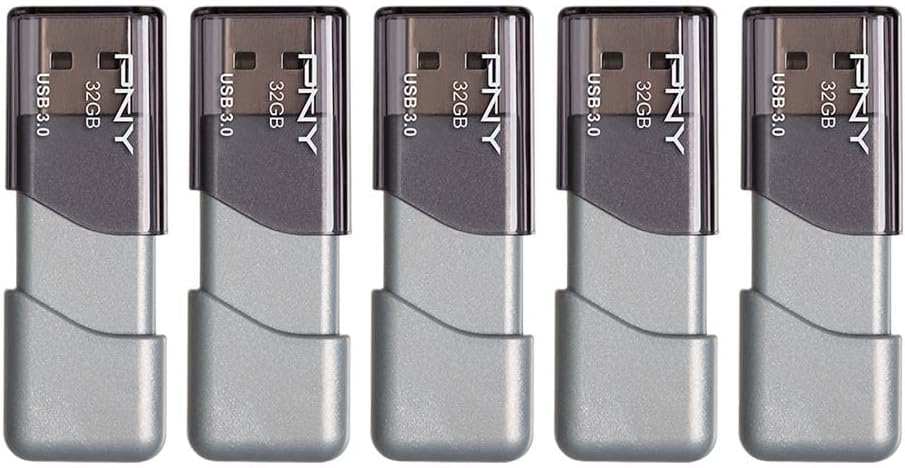
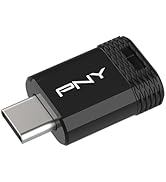
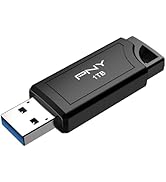
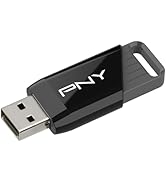
10/11/22 (see Notes) Based on my experience with the first couple of these PNY Turbo 32GB USB3 flash drives which I ever tried, and on an article entitled "6 Best USB Flash Drives to Use for Portable Linux in 2022," the Turbo is one of the best inexpensive flash drives to use for encrypted or unencrypted "full" installations of some types of Linux, and Bodhi in particular. In fact, out of several types of inexpensive drives which I tried to use for this purpose, it's one of the few that perform satisfactorily, or function at all. Sandisk Ultra-FITs are my favorites, performance-wise, although their plastic connector-shroud leaves something to be desired (more details below). Micro Center drives work, but they're ridiculously slow in all aspects, and the Lexar I tried had a glacial installation-speed and didn't even boot. I tried a Verbatim Metal Executive and a 16 GB Sandisk Ultra Flair, both of which died after a couple of uses, although you might have better luck. I tried a 32 GB Kingston USB3 Datatraveler, which as I recall was extremely slow or also died after a few uses. In any case, I tossed them and won't be gambling on them any more. I have one 16 GB Kingston USB3 Datatraveler which is great (it actually runs cool), although the installation-speed is slower than the Turbos, and the 16 GB size is no longer available. I tried a couple of Sandisk Ultra-Luxes, and they worked well but ran hot. Samsungs are apparently good, but they're expensive. After all of these disappointments, I was very reluctant to try the Turbos, but my curiosity got the best of me. After trying the Turbos, I also tried an Aiibe 16GB USB3 drive, and found it to be even slower than the Micro Center drives. I aborted the installation process after 2 hours, because the installation would have probably run very slow, if at all. I tried another, but aborted the installation after a few minutes because it was acting the same as the first. Some distros, including Ubuntu 22.04, boot and respond too slowly on Turbos to be used often, but would be OK to use if you just want to boot them up once in a while to check out some aspect. Others, such as Xubuntu 22.04, boot, respond, and shut down quickly enough on Turbos to be used often. The performance of Ubuntu and Xubuntu installations on the Turbos improved, up to a point, with repeated cycles of booting, app-launching/closing, and shut-down, although over the longer term, the performance didn't remain consistent - it's as if the installations sometimes become disoriented in the process of booting, or launching an app. The installation process took about an hour for Ubuntu 22.04 (3.5 GB), and about 50 minutes for Xubuntu 22.04 (2.5 GB). But Bodhi Linux 5.1 AppPak installed in about 50 minutes, which isn't bad by flash-drive installation standards, especially considering that it's a 3.4 GB ISO due to all the apps, and it consistently ran very well from the first boot. I don't use Bodhi, but now that I realize how well it runs as encrypted flash-drive installations (at least on PNY Turbos, probably on Sandisk Ultra-FITs, and perhaps on various small metal drives made by Sandisk and others, if you can obtain functional units), I might adopt it if not for the MX-Linux Snapshot tool, which makes it easy to turn any MX-Linux "full" installation, with all software added by the user and all of its settings made by the user, into an ISO which can then be used for making other installations. For most purposes, I currently use a nonpersistent live USB2 flash-drive installation of my latest MX-Linux Snapshot-ISO, running on a $200 Gigabyte quad-core Intel Celeron mini-PC configured as an air-gap PC (no internet connection, wireless module removed, no wireless in any peripherals, and no internal storage - just flash drives). It boots quickly (unlike typical live installations) and is very responsive, perhaps because I used the same mini-PC to create the full installation from which I created the Snapshot-ISOs, making them compatible with the hardware. It doesn't retain any data upon shut-down, so it's secure. (My encrypted Bodhi installation apparently doesn't save any session-data either, but that's based on a cursory examination.) Since it's Linux, there's no need to worry about malware, although before trusting any ISO (whether downloaded or made from a DVD using a "burner" app), I compare its checksum to the reference checksum provided by the download-site, and before installing any software-module/package without using the software manager, I check its checksum. For internet-access, I use a separate mini-PC running a full installation of my custom MX-Linux ISO. For heavy lifting (by my standards), I use a desktop PC (made from parts from Amazon, which was easy, allowed me to get just what I needed, and saved me a boatload of money) running Kubuntu 20.04. It has an HDHomerun external tuner, the hdhomerun-config and hdhomerun-config-gui apps from the Ubuntu repository, and my shell-scripts (see toggwu on Blogger) for setting each tuner-section to a particular channel and sub-channel, requesting a name for the recording, and starting the recording process. I use OpenShot 5.2.1 for video processing (Kdenlive is too convoluted for me, and as of shortly before this writing, there were no versions of OpenShot 2.6.1 which would run on 22.04, and a version of 2.6.1 from an Openshot PPA destroyed my Kubuntu 20.04/22.04 dual-boot installation. Fortunately, the desktop PC has an SSD for installations and an HDD for data, so I didn't lose any data and it was easy to replace the installation by just installing 20.04, updating the software index, and installing some software, which I had backed-up on the HDD. The net cost was about an hour of my time and about 40MB of my internet allocation for the update. To switch my keyboard (E-SDS KB-1011 laptop-style wired keyboard) and monitor between these PCs, I use a CKLau-64H2ua KM switch. For better, more consistent performance in general from an inexpensive flash drive (although again, Bodhi consistently runs very well on Turbos), I'd use a 16 GB Sandisk Ultra-FIT. The problem with Ultra-FITs is that they have plastic connector shrouds, which eventually wear out and fall apart, although they're designed to be plugged into a PC and left in place. But if you don't want to leave them plugged into a PC, you could leave them plugged into something like an AGVEE USB-A 3.0 Female to USB-A 3.0 Male Adapter (a.k.a. USB 3.0 Converter Coupler Extension Extender Connector), ASIN B093QHP8YX, effectively giving them a metal connector. Notes 10/9/22 - Added comments on Bodhi Linux and MX-Linux. 10/11/22 - Corrected various omissions and clarified.