Desertcart purchases this item on your behalf and handles shipping, customs, and support to Vanuatu.
⚡ Glide like a pro, game like a legend.
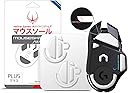
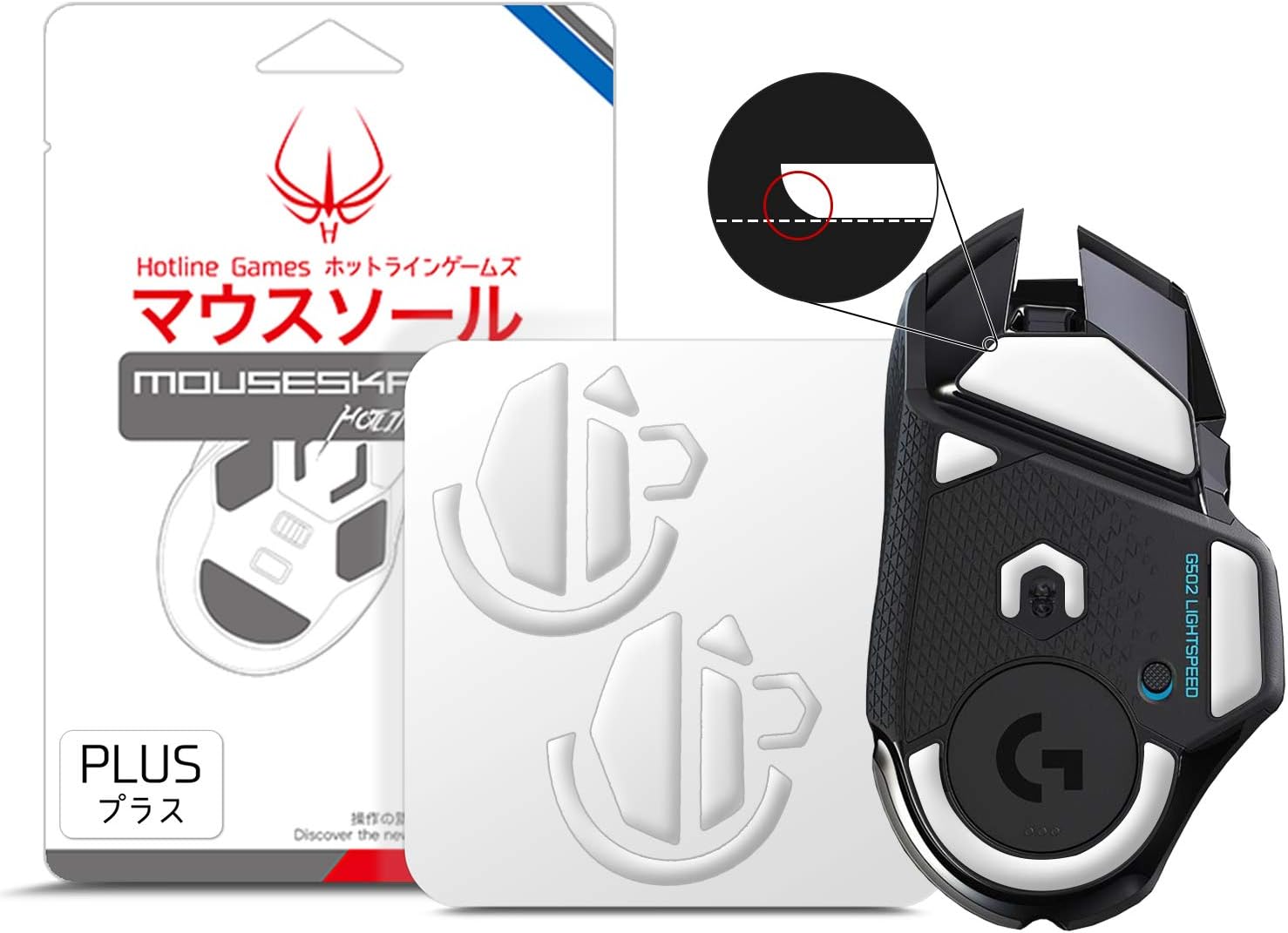
HOTLINEGAMES 3.0 Plus Rounded Edges Mouse Feet Skates are precision-engineered replacement pads for the Logitech G502 Wireless gaming mouse. Featuring 0.8mm thickness optimized for sensor accuracy, exclusive SYN Technology for smooth gliding, and pure white PTFE material, these skates offer enhanced durability and a sleek look. Pre-cut and easy to install, they provide a professional upgrade that prevents mousepad wear and elevates gaming performance.


| ASIN | B08L3DM1N1 |
| Additional Features | Wireless |
| Antenna Location | Gaming |
| Best Sellers Rank | #536 in Video Games ( See Top 100 in Video Games ) #37 in PC Gaming Mice |
| Brand | HOTLINEGAMES |
| Color | For G502 Wireless |
| Compatible Devices | Personal Computer |
| Connectivity Technology | Wireless |
| Customer Reviews | 4.4 out of 5 stars 2,234 Reviews |
| Enclosure Material | Plastic |
| Hardware Platform | PC |
| Item Weight | 10 g |
| Manufacturer | HOTLINEGAMES |
| Mfr Part Number | Hotline Games |
| Minimum Required Operating System Version | Windows 7 |
| Model Number | Hotline Games |
| Movement Detection | Optical |
| Movement Detection Technology | Optical |
| Operating System | Windows, macOS, Linux |
| Power Source | Battery Powered |
| Range | 100.0 meters |
| Recommended Uses For Product | Gaming |
| Special Feature | Wireless |
| Style Name | Modern |
| UPC | 750139399703 |
| Unit Count | 2 Count |
| Warranty Description | No |
K**R
Easy, Quality, and Inexpensive!
Was painting my razer viper v3 pro and needed to remove the old skates for disassembly. The fit is perfect and glides better than the oem ones ever did. The fact it comes with two sets is just an extra bonus. Strong adhesive that hasn’t moved a budge since application. Easy and inexpensive, 5 stars all around!
C**S
Very satisfied.
In the process of repairing my G502 I removed the skates and had to replace them. I went with another set off of amazon first but I wasn't very happy with it. They were too thin and the plastic on the mouse ended up scratching up my mousepad. Not only that, but the skates wore down too fast. This set was a MUCH better experience. Not only did the kit come with a PAIR of skate replacements, but tweezers, cleaning wipes, and a microfiber cloth. Very premium for the price paid. The installation was easy, the skates work great, and the adhesive seems to be plenty strong to remain on there. Just skip the $6 skates and go for these instead. You'll be happier.
V**S
Take your time and they work great
Worked great but take your time removing the old pads before installing the new ones. A little rubbing alcohol and cotton tip works great once the old ones peel off. Very slick and nice little pads. It was also nice getting a second set to use if the first one doesn't bond or wears out.
C**W
Sloppy installation, but overall excellent performance
Because I make a lot of traction at work with my mouse, I wanted to make sure my MX Master 3 was able to move more smoothly across my very wide desk. As far as functionality goes, I absolutely love the skates on my MX Master 3 and they fit onto my mouse perfectly. One thing to note is that I keep my desk fairly clean, but there are moments when I have to do a hand sweep in order to make sure the surface is clear. Not a big deal, just something to note if you use it on a hard laminate surface. On the other hand, the installation was a different story. Without taking in the cautions and tips, I just removed the default skates without complex intent. While this mostly worked, I may have run into some user error without using heat and I had a lot of adhesive remaining to remove. However, I was disappointed because I wasn't given a cleaning cloth to remove the rest of the adhesive I still had, even though it was listed in the product description and user manual. Thus I still have a little adhesive on the bottom side of my mouse but this hasn't disrupted my experience or the functionality of my mouse as a whole.
R**K
First time replacing mouse feet -- These are quite good. Few things to know though.
These work just as well as people say. I'm waiting for a Steelseries Qck cloth mousepad, but have my old setup of just a painted wood desk that has very minimal wood grain showing through and this skates across it a fair bit better than the original pads. The originals certainly weren't bad, hence why I never replaced them, but they had slightly pulled away in a couple of spots, making the adhesive underneath become little dust and gunk magnets, slowly needing more and more fingernail cleaning to make sure the feet were the only thing making contact again. It was time for a change... On removal of old feet/pads: To remove the feet, the instructions say to heat the pads, so I tried a heat gun at 250F for a while, which made it slightly easier to peel away, but only a bit and it wasn't like it was difficult without the heat. There was a matte/unreflective uneven layer of leftover adhesive underneath whether I heated it up a lot or not, so I just peeled the rest of the feet off without any heat applied. On cleaning/prep: I've learned over the years the critical importance of surface preparation for anything sticky, so I decided to remove the adhesive layer, partly because it was so uneven I couldn't imagine stiff feet would appreciate pockets of air underneath them while they bridged these islands of old/soft/crumbly adhesive. To humor the instructions, I took the coarse-grained microfiber cloth they sent and using it to "remove glue, sweat, and oils" but, as expected, this had little effect on the coarse, rubbery old adhesive. I went for rubbing alcohol and bits of folded paper towel and was able to easily get all of the adhesive off, needing a bit of extra time/technique in corners/bends, exposing the shiny plastic sheet/base layer underneath which would work great for adhering the new feet. On placement: These come with [plastic] tweezers, which I've seen some technicians use very deftly for precise placement of anything sticky like this, from precision-cut pieces to screen protectors on phones. While I've done a lot of work on devices, I've never become proficient with tweezer placement like they have, so I just use the method of lining up one edge or corner and slowly pushing down and outward on the piece from there. Assuming they've been cut right, they should line up perfectly, and these did, just inside the tiny raised edge that outlines the foot placement area. Some tiny directed pressure to fit a slightly mis-applied edge here and there and it's dynamite. As mentioned, this thing slides beautifully across the painted wood and, having owned the Steelseries Qck cloth mousepads before, I'm sure it will on there too. I had two of those before dumping the final, aging pad in a house move a while back and stopping competitive gaming, but I'm going back as I believe it prevented most of the random junk that accrues on the desk from being caught up in the mouse feet and I don't want these larger/taller feet, especially with the work I've put into them to need constant cleaning, so we'll see how this theory goes. Also, I'm rating adhesion as 5/5 even though I only put them on an hour ago, but I believe with the surface treatment and careful alignment I did they'll be just fine. Ease of installation is 5/5 because I don't know how much easier you can expect precise stuff like this to be, and context is of course important when judging.
J**K
Love these skates. Writing this review to let people know the can survive reapplication.
I purchased these skates because I needed to remove the factory skates on my logitech superlight pro in order to get access to the scroll wheel inside. I was having a scroll wheel issue due to accumulation of dust and cat hair. Needless to say, the issue was resolved and the new skates felt great. A few months passed and I ran into the scroll wheel issue again but I was hesitant about removing the skates because I didn't want to keep purchasing new skates and replacing the old ones every time I ran into the issue. But after putting up with the issue for a while and almost going crazy, I decided to bite the bullet and go for it as I remember noting that there were 2 replacement skates that came with the original purchase. To my surprise, the skates came off cleanly with some gentle prying and lifting. Whatever adhesive was used did not cling to the mouse and destroy the skates in the process (like the original manufacture skates did). THIS is the reason why I'm giving the skates 5 stars (I would give 6 stars if I could) as the manufacturer's adhesive goes above and beyond and turns the skates from a single use product to something that can survive removal and reapplication to the mouse, allowing someone to continue getting access to the internal hardware of the superlight pro without having to worry about wasting more money on skates every time this is needed. Highly recommended. Would buy again, but don't need to!
M**T
BUYER BEWARE, DEFECTIVE SENSOR SKATES
First, I'm rating this one star and will not change it because well, while the mouse skates are better than stock because they are aftermarket, rounded and, definitely .8mm: they do NOT fill out the sensor foot thing. If you're getting burrs with the mouse, first, notice that the uh, stock skate on that is flush/not rounded but maybe a little. Surprise, it's 0.7mm. ALSO I bought two sets of these (fact check me, seller). Set one arrived with the same issue: idk how these bent in the packaging. I will admit I did mess up placement on one but, uh, i left a mark with the plastic tweezers. The bottom skate is before I reattempted placement for the fourth time but noticed...the skate's edged were scuffed? Yikes. Last, honestly, if you get any burrs: try taking off the stock sensor skate and go without. These skates also do not fit flush with the fillout and while I did nail the placement once (see last image) it took four tries ouf of two purchases and still, it's off because it should be filling out the hole but it's not so lame. I honestly think these might have been a bad bad and I'm trying to help the seller know because they're the only ones on Amazon that sell them and i dont want people to lose their money. Save it. Anyway, again: honestly, these are only worth it for the the three main skates but even with those, I ended up going with glass skates because the dpi sensor one was wasnt filling the skate holder and caused more burrs than even the stock skate but i think it was just defective. Maybe the adhesive too because two arrived kinda slid off the plastic/heat idk im mad i wasted my money. LOVE A sad customer that wanted to support a japanese business
W**M
Why buy any other listing
Fantastic value skates. Comes in a 2 pack with very forgiving adhesive in case you don't get a perfect placement your first try and sticks securely after that. While there is a break in period of about 30 minutes where the skates feel a little hard and scratchy, once that initial layer is worn off by your pad these are extremely smooth and frictionless skates while in motion but they are very control oriented so they stop very easily and prefer to stay still when you first start a movement, so if you like zero friction skates these aren't the right kind of soft skates. However if you prefer control based movement where your skates stop immediately and feel locked in place while still, these are definitely your kind of skates as not only do they have those traits but they also are like a hot knife through butter when actually in motion, but stop instantly when you need them to. For the record testing was done on a Razer Firefly V2 Pro hard acrylic pad, I did do a quick test on a cloth pad and they feel as described above but with the added natural grip and friction from cloth pads.
M**B
Down the table like a drink down a bar in a movie!
Swishhhhh. Such function! All gamimg games seeing the boost, white so bright! Sleek, precision cutting, accurate design.
F**L
Doesn’t fit
Worst purchase ever, now my mouse is ruined.
R**R
Perfect for me.
I love my Logitech G700S, it's the best mouse I've used, but after almost 10 years of almost constant use and one replacement set of mouse feet later, it really needed a little bit of extra love and care. I took the mouse apart, cleaned it, replaced the left mouse button switch and then went searching for decent mouse feet. All of the feet I found available were cheap and looked it, apart from these. Other replacement feet are thin and have visible surface marks from manufacture. These are much thicker and the surface is smooth. I used a bit of TIM cleaner to remove any dirt and grease from the old, attached feet, and simply stuck these on top as a little extra height helps stop grease build up on the surface and makes it easier to wipe down. I have been using a hard mouse mat ( QPAD - ECR) for years and recently bought a Steel Series Qck cloth pad as a replacement, which I didn't get on with. I now have a Razor Sphex V3 stuck onto a glass plate. The combination of these feet and the Razor pad suit me very well whether it be causal use, but more importantly gaming. The Steel Series pad gives a good, but slightly heavier feel to movement, which isn't for me, but the mouse feet work well and offer a consistent glide on both surfaces. I hope that helps anyone trying to make a choice. There's no need for the supplier to provide two sachets of alcohol wipe, a cloth and tweezers. It's wasteful, but 2 sets of quality mouse pads for £6 a go is good value. If you are walking all day you don't cheap out on footwear so why do the same for your mouse? Delivery was within 2 days and excellent considering I ordered late a night.
J**N
It works as intended and for 2 sets
A**R
nice fit
fits perfectly
Trustpilot
2 days ago
5 days ago