Buy anything from 5,000+ international stores. One checkout price. No surprise fees. Join 2M+ shoppers on Desertcart.
Desertcart purchases this item on your behalf and handles shipping, customs, and support to Vanuatu.
✒️ Elevate your iPad artistry with precision and power in your hand!
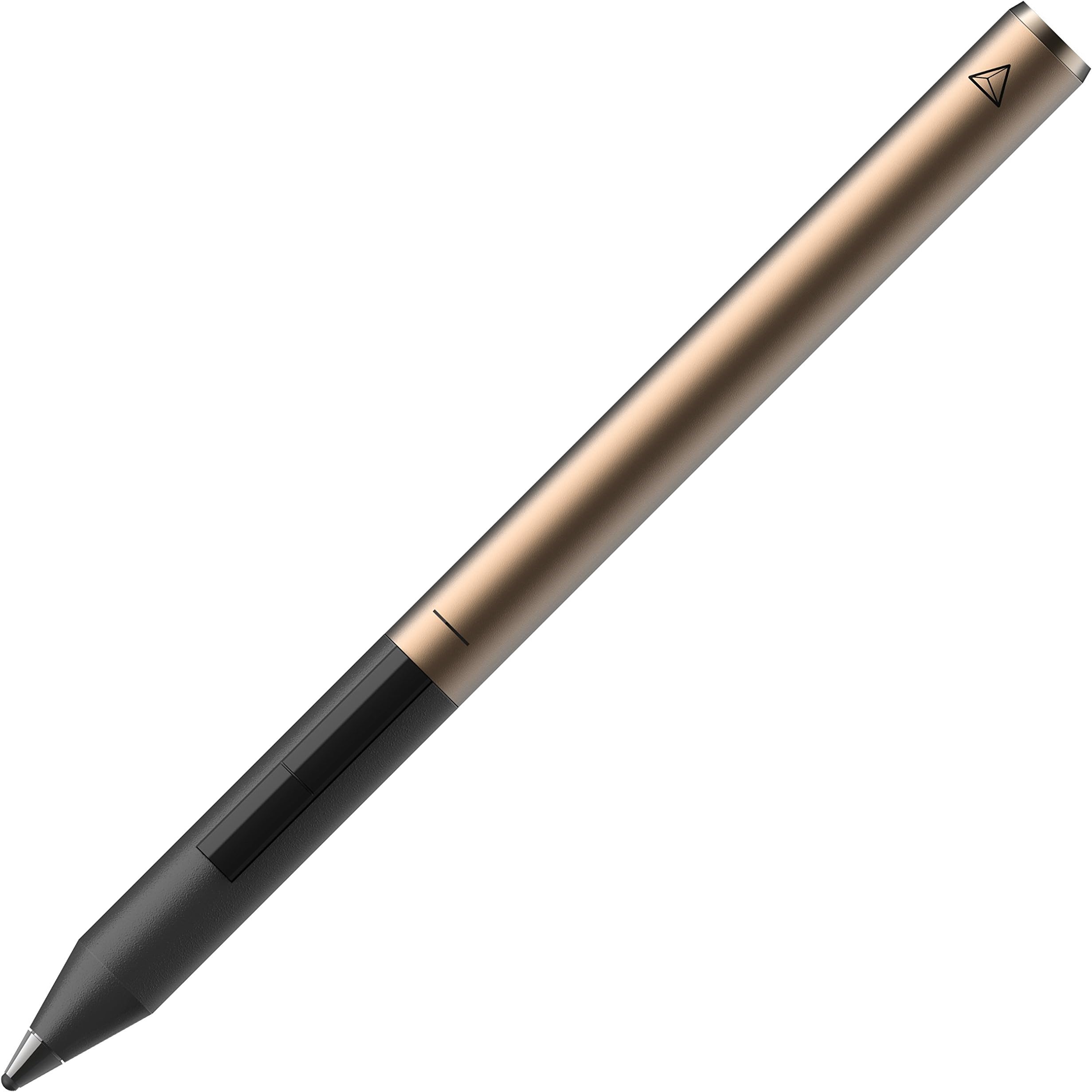
The Adonit Pixel is a pressure-sensitive stylus featuring a precise 1.9mm tip, 2048 levels of pressure sensitivity, and enhanced palm rejection technology. Designed for professional creatives and managers alike, it offers programmable shortcut buttons, a built-in grip sensor for instant activation, and a robust 15-hour battery life with quick charging. Compatible with most iPads including Air 2 and Pro models, it delivers a natural, paper-like writing experience to boost productivity and creativity on the go.


| ASIN | B01EM7TGOW |
| Are Batteries Included | Yes |
| Are Batteries Required | Yes |
| Battery Description | Lithium-Ion |
| Best Sellers Rank | #51,984 in Mobile Phones & Communication Products ( See Top 100 in Mobile Phones & Communication Products ) #1,016 in Mobile Phone Stylus Pens |
| Brand | adonit |
| Color | Black & Gold |
| Compatible Devices | iPad Air 2, Pro 12.9 |
| Compatible Tablet Computer Models | Apple iPad Air (2nd generation) |
| Customer Reviews | 3.6 3.6 out of 5 stars (1,091) |
| Enclosure Material | Aluminum |
| Global Trade Identification Number | 00847663022228 |
| Item Dimensions | 6.9 x 2.1 x 18.7 centimeters |
| Item Part Number | ADPBR |
| Item Weight | 0.05 Kilograms |
| Manufacturer | Adonit |
| Mfr Part Number | ADPBR |
| Minimum Required Operating System Version | iOS 13 |
| Model Number | ADPBR |
| Number of Batteries | 1 Lithium Polymer batteries required. (included) |
| UPC | 847663022228 |
R**E
A Value for money product, excellent finish and good performance
Adonit Pixel Stylus works very well on iPad Air2 as well as other similar devices.
A**1
Palm rejection doesn’t work and the stylus lags a lot when writing
The palm rejection feature isn’t as advertised, it doesn’t work with most apps. And if you find an app that supports this stylus, the palm rejection would be very weak almost like not having it at all. Moreover, writing with this stylus isn’t smooth and lags a lot. I don’t recommend buying this product. It is just a waste of my 289 AED. I recommend buying the Apple Pencil if the iPad you want the stylus for supports it.
M**I
قلم يعمل بتقنية البلوتوث مع كافة الاجهزه بشكل جيد جدا. حجمه سميك بعض الشيء ولكنه ممتاز للعمل على ميني ايباد وايباد اير ٢
C**N
Pen
Fast delivery and good quality
M**2
tip broke off just after short use
Bought one last year for my daughter to use with older iPad Air 2. Didn't get to use it though as she needed new iPad short after and apple pencil was compatible with that one so got that instead. Only recently unpacked Adonit Pixel and gave to younger daughter to use on her older iPad Air 2. Indeed it connected and worked well, but within a week or so the tip broke off completely. Would not expect that from a product priced and advertised as this
S**A
I can use it with my old iPad successfully
It is simple Active price wise
M**A
Perfect
It is working very well
K**K
It is not useful for my iPAD Air 2 model
It pairs with the iPad and I can draw, but pressure variation is not working. The idea to purchase such an expensive pen to enjoy the 256 pressure strokes/writing styles as advertised. So the item has been returned and refund claimed.
M**)
Olá ! Meu nome é Maria Luiza A caneta é de excelente qualidade, chegou muito antes do prazo previsto pelo vendedor. Estou super satisfeita e amando essa caneta , meu iPad é o 5ª geração (2017), no começo passei por algumas adaptações para utilizá-la. Para usar é preciso ligar o botão que está próximo da ponta da caneta para ligar o Bluetooth , no começo estranhei um pouco , por que achei iria aparecer o nome da caneta para sincronizar, mas não. É preciso baixar um App compatível citado no site na Adonit. Como meu objetivo de usá-la era para estudo e resumos de artigos da faculdade e tbm para ñ precisar mais usar caderno...rsrs Baixei o GoodNote 4 , essa versão é compatível , não baixem o da versão 5 pois ainda ñ tem compatibilidade, só apenas com a Apple Pencil. É bem fácil de síncrono, só clicar no ícone que aparece 3 pontinhos( ...) clicar em CANETA INTELIGENTE e escolher Adonit Pixel , só pressionar levemente a ponta da caneta com ela ligada no círculo com desenho de uma caneta escrito HOLD TIP HERE, logo após esse passo a caneta já sincroniza e Está pronta para uso. Pesquisei bastante e li muito sobre a caneta , por isso resolvi colocar aqui alguma dicas sobre o uso da caneta , para facilitar para quem tem dúvidas sobre como usá-la. Ah! E OUTRA DICA importante , ela tem uma boa execução e perfeição na hora da escrita com o IPad na vertical , pois quando usei na horizontal minha letra ficou horrível e tbm ela ñ se desempenhou muito bem na escrita. Acredito que seja pelo fato de que utilizamos o caderno na vertical para escrevermos, e tbm para q possamos ter uma experiência bem parida como se estivéssemos escrevendo em um caderno mesmo...😃 Bom pode parecer estranho ñ ter pontos negativo da caneta, mas é que realmente fui entendo o uso dela, lendo as intrusões do site da marca e principalmente usando no dia a dia. Um ponto negativo é que gostaria que tivesse para vender aqui no Brasil a ponta dela, pois é de borracha e já li também que uma hora é preciso trocar.Mas já vi que no eBay e no aliexpress vende. Ficou grande meu comentário mas espero ajudar quem tem dúvidas e gostaria de comprar essa caneta. Até o momento estou muito feliz e satisfeita com essa minha nova requisição, pois ñ vai ser preciso eu vender meu IPad 5 para comprar a nova versão só pelo uso da Apple Pencil e que bem cara aqui no Brasil.
M**A
Received in 1 day, setup was a breeze and i use it on my Ipad air (5th generation). pressure sensitivity and precision are both excellent! My only concerns: -there is no pen cap included or available to protect the pen from drop - there is no clip or magnet to attach the pen
M**B
Works well with Astropad if you use your iPad as a graphics tablet in connection with your Mac. It is the best precise stylus I ever got, due to the finer tip, which is not big and bulky, and is perfect for drawing. I use this on an iPad mini 2. It connects well and holds its connection well once it has connected with an opened app, in the iPad, and in my case , Astropad. the pressure sensitive is fantastic, almost like a wacom bamboo pen tablet stylus. Though if you connected previously to another stylus or another bluetooth device such as speakers etc, rebooting the iPad would solve any issues, lags, and glitches, but this happens rarely. I think this is the best alternative to the Apple Pencil if you don't have an iPad Pro yet.
M**M
A little expensive for what these are, but I am very grateful Adonit makes and sells these for their stylus models. Better less expensive stylus tips to replace than to replace the entire stylus. These took some time to get to me, though. I am a huge fan of Adonit stylus products and own a lot of their stylii and have no problems recommending anything stylus related that they make and sell. Every stylus I have purchased from this company is very high quality and works as it should work! Their replacement tips for all of their stylus models is no exception.
R**R
Me ha resultado muy difícil encontrar puntas de recambio. En la web del fabricante no hacen envíos a España. Menos mal que las conseguí aquí. Envío muy rápido.
Trustpilot
2 months ago
4 days ago