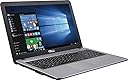
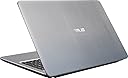
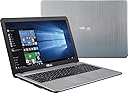
🚀 Power meets practicality in a sleek silver package
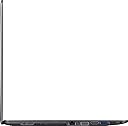
The Asus X540LA-SI30205P is a 15.6-inch HD laptop powered by a 5th Gen Intel Core i3-5020U dual-core processor clocked at 2.2 GHz, paired with 4GB DDR3 RAM and a spacious 1TB HDD. It runs Windows 10 Home and features a built-in SuperMulti DVD/CD burner, multiple connectivity options including USB 3.0, HDMI, VGA, and an SD card reader. Designed for professionals and students seeking reliable performance, ample storage, and versatile connectivity in a lightweight, stylish silver chassis.
| ASIN | B01DMNX5PS |
| Audio Output Type | Speakers |
| Audio Recording | Yes |
| Audio features | This product includes built-in stereo speakers. |
| Automatic Backup Software Included | Webcam |
| Available M2 Slot Count | 1 |
| Battery Cell Type | Lithium Ion |
| Battery Life | 4.5 Hours |
| Best Sellers Rank | #239,873 in Computers & Accessories ( See Top 100 in Computers & Accessories ) #45,010 in Traditional Laptop Computers |
| Bluetooth Version | 4.0 |
| Bluetooth support? | Yes |
| Brand | ASUS |
| Built-In Media | stereo speakers, microphone, webcam, Wi-Fi 802.11b/g/n wireless, Ethernet LAN port, HDMI and VGA video output connectors, SD card reader, keyboard, and mouse |
| CPU Codename | Broadwell |
| CPU L2 Cache | 3 MB |
| CPU Model | Core i3-5020U |
| CPU Model Generation | 5 |
| CPU Model Number | Core i3-5020U |
| CPU Model Speed Maximum | 2.2 GHz |
| Cellular Technology | Wifi |
| Chipset Type | Intel |
| Color | Silver |
| Compatible Devices | Various devices supporting USB, HDMI, VGA, LAN, SD card reader, DVD/CD burner, wireless LAN, and Bluetooth interfaces. |
| Connectivity Technology | Bluetooth, HDMI, USB, Wi-Fi |
| Customer Reviews | 3.6 out of 5 stars 697 Reviews |
| Display Resolution Maximum | 1366x768 |
| Display Technology | LED |
| Display Type | LED |
| Form Factor | Laptop |
| Global Trade Identification Number | 00889349290477 |
| Graphics Coprocessor | Intel HD Graphics |
| Graphics Description | Integrated |
| Graphics Ram Type | Shared |
| Hard Disk Description | HDD |
| Hard Disk Interface | Serial ATA |
| Hard Disk Rotational Speed | 5400 RPM |
| Hard Disk Size | 1 TB |
| Hard-Drive Size | 1 TB |
| Hardware Interface | Ethernet, HDMI, USB, USB Type C, VGA |
| Has Color Screen | Yes |
| Human-Interface Input | Microphone |
| Item Dimensions L x W x Thickness | 15"L x 9.92"W x 1"Th |
| Item Weight | 5.1 Pounds |
| Keyboard Description | Chiclet |
| Keyboard Layout | QWERTY |
| LAN Port Bandwidth | 1000 Mbps |
| Lithium-Battery Energy Content | 43 Watt Hours |
| Manufacturer | Asus |
| Memory Clock Speed | 1600.00 |
| Memory Speed | 1600 MHz |
| Microphone Form Factor | Integrated microphone |
| Model Name | FBA_X540LA-SI30205P |
| Model Number | FBA_X540LA-SI30205P |
| Model Year | 2015 |
| Notebook Pointing Device Description | touchpad |
| Number Of Cells | 6 |
| Number of Drivers | 1 |
| Number of Ports | 3 |
| Operating System | Windows 10 |
| Optical Storage Device | SuperMulti DVD/CD burner |
| Other Special Features of the Product | Webcam |
| Power Device | rechargeable battery |
| Processor Brand | Intel |
| Processor Count | 1 |
| Processor Series | Core i3-5020U |
| Processor Speed | 2.2 GHz |
| RAM Memory Installed | 4 GB |
| RAM Memory Technology | DDR3 |
| RAM Type | DDR3 SDRAM |
| Ram Memory Maximum Size | 4 GB |
| Screen Size | 15.6 Inches |
| Specific Uses For Product | Business, Student, Multimedia |
| Total Usb Ports | 2 |
| Touch Screen Type | No Touchscreen |
| Touchpad Feature | [Single touchpad] |
| UPC | 889349151037 889349290477 889349351901 889349173015 889349173008 889349133569 |
| Video Output | HDMI, VGA |
| Video Processor | Intel |
| Voltage | 240 Volts |
| Warranty Type | Limited |
| Webcam Capability | Yes |
| Wi-Fi Generation | Wi-Fi 4 |
| Wireless Compability | 802.11bgn, Bluetooth |
| Wireless Technology | Wi-Fi |
L**K
The Asus X540LA - A Very Nice and Well-made Computer
My wife and I use computers with GNU/Linux operating systems. However, in order to update our Garmin GPSes (we have four), we need to use a computer using the Microsoft Windows operating system. Back in 2013, I bought an ASUS X502C Core i3-3217U Dual-Core 1.8GHz 4GB 500GB 15.6" LED W8 Laptop - White which fulfilled that need. However, the more I used it, the more I appreciated its physical merits (display, keyboard, sound quality, etc.) and, as we decided we needed a new computer to take with us on trips (and did not want to spend a lot of money), I decided to buy a new inexpensive Windows computer and convert the Asus X502C to Linux. This older Asus works positively great as a Linux computer. It is light in weight and is a pleasure to take on trips. Unfortunately, the computer I chose for my new Windows one was this Acer Aspire One Cloudbook, 14-Inch HD, 64GB, Windows 10, Gray (AO1-431-C7F9) includes Office 365 Personal - 1 year , a disaster if I ever saw one! (You can read my very lengthy review if you wish; it details my travails with this machine and its Windows OS from November 2015 until earlier this month.) Having the choice of just discarding this Acer Aspire One or converting it to Linux to see if I could get some use out of it, I chose the latter option. (It finally does work as a computer but the major problem with its internal battery - discussed at length in my review - persists.) Of course, for use with those Garmins, I needed a new computer with a Windows operating system. (So there went my intended savings!) Based on extensive research here on Amazon as well as other places as well as my past experience with the Asus brand (see below), I chose this Asus X540LA-SI30205P 15.6-Inch Laptop (Intel Core i3, 4GB Memory,1TB Hard Drive, Windows 10 Home), Silver . I'm glad I did (at least so far). It arrived yesterday and I went through Windows' setup procedure. I added just two (2) programs: Garmin Express and CCleaner. (I also uninstalled the MacAfee antivirus program; I do not wish to pay for any programs on this computer and, as it has essentially only one use, Windows Defender and Windows Firewall are just fine.) Though configuring, updating, and cleaning took about five hours, the computer functioned just fine and everything was finished around 9:00 PM last night. Among other things I deactivated as many of Microsoft's 'spying' settings as was possible. This morning I turned the computer on and updated all of our Garmins. The entire procedure went smoothly, something that could not be said about that Acer Aspire One. (During the eight months that the Acer was a Windows computer - and during the short periods when I actually had it in my possession and it was not at Acer's repair station - I was only able to update the Garmins once. And that updating was very troublesome; because of 'freezes' and so forth the process took two days to complete!) The keyboard on this new Asus X540LA is excellent, with a very good "feel" to it. The display is very nice; it's crisp, it is easy to read text, and viewing on it is easy on the eyes. The speed of the Intel i3 processor is very good, much better than Intel's lower lines (Pentium, Celeron, etc.), and I am pleased with its speed. It even has a built-in CD/DVD drive, something which more and more computers are eliminating. And with all that, it weighs relatively little. Obviously at this point I cannot comment on longevity. But this is my third Asus computer (the other two are still in use) and, considering my experience with this brand, I expect that this one will last just as long and will give as good service as the other ones. Naturally, should there be any problems, I shall report them here. I can recommend only one accessory: a laptop bag. This Case Logic Bryker 15.6" Laptop Bag (BRYB115) in the one I am using. It is a very nice well-designed bag. (This AmazonBasics 15.6-Inch Laptop and Tablet Bag , which I also own, is much less expensive and is also very nice.) In the mean time, if you are in need of a very good, fast, feature-laden, and lightweight computer for general use or for use when traveling, I can highly recommend this one. I thank you for reading this report and for taking my opinions into consideration. Lawrence H. Bulk ===== Update: September 29, 2016 The following is just an FYI concerning the Microsoft Windows 10 operating system, NOT the computer itself. This past Sunday the Windows 10 Anniversary Upgrade (version 1607) installed to the computer. After that upgrade was finished, I found that there was a new version of the CCleaner program. I downloaded and installed it. Within the program there was a new option: Old Windows Installation. I checked that option. Then I began the cleaning process. That process took thirty-eight (38) hours to complete! I know that that amount of time is hard to believe but it's true. Frankly, I was afraid that I had destroyed the entire operating system and I was tempted to shut off the computer. But I resisted that temptation and I'm glad I did. When all was done, I shut down the computer, waited about a minute, and then restarted it. I fully expected to see some sort of 'failure' notice. But no. The computer booted up and operated perfectly and it continues to do so. But I have to tell you that this was a 'white-knuckle' process which lasted over a day and a half. This sort of thing is just another reason why my wife and I continue to use GNU/Linux operating systems rather than Windows. Thanks again for reading this. Lawrence H. Bulk ===== Update: October 24, 2017 On Saturday, October 21, 2017, the computer downloaded the new Windows 10 Fall Creator's Update, Version 1709. After the installation was complete and the computer restarted, I started the cleaning process with the CCleaner (which is set to delete the <windows.old> files, in other words, the obsolete previous installation). This was at 5:30 PM EDT on Saturday (the 21st) afternoon. The process took SIXTY-ONE (61) consecutive hours, finishing just this morning, Tuesday (the 24th) at about 5:20 AM EDT. Oh brother!!! Then I found out that there was a newer version of CCleaner introduced just today! So I downloaded and installed that. And, after updating the one other extra program I have on this computer (Garmin Express, now version 5.7.1), I restarted the computer and ran the new CCleaner (which has some extra cleaning options). Then, of course, I "defragmented" the computer. Those two processes took about an hour and a half. When all is said and done, I essentially have a brand-new Windows 10 computer. Most people do not go through all of this rigamarole. But, with Windows keeping all of the detritus, NOT doing this is what eventually slows down your computer and you think that it's just getting old and it's time for a new one. (That, of course, is what Microsoft and the computer manufacturers WANT you to think!) Knowing about all this and doing it is all well and good as it does completely renew your computer but, if I had to have Microsoft Windows as my only operating system, well, I wouldn't even WANT to own a computer! Just give me Linux! Lawrence H. Bulk
N**S
UPDATED: Still no computer, no hlelp from ASUS
UPDATE: 6 October (24 days after sending in computer that died) Spoke with Tisha at "level 3" Customer Support of Friday, 9/30. She agreed the delay was unacceptable and said she would send an email with a link to a new system to REPLACE the one that is STILL awaiting "a part". Six days later, no email, no replacement, no call. Chatted with Rodel again and he said there was no record of a "Tisha" doing any such thing on my account. Am on hold with support right now. They show the level 3 escalation and that a replacement system was authorized on the 4th, though no one contacted me about it or sent an email with the link to claim it and ship it. Waiting to see if they can finally send that email. To recap: Bought computer in May. It totally died. Sent it in for warranty repair on 12 September. It has sat at ASUS Repair in California since then, "awaiting a part". Nothing has been done. I have spent hours on the phone since then with ASUS. No resolution at all so far, after their warranty people told me up front that turnaround on repairs would be 3-5 days, tops. HA! UPDATE: Into the surreal. While holding for the “supervisor” for over half an hour, after talking to two guys already, with a guy checking in on me every 5 or 6 minutes to assure me someone would be with me shortly, he now told me his supervisors are TOO BUSY to speak with me, and would I like to be transferred to another department? SERIOUSLY. 84 minutes, the phone says - that’s how long I’ve been on the phone since this started. 84 minutes waiting, after waiting 18 days for a busted computer to be repaired or replaced. Customer service is not ASUS's strong suit. The computer was a birthday present to my boy. He needs it for school. And the only thing ASUS can tell me is “wait” and "we're too busy to talk to you". Now 89 minutes and holding... UPDATE: *** NOT HAPPY *** I am writing this while on hold with ASUS warranty repair center -- 18 DAYS AGO. I sent it in for repair on 12 Sept. See below, it died 4 months after buying the dang thing. They didn't update the repair status online until 9 days later, 21 Sept. "In progress" is says. It's Sept 30th now, nine MORE days later, and no response, no update, no progress. ASUS, today, is giving me the runaround. "We're waiting on a part". For 9 days? YOU'RE THE REPAIR CENTER! You don't have PARTS? If I hadn't called in, I wouldn't even know that much - nothing seems to update on their warranty website. Fist guy I talked to said there was nothing he could do, I just had to wait. This is my kid's school computer. He has work to do. It was only 4 months old when it died. I'm not waiting. I asked if they were going to tack an extra month onto my warranty for the time we've been without it. He finally said he could "escalate" the issue. But I would have to wait a couple days to hear back on that. NOT LIKELY, BUDDY. So I asked for his supervisor. That guy also said there was nothing he could do, I would just have to wait, and he believed that my inquiry had been satisfactorily handled. I assured him it had NOT been handled satisfactorily. I very nicely asked for a replacement, rather than waiting an indefinite time for a mystery part. I relayed that when I first talked to customer service 3 weeks ago and described the situation, that it was a known issue (others have reported it in the reviews), and I'd probably just get a replacement. HA! No replacement, no fixed computer, no part to do that with anyway, and now the "manager" is telling me there is nothing more he can do. I just have to wait indefinitely. I asked to talk to HIS supervisor and he really ticked me off trying to tell me "that's not what you want to do sir" and "I don't think that would be a benefit to you sir" and initially refused to do so. As I type this, I am on hold for guy #3 who really better not try the "you'll just have to wait" game. SEND A REPLACEMENT. My kid has work to do for school. These guys are terrible. If I *ever* get a computer back -- and I'm a couple days from just buying the boy a new one, a different brand -- and demanding a refund from these guys -- I assure you it will be my first, and LAST, Asus. ----------------- Original post: Have had it four months, and will attempt to return it today. It simply failed to turn on and nothing helps. There's nothing to try. It's completely dead, after working fine until yesterday. There is only a very faint, high-pitched electrical whine when plugged in to external power - otherwise, this thing went from working fine (if a bit sluggishly - it's no speed demon) to useless plastic doorstop overnight. I'll report back on my customer service experience. UPDATE: Called Asus CS, product was registered, warranty (1-year) in effect. They ran through a minute of unsuccessful trouble shooting, then issued an RMA for warranty return/repair/replacement. Customer pays shipping to ASUS, ASUS covers return shipping to customer. Will update after I return it and see how they handle it. UPDATE: $46.86 to ship this insured for it's value back to CS in California. ASUS does not cover shipping in warranty repairs. That's almost 15% of the original purchase price of the computer. This blows. I could have got a better computer from the start.
L**R
Not bad for a student or backup computer.
I am used to an HP computer so I am biased. I bought this when my old computer fan started making noise and needed repairs. I got this computer to use while my old computer was getting fixed and for a backup. Over all it is a decent inexpensive computer. It did not come with instructions but was pretty basic to get up and running. A few things: the keyboard feels cheap and the touch pad is not good for any drawing program that needs fine control. The speaker sounded tinny but by changing to stereo and using the controls I was able to get it sounding better. Not great but good enough. The USB ports are really tight at first and I almost thought they were a different size but you just have to push hard the first couple of times and then they work fine. Screen image is good but I adjusted it to my desires. Internet wifi worked fine and I use a USB modem. The CD drive door kept popping open unexpectedly and was really annoying but I played with the eject button and it stopped doing that. Must have been jammed in shipping. This computer is lightweight and thin and has an internal battery. Anyway, for about$300 it will run all my drafting programs and most games and videos and works for online streaming and browsing which is all I care about.
Y**?
Very fast for surfing. Good, inexpensive machine, responsive trackpad.
PROs: Very fast for surfing. Very affordable. Responsive trackpad (which is the downfall of most cheap laptops, not this one). Comfortable keyboard - rubberized key covers (even if they are "chiclet" style they work great), good key depth and tactile response. Looks attractive. When playing 480p You Tube videos, CPU only registers 18% usage and total of 1.9 GB of RAM in use. Got this for $400 on a lightning deal. It has an Intel Broadwell series 2.2 Ghz dual core, 4 hyper thread processors CPU. It's performs plenty fast, faster than my 5 year old 3.2 Mhz AMD with SSD desktop unit. Obviously not as fast as my other "flagship" PC (i7-4790K) but hey, at this price it doesn't have to be. I feel like I got a very good value for the money spent. CONS: Bios time set wrong from the factory (set to Oct 2015). So, initially before I fixed this, was getting certificate errors. Issue fixed by rebooting and tapping "Del" key and entering BIOS , setting time correctly. This was a hassle and annoyance though. They try and foist McAfee Anti-virus on you during the Microsoft setup wizard process. I disinstalled McAfee and put Norton Security 2016 on it, much happier. Had to disable a lot of the default Microsoft snoop settings. C'est L'vie. Overall I am happy, feel I got a super deal and it has ample performance for day to day surfing use. Rarely am I waiting for anything to respond or load. DETAILS: MODEL NUMBER: ASUS X555LA-HI31103J P/N # (Part Number): 90NB0652-M28460
J**N
Good for the price, but it has some limitations
When I saw that I could get an i3 laptop with a 1 TB hard drive for not too much over $300, I was impressed. And when I saw it was from ASUS, which (along with Toshiba) has the lowest repair rate of any laptop developer, I figured it was a no-brainer. Having spent some time with the laptop, I think it packs good punch for the price, but it's also got a few knocks on it that are worth mentioning for potential buyers who might otherwise go for something more expensive. If you view this as nothing more than a 2-3 year computer, then it's probably more like a 4-5 star model. If you're hoping to use this for the long haul -- say, 5 years -- read on. (And yes, I do think it's possible to have a laptop for 5 years; my i3 Toshiba Satellite is 6 years old and still runs well, thanks to RAM and hard drive upgrades.) Like many people who bought this computer, I added RAM almost immediately. It helps; 8 GB versus the onboard 4 GB makes a difference. Do be aware that there is only one RAM slot, so down the line about the best you can do is increase the memory in that one slot. Also be aware that this line of laptops are more of a chore when it comes to battery swapping and hard drive replacement than some other laptops; the battery is inside the case, and getting at the hard drive involves removing the keyboard. A more annoying problem is the trackpad. The buttons are integrated into the pad surface, meaning that clicking them can result in the pointer moving. This was no doubt meant to increase touch space, but it's annoying when trying to operate with precision using the pad, and adjusting the settings didn't help much. Of course, a mouse can mitigate this problem, but this is probably my least favorite trackpad of any laptop I've ever owned. As advertised, it came with Windows 10 out of the box, but for whatever reason it was glitchy enough (my instincts immediately think bloatware) that after a few days of strange annoyances I opted for a clean install of Windows 10 followed by several hours to let it download requisite updates. It seems much more stable now, and Windows 10 is designed in a way that, for the most part, I haven't needed to download ASUS drivers, as 10 takes care of that automatically. So that's the story. To its credit, it runs pretty smoothly now and the processor is plenty capable. It's also got a good suite of ports, including HDMI, so it's plenty functional that way. But it also feels less upgradeable and flexible than other laptops I've owned; between that and the trackpad I'm on the fence on whether I'll continue to go the ASUS route down the road.
P**L
I will update my review every three months.
Amazing product for the money!! I was looking at buying a Desktop replacement, used to own a Toshiba and it was running on it's last legs, the processor just wasn't strong enough after 4 years of use to handle basic Youtube videos in HD. So I elected to upgrade before it died during a crucial project. So basically right now there are several top brands in laptops in terms of brand quality, reliability, costumer satisfaction etc - the top three brands are 1. Apple (duh right?) 2. Dell - Which made a MAJOR push in the laptop industry in the last five years, their company motto was to put more effort into laptops, I know because my friend works there. In an age of netbooks and tablets, they're pushing hard to take over laptops. 3. Asus - Asus has been around for a while and has always been top 5 in quality and reliability, I've never had the pleasure of owning one of their machines but now I do. I was deciding honestly to get the Asus F555LA-AB31 15.6-Inch Laptop. The processor was solid for basic home use (not crazy gaming) and for Microsoft Office. That laptop was also super high in ratings across the board, and one of Amazon's best sellers. I think it was #116 in laptop sales rank. Can't go wrong with that model for sure. But I saw this one, running a bigger hard drive AND a newer model AND it weighed less AND cheaper (For now) So out of the box reviews - Week 1 Fantastic - the machine is the quietest laptop I've ever owned, there isn't an internal fan and the laptop never runs hot. The webcam is just fine, and a way better upgrade than the laptop I had before. The sound also was very nice, I didn't experience any distortions and the sound was loud enough. I tested all the pots, the USB 3.0 was awesome, I was able to transfer files from my portable hard drive in half the time. Moreover, I tested out the HDMI and connected it to my TV and ran a movie - the screen didn't transfer over in correct ratios, and this seems to be an issue with most laptops I've tested so just a FYI, it's not just this laptop. The screen is good but not as vibrant as the Dell I used to own that's for sure. (However that Dell was WAY more expensive and failed in a couple of years). The laptop measure 1 inch thick and looks like a very high end laptop - which is an absolute plus. The battery runs about 2.5-3 hours depending on what you're doing on it which isn't a big deal for me but might be a deal-breaker for those who need 7 hours of battery life to type during class. Some small Cons: One thing I have to note is that the mouse is a bit sensitive, I've definitely accidentally touched it a few times while typing - I need to change the sensitive settings on it for sure. Another thing I've noticed is that the keypad isn't very quiet, if you're typing next to someone trying to sleep, it might not work out for that person, I believe someone else noticed the same thing in their review, the bounce of the keypad is slightly higher than most of the other laptops I've used, but overall not a big issue. Week one out of the box I was getting all my files in order, installing programs, updating programs, and uninstalling bloatware that Asus preloaded. It did take a little bit to uninstall all the Asus preloaded "bloatware." I did a bunch of research before uninstalling to make sure I wasn't doing something that made my programs not work. There's great forums for this sort of stuff out there. Just look up the name of all the Asus programs that came with your computer, and google will tell you whether it's safe to uninstall. The computer took a while running multiple processes in the background to upgrade everything, and uninstall everything, sometimes it did run a little slow and i had to check the task manager to make sure there wasn't a bunch of malware on the computer that I installed accidentally. It's now day 7 of my computer use, so far zero issue with dramatic memory/CPU usage from any of my programs. I will get extra memory to put in this laptop immediately, I've noticed that almost half of my RAM was being used running programs sometimes and that's only going to get worse with time and more updates for programs. The extra memory isn't easy to install like the other laptops I've owned but I've taken apart plenty of laptops before and it also shouldn't be an issue. Look on Youtube for a how-to guide. Overall - for it's money - YOU WILL GET NOTHING BETTER IN THE MARKET. I honestly believe that. You can get a cheaper laptop maybe, but it wouldn't have all the specs this one has and it definitely won't have the brand quality of ASUS attached to it. I did a TON of research before I bought this laptop and from what I can see, it's mostly an overseas model, not too many US consumers has purchased it and made it as popular as the F555LA-AB31 and I'm glad. I love finding deals and steals in the market and this one is a definite steal.
L**N
Was Pretty Good... at first
Great laptop so far. The track pad is probably the best feature of the laptop. If you like the Macbook you will love this track pad. The keyboard is nice, very good for typing but a few things are laid out weird so it takes some getting used to. The things I really hate about this laptop, and when I say hate I mean hate. The first is the fact that I cannot take out the battery. I like to use my laptops battery out and just supplied from the wall. Unfortunately with this laptop I have to have the battery in at all times. That puts an unnecessary strain on the batteries overall life. Another thing I hate is the forced Mcafee protector when you first get the computer. The first thing to be deleted was that horrible program. Other than that this is a great laptop for the price. The charger is very nice, no more brick in between your cables, Asus has instead opted for the Apple style where all the brick is on the plug. You know the longer I type the more I begin to notice that this laptop has gone down the path of Apple. Man that is a scary thought. Well I hope this review has been helpful. For now I totally recommend this laptop. But just know that if you want to upgrade the ram or anything else it will be a huge pain. Update: Man, I really wanted to like this laptop and I still do but it has failed me. Update on RAM, it apparently is soldered in, or at least from what I can tell. My WiFi chip started to fail and was causing my computer to crash constantly. Originally I thought this was just a problem with the Windows 10 Anniversary addition, but I watched the patterns and noticed an anomaly. My computer was already having trouble with the WiFi adapter not responding (I just figured it was a strange driver issue) but then I noticed something strange. I could use my laptop for as long as I wanted as long as I did not use the internet. Once I used the internet it may have worked for a while, but would always eventually crash my computer. I could boot in SafeMode though with Networking and had no problems there which was strange. I'm still not fully sure why it would work in SafeMode, maybe it didn't ask the chip for as much, I know Bluetooth was disabled in that mode. But I have fixed all that now. Thankfully I had an old laptop with a dead CPU so I stole its adapter. Unfortunately this was an older slower chip without Bluetooth, but it works. Now for the process of changing the chip, that was annoying. I do not own any equipment for taking apart devices so I used a sharp knife to initially pry up art of the shell, and then I used a butter knife to do the rest of the popping of the tabs. I unscrewed the bottom screws in the beginning as a just in case if they would have affected the process. Once all tabs were undone I thankfully was able to use the detachable head of a screwdriver, with electrical tape rapped around it for grip to unscrew the screw on the adapter. I did this because I did not want to have to deal with detaching the ribbon cables. But with all said in done everything is working great now. I really hate the road laptops are heading down these days. Older laptops used to have doors to change out things like ram, hard drives, and even these wireless adapters. I love ASUS but I have to lower my rating. It seems that for there cheaper products they do not care enough to use quality parts.
A**E
AMAZING DEVICE
I bought this laptop almost on impulse just because i wanted a laptop. I had done a little research on a few laptops, and this one had the best performance for the best price, by far. There were actually a few other laptops with lesser specs than this one for MORE money. I was ecstatic when i saw this one for the price it was, and basically just sprung for it. I used this laptop for a little over a month before writing a review just to at least get a glimpse of how it runs before i went blabbing about it. But after using it, i can say to whoever else would want to buy this product, you are getting your moneys worth, and then some. The graphics are great, and the hd screen truly is hd. The speed of the computers network really depends on what kind of internet you are using, but still performs amazing. This certain model comes with a DVD/CD player, which is almost not an option on most laptops, it is almost strictly desktop. So it is quite a nice feature to have but doesnt affect you if you dont want to use it. The laptops weight is very nice; its not too heavy but still not too light, so you know it is built sturdy. The keyboard is large and easy to use and also includes a NUM pad, which is a new addition to alot of new laptops coming out. The track pad has plenty of space to move your finger around. All in all, it is an absolutely amazing device. Highly recommended by user.
B**D
Five Stars
Très bon labtop. Une seule déception, le lecteur cd\dvd ne fonctionne pas (pas bien branché ou programmé)
S**.
The disappointment i have is with one aspect of the quality ...
The laptop works well. The disappointment i have is with one aspect of the quality of finish. The #6 key on the keyboard has fallen loose and since then has not been the same (It falls out of place when depressed on some occasions). The product finish quality in my mind should have been better. That is my disappointment.
V**D
Sended new laptop in worst condition not working
Very bad condition
D**N
Great stuff
Exactly what I wanted at the price I wanted it, and arrived on time.
C**N
Pas satisfaite
Il a bien fonctionné jusqu'à ce que la date de retour soit passée 30 jours!!!. J'attend des nouvelles d'Amazon.
Trustpilot
2 weeks ago
2 weeks ago