Buy anything from 5,000+ international stores. One checkout price. No surprise fees. Join 2M+ shoppers on Desertcart.
Desertcart purchases this item on your behalf and handles shipping, customs, and support to Vanuatu.
🚀 Elevate Your Home Network Game — Stay Connected, Stay Ahead!
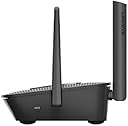
The Linksys MR8300 Tri-Band Mesh WiFi 5 Router delivers ultra-fast 2.2 Gbps speeds and expansive 2000 sq ft coverage powered by intelligent Mesh technology. Designed for busy homes with 20+ devices, it ensures seamless 4K streaming, lag-free gaming, and secure browsing with advanced parental controls. Easy app-based setup and robust security features make it the ultimate future-proof router for professional millennials craving reliable, high-performance connectivity.
| ASIN | B07SHT6LDQ |
| Antenna Location | Gaming, Home |
| Antenna Type | Fixed |
| Best Sellers Rank | #43,338 in Computers ( See Top 100 in Computers ) #758 in Routers |
| Brand | Linksys |
| Built-In Media | MESH WiFi system |
| Color | Black |
| Compatible Devices | Laptop, Personal Computer, Smart Television, Smartphone, Tablet |
| Connectivity Technology | Ethernet, USB |
| Control Method | App |
| Controller Type | App Control |
| Coverage | up to 2000 square feet |
| Customer Reviews | 4.2 4.2 out of 5 stars (2,275) |
| Data Transfer Rate | 2.2 Gigabits Per Second |
| Frequency | 5 GHz |
| Frequency Band Class | Tri-Band |
| Global Trade Identification Number | 07458837759340 |
| Is Modem Compatible | No |
| Item Dimensions L x W x H | 16L x 5W x 21H centimeters |
| Item Weight | 608 Grams |
| LAN Port Bandwidth | 1000 Mbps |
| Manufacturer | Linksys |
| Maximum Upstream Data Transfer Rate | 1100 Megabits Per Second |
| Mfr Part Number | MR8300-UK |
| Model Name | MR8300-UK |
| Model Number | MR8300-UK |
| Number of Ports | 3 |
| Operating System | Windows |
| Other Special Features of the Product | WPS |
| RAM Memory Installed | 4 GB |
| Security Protocol | WPA2 PSK |
| UPC | 745883775934 |
| Wireless Compability | 802.11ac |
A**S
Best buy
I am having Etisalat 500 mb connection and i have used many TPlink, Dlink and Linksys routers , all price range between 120 to 170, and i have been struggling alot. Many times technicians came and they always said to change router and recommended me Etisalat router which i never accepted even free one. After a lot of research finally i spent some more bucks on this linksys router and it is giving me magic feeling. My Ocla test speed was always around 70 to 80 mbps download and with this you can't believe it is 634 mbps for 500mb connection. It is my first day with this router and i can see huge difference in browsing and video streamings. I would recommned it's a best buy. Regards, Yasir
M**M
يغطي نطاق واسع ويشبك لنقاط اضافية حيث تستطيع إضافة اكثر من ٧ نقاط من نفس النوع وربما اكثر
T**I
If you want to make it a child node do this....
Hi, I bought this as another linksys product to expand my network upstairs. It wasn't working until I had spent 2 days and 3 hours on the linksys support chat. All you need to know is to manually update the firmware in order to get it to connect properly. Don't think it's broken and make sure to chat with linksys support. Regards
A**R
Dropped Connection
May I say that the performance is not as expected, this was purchased as an additional node for our upstairs to the one that came with our Du installation downstairs. Packaging as expected and links easily on the app. However the connection drops regularly despite the host node being relatively close together. The actual product is also a musty yellow colour compared to the bright white Du product which is a big red flag for me. Will stick to more recognised electrical retailers in the future.
M**I
Review
Good
H**.
so far so good but 1 flaw in the router sys itself
I was surprised to find I couldn't make my SSID hidden. Linksys now doesn't allow this on their modems which in my opinion is a big flaw. It was an option I always looked for. The speed test on the linksys app is not at all accurate. It gives 650 mbps speed and I only have max of 100 so the app is not correct.
D**S
Ok
Not bad
V**T
Easy setup and works well
Easy to setup and use with existing Linksys velop mesh nodes.
S**O
I am a petty person when it comes to WIFI, if it doesn't work for a moment I will become irritated. In the weeks since I got this router I've not had a single problem I couldn't solve easily with the Linksys App. It also permits you to prioritise devices for bandwidth which is helpful when I am downloading things and my partner is on video calls. The App also enables guest wifi easy set-up and instant assistance from Linksys when issues arise or when you are like me and accidentally disable something. The WIFI signal is also not too disturbed by interference objects such as metal and walls. Overall, I'm impressed, unsurprising as it is a Belkin product though.
A**X
Sehr zufrieden.
M**M
Good router better than the nodes as the main hub. Got this on middle floor and 2 additional linksys nodes on ground floor and top floor. Good coverage. But on its own its quite crap. The giga ports work excellently. Looks okay not to bad and definitely not in your face. The leds for the port are good indicator although don't like it flashing. Rather have steady colours. Quick and easy to connect. the mobile app is okay. I'm on 1gbps fibre connection. All hardwired devices receive 900mbps+ (Note 10 400mbps+ from close by middle floor. And around 100/200 if im on grnd floor/top floor. [But with the additional nodes I get 400mbps almost everywhere these nodes are hardwired]
R**D
I thoroughly researched the market before buying this product, looking at improving WiFi coverage around the house and finally decided to order the set of three units (AC6600). This system is a bit unusual and as a result some people, even those with network configuration experience, may find themselves confused when they set it up. I read several reviews complaining about what you cannot do with this system, however I found that it works very well for my needs and in my opinion it can satisfy the needs of most average users. So here is how it works: First of all, this system is not a modem and has to be connected to a device that can function as a modem, connect to the internet, acquire a public (WAN) IP address and then allocate a local (LAN) IP address to the mesh network. Most, if not all, the modems/routers supplied by the usual internet providers can do this. If you are looking at buying this product, you most likely already have a modem and WiFi router at home. To connect the Velop, just follow the incredibly basic and simple instructions. Essentially the process consists of creating an account with the manufacturer, download an app to your mobile phone or tablet (I use both the Android and Apple versions and they both work seamlessly), connect one of the three bases to the modem/router with the provided network cable and follow the process as instructed. One key element is to be patient and once the first base is configured, adding the other bases to create the mesh network is straight forward. Note that the Velop will create its own WiFi network, separate to the WiFi network provided by the existing modem/router. Most likely the modem/router will create the usual LAN with a 192.168.x.x IP range, whereas the Velop will create its own LAN with a 10.120.x.x IP range. Anyone with even just a basic networking experience knows that the two networks WILL NOT communicate with each other so there is no point in keeping, for example, a printer linked to the modem/router and a computer linked to the Velop network as you won’t be able to print. For either network to work as intended all devices have to be connected to the same network. The best thing to do once everything is configured, is to switch the old modem/router’s WiFi network off and just use the Velop network – you will never look back! It goes without saying that if the Velop has to work completely wirelessly, the bases MUST be able to communicate with one another and therefore be within their WiFi range. They do not necessarily have to communicate with the unit directly plugged into the modem/router, so long as there is a path to it, such as: base 1 connected to the modem/router, base 2 connected to base 1, base 3 connected to base 2. In this case base 2 will bridge the connection between bases 3 and 1; meanwhile all three bases will provide WiFi connection locally to them and roaming from one base to the others will be seamless. The system can work even if the bases are not in each other’s wireless range so long as you can connect them via a cable or via power line adapters. Once you have configured everything, you will have a great network able to provide high speed connection (subject to your internet provider’s maximum bandwidth). This system allows a lot of settings such as various WiFi configurations and options, parental control, device bandwidth prioritisation, remote monitoring of the home network via the app and online account, DHCP or manual settings, port forwarding (single and range), uPnP, MAC filters, separate WiFi guest network, etc.. I know there are people who are not happy about creating an account or having to use an app (though in fact you can also use a browser on any computer), however all taken into account this is by far the best network I have ever had at home and I had no problems to configure it to meet my needs. So much so that I bought another two units. I am now running a mesh network with 5 units in total, which covers the whole house with no gaps, plus a sizeable area around it. A real five-star network that you'll be happy with.
M**O
Ottimo router che funziona perfettamente con OpenWRT
Trustpilot
2 days ago
3 weeks ago