Game On, Anywhere! 🎮
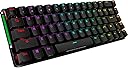
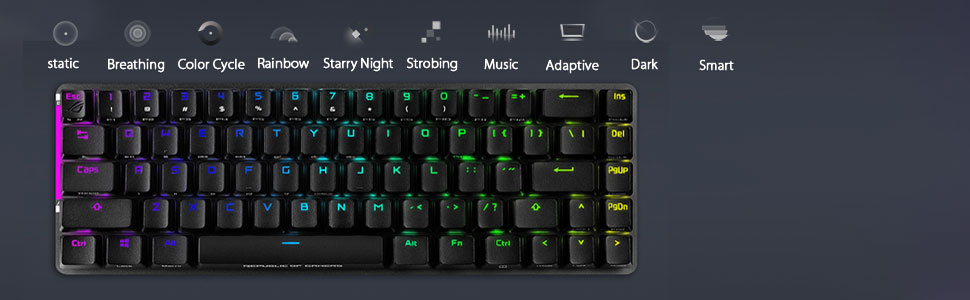
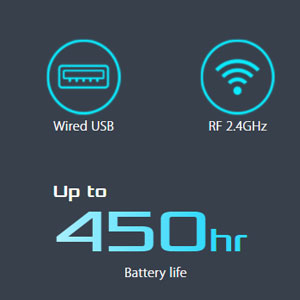
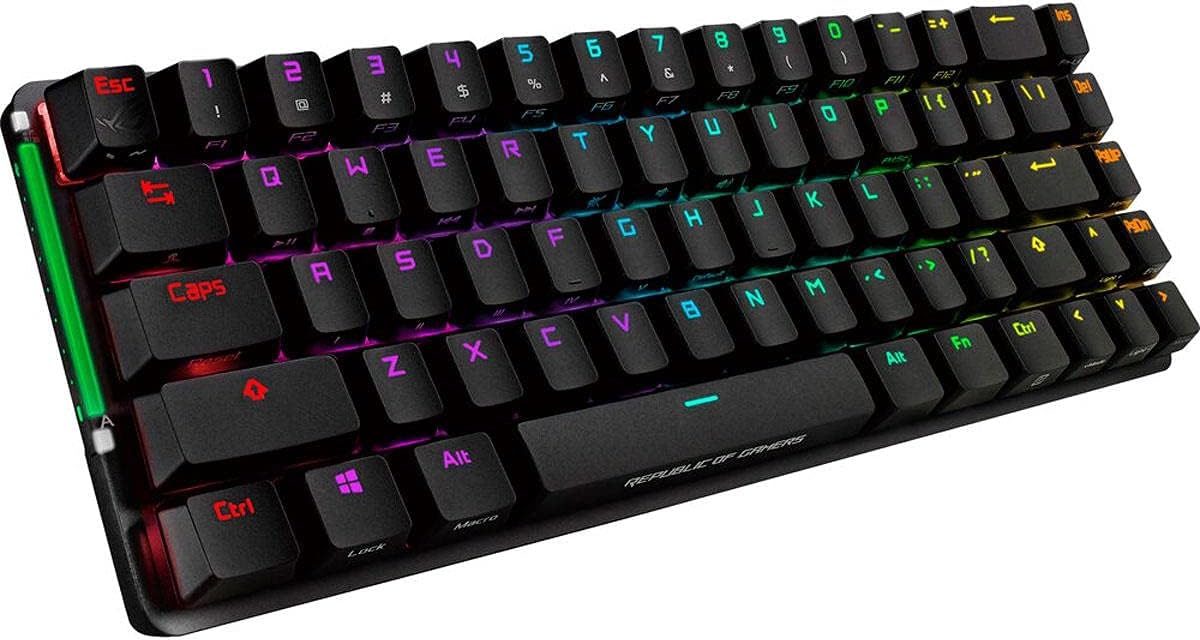
The ASUS ROG Falchion Wireless 65% Mechanical Gaming Keyboard combines a compact design with advanced features like a touch panel, dual-mode connectivity, and an impressive battery life, making it the ultimate choice for gamers who value performance and portability.


| ASIN | B08T88Y23K |
| Additional Features | Doubleshot Keycaps, Dual Mode Connectivity, Volume Roller, Wireless |
| Antenna Location | Gaming |
| Best Sellers Rank | #61,964 in Video Games ( See Top 100 in Video Games ) #2,824 in PC Gaming Keyboards |
| Brand | ASUS |
| Button Quantity | 68 |
| Color | Black |
| Compatible Devices | Gaming Console |
| Connectivity Technology | USB |
| Customer Reviews | 4.5 out of 5 stars 740 Reviews |
| Enclosure Material | Polybutylene Terephthalate |
| Global Trade Identification Number | 00192876863985 |
| Hand Orientation | Ambidextrous |
| Item Dimensions L x W x H | 12"L x 3.98"W x 1.5"H |
| Item Type Name | <<--KEYBOARDS |
| Item Weight | 2.4 Pounds |
| Keyboard Backlighting Color Support | RGB |
| Keyboard Description | Mechanical Gaming Keyboard |
| Keyboard Layout | QWERTY |
| Manufacturer | ASUS |
| Mechanical Keyboard Switch Model | Cherry MX Red |
| Mfr Part Number | 192876863985 |
| Model Number | M601 ROG FALCHION/RD/US |
| Number of Batteries Required | 1 |
| Number of Keys | 68 |
| Number of Sections | 3 |
| Power Source | Battery Powered |
| Processor Count | 1 |
| Recommended Uses For Product | Gaming |
| Style Name | ROG Cherry MX Red Switches |
| Switch Type | Linear |
| UPC | 192876863985 |
| Unit Count | 1.0 Count |
| Warranty Description | 1 Year Warranty |
C**A
BEST INNOVATIVE 65% WIRELESS GAMING KEYBOARD AVAILABLE! 👌🏽
I really like this keyboard for what it is. I like the small form factor and the convenience of it being wireless and rechargeable. Wireless is using the 2.4 GHz dongle and not Bluetooth. There is NO Bluetooth. This is fine for me because I've had issues with Bluetooth connectivity. The innovation that was engineered in this keyboard was what also sold me. The interactive touch volume panel and the polycarbonate cover that doubles as a high profile look base that allows the RGB to be diffused in a different way really spoke to me. Doubleshot PBT caps, an aluminum top plate blended with high quality plastics, and the cover provides a perfect balance in weight were it feels premium and not so cheap at the same time. Although this keyboard is geared towards gamers because of the gamer aesthetics and the Cherry MX Red switches, I find it easier for me, in my own experience, to type on this. This whole summary was actually typed using the ROG Falchion at my average speed of 71 WPM with 100% accuracy.
N**S
Top-notch NX switches, great build quality, but a few minor downsides
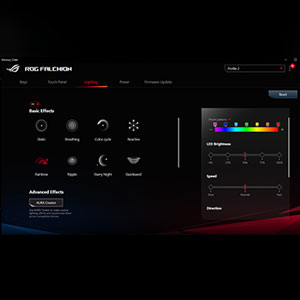
To start off, I want to point out that this keyboard (if you purchase the NX red option) has some of the smoothest linear switches that I've ever used. I have used many $400+ custom keyboards, some of which I hand build myself and lubed, all using various linear switches (the Zeal Tealios being the top of the line). ASUS's NX red switches come factory lubed (not the same as hand lubing) but are insanely smooth and consistent. I think these are easily my second favorite switches that I've ever used on any keyboard, custom or prebuilt. Compared to your average Cherry red keyboard, this keyboard is far smoother, less scratchy, and surprisingly, it sounds much less high pitched and plasticky. I love the way this keyboard sounds. The RGB is very nice, and the layout is also great. The only significant problem that I would point out is that the layout is non-standard, which ends up meaning that you cannot use most custom keycap sets with this keyboard, unless they are one of the extremely fancy few keycap sets that come with options to buy specific space bar lengths. The software is typical of any gaming keyboard. You have to use ROG Armory crate, which I don't mind because I use all-ROG parts in my custom computer, since they are the highest end most of the time. If you want a keyboard with smooth linear switches, good RGB, great macro customization, a 65% layout, the option for wireless connection, and a ROG aesthetic, then this is perfect. Edit: My initial model came with a scratch on it, but I simply returned it. There will always be defects in some products.
S**N
Almost Perfect
Pros: 1. Very nice keyboard: materials, size, battery (in full Light it takes maybe 10-20 hours on WiFi before it reaches 20%), Light Modes, keyboard cover when not in use. Cons: 1. Armoury Crate software only available on Windows; some features, like some specific Light Modes, are also only available on Windows; 2. Keyboard modifiers: - Fn + Left Alt: triggers Macro registration mode, so if you have to trigger a macro that needs both Fn and Alt modifiers - like Alt + F1 - you need to use the Right Alt in order not to enter the Macro registration mode; - Fn + Right Ctrl: trigger contextual menu, so if you have to trigger a macro that needs both Fn and Ctrl modifiers - like Ctrl + W - you need to use the Left Ctrl in order not to pop up the contextual menu; - to summarise: if you want to trigger Ctrl + Alt + F1, when the Fn-Lk is off, you need to use Left Ctrl + Right Alt + Fn + 1; - this is a smart way to add extra functionality on to the modifiers when used together with Fn, but it gets sometimes difficult to trigger a combination; the alternative is to define Macros for the most used combinations; 3. The slider can be accidentally touched sometimes (e.g. keyboard not on a horizontal surface), but you can disable the slider with Fn + Tab.
A**R
Nice Keyboard
When I used it for gaming, it was surprisingly pleasant; it felt very responsive. For typing it was also quite responsive - however a personal issue I've found is a marked dot on the W key. I noticed that on every ASUS gaming keyboard, so it must be just for gaming. Similarly, for typing, the F and J key have marks for touch typing. Personally I don't like the weird feel of a dot being on the W key, but I'm sure it is fine with others. The touch volume control on the side of the board is very nice, though when I move my keyboard on my desk, I put my hands on the sides of the keyboard, causing the volume to be adjusted when I don't want it to be. Again another personal issue - the touch screen volume control is still a very nice feature. Overall, it's a wonderful keyboard for what it is. For the price, that is up to you.
N**N
One of the best 65% keyboards
Yes yes I get it... a lot of kewbs out there would say their keyboard is way better, way more customizable than this keyboard. And it is true but for me there is a lot going for this keyboard. 1. Size: this keyboard 65% layout keyboard are very different than others custom-made one there because I feel like it is smaller. 2. Connection: not a whole lot of custom-made keyboards are wireless but this one is. It also can be use wired with USB-C connection and a storage for your usb dongle when you need to take the keyboard with you for traveling. 3. Macro: one of the reason I like 65% keyboard because they do include arrow keys so it worked out great for me who can use this keyboard for goin up and down on my coding homeworks. But one advantage this keyboard also have over the others is the side volume-up and volume-down slider. It is awesome, it does take time to get use to that and it does not seem very sensitive but it better than I have to hit function + other keys for volume. 4. Built: custom-made keyboard can be made with multiple different materials: like wood, plastic, aluminum, etc. But this keyboard is already made with seem to be high quality aluminum case and also include a plastic wrap in case you need to take the keyboard somewhere. Overall this keyboard fits everything that I need and I love it.
B**A
Everything I wanted and then some.
As Homelander once said, it was perfect. Perfect. Down to the last, minute detail. This keyboard has everything I wanted from a keyboard and more. The wireless works flawlessly, and the battery life is superb. It’s RGB lighting isn’t too bright which is a huge help for my eyes because they’re not very good with super bright keyboards. I got the Cherry MX Red switches which for me sound amazing, and overall if you’re looking for a wireless keyboard, this one is perfect if you want 65%. Definitely gonna get my moneys worth.
V**E
EXCELLENT!
This is an amazing keyboard. Just the right size, solid build, keys that have just the right feel, and the best RBG for the money I could find. Also, the USBC charger is very fast. Don't regret it at all!
J**Y
best keyboard I’ve ever had
I love this keyboard, had no idea that the type of plastic material the keys are made of makes a huge difference in how it feels and how enjoyable it is to use. The mechanical switches are great too but I sill really like this keyboard for the texture of the keys. I have nothing negative to say hope to have this keyboard for the next 20 years.
S**A
ゲーム、仕事併用で使える。
発売日から数日後に購入して数か月間使用した感想です。 まずはよかった点。 ・軽い。 ・コンパクト。 ・充電の持ちが良い。 ・まあまあ心地よい打鍵感。 ・入力遅延は感じたことはない。 ・当然だけど、青軸よりも静か。 ・設定に使用するアプリが使いやすい。 ・横のスライドバーが思ったよりも便利。 ・ケーブルレスでも使えるので机がすっきりする。 ・使うアプリによってライティングや設定を割り振れる。 くらいで、あまりストレスなく使えています。 悪かった点は、 ・日本語配列ではないので慣れに多少時間がかかる。 ・設定時に使用するアプリでキーボードが認識されないことがある。 くらいしか、今のところはないです。 ゲーミングキーボードなのでピカピカ光りますが、設定で光らせなくすることも可能ですし、逆に、自分の光らせたいようにすることもできます。FPSをやっていますが、入力遅延を感じたことは一切ないですし、有線のキーボードと全く変わらない使用感です。
L**O
Teclado Asus rog Falchion muito bom
A**Z
Excelente teclado mecánico
Se va vuelto mi teclado favorito por mucho, vengo de usar un Huntsman Mini y la verdad no me terminaba de gustar que fuera cableado, además me hacían mucha falta las teclas de las flechas, con el Falchion se solucionaron ambas cosas, es ligeramente más largo pero sigue siendo compacto y transportable, el case que incluye es bastante sencillo pero cumple su función, a la barra táctil lateral hay que acostumbrarse pero termina siendo un muy buen añadido, las keycaps son muy buenas y más bajitas que el promedio, el sonido y la sensación de los switches es sublime, son los primeros cherry rojos que pruebo pero me gustaron más que los morados o amarillos de Razer, con las keycaps de ROG o HyperX se ve muy bien, la batería tiene muy buena duración incluso con el rgb al 25%, la velocidad de respuesta es igual a un teclado con cable, la verdad es el teclado más premium que he tenido comparándolo con los Razer o Logitech, quedé muy satisfecho con la compra y lo recomiendo bastante.
Z**X
Klasse
Tolle edle kleine Tastatur.Tasten können ausgetauscht weden.Mein Enkel ist begeistert.Würde ich wieder kaufen.
よ**し
かっこいい(かっこいい)
メカニカルキーボード初心者です。 ROGブランドが好きなので多分偏った意見です。 ゲームは週4,5時間くらいですがまだゲームには使用していません。 logicool K380やエレコムのテンキーレスキーボード使ってますのでその辺との比較です。 良いところ ・かっこいい(購入意欲はこれが9割) ・タイプミスが少なくなった。 ※個人的な癖もあるだろうけどK380はたまにYキーの入力を拾ってくれない。 ・ワイヤレス、有線の接続方式 ・タッチバーが意外に使える。 ・スリープモードとかついてる。 悪いところ ・Excel作業時にF2、F4あたりのキーを使うことが多いがFnキーが右側にしかないので 両手使わないといけない。右Fnキーになれればどうにかなると信じてる。 ・重い。ケース込みで800g近くあるっぽい。あとロープロファイルではないので分厚い。 ケース被せると鞄にそのまま放り込めるはず。 ・金属音がカッーンと割となる。見た目がかっこいいので気にしていない。 ・BT接続ができない。メーカー的にはゲーム専用の位置づけなので仕方ない。 ・説明書見てないけど左AltがFn組み合わせでMacro登録/実行の機能が割り当てられているせいで 日本語切り替えする際のキー入力でFn+Alt+Esc(Fnで~)マクロ機能が呼び出されてしまい 変な登録をされているのに気づかずポチポチしてたら入力切替の旅にマクロ登録/実行が走ってしまって 焦った。 気づいてからは右Altを使うようにしています。 マクロ機能が使えるものかはわかりませんが説明書はちゃんと読もうと思いました。 総評 ・かっこいい。かっこいいワイヤレスコンパクトキーボードをお求めの方にはおすすめです。
Trustpilot
2 days ago
1 month ago