Buy anything from 5,000+ international stores. One checkout price. No surprise fees. Join 2M+ shoppers on Desertcart.
Desertcart purchases this item on your behalf and handles shipping, customs, and support to Vanuatu.
🎥 Elevate your on-camera confidence with seamless teleprompting!
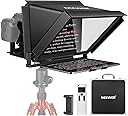
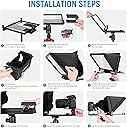
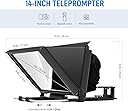
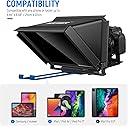
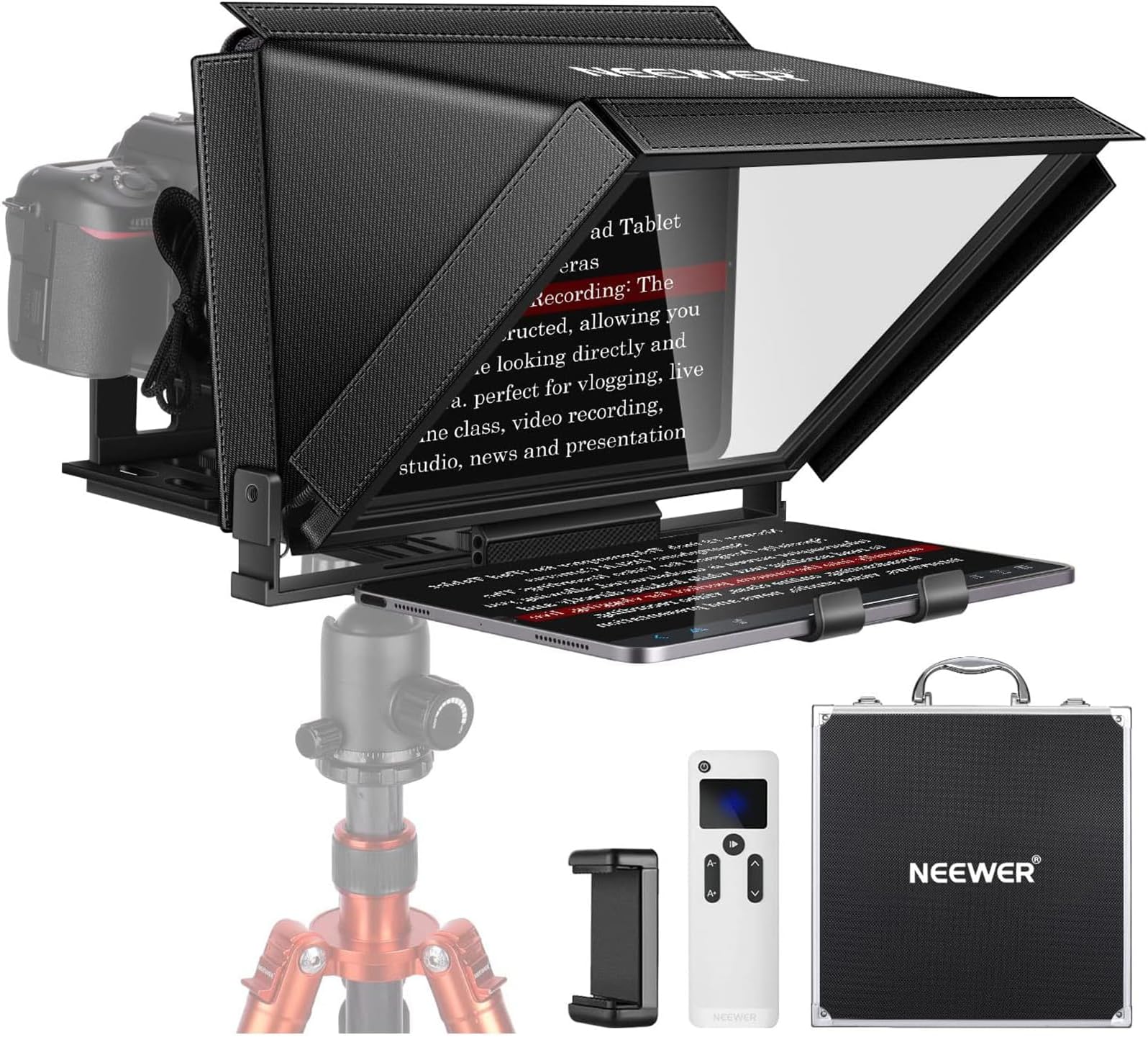
The NEEWER X12 14-inch Aluminum Alloy Teleprompter is a professional-grade tool designed for millennial content creators, educators, and live streamers. Featuring a high-definition beam splitter glass with 75% light transmittance, it clearly reflects text from tablets and smartphones up to 10 feet away. Compatible with iOS and Android devices up to 9.84" x 8.68", it supports DSLR cameras with lenses over 28mm. The included Bluetooth RT-110 remote and app enable smart, hands-free control of your script. Lightweight yet durable aluminum construction and a collapsible design make it ideal for fast setup and portability, ensuring you never miss a beat in your online presentations or vlogs.


| Best Sellers Rank | #2 in Teleprompters |
| Customer Reviews | 4.3 out of 5 stars 1,301 Reviews |
C**S
The perfect teleprompter
The NEEWER Teleprompter X17 II is honestly the perfect product for the dollar amount. It gives you that professional teleprompter setup without making you spend a crazy amount of money, and the best part is how easy it is to use. Setup is simple, the build feels solid, and it works great for recording videos, interviews, talking-head content, YouTube videos, courses, and social media work. It makes speaking on camera feel way more natural because you can stay locked in with the lens while reading your script smoothly. For the price, you’re getting a product that feels professional, saves time, and instantly makes your video workflow better. If you’re a content creator, videographer, business owner, or anyone who records on camera, the NEEWER Teleprompter X17 II is definitely worth it. Easy to set up, easy to use, and a great value overall.
R**K
5 Stars-The Neewer Teleprompter X14III is truly a game changer!
Our clients and content creators can finally read their scripts comfortably without struggling to see tiny text on those small, budget teleprompters. We added this unit to our gear lineup to complement our other 14" teleprompter, and it’s exceeded every expectation. The value is unbeatable, especially since it includes its own hard case. Setup couldn’t be easier: open the case, unfold, zip it into position, and you’re ready to roll. The build quality rivals and even surpasses some of our higher-priced models. The beam splitter glass is flawless—text appears crystal clear and sharp, with zero reflections during recording. It’s lightweight, portable, and perfect for both studio and on-location shoots. Having worked with teleprompters for decades, I can confidently say the Neewer X14III offers the best performance and value of any model we’ve owned. Highly recommended for professionals and creators alike!
M**R
Excellent Monitor – Crisp Display and Smooth Performance
I’ve been using this monitor daily for both work and entertainment, and the performance has been outstanding. The display is sharp with vivid colors and excellent brightness, making it great for photo/video editing as well as gaming. The refresh rate is smooth, and I haven’t noticed any screen tearing or lag. The design is sleek with thin bezels, which makes it ideal for multi-monitor setups. The stand is sturdy and offers good adjustment options for tilt and height, helping me set up an ergonomic workspace. Setup was simple — plug and play with HDMI/DisplayPort, and it worked perfectly right away. The on-screen controls are intuitive, and it’s easy to adjust settings like brightness, contrast, and color profiles. Overall, this monitor delivers professional-level quality at a great value. I highly recommend it for anyone looking for a reliable display for productivity, creative work, or entertainment.
B**V
Inexpensive and does the job for close-in video
I like this product a lot. But, the technology did not work exactly as designed, so we got off to a slow start. The included splitter cord that goes from laptop HDMI to teleprompter HDMI (for image) and USB-C (for power) did not work at all. So, I substituted used my own HDMI -> HDMI cable and a separate USB-C power brick to USB-C, and everything worked fine. After that, it was easy to set up - it was automatically recognized by Win 11, and loaded files. It has pleany of various camera mount options. I decided on a small camera that mounts on a monitor. No problem moving it over and sealing out light. The small size of the teleprompter makes it work great for close-in video - camera less than 6 feet away from reader - and small spaces.
J**E
Easy to use and makes an immediate difference!
Tested it immediately after getting it set up, and with default settings alone and no prior practice with a teleprompter, the video came out great! I'm about 3 ft away from it, and it was super easy to read, and I could hardly tell from the video that I was using it, which is key for me. Super excited to incorporate this!
T**R
When it works, it's great... good luck on putting it together or taking it apart.
Neewer's new X11 Teleprompter with Built-in TM8 Monitor is a great product...until it dies. And you can't take it apart for returning. It worked very well for two days despite the absence of any kind of documentation that shows assembly or operation. Neewer itself has no manual available for downloading. eManual had one that did not explain how to assemble the unit, only how to begin using it once assembled...also no download. The TM8 monitor is quite good as long as studio lighting is kept from falling on it. There is no hood provided for this as is with other Neewer prompters. There is a hood for the camera lens. It comes with all of the required cables for operation. I used it for two days under test with loopback from two sites. And then it quit. There is a small object attached to the USB cable that was very warm to the touch when the prompter died. I am returning the prompter for replacement, however that is also a problem. Disassembling the device in order to fit it back in the original box is proving to be impossible. Once the camera platform is attached it won't come apart. It's possible that there is a way to accomplish this, however, there are no instructions for assembly or disassembly. When the replacement prompter arrives I will update this review.
O**R
Great Starter
This teleprompter works very well and has a quality build, with a few exceptions. Issues: • The darkbox has thin (thickness) zipper banding that allows light to pass through it. In some cases this allows light to come through the image if there are lights behind the prompter. It also feels like the zipper would be the first thing to break if you were to pack this up and move it around (a suggested use case given the included storage / transport box). • The display tray doesn't squeeze a display (it locks in place but doesn't apply pressure) so if this prompter were mobile (maybe on a shoulder rig or dolly) the display could slide out the side. This could be improved with some cushioning foam to grip the display. Features • The prompter has a mostly metal construction • The adjustable pull out display tray is fairly rigid and doesn't limit the horizontal display size (I'm using a ProArt [PA148].) • There are mounting shoes in the front and sides of the prompter which could hold lights or a microphone. • The camera height and distance is adjustable (fits my A7 IV with a Sigma 24-70.) • There are multiple locations for mounting a tripod plate to the bottom, which allows for balancing the prompter. Tip: If you want to use this as an external display (wired to a computer) you'll have a horizontally flipped video by default. To fix this, I used OBS Studio (which is free) to 'Window Capture' the content that should be on the prompter, flip it (Right click 'Source' > Transform > Flip Horizontal), and then project it (Right click 'Scene' > Fullscreen Projector (Scene) > select the prompter display).
G**E
Made all the difference for my podcast/video production!
This teleprompter has dramatically improved both my eye-contact and easy of filming. 1. Adjusting the text scrolling area in the app to be where the camera lens is located will keep your eyes from moving or appearing to look elsewhere. This makes your production more engaging! 2. Adjusting the size of text and its scrolling speed will smooth out your vocal quality and this makes the audience more likely to keep watching. What you need to do is practice reading and following at the pace/speed that you feel comfortable with, then practice your script a few times to get your brain used to reading at a regular pace instead of dynamically shifting speed like we do in everyday speech. The result is a better video that people want to listen to. 3. The reflectivity of the glass is very good, even in night sunlight. The closer to 45° the better. 4. The felt back cover does a great job at keeping light out. 5. I’ve been shooting with a mobile phone and this works great. I put the slider as forward as possible and then adjust the horizontal angle to keep the outer cover out of frame. I have had no problems using my phone on 4K video with this teleprompter. Overall I totally recommend this. I got a great deal and it’s made all the difference for my production quality. Get it! 👍
A**.
Excelente Producto
Funcional, calidad y facilidad para su instalación.
A**T
Verifica qué tanto lo necesitas antes de comprar / Software propietario limitado
Lo primero, ¿funciona? Sí. ¿Calidad de materiales para el precio? Suficiente, ¿Es práctico? Depende de tu proyecto y necesidades, ¿El software para teleprompter es práctico? No del todo. Lo primero que debes saber si eres nueva o nuevo en el ambiente de los teleprompters es que un mayor tamaño no necesariamente implica que sea mejor. Por eso, la sugerencia es que verifiques primero qué necesita tu proyecto antes de elegir. ¿DE QUÉ TAMAÑO ES TU PROYECTO? (Y TU ESPACIO) Para creadoras y creadores de escritorio, que graban con su webcam, la solución podría venir en apps sencillas (como Cueprompter) que facilitan la lectura desde la pantalla de la lap o monitor, evitando la necesidad siquiera de un dispositivo como este. También, es posible que, versiones más pequeñas en diseños que se montan en la lente de la cámara y operan con celulares (disponibles también de Neewer) , la necesidad se resuelva. LA HERRAMIENTA NO SUSTITUYE LA PRÁCTICA Es importante comprender que, en este caso como en otros tantos, no es la herramienta la que resuelve mágicamente una necesidad de habilidad comunicativa, sino la práctica constante, estrategias y técnicas del talento (quien esté frente a la cámara) para transmitir de manera convincente los mensajes (hay videos en Youtube que orientan al respecto). CONSTRUCCIÓN ROBUSTA A CAMBIO DE... Construcción robusta y práctica para sus dimensiones, esta versión en específico permite el uso de lentes más amplias pidiendo, a cambio, un tripié robusto (preferentemente que soporte de 8 a 10 kgs), y mayor distancia de la persona que lo usa. DETALLES CON EL SOFTWARE DE NEEWER Un particular que no suele mencionarse, viene con la app gratuita propietaria de Neewer y el control remoto que esta marca incluye para todos sus teleprompters. Entre las funciones básicas que resultan útiles en cualquier software de teleprompter está la posibilidad de manipular márgenes. Hacerlos más estrechos, por ejemplo, facilita que la lectura demande al talento menos recorrido visual y que permita una lectura más natural frente a la lente. Dado que la versión actual de la app no cuenta con esta función, su funcionalidad se ve limitada. No es un requerimiento extra ni premium (la mayoría de apps básicas para teleprompters lo tienen). Sin embargo, para las y los desarrolladores de la app en Neewer no resultó relevante. Además, dado que su control remoto está diseñado para funcionar sólo con su app propietaria, no facilita compensar el particular controlando apps alternativas gratuitas que sí lo permitirían. El detalle podría resolverse con una sencilla actualización en su app. Veremos si Neewer vuelve la mirada a su público para solucionar este detalle.
K**E
Mounting option is very limited
Let me save you some time and money! If u are a professional videographer using any zoom lenses above 35mm this will not fit your lenses. A sigma 24-70 or Sony 24-70 won’t fit. The mounting options is trash without any rings (Neewer what were u thinking). You can’t either shoot vertical because of the mounting options. And you are stack mounting this to your tripod every time which is a 5 minute work.
R**A
Texte sicher im Blick
Mit dem Teleprompter habe ich sowohl meine Zuschauer als auch meine Texte sicher im Griff. Der Teleprompter ist solide gebaut und passt perfekt auf das Neewer-Stativ.
V**Y
Awesome!
Really loving this Neewer teleprompter because I was tired of using a teleprompter that required using my phone as the projection device. I wasn't able to accurately track what clients were saying on camera, but with this Neewer teleprompter, I can not only use my iPad as the input device, but I can now follow along while my clients read from the screen. Other Pros: + Camera lens isn't attached directly to the hood of the teleprompter. This is what stopped me from getting the Elgato version. There is a quick release that holds the camera and allows you to position it. + Can use variable ND filters. With teleprompters that are attached to the camera lens, it was very challenging using a variable ND. + No need for external power. This is awesome because my iPhone or iPad powers the device through USB C, which means this teleprompter is totally portable. This is important for me as I film from my client's offices, etc. + Easily taken apart and set up. It's not one big device, so again, this makes it far more convenient. + Can be used with my computer. Like the Elgato version, this can also act as a screen for my computer and be used during live streams or Zoom calls. Cons: - The camera holder section of the teleprompter is too flexible and feels flimsy. The plastic needs to be much more rigid or this part needs to be made from metal. This causes my camera to be skewed on an angle. I need to counterbalance my camera and/or adjust my tripod to correct the angle. - No case. This is a massive oversight, in my opinion. But I solved the problem by re-using the foam insert the teleprompter came with and bought a tool bag from Amazon to put the whole foam insert in the bag. - No phone or tablet holder. I had to buy a tablet holder with a clamp to attach my iPad to my tripod. Otherwise, I would need to hold my iPad the entire time, which is very inconvenient. Overall, this is great and I'm thinking about buying a second one to use permanently with my computer. I gave it 4-stars because of the cons I listed.
Trustpilot
1 week ago
1 month ago