Buy anything from 5,000+ international stores. One checkout price. No surprise fees. Join 2M+ shoppers on Desertcart.
Desertcart purchases this item on your behalf and handles shipping, customs, and support to Vanuatu.
๐จ Transform your laptop into a personalized masterpieceโbecause your device deserves to be as unique as you.
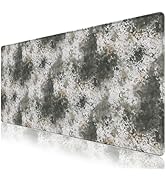
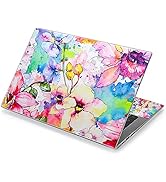
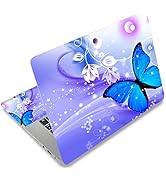
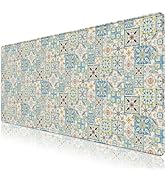
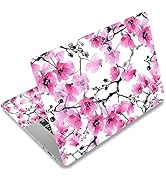
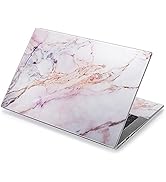
The icolor Laptop Skin Sticker Decal is a high-quality, customizable vinyl cover designed to fit laptops from 12 to 15.6 inches. Made from durable PVC with a residue-free adhesive, it protects against scratches and smudges while offering vibrant, fade-resistant graphics. The kit includes three films for comprehensive coverage and is easy to trim, apply, and remove, making it perfect for professionals who want to combine style with device protection.


| ASIN | B0F3CPSPSL |
| Brand | icolor |
| Color | 070 |
| Customer Reviews | 4.2 out of 5 stars 6,788 Reviews |
| Item Weight | 0.08 Pounds |
| Manufacturer | icolor |
K**R
Great quality and very easy to apply with these tips!
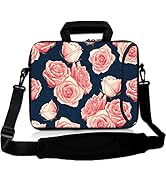
I didn't see a review with photos for pattern 61, the pink roses with a blue background, so I hope this helps. I included three photos, the collage one shows my steps. As you can see it comes with an over sized sheet that you trim to fit your laptop and two side panels. I only chose to adhere the full sheet. I really like that it has a grid pattern on the paper as that makes it easier to fit and that it's a nice thick quality. The image is a really nice sharp enough resolution. Luckily, I'm a crafter and had all the tools I needed. It really helps to have a paper trimmer and a corner rounder for sharp cuts. 1. First I used a card to place it over the ends of my laptop and crease it so I knew where to cut. I wanted most of the florals on the left to show so I went all the way on the left side of the pattern and creased on the other three sides. 2. Use a paper trimmer to cut just slightly shorter than your crease marks to allow a border on the side for when applying. If you don't have one, align as close as possible to the nearest grid line just before the crease mark cutting slowly, with sharp scissors. If the label hangs over the ends, it will get jagged with use, so give yourself that border. 3. Use a corner rounder to cut the newly cute angled edge corner to make it a rounded edge to match the laptop. If you don't have a corner rounder, trace the pre cut rounded corner on the cut corner and cute slowly with sharp scissors. 4. I chose to remove the paper slowly in the middle first by tearing and edge and then using the scissors to trim the paper only, not the vinyl, down the middle, and adhere in the center so I would get good placement. If you like how it looks, then remove the paper on the sides after the center was adhered and then I used a card to flatten it out starting on the inside going outwards to the sides. You get less bubbles that way. If it doesn't seem as centered as you like, you can easily lift up and try again. The adhesion is forgiving enough while still maintaining its stickiness. I have had this on my laptop for a month now, with daily use, and it still looks like day one application. I can see myself changing up different patterns for something new, so please keep adding new styles. I would love to see holiday themed ones also.
M**N
Iโm very happy
Itโs even prettier in person! Itโs very easy to install. I just got it so I donโt know if itโs reusable but it it seems like it would be. The hardest part is making sure there are no air bubbles & thatโs bc my hands donโt work well.
M**L
Pretty alternative for a laptop cover
If you have ever worked with contact paper youโll have an easy time with this. The skin is thicker of course but easy to cut and fit in and around your laptop. Adhesion was secure onceโs it was smoothed down to my freshly cleaned laptop lid. As for spatula tool; I used a spatula from my kitchen to press out any air bubbles. It was easy. I love the colorful pattern we chose also. This was a great solution for a laptop that was hard to fit. The quality is decent. I would order this medium again. Great solution to keep your surface covered.
R**E
Laptop Decal
Beautiful and vivid option that is of great quality. Neat idea and sticks very well. A bit of adjusting and cutting was required to get it in place properly.
K**R
Very pretty laptop skin
Very pretty laptop skin. I had to cut it to size for my laptop but there were lines giving guidance for where to cut. I hope it lasts a long time.
J**R
Pretty, easy to put on, but not sticky enough
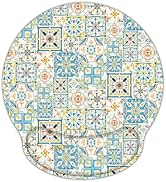
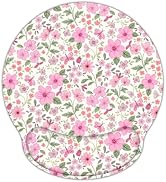
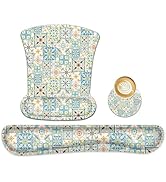
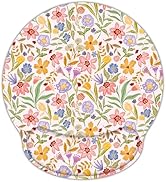
Love the design, the colors, so much so that I bought a matching mouse pad! The decal seemed good quality when it arrived; the vinyl is durable and washable. However, to get the right fit, the decal itself required cutting, which resulted in somewhat uneven edges. Also, the lid of my laptop has a slight curve at the edges so the edge of the decal keeps lifting and one corner is pretty much non-stick at this point. I rarely take my laptop anywhere other than to other rooms so it does not get slid into a laptop case or anything and still have this problem. Maybe someone with better cutting skills will have less of an issue ;) I just know that for even gentle use, this decal was not sticky enough for my laptop and so I doubt it will stand up to more rigorous use. Not a horrible product, and I might order another one at some point, just not a "5".
N**T
Good buy
Exactly as described. Beautiful picture and easy to remove and place again without losing adhesive or leave behind residue. Easy to trim with the grid on the back.
J**I
Wish I could have used it
It arrived in poor condition. All bent up, which of course isn't the fault of the seller. I returned the item for that reason as well as because it was too big for my 13 inch laptop. I love the design, but by the time I'd cut it to size, I'd have lost a lot of the design. I'd recommend it for larger laptops.
Trustpilot
2 days ago
1 month ago