Buy anything from 5,000+ international stores. One checkout price. No surprise fees. Join 2M+ shoppers on Desertcart.
Desertcart purchases this item on your behalf and handles shipping, customs, and support to Vanuatu.
๐ญ Label like a proโwireless, versatile, and built to last!
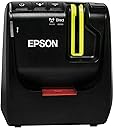
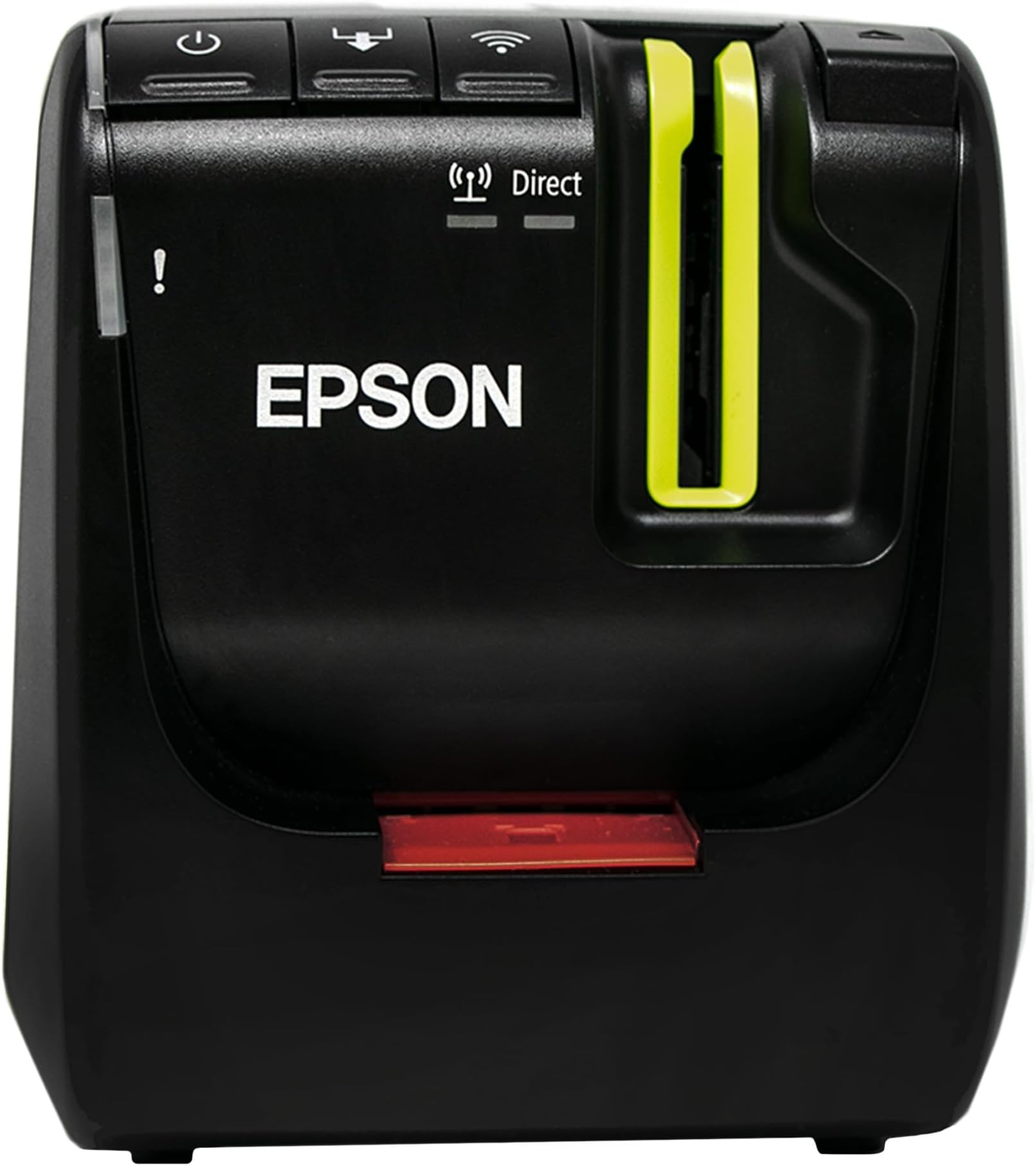
The LABELWORKS Epson LW-PX800 is a high-resolution (360 DPI) industrial wireless label maker designed for professional environments. It supports a wide range of tape types up to 1.5 inches wide, including heat shrink tubes and durable vinyl, making it ideal for cable identification, asset tagging, and safety labels. With multiple connectivity options (Wi-Fi, USB, Ethernet) and batch printing capabilities via Excel import, it streamlines large-scale labeling tasks. Compact yet rugged, it comes with a lifetime warranty, ensuring reliable performance in demanding industrial settings.


| ASIN | B08JRJVL6P |
| Additional Printer Functions | Print Only |
| B&W Pages per Minute | 35 |
| Best Sellers Rank | #69,031 in Industrial & Scientific ( See Top 100 in Industrial & Scientific ) #11 in Safety Label Makers |
| Brand | LABELWORKS |
| Built-In Media | Epson LW-PX800 label printer, AC adapter, USB Cable, Tape Cartridge, Label Editor Software, and User Guide |
| Color | Black |
| Color Pages per Minute | 35 |
| Compatible Cartridge | Uses Epson LABELWORKS PX industrial tape cartridges in widths of 6 mm, 9 mm, 12 mm, 18 mm, 24 mm, and 36 mm (up to 1.5"). Compatible with over 180 PX tape color combinations and materials, including standard industrial tapes, heat shrink tubing, durable vinyl labels, self-laminating cable wraps, magnetic labels, and other specialty PX tapes. Includes a starter 212BWPX cartridge (1/2" black on whitโฆ |
| Compatible Devices | Desktop, Laptops, Mac, PC |
| Control Method | App |
| Controller Type | Uses App to control options |
| Customer Reviews | 4.1 4.1 out of 5 stars (31) |
| Dual-sided printing | No |
| Duplex | simplex |
| Hardware Interface | USB |
| Ink Color | Black (varies by installed PX tape cartridge) |
| Is Electric | Yes |
| Item Dimensions D x W x H | 4.48"D x 5.47"W x 6.02"H |
| Item Weight | 4 Pounds |
| Manufacturer | LABELWORKS |
| Maximum Copy Resolution Black and White | 360 DPI |
| Maximum Copy Resolution Color | 360 DPI |
| Maximum Media Size | 36mm (1.5 inch) label tape width |
| Maximum Print Resolution Black and White | 360 dpi |
| Maximum Sheet Capacity | 1 |
| Maximum print Resolution Color | 360 DPI |
| Model Name | LW-PX800 |
| Model Number | LW-PX800 |
| Model Series | LW-PX800 |
| Number of Trays | 1 |
| Other Special Features of the Product | Desktop industrial label and barcode printer with thermal transfer printing and USB, Ethernet, and Wi-Fi connectivity. |
| Output sheet capacity | 1 |
| Paper Size | Compatible with Epson LABELWORKS PX tape cartridges: 6mm (206PX), 9mm (209PX), 12mm (212PX), 18mm (218PX), 24mm (224PX), 36mm (236PX) |
| Print media | Labels |
| Printer Connectivity Type | Wi-Fi, Wireless |
| Printer Output Type | Black and Colors |
| Printer Type | Thermal transfer label and barcode printing with no ink or toner required. Uses Epson LABELWORKS PX tape cartridges with built-in ribbon to produce durable, smudge-resistant labels with up to 360 DPI (black & white) resolution and print speeds up to 35 mm/sec. Creates long-lasting labels resistant to heat, chemicals, and fading for wire and cable identification, asset tagging, safety compliance, eโฆ |
| Processor Count | 1 |
| Resolution | 360 dpi |
| Series Number | 1 |
| Specific Uses For Product | Cable & wire identification, asset tagging, barcode & QR code printing, safety label, batch operations, manufacturing & warehousing, and heat shrink tube labeling. |
| Total Usb Ports | 1 |
| UPC | 815407021561 |
| Unit Count | 1.0 Count |
| Warranty Description | Lifetime |
| Warranty Type | lifetime warranty |
J**E
Good, but be patient. Got it for rod building
I got this primarily to print labels for custom rod building. Overall, I like it, but there were some points of frustration (mostly for errors on my part). Setting this up can take some time. I wanted to use the wireless capabilities for this but that is not a fast process. Part of it involves pressing the Connect button on the back of the printer which will then allow your computer to connect to it. I had, wrongly, assumed that this would be a fast process. I blew through the software installation props not reading them closely, and it would not find the printer. Frustrating! So after the third or fourth time trying to connect, I read the prompts and the key, as best as I can tell, is after you hit the Connect button, the power light will start flashing. This apparently is the printer initializing to connect. It can take a couple of minutes to do that. Once it stops flashing, you can move on and when I did that, it connected just fine. After that, it's pretty easy. The software is pretty intuitive. I wanted it because I wanted to print graphics on the labels for the rods and wanted the higher resolution to print graphics. The labels look great and importantly, as very thin, so they should go on the rods easily and be able to be epoxied down. The only other weird thing that happen with this is that the Label Editor software seemingly uninstalled itself. I'd guess that's more my computer than the software, although it was a pain to get the software back on my computer. In all, it's a very nice printer. I feel like it's expensive for what it does, especially when there are other label makers out there that are much cheaper, but the higher resolution, wirelessness, and versatility are what sold it for me.
A**R
Highly recommend
Amazing label makerโฆโฆ
M**A
Best for labelling
It is very simple and easy to use. It can create the label in short time using the mobile of laptop. I need to label the sample with marker and the written word used to remove easily. With this label I can label the sample and store for long time and easily notice in future.
A**E
Works very well
Expensive, but worth it. The cartridges are VERY expensive, but go to the website for the widest variety; labelworks.epson.com
M**E
Does what it should just about perfectly. However, everything about it is proprietary.
If you plug it in, install the Windows software, and follow the instructions to the letter, you'll be printing labels without a lot of hassle. However, the whole ecosystem is proprietary from start to finish. The printer only communicates over UDP (why not TCP?) using an undocumented protocol. To configure the network settings, you need to use Windows software and connect it to the USB cable. The power adapter uses one of those annoying male plugs on the end, which is, simply put, a cash grab. Epson also regularly charges $30-50 a cartridge, where generic cartridges are ~$17 for a 5 pack. So in other words, if you don't ask questions and stay within their ecosystem, you'll be fine. If you are looking to talk to this labeler via IPP over a network, have some kind of web front-end (like most IoT devices like these), add it to CUPS, use open software like gLabels, or anything else that you'd expect a typical printer to be capable of, this is not the device you want.
M**D
Persistance is required
Using this printer on a mac where setting up airprint printers has always been a breeze. This label printer was not easy to setup and required the assistance of multiple epson support people to figure out when to zig when zagging was the default choice. 1. This printer is not easy to setup 2. This label printer when setup to print wirelessly will not allow the user to also browse the internet or do anything requiring an internet connection. 3. When the clouds part and you are finally able to print (if you get this far) the print quality is exceptional. You were warned. Setup of this printer is not for the feignt of heart.. The UX requires some major love and attention to improve usability. PS. The Epson labels and printing is solid and weather /water proof!
C**C
Bad WiFi infrastructure mode
First, I wasn't able to manually configure a specific SSID and IP in the WiFi network setup for infrastructure mode, using the network setup utility provided. Second, apparently there's no way to reset the printer back to factory defaults, forever locking you out of modifying the WiFi setup if the setup password somehow is lost. Third, the setup password apparently got lost or mangled as soon as I set it, effectively turning the printer into a brick. Finally, the WiFi isn't 5G.
P**J
Software and app is absolute trash
I regret purchasing this label maker. The software looks like it was developed in the 90s. The โWi-Fiโ feature only works half the time and is inconsistent.
Trustpilot
1 day ago
2 months ago