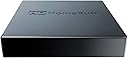
📡 Cut the cord, keep the clarity — TV freedom for the connected pro.
The SiliconDust HDHomeRun FLEX DUO is a sleek, network-based TV tuner featuring dual ATSC 1.0 tuners that enable simultaneous streaming of live TV to multiple devices across your home. It supports whole-home DVR functionality via USB hard drive (with optional low-cost guide subscription), and is compatible with a wide range of platforms including Android, AppleTV, Roku, FireTV, Xbox, Windows, and Mac. Designed for easy plug-and-play setup, it delivers native broadcast quality without transcoding, ensuring crystal-clear picture even on older networks. Perfect for professionals seeking flexible, high-quality live TV streaming without cable constraints.


| ASIN | B092KM482V |
| Best Sellers Rank | #14 in External TV Tuners |
| Brand Name | SiliconDust |
| Color Name | black |
| Customer Reviews | 4.2 4.2 out of 5 stars (933) |
| Date First Available | April 14, 2021 |
| Item Weight | 13.4 ounces |
| Item model number | HDFX-2US |
| Product Dimensions | 7 x 5 x 2.2 inches |
I**D
Plug and Play - Excellent Picture Quality
This Network Tuner is outstanding. I have the signal split from antenna to a decent quality TV among top tier model, and to HDhomerun. Performed side by side comparison for some channels where TV pixelates, HDhomerun is broadcasting the same channel clear without artifacts and watching it on a tablet/firestick/laptop/cellphone. The install was super simple, download the app, just plug the cables in and play. HDHomeRUN hits a home run in performance. I was under the impression that it would be doing multicast, meaning multiple devices could watch the same channel without taking up tuner space but that does not seem to be the case. Regardless, it is well worth the price and in my opinion much better performance/value than TABLO even though recording is not included with HDhomerun . Tablo seems to be transcoding the native broadcast to MP4 from MPEG2 in order to reduce network traffic but it slows down, image quality degrades where HDHomeRUN is retaining native broadcast resolution and encoding MPEG-2. Even with my older wifi I'm able to watch it smoothly. Did I mention, it works great with FireTV stick (4k), Fire Tablet, desktop, laptop, and phone,.... It just works!
S**8
Amazing little piece of equipment (Detaild review with some instructions)
I only give five stars and take my time to write detailed reviews when something is deserving. And you should buy it. In this case, this little piece of tech has far exceeded my expectations. The reason for that is I have a first generation Haupage, and I have never been able to get more than a couple of channels. I've been in the tech world over 40 years, am a Broadband and Network Engineer going back to 2001, and cut the cable about ten years ago. Biggest problem, without paying fees, is real time news on TV. Yea, you can get real time local news streaming (For a fee in our case) or watch it on a computer, but we do prefer having it on TV. There are also some network TV shows my wife likes, streaming they are always a day late. She would like to watch them when they are on. And this device was the ticket. I watched quite a few videos on how to get the best reception with this device. In short, 45 miles away on a single hill with multiple towers, they broadcast 40 channels. As noted I was never able to get more than 2 or 3 even with the most expensive powered antenna. My RV has an integrated raise. Lower antennae and can get 8 from my backyard. After connecting this device, properly, I get all 40 channels crystal clear. I bought this device fully expecting to see it not work and send it back. Nope, definitely keeping it. Here are step by step instructions, I took from multiple videos, on how to get the most channels and best reception. But first a couple of notes. After setup, I will go over some of the features of this little box and the app. You can ignore some of the older review complaints, because as I learned (Again watching videos) there have been more than a few updates and I can verify you do not need a Plex server or anything else. More on that after installation. I have a hardwired house with a network room, server, couple of cabinets etc, so for me I can make it work anywhere in my house. I am not restricted by a modem/router. I will make some notes on that as I go along. 1. Find your broadcast towers. There are multiple websites you can use, I used Channel Masters and two others to get exact location. I found that 40 channels were broadcast from a hill in one city and 3 more were broadcast within range from a different direction. I cannot get those three channels. It doesn't matter because I get all the local and networks on the 40. 2. Download a map compass on a cell phone. I used an app called Compass Maps for Android. You may or may not have to download the map in addition to the compass. I did, works great, going to keep it. That is unless you already know the exact location of your broadcast towers. 3. Locate the window in your house closest to pointing directly at those towers. A couple of notes. * Walls will severely restric reception. * Clear glass is good, this will still work if you have screens, but screens will restrict reception. In a storm window with a screen, I recieve about 15 of the 40 channels available, moved over one window, center, no screen, 40 channels. 4. If you have an amplified antenna, do not use the amplifier. Thread the antennae directly onto the HDHomerun. Amplifiers severely interfere and restrict reception through the tuners and are not needed. And of course if you do not have an amplified antenna, don't buy one for this, not needed. 5. Thats it, for best reception put your antenna in a window facing as close as possible in the direction of your broadcast towers, plug it in to your network or router. Then download the HDHomeRun App on any or all devices. Note that this should be obvious but two tuners means you can only watch on two devices at once. But you can set it up on as many devices as you want, in my case it is set up on nine devices, including multiple big screen TV's, several computers and a couple of cell phones. It works perfectly through all of them. This works through any type of network configuration, wireless router (with jacks), hardwired home network or Powerline Adapters, I have netgear powerline adapters running in a couple of rooms off of my network and tested, works fine, no problem. The App I nearly ignored the app based on old complaints until watching a video that showed the complaints had been addressed. It is not hard to use and has a lot of new functions. (I do not know how the old App was since I have not used it, so I have to take other people's word for it). Once you download and install the app on your Smart TV or streaming device you use your normal remotes as usual. There is no separate remote for this device. You do not have to create an account to use the app, and there are no fees for anything. Once you click on the app you will see: Version (You do have the option to upgrade firmware through your account. I did that) Using ASymch Platform API It searches and then "Found 1 Device" Then device number and HD Homerun" followed by booting to the main screens. Total boot time for my devices is no more than about ten seconds. It will boot to the last screen you were watching, including if you logged out while watching a channel/TV program. Your first screen is your "Live Screen". Pressing theup or down arrows on your remote displays all of your channels and moves up and down through the channels. It may take a couple of seconds to populate all the channels. On the right side, all of your channels, each channel shows what is currently playing on that channel with a screenshot along with channel, 3.4, 3.3 and so forth. On the upper left side of the screen it will show time, Channel and current TV show playgoing. on the very top right of the screen are five icons. Search, favorites (Star you can click to lock that channel/show as a favorite, return to last icon, a newspaper icon that bring up only the news channels, a football icon that brings up only the sports channels, and a movie (film) icon that brings up only movies. Bottom is your fast forward, reqind, pause (You can fast forward, pause and rewind live TV with this app), your SAP, CC, Zoom, full screen and "Discover" Icons. Hitting the Discover Icon takes you to the Discover Page which is a full screen guide of TV shows, movies, sports, news, documentaries etc., you can select any of them, select a time when they will be on and set to record. Note you do not need an account to record, you can attach up to a 2TB drive to this device for recording. Above the full screen guide are four options. Now (Which it will be on automatically), Shows, Movies and Sports and clicking any of them will show only those categories in the guide. Above that are four options. Live, Recorded, Discover and Tasks. Live takes you back to the main page where you can watch whatever is on live TV. Recorded is self explanatory Discover shows you the guide with everything that plays on every channel. Clicking on any show, sports event, or whatever gives you the option to record an entire series or multiple events. Tasks shows whichever tasks you have selected, Record, playback and others while an "Upcoming" shows just that, upcoming tasks. Clicking "Live" at the top of any screen other than the main "Live" screen takes you back to the live TV screen. Note on the top right corner of any screen other than the Live screen is a settings icon. In the settings you can do the following. See account information See devices and device serial number See a list of all available channels and select any number of them to add to favorite channels Set parental controls including adding a Pin Set your Start Page to any channel you want on bootup The guide on the Live page is called the Live TV slice guide (Ill explain further down), you can turn it on or off. Set your speaker configuration. There are multiple surround sound options, Digital Passthrough and others Send Diagnostic Information (On/Off) The very bottom is early access to new features. For me, I am keeping it off because have seen more than one person get a firmware update and brick their device. The Live Slice TV Guide on the "Live Screen". On your remote, you use the up and down arrow buttons to open the guide and right and left arrow buttons to see more information for whichever channel you are watching. Clicking right on your remote arrow key will show you the next 1,2,3,4 and 5 shows coming on, on that particular channel, with a synopsis of the current show and a synopsis of the next five. You can click to see 1 through 5, whatever you want. If you click on any future show, it will give you the option to record that show. Clicking the left arrow button closes the guide to the show you are watching. To clear the screen of the Live Slice Guide, simply click your back button. How satisfied am I with this device. Solid Five Star satisfied. Easy to set up Works great with any type of network Uses basic antenna's, no amplified antenna needed Crystal clear picture Great app with a lot of options Can connect up to a 2TB hard drive. Quick Edit: When I first purchased it recorded without an account. Then it stopped and I had to add an account and purchase the annual subscription. The subscription IIRC is $27 (give or take a few dollars) annually and worth every penny. On the original recordings I really had no control over it and could only delete directly from the drive. Having the account with the DVR service gives me full control and makes the low cost annual fee worth every dime.
S**.
Great for whole-home network use!!
Works great with the native iOS and Roku apps, but you will get crashes on both of them when viewing channels where actual RF signal strength or noise is an issue... That being said, it's a great and easy to use device that so far has operated flawlessly when RF signal has not been an underlying issue. I presently use the HDHomeRun tuner device to provide OTA HD streaming to devices and televisions on my home network. The device is located out in my unconditioned barn where the outside roof mounted antenna has a strong signal for all the major network stations I need (mainly for sports). It's connected via underground fiber back in to the home network. (During testing, I actually powered it via PoE with an external adapter while searching for the best location across my property, and it operated without issue by that means as well...) Originally, I did have the same Roku app crash issues mentioned in other reviews, but I was able specifically chase that back to one VHF channel (12.1 at 189.029mhz) with a very high S/N ratio (likely from my outside POE cameras) that would ultimately cause the data stream to be interrupted and crash the native Roku app, but only in that scenario on weak channels. Pointing your web browser to the device provides an intuitive simple interface for configuration and setup. This made signal troubleshooting a breeze by showing strength and s/n readings live for whatever given channel each tuner was parked on. (Handy to look at on your phone while you're making fine antenna adjustments on the rooftop). You can directly access streams via url (for example from VLC) over the network, which will automatically assign an available tuner to whatever channel you're attempting to access. In the end, my production setup has the HDHomeRun fed into TVHeadEnd server that pipes it to Jellyfin (all on the same Linux machine) so OTA TV is available everywhere it's needed. The key here in this setup solves the marginal channel issue for me-- TVHeadEnd service gracefully handles any weak signal issues or interruptions (weather, lightning) before they ever get passed down the line so the video stream never actually crashes. Again, it's my work-around and unique situation that I had fun making work... All that being said, just buy it- you'll be glad you did!
Á**L
A nadie le gusta pagar suscripciónes, y en este momento de la vida, en el gran año 2025, todo el mundo quiere cobrarte dinero: Disney, Netflix, Televisa, TV Azteca; todos. Pero la realidad es que pocas suscripciones valen la pena. ¿La televisión privada? 100% no lo vale. Algunos te dicen que 4K, otros que HD, otros que todos los canales del mundo. La realidad es que, pagar de más por un producto completamente inferior (hablando específicamente de los que ofrecen 4K) a lo que encontramos gratis con una antena en el techo, es un robo. Entra el HDHomeRun. Lo que unos te ofrecen via IPTV a 720p30 con sonido 2.0, recíbelo a través de tu antena aérea a 1080i60 5.1, no sólo en tu tele, en cualquier dispositivo compatible con la aplicación (Lo probé en smartphones, tabletas, laptops, y Smart TVs), y notarás, no sólo mejor resolución, sino mejor calidad de imagen. Un producto que definitivamente no es para todos, pero si como yo, eres de los que se interesan en recibir la mejor calidad de imagen y audio de la televisión abierta, no puedes dejar pasar la oportunidad de adquirir este sintonizador,
M**Z
Gerät ist nicht für das Deutsche Kabelnetz.
L**D
Very easy to setup and use with PLEX server and PLEX Pass, when used with my amplified outdoor antenna signals are strong. As expected, the picture quality is excellent. I can't comment on the HomeRun software as I haven't used it, and don't expect to. The device is tiny, and easy to tuck out of the way. I could add a second unit to get me to a total of 4 tuners, PLEX PASS apparently supports multiple tuners. I live in the Edmonton viewing area, where there are 4 "traditional" network stations (CTV, CBC, Global, and CityTV) plus French CBC, OMNI (multicultural, multilanguage), and YES-TV (Religious) which I don't use. It is surprising how often I would like to use more than 2 tuners at a time, it's probably a weekly occurrence. So consider whether you should order the 4 tuner version of this device. I have been using this 2-tuner device for a bit over 5 months, it has been 100% reliable.
A**R
So far, we are quite pleased with this unit. We've had it working for about a month now. The HDHomeRun unit sits beside our wife router, and is attached to an antenna in the attic. I have a portable USB HDD hard drive attached to the unit by a short USB cable. I thought 500 GB would be plenty, but we go through it pretty quickly over the course of a couple of weeks. It keeps me disciplined to delete stuff we won't go back to, but if I was doing it again, I would get a 1 TB drive. We purchased the annual guide subscription ($35 US) - totally worth it to see what is coming up over the next few weeks and to record what we want. The HDHomeRun app is loaded on each Fire Stick for each TV in the house and on my computer, so live and recorded TV is available to all TVs and computers, and recordings can be managed from any device. It works perfectly - does everything we were hoping for. Our only complaint is that the home screen navigation is a bit clumsy - especially getting between the channel bar and the menu bar with our Fire Stick remote - and the bottom menu is tiny. We got used to it quickly enough and its not a big deal. Overall, it's a great little unit that gets free network TV and let's us skip through commercials on recorded programs. Highly recommend.
H**M
Es un equipo muy confiable y facil de instalar, ademas es muy rapido, tanto en el escaneo de canales como para cambiarlos. Muy estable en su funcionamiento, tiene mas de dos semanas prendido y no ha tenido alguna falla (esta conectado directamente al router). El unico "pero" es que la guia de TV esta mezclada con canales de USA y de Mexico, por ejemplo: El canal Azteca 1 esta bien y aparece su programacion de un dia, pero el canal de Las Estrellas aparece como si fuera uicanal de USA (CW). Funciona perfectamente con AndroidTV y la aplicacion "live channels", y en conjunto con TVheadend puedo tener un DVR. Habia adquirido AirTV, pero fue imposible hacerlo funcionar en Mexico (solo con VPN), pero este Flex_Duo es muy facil de configurar, una excelente compra.
Trustpilot
3 weeks ago
3 weeks ago