Buy anything from 5,000+ international stores. One checkout price. No surprise fees. Join 2M+ shoppers on Desertcart.
Desertcart purchases this item on your behalf and handles shipping, customs, and support to Vanuatu.
🎮 Dominate Every Frame with Speed and Style
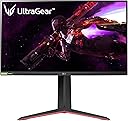
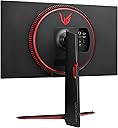
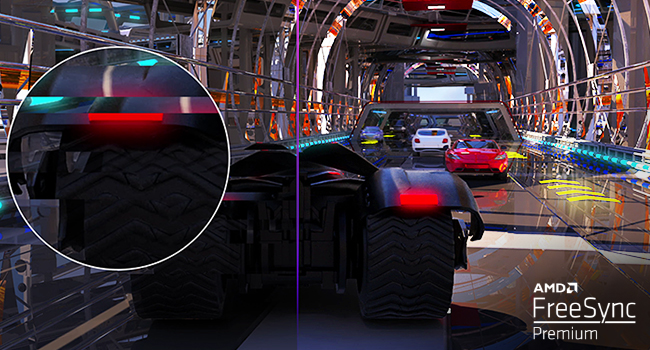
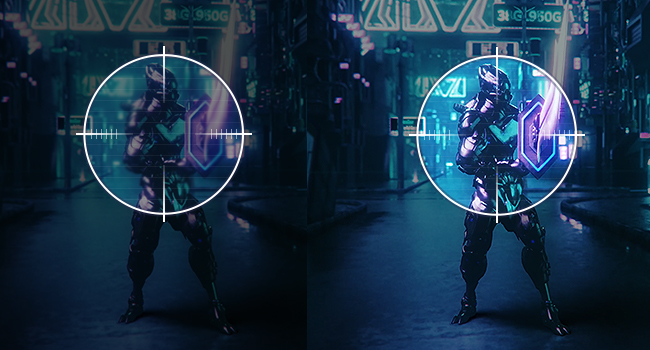
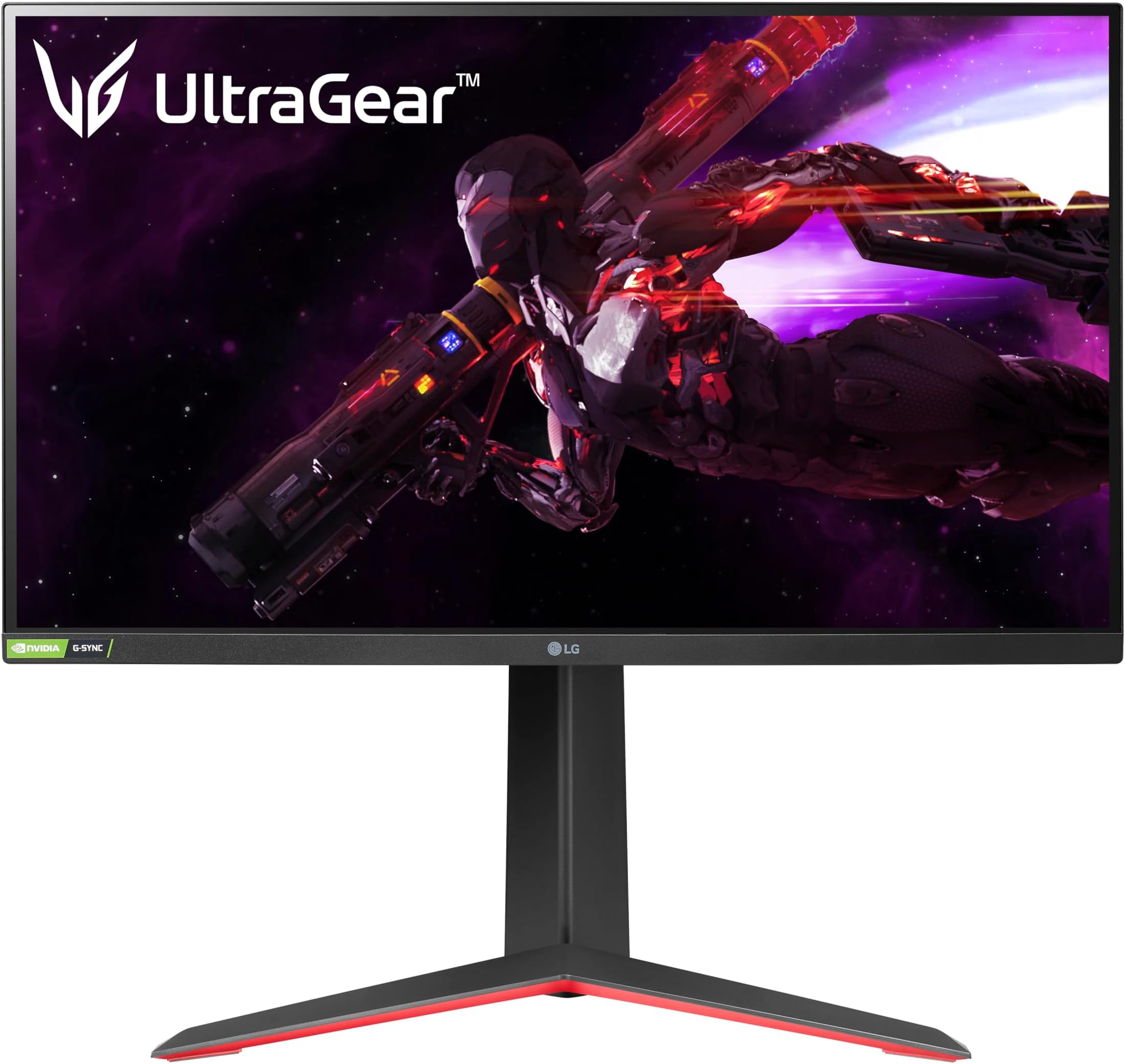
The LG 27GP850-B UltraGear is a 27-inch QHD (2560x1440) Nano IPS gaming monitor delivering ultra-fast 1ms response times and a blazing 165Hz refresh rate. NVIDIA G-SYNC and AMD FreeSync Premium compatibility ensure smooth, tear-free gameplay. Its ergonomic stand offers tilt, height, and pivot adjustments for personalized comfort, while vivid colors and HDR400 support bring your games to life with stunning clarity. Perfect for serious gamers and professionals seeking a premium, immersive display.


| ASIN | B093MTSTKD |
| Adaptive Sync | G-Sync |
| Additional Features | Anti Glare Screen, Height Adjustment, Pivot Adjustment, Tilt Adjustment |
| Aspect Ratio | 16:9 |
| Best Sellers Rank | #39,729 in Electronics ( See Top 100 in Electronics ) #1,026 in Computer Monitors |
| Brand | LG |
| Brightness | 400 Candela |
| Built-In Media | HDMI, DisplayPort, USB 3.0 cable, Monitor, Power Cord, Stand, Warranty Card & Owners Manual |
| Color | Black |
| Connectivity Technology | DisplayPort, HDMI |
| Contrast Ratio | 1000:1 |
| Customer Reviews | 4.5 out of 5 stars 1,954 Reviews |
| Display Resolution Maximum | 2560 x 1440 |
| Display Technology | LCD |
| Display Type | ips |
| Hardware Connectivity | DisplayPort, HDMI, Headphone, USB 3.0 |
| Has Color Screen | Yes |
| Image Contrast Ratio | 1000:1 |
| Item Dimensions D x W x H | 11.5"D x 24.2"W x 22.7"H |
| Item Weight | 6.3 Kilograms |
| Manufacturer | LG Electronics |
| Model Name | 27GP850-B |
| Model Number | 27GP850-B |
| Mounting Type | Wall Mount |
| Native Resolution | 2560x1440 |
| Number of Component Outputs | 2 |
| Picture Quality Enhancement Technology | Nano IPS |
| Pixel Pitch | 0.23 |
| Power Consumption | 48 Watts |
| Refresh Rate | 165 Hz |
| Resolution | QHD Ultra Wide 1440p |
| Response Time | 1 Milliseconds |
| Screen Finish | Matte |
| Screen Size | 27 Inches |
| Screen Surface Description | Matte |
| Shape | rectangular prism |
| Specific Uses For Product | Gaming, Personal |
| Total Number of HDMI Ports | 2 |
| Total USB 3.0 Ports | 3 |
| Total Usb Ports | 3 |
| UPC | 195174008508 |
| Viewing Angle | 178 Degrees |
| Voltage | 240 Volts (AC) |
| Warranty Description | Limited: 1 Year Parts & Labor |
Q**Y
Great Budget Option
Owned for 2 years, couldn't be happier with the quality. Just works, and is the perfect size for my gaming and art needs. Don't see myself upgrading for a while.
N**D
Really nice 1440p monitor for gaming
Got the monitor for my son for gaming with his Xbox and obviously the computer. It's noticeably sharper than a 1080p display, even at 27 inches. The picture is crisp and colors are great on SRGB mode. I don't use HDR on the monitor since max brightness is only around 450 nits. True HDR takes more brightness or more contrast, like from an OLED. I cant wait until a 27 inch OLED costs around $300-$400, but until then, I think IPS is the way to go right now. Mini LED is also still too expensive. The display looks great, has a good menu and is adjustable. The stand for the monitor is awesome, but if you want a monitor arm, it has the Vesa mount on the back. All around, great monitor for the newest Xbox and for computer gaming. Probably good for work as well, but I'm not a professional editor or anything, but its buttery smooth in regular tasks too. Kinda wish it was a $250 monitor and not a $350 monitor, but you get what you pay for, and this display looks awesome and plays great.
B**M
First thing i notice is a bright bleed in the tope right corner, not even a grey bleed it’s GREEN
So i had a BenQ Mobiuz EX2510 IPS that had great brightness and the bleed was spread around enough that it didn’t clump into one corner like this nano display has. I also notice that with black equalizer turned all the way up and on the FPS mode the games i play are super dark still. I can get used to/tweak brightness etc. but that bleed in the corner is about 3 square inches+ so it’s big. But the 180Hz at 1440p looks amazing I’ll give it that. That alone made it worth $420 bucks. I wanted to 5 star everything but I couldn’t. EDIT: Bumped it up to a 5 star review, that bleed is still there but not really noticeable anymore but this monitor has worked perfectly for the last 4,129 hours of use as im typing this. I can switch from the 165Hz to 180Hz in about 10 seconds and the only issues I’ve had has come from the OC 180Hz mode, the DisplayPort that came with the monitor was 1.4 and after about 2,000 hours of use, between both 165 and 180Hz modes it started to shut down when on the OC mode and the screen would flicker. 165Hz would work just fine. I eventually found another Dp 1.4 around and that has been working on both modes since. I also love the fact I can choose between using 1.2 and 1.4 while on the native 165Hz mode. Overall, I gave my BenQ monitor away and am planning on getting the 950 to try out some 4K 144Hz gaming on one of these nano IPS panels, I’m in love with these panels. Started with DELL on console for gaming only and went on to BenQ for PC gaming/everything and after 4 of those this is my first ever LG monitor and I’m not planning in switching that up anytime soon. EDIT with Photos to prove im STILL using this monitor 2 almost 3 years later. Just noticed that I hit 10,000 hours of this thing being on which is just about a year’s worth of time. I also have the OC version and I keep it at 180Hz unless I feel like I need to use less power on my GPU for more intensive gaming and ill turn it down to 165Hz because I use Gsync for everything including older games. The proof of me still using this monitor is in that second picture. That is the Black Ops 6 Beta in the training mode. I paid around $450 for this monitor and the fact that the Nano IPS version is still selling for the same price as 240Hz monitors at $200+ is nice to see because it is definitely worth it still! I gave away all my older monitor, because they were all 1080p and when I get to the point where I want a dual or triple monitor setup, I want them to be at least 1440p. Cannot go back to 1080p gaming now. Thank you, LG. You definitely make the best monitors for the money. Probably the best, period.
M**B
This is my 4th 27GP850..
I've now owned 4 of these LG27GP850 monitors. Not because I had to return 3 of them. Because they were when they came out, and are still in 2024 one of the very best 27" 1440p gaming monitors on the market. Outside of OLED 27", LGs Nano IPS panels have by far the best and most vibrant color and accuracy available. If you are sifting through all of the 27" gaming monitor options out there you know it can quickly become overwhelming. Most uniformed people buying their first decent gaming monitor, look at how fast its advertising to be and just get the cheapest one. Bad decision.. There is so much more that goes in to making a gaming monitor worth your money. Input lag, motion blur, real response time (not what's advertised on the box), color volume, peak brightness, etc.. As an example, the GP850 at 180hz looks considerably faster than an off brand 240hz monitor with a VA panel. Without going into 8 paragraphs that nobody will read, at its current $229 you will not find a better gaming monitor for the price, period. If you need to keep it under $200, there is always the open box option. The one I just purchased was an open box "like new" condition which cost $190. It looks and functions as if it were brand new and had zero hours of use on it which can be confused by checking the information in the monitors OSD menu. And at sub $200 honestly this monitor is a no brainer. The only reason I gave it 4 stars is because when talking it out of the box it had some someone's finger prints on the stand and some around the edges of the screen. So whomever inspected this at Amazon was not wearing gloves, which they're supposed to. Took me a few minutes with a microfiber cloth to clean it up which I wasn't happy about. But to save $40,. I'll deal. The quality of the monitor was not effected. At 1/3 the cost of a decent OLED, you are certainly not getting only 1/3 the monitor. I've owned two OLED gaming monitor now. A KTC 27" and an LG. $550 and $700 respectively. While yes OLED is the future, it's still far outside most people's price range. IPS use to be where OLEDs are now. Very expensive and everyone wanted one. It's still the way to go in my opinion. LG has the most high tech IPS panels available and are still a great choice for the vast majority of gamers. Now, if you can afford a 27" OLED make sure you do your research. They are not all created equal. And the current generation have noticeable text clarity issues and risk of burn in. I'd highly recommend waiting a couple more generations until the tech is more refined and nagging issues get resolved. Bottom line, the LG27GP850 is not some budget gaming monitor with lofty specs it can't deliver on. It's one of the very best in it's class and at the current price is really good buy that I totally recommend from 3 years of experience with them.
A**A
Excellent Gaming Monitor - A Worthwhile Investment
After more than two months of using the monitor, I am convinced that it has been an excellent purchase. Fortunately, the price is no longer as high as it used to be and it is still a standout option in the market. I liked the care in the packaging and the perfect condition of the monitor when I received it. In terms of usage and setup, I haven't faced any issues, which is a big plus. When it comes to gaming, its performance is outstanding and efficient, making the gaming experience amazing, especially for its 165hz. Although I find the base a bit large for my taste, I recognize its necessity to firmly hold the monitor. I don't use the overclock function much, but it works well; I prefer to keep it at 165hz. The motion blur reduction didn't quite convince me, but this doesn't affect my overall rating of the monitor. Colors are vivid and the color pre-calibration is exceptional, which significantly enhances the viewing experience. However, I do have one criticism regarding the manual panel, which I find slow, especially when I need to switch profiles or game-specific settings. Also, the lack of a wider variety of profiles for total configuration. Despite these minor drawbacks, I highly recommend this monitor for its overall quality and performance.
F**T
Pretty sweet
180hz (O/c) at 1440p is great, and is honestly perfect for me personally. I’m ballin’ enough to have a 3080, which could do 4K, and I imagine the 4000 series and AMD equivalent will slay 4K gaming at higher refresh rates, BUT for the average eyeball? A 2K monitor is plenty resolution, with very little performance cost. Like VERY little, nay I say an unnoticeable frame hit from 1080p whereas your performance will take a hit running a game in 4K even with your upscaling technique of choice. The monitor is plenty bright, bright enough to play with light on and with the super sweet semi matte (not glossy) finish that I LOVE it makes the screen look fantastic. Colors look great too. Being an IPS screen, there will be some glow in which your mileage may vary, but it’s not very noticeable to me unless it’s dark and the whole screen is black, not immersion by any means. While I’m not really a fan of the 180hz hiding behind the overclock mode, which btw may perform different for each monitor as well, it works and runs just fine on my unit, so … woop woop. Oh, and the ports on facing out from the monitors back, not facing down, which I’m personally a fan of as I use a monitor arm but is a point to note
J**R
Fantastic display, perfect size
Upgraded my PC and decided it should have an upgraded monitor to go with it. This is a great display for both gaming and other less graphically intensive activities. Perfect size for my setup and 2K resolution that I typically run in my games. Was looking at 4K monitors but realized I didn't want to shell out the additional cost for the PC components to run 4K resolution while gaming. I really appreciate the adaptive refresh rate abilities of this monitor, as it keeps what's on screen smooth with no flickers or tearing. I don't notice any eye fatigue during long game or work sessions. Colors are good. White is white. Black is about as black as you can get with this type of display panel. Numerous options in the on-screen menus to adjust different color settings if desired, or just use one of a few presets. The built-in USB hub was a feature I was specifically looking for in a gaming monitor. Was happy to find it in a model that didn't require a huge price premium as many others did. I also appreciate the ability to rotate between landscape and portrait orientation. There are times portrait orientation is a big help in my work.
J**Y
Liked this so much I bought two of them
This thing is great. I think it's the same panel as the 34GP83A-B so if you have one of those and want to add a little extra this would be the one to get. It's the same height as the 34" and the colors look the same. Picture quality is great. You can scroll spreadsheets left and right without any blurring. You can't do that with a VA panel. This is an IPS panel. The mounting system is secure and easy to use. The base is strong. But it also has a VESA mount on the back in case you want to use a different mount. Overall just super happy with this monitor. Had it for over 2 years with no issues.
C**M
Quality
Love it
J**.
Excelente pantalla
En RTINGS.com la clasifican como el mejor monitor 1440p/27"/120-144/IPS junto a la M27Q-P (pero está última teniendo un gamma de colores inferior y no contar con G-SYNC aunque tiene mejor negros) Si te cuesta comparar monitores con otros para ver cuál es mejor o cuál recomiendan te diría que te quedes con este, llevo meses comparando información, precios, críticas, daños, defectos y recomendaciones sobre monitores con estás características y la conclucion fue que este tiene mejores resultados que cualquier otro aparte de contar con G-SYNC (todo un plus para tarjetas de videos de NVIDIA) si tuviera que buscarle algo negativo diría que como todo IPS tiene fugas de luz si la pantalla queda inactiva pero no se nota si hay vídeo o juegas en parte oscuras por lo que solo lo verás si desconectas el monitor del CPU y que peca al reflejar el entorno (nada de unas cortinas no solucionen) fuera de eso es excelente sus colores asombran y la calidad es increíble! También incluye cable HDMI y DispleyPort 1.4 por lo que te ahorras unos cuantos pesos Eso sí recomiendo esperar que este en oferta, yo lo conseguí en 7,400 ya con envío a Mex, por lo que podrían tenerlo como una estimación. Hay mejores pantallas pero por precios ridículos de 15k o más por lo que recomiendo igualmente ir a RTINGS.com y asegurarte de cuál monitor cumple tus necesidades y capacidades.
A**.
Amazing screen
It was a perfect experience to with this screen.
M**C
A Good Quality Monitor
I’ve been using the LG 27GP850-B as my primary gaming monitor since 2022, and it’s hands-down the best display I’ve owned. The 165Hz refresh rate and 1ms response time make fast-paced games smooth, with no ghosting or blur. The stand is a standout design with versatile options. I loved it so much I bought a second one six months later for a dual-screen setup. That said, my second unit had a single dead pixel that I noticed after a while (about six months). At first, I shrugged it off since it was tiny and only really noticeable when i was reading something. But over time, during spreadsheets or googling, that lone gray speck started to feel like a pebble in my shoe. I contacted LG support, and their process was painless: they directed me to an authorized service center, verified the warranty, and replaced the panel within a week—no arguments, no fees. The replacement has been flawless since.
R**N
Very good for the price
much better than i expected, the picture is clear, colors are amazing and the menu makes so much sense. highly recommended
Trustpilot
2 weeks ago
2 days ago