Buy anything from 5,000+ international stores. One checkout price. No surprise fees. Join 2M+ shoppers on Desertcart.
Desertcart purchases this item on your behalf and handles shipping, customs, and support to Vanuatu.
🚀 Elevate your workspace with ASUS VS197D-P — where sharp visuals meet sleek efficiency!
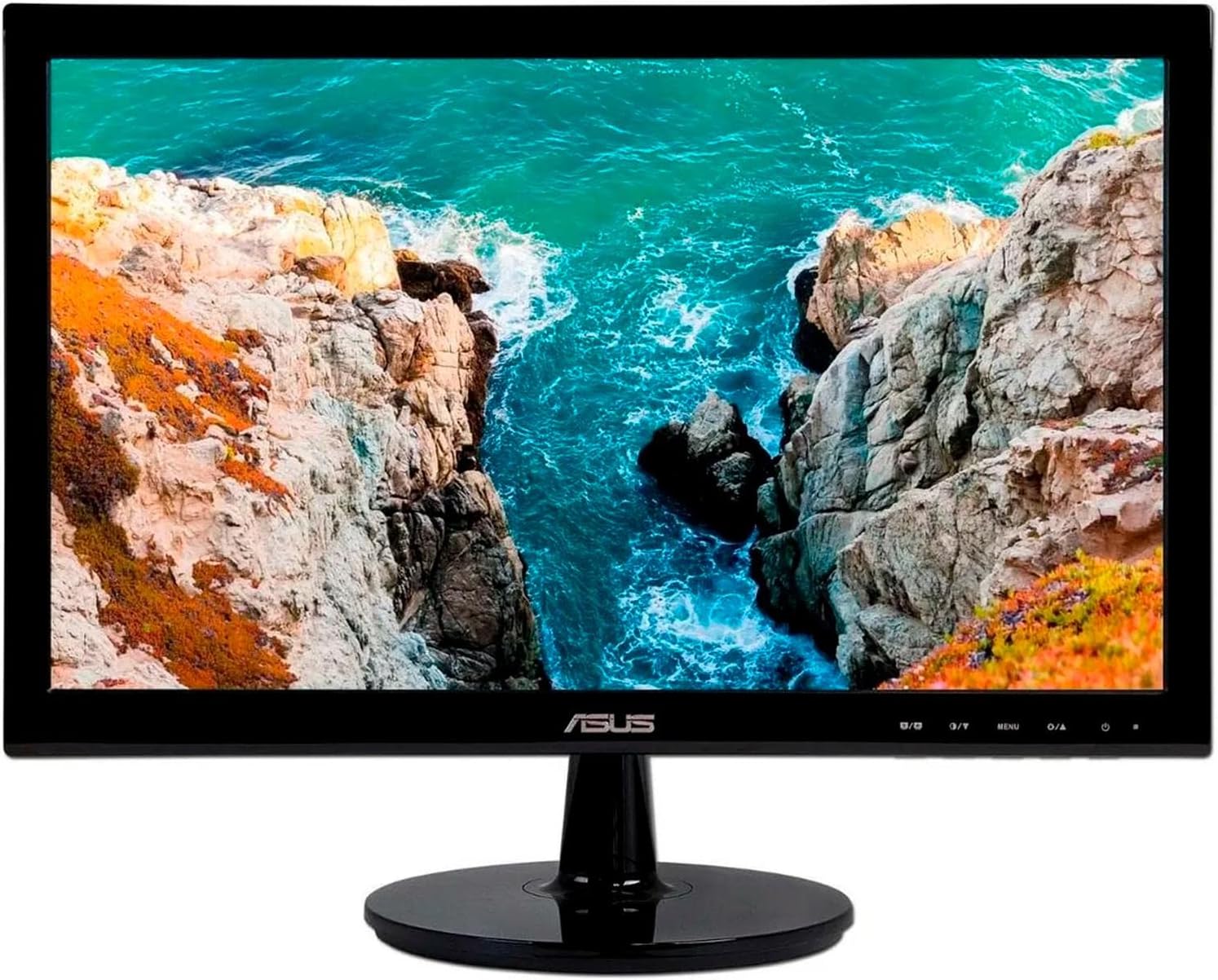
The ASUS VS197D-P is an 18.5-inch widescreen LED monitor featuring a 1366x768 HD resolution, 5ms response time, and multiple connectivity options including VGA, HDMI, and DVI. Its slim, lightweight design supports VESA mounting, making it ideal for professional setups seeking vibrant visuals and reliable performance at an unbeatable value.
| ASIN | B005PAIVII |
| Additional Features | Built-In Speakers |
| Aspect Ratio | 1.78:1 |
| Best Sellers Rank | #369,708 in Electronics ( See Top 100 in Electronics ) #7,454 in Computer Monitors |
| Brand | ASUS |
| Color | Black |
| Connectivity Technology | VGA |
| Contrast Ratio | 1000:1 |
| Customer Reviews | 4.4 out of 5 stars 1,936 Reviews |
| Display Resolution Maximum | 1366 x 768 Pixels |
| Display Technology | LCD |
| Display Type | LCD |
| Global Trade Identification Number | 00610839379095 |
| Hardware Connectivity | VGA |
| Has Color Screen | Yes |
| Image Contrast Ratio | 1000:1 |
| Item Weight | 6 Pounds |
| Manufacturer | Asus |
| Model Name | ASUS COMPUTER INTL |
| Model Number | VS197D-P |
| Mounting Type | VESA Wall Mount Standard (100 x 100 mm ) |
| Native Resolution | 1366x768 |
| Picture Quality Enhancement Technology | LED |
| Refresh Rate | 75 Hz |
| Resolution | HD |
| Response Time | 5 Milliseconds |
| Screen Finish | Glossy |
| Screen Size | 18.5 Inches |
| Screen Surface Description | Glossy |
| Specific Uses For Product | personal |
| Total Number of HDMI Ports | 1 |
| Total Usb Ports | 1 |
| UPC | 610839379095 809199905529 803982784612 |
| Viewing Angle | 178 Degrees |
| Warranty Description | 3 |
C**T
Impressive performance and features for the price
I'm very pleased with this monitor. I needed to replace my second screen and didn't want to spend a lot, but needed a monitor with 1920x1200 resolution. This seemed like a decent bet. It has exceeded my expectations with regard to performance. The clarity is excellent -- it rivals my primary screen which cost three times as much! The monitor is very lightweight. It comes with both DVI and VGA cables, which was unexpected. I like that there's no power transformer or wall wart. It has just a regular power cord. Set up is simple (just attached the base and no tools are needed). Of course, at this price point some features are not present. For example, while the screen can be tilted back and forth a bit, it does not have any up/down adjustment, nor can it be swiveled into portrait mode. There's no USB connectors and no speakers. But for me, none of those were deal breakers. I wanted a good quality monitor that was affordable, and this hit the mark 100%. Plus, it does not scrimp on connections. There's DVI, VGA and HDMI. I'm using DVI at present since the PC I'm using it with is a few years old. But, my next PC will probably have a HDMI connection, making this monitor future-proof (well, as future-proof as any tech product can be). If you're looking for a basic monitor that does not scrimp on image quality, this should definitely be on your short list. Also, check Amazon Warehouse for used ones. I got mine there (it was probably a customer's return). It looks brand new, and only ran me $127.
P**.
Excellent value, great monitor
I have bought several of these for myself and other people. Not a single complaint. The monitor is uniformly bright, very sharp. Colors look great. I have not had a single dead or stuck pixel on half a dozen of these. I look at text all day long and I have had other monitors that do a horrible job of plain white (lots of gray speckling due to the anti-reflective coatings). This monitor looks wonderful for heavy text editing - of course, it's great for pictures and such also but I make my living staring at text and many small things. If I could change a single thing about this monitor, it would be to add DisplayPort. It supports HDMI and DVI-D and that's fine, but DP would be awesome and would let me daisychain these. Still, I know Asus has a more expensive P-series monitor that adds DisplayPort, so for the money this is still a great value if you can work with HDMI or DVI-D. By the way, I mount my monitors on VESA monitor arms. This monitor's stand is very easy to remove, and it is very easy to mount on an arm (just remove the little rubber plugs in the screw holes on the back of the monitor). The monitor is really light so it's not only easy to mount, but easy for an arm to support and for you to move to different angles etc. I have had other monitors that are much heavier and that will suddenly droop/drop when the monitor arm is extended - not these. Lastly. I am sure if you're a photographer, artist, or have better color vision than me you probably will exceed this monitor's capabilities but for me and others I've bought them for who do word processing and other text-oriented work and general computer use, they have been perfect.
I**R
awesome monitor at a ridiculously fair price
So my main rig died after about 8 years of faithful service and so it was time for some upgrades. I decided that while I was upgrading the one rig, I'd build a pair of new ones for my wife and I, relegating my old rig to standard downloading/streaming tasks. One of the new parts to be considered was a monitor, as mine were dying a slow miserable death. Enter, the ASUS VS229H-P. I basically had a short list of requirements for this monitor: >20-25" >HDMI >VERSA compatible After reading through a metric ton of reviews I settled on this ASUS, and I've not been disappointed. In fact, I liked it so much that I ordered two more, and will likely order another one or two, making it the standard monitor for my house. The stand it comes with is decent, but I intended to mount it from the start (hence the need for VERSA compatibility). So I picked up one of these to mount it to ( VideoSecu TV Wall Mount Articulating Arm Monitor Bracket for most 12"-24", some up to 27" LCD LED Plasma Flat Panel Screen TV with VESA 100/75mm ML10B 1E9 ) paired with a 10' HDMI cable, and mounted it above my computer desk. The picture is beautiful, paired with my 980Ti it blows my old setup away. And for the price, you can't beat it. Picked all of mine up for around $110 a piece. Honestly, the only thing I would change if I could is the finish. It's that glossy black that is impossible to keep clean. I would have preferred a matte black finish. But honestly it's hair splitting at this point.
A**R
Very Pleased with Asus VS24AH-P 1900x1200 Monitor
I specifically wanted a 24" 1920x1200 monitor as I found the 17" 1600x900 display of my laptop to be too limiting (especially the vertical resolution). An unexpected positive result is that I find I can get by without using glasses with this new monitor, that wasn't possible on the laptop. I am very pleased with the quality of the monitor and its affordable price. It's connected via HDMI (it comes with VGA and DVI cables) and the display quality is outstanding, very sharp with brilliant colors. No dead pixels. I like the stand because it does not take up much space on my desk. Some stands I've seen for 24" monitors are big and bulky. I use it for general personal and business, not professional graphics work. As others have pointed out, it runs cool. I think I made a good choice. The question when researching options was whether to spend much more for a monitor with USB 3.0 ports and a stand that has height adjustment. But my laptop has 3 USB 3.0 ports and the viewing angle is just fine on my desk without needing any height adjustments, so I'm glad I opted for this monitor instead. With the HDMI connection, the audio out port is on the back of the monitor. I found it more convenient to use the audio out port on my laptop instead, so I made that the default in Windows from the Control Panel. 11/14/2013 EDIT: Within one week after purchase, Amazon's price for this monitor dropped $14. I called customer service and they gave me a refund, including sales tax. They said they could do this because it was within 7 days of the purchase. Nice!
J**A
Love it! Great bang for the buck IPS panel!
I do wish it didn't default to full brightness among other things. That full brightness default is really really bad and probably will cause light bleedthrough and other such things to be far worse in a far shorter time than it should be. I googled around a bit (I don't have proper calibration tools) and read a review that said to set it to standard mode with 99, 96, 100 colors with a brightness around 35-40% (I ended up finding 35 to be the best balance.) The default contrast of 80 was about right, but I found it a bit easier on my eyes to go down slightly to 75%. With this it's about as close as it's going to get without needing special adjustment software to get white balances and such exactly right. It should default to something closer to this sort of level and let people adjust away from ideal to suit their tastes rather than having to adjust towards ideal. If they do this for the sake of store displays (and come on, who puts an IPS panel like this up in a store display?) then it should simply have a store display mode like most devices have that set settings appropriately. But I won't knock off a star for bad default settings. It's a matter of a few minutes for the user to adjust settings after all (though quite a few more to figure out what actually is right. Still, their sRGB mode isn't too bad as far as presets go.) That's just a minor annoyance. Similarly, I will state that actually operating the menus is very confusing with the button layout they've chosen (plus it would be nice if the buttons were on the side -- or perhaps just the up and down) but again, that's something you do once when you first get it and likely never again. Putting that aside, everything else is just wonderful. Obviously you're not getting a true professional photographer level IPS panel display here, but for this price range you're getting shockingly close. Given that this is priced almost exactly the same as a TN panel display of comparable quality (or less even) it's simply an amazing bang for the buck choice. The colors are far far better (not "more saturated" just clearer and more accurate,) the grays (lines and etc) look better, and blacks even look blacker (I didn't even realize how bad my old TN panel display was at blacks! And it was LED backlit too, so it has no excuses at all.) Also, on my previous TN panel display I could see the dithering it was using every time I did anything with a lot of motion such as moving a window around. It drove me insane. No visible dithering here. Probably it has to compensate less since it can more accurately produce a wider range of colors. That or it's just a heck of a lot faster in its dithering such that my eyes simply can't pick it out. I was a bit concerned about the latency rating. After some study I've come to realize that latency ratings are very poorly reported anyway however. In fact, most TN panels claiming as low as 2ms latency can still be closer to 10ms in aggregate rating (it's not just about one color to a similar color, but large changes particularly when changing brightness of a pixel significantly.) Anyway, one of the first things I did after I stopped wowwing at how much better everything 2D looked was to fire up an old game, Unreal Tournament 2004. Now, you might be thinking "oh, that's an older game. It's not pushing things as hard as a newer game would do!" Actually, in respect to testing a monitor it's just the opposite. Newer games are slower paced with slower movements (more body awareness in particular) and generally lower range movements with smoother animations. In other words, a newer game is designed to change less per frame than an older game. (In fact, many go so far as to enforce a 30 FPS framerate limit. Then they change even less obviously...) Unreal Tournament 2004 can get extremely fast-paced with many movements being done more by a quick very slight flick of the wrist on a good high DPI mouse (and I disable mouse smoothing and acceleration and set USB polling higher for as close to a 1:1 response as I can reasonably get -- thankfully my drivers support disabling it for the system since you can't simply hack the USB driver DLL anymore with Windows versions past XP) and I started up an "instagib" session where a single shot with the "laser" style weapon is enough to kill -- or be killed. This requires one to move fast and act faster. In other words, I tested this screen with a _LOT_ of motion. If there was any ghosting at all, it was beyond my eyes to pick it out. The game ran just beautifully with me having absolutely no problems whatsoever (other than being a bit out of practice.) Oh, and it looked a heck of a lot better than it used to (too bad I had gotten rid of my CRT in favor of a TN panel back before 2004.) In fact, I'd go so far as to say that the better handling of blacks makes it much clearer in games where sometimes you might have a lot of shadows in some areas. Also a plus is the fact that it supports not only DVI, but VGA and HDMI as well. With HDMI audio is output to a line output audio jack (analog only I think) so it actually can handle audio (which is more than most monitors with no speakers can do.) Obviously that's inconvenient if you rely on HDMI for audio, but overall it's actually the best possible way a display like this could possibly handle HDMI without actually having speakers and frankly I'm impressed that they thought of it. Hopefully not many people rely on HDMI audio with computer systems anyway, but I am thinking of connecting a Roku stick to it some time just to enjoy how much nicer it would look on this screen. I don't recommend this for a professional CAD designer or photo editor to use on a regular basis, but for this price range I can safely say that this screen would be a beautiful replacement for all the TN panel displays people are buying.
T**S
Outstanding affordable monitor
I have had this monitor for a year now and it works just as well as the day it came in. During that time I have had my tower and a subwoofer right next to it on my desk (along with 7 satelite speakers) and I have never seen an ounce of flicker or interference. No bleeding either. The computer and sub sit behind the monitor facing outwards so that all the wires are coiled between the three devices and the wall. Bathed in that mini electromagnetic vortex, the monitor still works perfectly, as it should. The colors are so incredibly vibrant that you might even want to tone them down a bit in the settings. When I hook up my laptop (14 inch Latitude E6420) and they sit next to each other in dual display mode, it makes the laptop screen look like a dusty old oil painting by comparison. The stand is indeed wobbly, so it will wobble a bit if you're a fiddler and you like to put your feet on your desk. It's never going to fall over, but it will dance slightly like a dashboard hula girl if you bump your desk. All in all, for the price this is a steal. A beautiful, thin profile monitor with hdmi, dvi, vga, and a headphone out (on the back, if you have cable length/distance issues) and multiple customizable display modes for less money than a decent video card. The built in dac (that's the headphone jack) isn't as good as the ones in my computers, but it might be better than some, and it's nice that they give you the option. I wish it were a few inches bigger, but 1080 is worlds better than working on a laptop screen, as I have for all of my college career.
W**Y
Great Monitor
UPDATE 2! Continuation of the praise: I got the monitor back from MainteQ America in Fontana after about a week and a half of waiting. They fixed the one I sent them, and so far it's working like a charm. I must have had a small faulty part or something, but I'll never know because they didn't tell me. They shipped it back extremely well packaged, and for free. I still rate the monitor 10/10 in terms of quality/price. UPDATE 1! It died. Day 2, I'm just sitting here talking to someone on FB when it turns off. Doesn't power back up, and two different power cables and DVI cables pretty much proves that it's dead. RMA should be issued in a couple days, so hopefully the next one doesn't have the same problem. Worked awesomely while it worked, and nobody else seems to have this issue, so don't count it out yet! I've only had it for a few days, so things may change BUT... this monitor is awesome. Picture is amazing, size is perfect, presets are not terrible, and it's very easy to set up. Comes with a DVI and a VGA cable. Great for gaming, BF3 especially is great on this screen. My only problem now is that my computer bottlenecks the framerate with this larger resolution. You'll need minimum of a 560ti, or the ATI equivalent, to run games at above 30 frames. With a bit of overclocking, my 550ti runs at 45 frames. I'll be upgrading to the new 600 series in the future, so that shouldn't be an issue for long. Viewing angles are great, color is great, everything is great. 100% recommended for the price. If you really want great colors and picture quality, other people have posted their personal settings to blogs and forums in order to help others to unlock the amazing quality that this monitor has to afford.
Q**T
Great product, but marred with panel issues
I was convinced to purchase two of these recently launched monitors after searching for a cheap IPS monitor. It also helped that there was only a $20 price difference (at time of purchase) between this and the similarly sized VS228H-P. After receiving them, set up was simple. There are some preset brightness/contrast settings, but I typically leave them off. The colors are spot on and the picture is great. Whether playing a video game or watching a movie, there is no ghosting or slow down. However, not everything is great. In the two original monitors I purchased, I found severe lightbleeding coming from the bottom left corner of the panel. This is only partially noticeable during normal usage and lighting, but anytime a darker image shows on the screen or the monitor is used in a low light environment, it is extremely distracting. I do not know if this a temporary manufacturing defect since the product just launched, but I after exchanging the worse of my two original monitors, I still found the same issue on the newer monitor. Pros: - Good Price - IPS - Plenty of ports (hdmi, dvi, vga) Cons: - Backlighting issue
I**A
Muy buen monitor
La apariencia es agradable, muy fácil de ensamblar y la imagen es muy nítida. Muy buen monitor en relación costo- beneficio. Lo recomiendo totalmente
K**C
Very good
Very good monitor for daily use.
C**N
Muy buen producto
Muy buen monitor ya llevo más es 6 meses en uso y ninguna queja , !nada de pídeles muertos , ni baja de brillo , todo excelente si juegas LOL , Smite no lo he probado en juegos de shooter
J**A
Excelente
Muy buen monitor, para el costo, se ve excelente la señal
A**A
It was clear to me that 16:10 is the perfect ratio for computer use and those using 1080p are missing out
I regret going 1080p initially. I missed my 16:10 aspect ratio. When I got this monitor, it was clear to me that 16:10 is the perfect ratio for computer use and those using 1080p are missing out. This here is the cheapest 1200p monitor I could find, but it doesnt feel cheap. Has vesa mounts, included both a vga and dvi cable and also has a slot for hdmi. The stem is removable with popping a cover off and removing 4 screws for use in a vesa mount. Colors, as far as I can tell, are excellent. I've been using the default setting for my monitors, and my AOC ips panel and this one both seem to have nearly the same coloring. This screen has a slightly warmer glow though, a bit less blue I think. It's not noticeable anywhere except for pure whites where the AOC panel has a slight bluish tinge to it. VERY slight. I wouldnt notice had I not been directly comparing them I can't tell if there's any flicker because im not entirely sure what to look for. Very happy with my purchase overall
Trustpilot
1 month ago
3 weeks ago