Buy anything from 5,000+ international stores. One checkout price. No surprise fees. Join 2M+ shoppers on Desertcart.
Desertcart purchases this item on your behalf and handles shipping, customs, and support to Vanuatu.
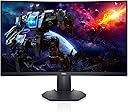
🎮 Elevate your workspace and game zone with Dell’s 32-inch 4K powerhouse!
The Dell G3223Q is a 32-inch 4K UHD gaming monitor featuring a 144Hz refresh rate and 1ms response time, designed for both professional and gaming use. It supports HDMI 2.1 for next-gen console and PC connectivity, offers AMD FreeSync Premium Pro and NVIDIA G-SYNC compatibility for smooth visuals, and includes ergonomic adjustments plus VESA DisplayHDR 600 for vibrant, accurate color reproduction. Backed by a 3-year advanced exchange warranty, it’s a versatile display that blends high performance with professional-grade color fidelity.


| ASIN | B095V23PTM |
| Adaptive Sync | FreeSync |
| Additional Features | Anti Glare Screen, Curved, Flicker-Free, Height Adjustment, Tilt Adjustment |
| Aspect Ratio | 16:9 |
| Best Sellers Rank | #20,971 in Electronics ( See Top 100 in Electronics ) #542 in Computer Monitors |
| Brand | Dell |
| Brightness | 350 |
| Built-In Media | DisplayPort to DisplayPort cable (ver 1.2) (1.8m), HDMI cable, Monitor, Power cable, Quick setup guide, Safety/Environmental/Regulatory Information, Stand riser and base |
| Cable Length | 6 Feet |
| Color | Black |
| Color Gamut | 99 |
| Compatible Devices | Devices with HDMI, DisplayPort, or compatible headphone jack |
| Connectivity Technology | wired |
| Contrast Ratio | 3000:1 (Typical) |
| Customer Reviews | 4.5 out of 5 stars 4,706 Reviews |
| Display Resolution Maximum | 2560 x 1440 Pixels |
| Display Technology | LED |
| Display Type | LCD |
| Hardware Connectivity | DisplayPort, HDMI |
| Has Color Screen | Yes |
| Image Contrast Ratio | 3000:1 (Typical) |
| Item Dimensions D x W x H | 23.95"D x 3.79"W x 14.34"H |
| Item Type Name | Flat Panels |
| Item Weight | 5.76 Pounds |
| Manufacturer | Dell |
| Model Name | Dell 27 Curved Gaming Monitor – S2722DGM |
| Model Number | S2722DGM |
| Mounting Type | Desk Mount |
| Native Resolution | 2560x1440 |
| Number of Component Outputs | 2 |
| Picture Quality Enhancement Technology | AMD FreeSync Premium Technology |
| Pixel Pitch | 109 |
| Power Consumption | 25.3 Watts |
| Processor Count | 1 |
| Refresh Rate | 165 Hz |
| Resolution | QHD Wide 1440p |
| Response Time | 2 Milliseconds |
| Screen Finish | Matte |
| Screen Size | 27 Inches |
| Screen Surface Description | Matte |
| Shape | rectangular prism |
| Specific Uses For Product | Business, Desktop, Gaming |
| Total Number of HDMI Ports | 2 |
| UPC | 884116388593 |
| Viewing Angle | 178 Degrees |
| Voltage | 240 Volts (AC) |
| Warranty Description | 3-Year Warranty |
| Warranty Type | 3 Year Warranty |
J**S
Why do the gamers have all the good stuff? This monitor is great for WORK too.
I recently tried using my 40-inch television as a monitor, and it was awful. The image was larger, true, and it offered some benefits, but the resolution, the pixel density, as well as number of colors, was not there. Plus, it was actually a little too large, like watching a movie in the front row. If you’re eyeballing your big TV and wondering how well it will work as a monitor, don’t try it. It will only be good for playing videos on the computer. I needed a real monitor, but I needed one larger than my original monitor. So once again, there I was shopping on Amazon. I settled on this one because of the size and the resolution. So many monitors these days have a max of 1080p. I remember way back in the early 2000s, my monitors going higher than that. At least, I think. Well, 2560 x 1440 is what the doctor ordered. This is not merely a gamer’s monitor. It is an animator’s monitor, at a higher resolution. Acres and acres of screen so that I don’t really need to have two monitors any longer. I love it. It’s just on the edge of being too large. The look and feel of the monitor is quality. This thing is serious. After a year of an ONN monitor that I didn’t really like because it didn’t have proper contrast, and a second Dell monitor that was slightly smaller, old, and dying, I was finally back to quality. It’s almost frightening because my animations look so much better now that I hope the final product looks as good to people who see my work. The reason I use two monitors at work and at home is because there’s not enough room on one screen for all my tools. Generally, increasing the monitor size doesn’t help, because only so much information can fit on a screen. But in this case, the screen is bigger AND the resolution is higher, so more information can indeed be placed on the screen. I no longer need two monitors! I have my two work monitors and this huge Dell monitor. Well, honestly, there’s not much more room left on my desk for a second personal monitor anyway. I’ve only included one screen shot to impress upon you the amount of information that can be squeezed onto the screen. On a 1080p monitor, and perhaps on a 1440p monitor, but smaller, the screenshot will look crowded, but it’s perfectly comfortable now. Normally, I always have the timeline at the bottom hidden, because it takes up too much room, and I need the viewport larger. Here, everything is comfortable, and my old eyes have no problem seeing all the information. I’m also finding that I don’t tend to go on full screen as much on YouTube, but I will probably end up switching to the dark mode, because all that white can be blinding. It’s a bright monitor, and it’s a dark monitor. The contrast is excellent. I would buy this monitor again in a heartbeat. I almost talked my daughter into buying the replacement that I was going to send back, but she just has no room for it until she moves. Speaking of replacement, I had a rocky start though. This speaks nothing to the quality control of the hardware itself. The original monitor was just left in my driveway by USPS, just minutes before a sketchy guy came to buy my car. If the neighbor’s dog hadn’t barked, I wouldn’t have stepped out to see the box… left just ten feet from an unused doorbell. But here comes the real rockiness and it sort of embarrasses me because I’m a tech guy. I’m NOT that customer who calls tech support because he forgot to plug in a device. I swear, I’m not that guy! The first monitor arrived with no instructions, and I couldn’t turn it on. I checked cables, and power strips. Amazon offered only general advice for idiots on connecting a monitor and (choking) making sure it’s on. And, this is also key, it was in the box upside down. Remember! This is my alibi. A simple instruction manual or quick start guide would have shown me the nearly invisible power button on the bottom right. And now that I think of it, that power button is in the same place, invisible, on my two newest TVs, though there is a RED LIGHT to alert you that there is the button. The red light goes away when the TVs are on. This monitor has no such illumination of the power button. It only lights up when it’s ON, not off. But all I had was a warranty slip, and the power button was all but hidden on the bottom. I tried every permutation of the prominent unlabeled buttons on the back, and nothing. I thought that the first monitor was dead and called in for a replacement. The replacement came, and by sheer chance, as I tilted the properly packaged one out of the box, there was the faint gray power button! It was literally the FIRST THING I SAW! The replacement came with a no-words uni-language hieroglyphics quick guide for setup that was missing in the first one, that also had a callout for the power button. My heart sank. I went back and checked the original. There was the power button! It had worked all along. There was nothing wrong with it. The final hieroglyphic showed a disc and a hardcover book and a webpage and a down arrow. I checked with Indiana Jones, and he told me that this cryptic message meant to download the user guide from dell.com/s2722dgm for further information. Dell spent a ton of money on more than adequate packaging for this monitor. A whole tree died to deliver it. It came with an extra HDMI cable, which was nice. I would have traded the shiny box, which I’m just going to toss out, for maybe one more 8.5x11 sheet of paper to get me up and running. There was also plenty of white space on the outside of the box for all the info I needed. Just a picture of the power button, because when you look at the back of the monitor, the joystick button makes you think it MUST be the power button. Poor packaging ended up costing Dell and Amazon. How I wish I had gone ahead and googled an online manual, but I was so depressed that it didn’t work that I just waited on the replacement. But the next debacle is all my fault. I thought that the replacement was defective. I couldn’t insert the HDMI into the HDMI 1. The problem was my orientation. I had my head upside down, looking, and then righted myself, my mind inverted left and right, and I was trying to insert into the display port and not the HDMI port. I used HDMI 2 and loved it. So, when I returned the perfectly fine replacement, I mentioned that the HDMI 1 was damaged, when it wasn’t. Some guy at the Amazon returns department is going to call me an idiot. One had to be returned, so it wasn’t a real issue. But overall, I love this monitor. I’m spoiled to it, and don’t want to go back to regular monitors. It shouldn’t be called a gaming monitor. It’s a workstation monitor. Love it to death.
S**W
Truly an incredible monitor, but with one odd design choice/flaw
I bought this mainly for gaming, but it is an excellent choice for anything else like work or art. I've had several monitors now and this is my first ultrawide one. I was initially worried it would be too big for me or cause neck pain from looking at both ends of the screen, especially when gaming, but I can tell you that is not a problem here. It's a beautiful monitor with the right amount of curvature and adjustability to fit my needs. It promises on all of its advertised features and offers choices to accommodate what a lot of gamers look for in a high-end monitor. Before buying though, you'll want to make sure your PC can handle it. I have an RTX 2080, and this monitor is pretty much the best I can get with it, and I can't tell much of a difference in power draw or graphics quality (This monitor replaces a 2560x1440 curved one, which was still an amazing monitor, too). Now, to the design flaw I mentioned in the title, and the main reason I'm writing this; to give a little PSA on a weird quirk of the monitor. There are four settings available for response time: Fast, Super-Fast, Extreme, and MPRT. MPRT is 1ms response time and is what I prefer to use. However, every time I turn my PC on or wake it up from sleep, the response time resets to Fast. Every. Single. Time. A quick message from the monitor will pop up for 10 seconds or so when booting up saying that the refresh rate is too low and needs to be 100Hz or higher to use MPRT. You're probably thinking the Hz is too low, then, and so did I. But lo and behold, the Hz has not changed AT ALL from 144Hz when I go to check. I have to manually change the response time to MPRT (buttons on the side of the screen) for every power on or waking up. Oh yeah, and when it resets to Fast, the screen brightness goes down. You can see the screen get visibly brighter when putting it back to MPRT. I contacted Dell support and they were troubleshooting with me for over a month. Their final conclusion was that it is working as intended. What? I can see why the monitor does this: in the split second it's turning on, its going from 0Hz to 144Hz and so it thinks that you can't have MPRT on when it's below 100Hz. So, it resets it, telling you to up your refresh rate to get MPRT back. But, come on... really? It's not a deal-breaker but is so annoying. I'm on my computer every day and I have to have a sticky note on the monitor to remind me to change it. Even then, I still forget! I'm sure a lot of people will read this and go "Oh, first world problems! You're entitled, don't be lazy, etc.". Normally I'd agree, but this is a $500 ultrawide monitor with all the bells and whistles and comes from a well-known brand. I have a second, $200 monitor that does everything this one can but has never reset any of the settings. I've owned a $100 one that also does the same thing with no resetting. The only difference is resolution and size. I don't think it's laziness to expect an expensive product with a lot of good features to work correctly and not need manual input and handholding on a daily basis. Not to mention going from no worries on all my previous monitors to having to think about response time every day and wondering why my screen looks dimmer. TLDR: Best monitor I've ever had and I'm glad to have made the decision to get an ultrawide. Has all the features it advertises. Amazing for gaming or any use. Only flaw/annoyance is that your response time may reset every time your PC turns on or wakes up from sleep; a lower response time will also dim the screen. You have to manually change it back each time. Not really a big enough reason to not buy it, but certainly something I thought others should be aware of. UPDATE 6/12/2022: I recently upgraded my graphics card from an NVIDIA RTX 2080 to a 3080. Since doing that, the monitor no longer resets the refresh rate. I tried replicating the issue and it now stays at MPRT. I have no idea why the graphics card would affect that, but here we are. Maybe I had a setting somewhere that was reset upon installing the 3080? Or my PC needed a little more power in order to remember the setting? I'm happy that I don't have to remember to change the refresh rate every time, but it's weird that this was a fix. UPDATE 11/28/2022: The response time issue came back. If I have my timeline correct, it reappeared when I got a new PSU for my PC which was shortly after getting my 3080. There's got to be a setting somewhere that fixes all of this but I've tried everything I can think of. Still a fantastic monitor, but this is pretty annoying.
S**D
Great monitor, even better than I expected
I bought this Dell Curved Gaming, 34 Inch Curved Monitor with 144Hz Refresh Rate, WQHD (3440 x 1440) Display, Black - S3422DWG and would be going from a 27" IPS screen to this VA screen. Reading about the differences I was expecting the picture on my new Dell to be a bit of a downgrade on how the colors would pop. I was willing to make this tradeoff for more screen real estate. However while there is a difference in the two monitors, as to be expected between any monitors, the color issue is nonexistent. This monitor, hooked through the display port, running at 144 HZ, on a 1660 super card is simply brilliant. I did a lot of youtube research before deciding on what model to buy and this one kept coming up as the best in it's class as a VA screen. The next possible option was to go IPS and spend another $300-350. I'm glad I decided to save a bit of cash and go with this Dell. It's bright, clear, with no dead or bright pixels. Sitting in front of the screen there is no fade as one looks to the edges. Also for a VA screen one can go quite a ways side to side before noting any fade in the picture. To me that is a nonissue anyway as I'm always at the desk if using the computer. I was going to install it on my moveable arm but, the stand is so nice, and the monitor so big that I decided not to do that. Instead I used the included stand and it works great. My adjustable arm and old 27" were moved together to my old standby computer and are doing quite well there. The only issue I had was registering it at Dell. When I clicked on the link at their site to register it would only take me to their diagnostic tool that would determine what product I had. Here's where the trouble started as it would only scan my pc, not a Dell, and say my computer couldn't be registered. Duh, it's not a Dell. So to register it to my Dell account I had to call Dell support and talk to a tech who completed the registration for me. I've had it now for almost three weeks and couldn't be happier with my choice.
S**T
Adequate for my working needs
Why buying such a large display? I am no longer a gamer (and, besides, true hard core gamer prefer 24 inch displays as they do not need to move their heads and delay reaction time), but I make a heavy use of laptops with a range of applications. I have an 18 inch laptop, but when at home it becomes a desktop and until recently I had 2 25-inch monitors. That solution was feasible, but took way too much space on my (not so small desk) and it was a "jungle" of cables, wires, etc. It looked messy and cumbersome. So that is why I got this monitor. Is it easy to mount and set up? It comes in a big box and it is relatively heavy. The toughest part was to carry it from the mail room in my building to my apartment, but I could have used a dolly, perhaps. Mounting it was actually easier than I expected. Setting it up was actually as easy as with other displays. How does it work? It works well. The quality is high, all my windows are open and well visible and I never need to go looking for them. Letʻs say that there is plenty or "real estate" for even people who make a heavy use of computing. The only thing that I did not pay attention to is that this display does not have built in speaker. However, my computer was telling me that it does and I could not hear a thing when I selected the monitorʻs as my speakers. Not a surprise: cannot use speakers that are not there! Other than that the new display checks all my required boxes and after about 2 months of using it, I think it was a good purchase. Any negative surprise? - Perhaps one: as the monitor has a higher resolution of HD and my laptop is HD if I use the display as a second screen, getting with the mouse from laptop display to 34 inch display is easy, coming back.... not so much. Eventually I learned the point of the big display from which to go back to the computer display, but it is not a smooth operation. Something else one should know? Yes, some are likely expecting that they can watch a movie full screen on a 34 inch like this. The format of the display is different from that of movies and so it can only be used in like 27 inch sort of size with the sides being black. Considering that I watch movies on it from 2-3 feet away, that is aplenty of size, but I am just telling. Is there a way around this problem to take advantage of the big display? Perhaps.... one should make sure that the aspect ratio of his or her ultrawide monitor is set to the correct value, which is typically 21:9. You can access the aspect ratio settings through the monitor’s menu or display settings on your computer. Final comment. The curved thing is not making a big difference for me, frankly, But I love the "real estate" that comes with a 34 inch display. There are definitely better large screen monitors out there, but as a novice to this area I did not want to pay over $1,000 for something I was not even sure that I would have liked. So, after two months I am very satisfied with this purchase for less than $400. It does what I needed it to do. So, as far as I am concerned: thumbs up!
P**N
I can now whole heartedly recommend this monitor
This is the best sub-$400 ultrawide in it's class, hands down, but requires a lot of tweaking out of the box. One of the first things you should do is update the firmware of this monitor. That will alleviate the issue of HDR flickering for Nvidia Users. Next you'll want to change the response time from "fast" to "faster" in the monitor's options menu. This will eliminate the majority of smearing and will make it unnoticed in gameplay (unless you look for it). Contrast is fantastic. Works perfectly fine with G-Sync (post firmware update) This monitor is not factory calibrated, and has horrible color accuracy out of the box, especially in HDR. Microsoft's HDR calibration tool oversaturates the image. For best results, I downloaded an ICC profile from rtings. com. The monitor now covers 98.5% of the sRGB Color Gamut, great for content consumption. As far as I can tell this is the ONLY VA ultrawide panel that can actually game without smearing the image. Look no further than this monitor. That being said, there are some drawbacks. Viewing angles are poor, and can be difficult to get used to. My advice is to tilt the monitor upward at a slight angle. The Screen has a matte coating which reduces glare, but it comes at the coast of color vibrancy The monitor is limited to 144hz. For most people this is not a problem, for me is was a slight downgrade from 165hz. I think 144hz was the sweet spot before smearing became pronounced. (Edit) I would like to include that HDMI is limited to 100hz and Display port can display the full 144hz Pro's: - Great for the price, best in class - Great Contrast: 2700:1 (roughly) - G-Sync compatible (works best after firmware update) - Unnoticable smearing (after settings tweak) Cons: - Poor color accuracy out of the box - Requires a lot of tweaking - Limited to 144hz - Matte Display (a lot of people actually like this, though)
T**Y
Awesomely huge gaming monitor!
Exceptional gaming monitor. Colors are vivid. Wide angle is great for immersion. Easy to setuk. Large screen real estate increased productivity. Seems to be durable. Has all the connectivity feature you'd want. Sound quality is ok, but you really want external speakers.
A**R
Broken after 1 year
Fully redoing this review, this morning when working looks great other than that it’s a compete POS and Dells service is the worst thing I’ve experienced. I purchased this 700 dollar monitor on sale for 475 dollars super excited as I thought this would be an amazing second monitor for legit YouTube, twitch, discord whatever and that’s it. Turns out that was a complete lie, I purchase a 1200 dollar asus QD-oled around the same time as this monitor for the asus to be my main monitor (where all the action actually happens) my Asus monitor still performs completely perfect with 0 issues on my Asus tuff 5080 PC. Yet this Dell monitor will randomly flicker on and off, generate boxes on the screen that shouldn’t be there. Opened a ticket with DELL AS THEY HAVE A 3 year old”advanced” warranty to only find out that the claimed it as “wear and tear my fault” from it just sitting on my desk just like my way nicer asus monitor has been doing for about the same time. So Dell denied my warranty and blamed me saying oh well, I contacted Amazon about this issue even after a year of having this horrible Dell product Amazon was willing to fully support and refund me. I don’t recommend anywhere else to buy as Amazon actually has your back unlike some of these terrible brands. Genuinely do not buy this monitor or any other Dell brand product it’s a horrible company with horrible company service. Make sure to buy from Amazon as they’re an amazing company and have great customer support and don’t protect these pathetic companies like Dell.
A**J
Crisp Monitor With Selectable Resolutions
This is a fine 32 inch 4K monitor for my 2024 Mac Mini Pro, and a very good value at under $500. I'm used to the Apple iMac 27 inch 5K screen. I did not want a monitor with speakers, having desktop studio audio speakers. The G3223Q's screen has a variety of selectable resolutions and color parameters - colors are accurate. It is marketed as a "gaming" monitor and I can't comment on that as I'm using it as a "desktop" monitor so far. I did like the advertised 144 hz refresh rate for gaming. Most 4K monitors only offer 60 hz refresh rates. Something I find interesting as a non-technical person is when I experiment with selecting various available resolutions under Apple's System Settings/Displays, I like 3008 x 1692 better than the default 3840 x 2160, which is actually 4K resolution. This 3008 x 1692 resolution looks sharp and with it applications when opened seem a good choice/compromise for size on the screen. I'm not sure if I'll stick with it because with 3008 x 1692 the 120 hz refresh rate is the highest available. At 3840 x 2160 I can "make larger" Safari web pages (Command + key shortcut) and that pretty much takes the webpage browser's size to where 3008 x 1692 opens Safari, leaving more monitor space for other applications. But I will mostly want those applications to be larger too - so reading smaller fonts isn't a strain. Anyway, the monitor is versatile. One negative, which I should keep in perspective but is a true Dell marketing decision head-scratcher, is the monitor ships with an HDMI 2.0 cable - actually with four different cables. This is nice - hence keeping my perspective as some monitors don't ship with any cables. But the G3223Q monitor has an advertised HDMI 2.1 as a major selling point. Supposedly the monitor must be connected with an "Ultra Fast" HDMI 2.1 cable to achieve its full capability spec of 4K and 144hz, not the 2.0 cable they provide customers. I bought an HDMI 2.1 cable (from Crutchfield - a short one was about $20 - and is of nice quality). I did this because the 2024 Mac Mini Pro supports HDMI 2.1. It may be the provided 2.0 cable does the trick and for reasons I'm unaware of and despite what I read about 2.1 bandwidth/speeds the supposed 2.0's lesser bandwidth/speed capability doesn't actually apply to this monitor. Or, maybe, the monitor isn't actually 2.4? Something seems askew because I didn't see any differences under the Apple System Settings/Displays offered resolutions or refresh rates between the two HDMI cables. Make of that what you will. I did call Dell to complain about the provided cable not matching the advertised speed of the monitor and they acknowledged the paired cable with the monitor isn't 2.1. They also said, "Sorry, this is what is supposed to ship with the monitor. We are in the process of going through our cable inventory." So, not going to send me the right cable even though the Dell.com website sells a 2.1 cable for about $15. Nevertheless I am very pleased overall and would definitely buy the Dell G3223Q monitor again. It is great for games and desktop uses.
K**D
Great Monitors for my needs
I had the dell ultrawide already and wanted side monitors that were the same hight. I like the response time, brightness and color accuracy. Decent gaming monitors for the price.
A**R
Very good screen
Good screen, does what it says.
P**.
Excellent produit!!
excellente écran pour le petit prix! les noir son noir, les ligne sont franche...
K**Z
No por nada es uno de los mejores Ultrawide disponibles
Vaya, tenía mis dudas sobre este monitor, vi muchísimos videos, muchísimas reseñas y me decidí a darle una oportunidad y vaya que me sorprendió, el monitor es enteramente de plástico robusto (es bastante grande el monitor), se siente de buena calidad, la pantalla es mate y maneja bien los reflejos, es de 144 hz, que no es mucho pero cuando tratas de mover esa resolución con settings de “ultra” esos 144hz aveces son difíciles de sobrepasar dependiendo tu gráfica y el juego, yo lo tengo con una RTX 3070 y cuando los juegos no son muy demandantes sobrepaso esos 144hz, pero cuando son títulos AAA cuesta trabajo llegar incluso a los 100fps cuando todo está en “ULTRA”, pero la calidad de imagen y la nitidez del monitor hace que se te olvide que no estás en la cima del “PC MasterRace”; voy a poner sus pros y sus contras: Pros: - Excelente representación de colores (puede usarse para edición de fotos y videos). - buen tiempo de respuesta (me parece que 1ms MPRT). - Buen contraste, los negros se ven bien. - Muchísimo brillo más de 500 nits - A pesar de ser un panel VA el smearing no es tan notable, solo hay que modificar la respuesta del panel. - la Base aunque es grande no es estorbosa. - excelente calidad de imagen - tiene dos entradas HDMI y una DP, entrada de audífonos y un hub usb. - tiene freesync (aunque ni lo especifica, pero funciona) y g-sync. - El HDR funciona muy bien, no tan impresionante como en una TV de gama alta pero muy bien en comparación a otros monitores. Contras: - Es un panel VA por lo que los ángulos de visión son limitados. - tiene ligeras fugas de luz, prácticamente ni se notan, hay que buscarlas casi casi con lupa para verlas. - El Smearing aunque casi no se nota, está ahí y si eres muy susceptible a esto lo mejor es elegir un panel IPS. - Estéticamente es gordo, muy bien construido pero no va a ganar un concurso de belleza - la curvatura no es tan pronunciada, a mí en lo personal me hubiera gustado en este tamaño una curva más prononciada. - Su precio, si bien su precio debería de ser de entre 8 mil y 10 mil, es difícil encontrarlo a esos precios, a mi me costo 8 mil en la pasada oferta de Amazon pero a raíz de eso surgieron muchísimos vendedores externos que lo ofertan a un precio ridículamente alto, así que es complicado poderlo comprar. - Realmente en tamaño es grande si no vienes de monitores convencionales de 32 pulgadas, ya que al ser ultrawide es más corto de lo alto pero más largo de lo ancho, pero obtienes una mejor sensación de inmersión que con un monitor normal. Conclusión: si quieres un Monitoe ultrawide de 1440p, con buena representación de colores, brillo y contraste sin llegar a ser “impresionante o destacable” es una excelente compra, para mi es un punto intermedio entre rendimiento para gaming y calidad visual. También depende de tu grafica ya que es realmente complicado mover tantos píxeles, mínimo necesitas una RTX 3070 en adelante para este monitor, si tienes algo menos potente que esto, mejor busca un monitor convencional porque donde brilla este monitor es cuando juegas a resolución nativa y todo en ULTRA.
A**R
Dell S3422DWG Curve
Fantastic monitor suitable for both work and play. The 34” screen space enable productivity and ease of reading Spreadsheets and data. Probably can add in the security cable lock as not all brands and type of cable lock is compatible.
Trustpilot
2 months ago
5 days ago