Buy anything from 5,000+ international stores. One checkout price. No surprise fees. Join 2M+ shoppers on Desertcart.
Desertcart purchases this item on your behalf and handles shipping, customs, and support to Vanuatu.
⚡ Print smarter, faster, greener — because your office deserves the best.
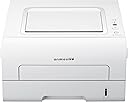
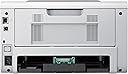
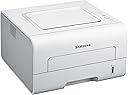
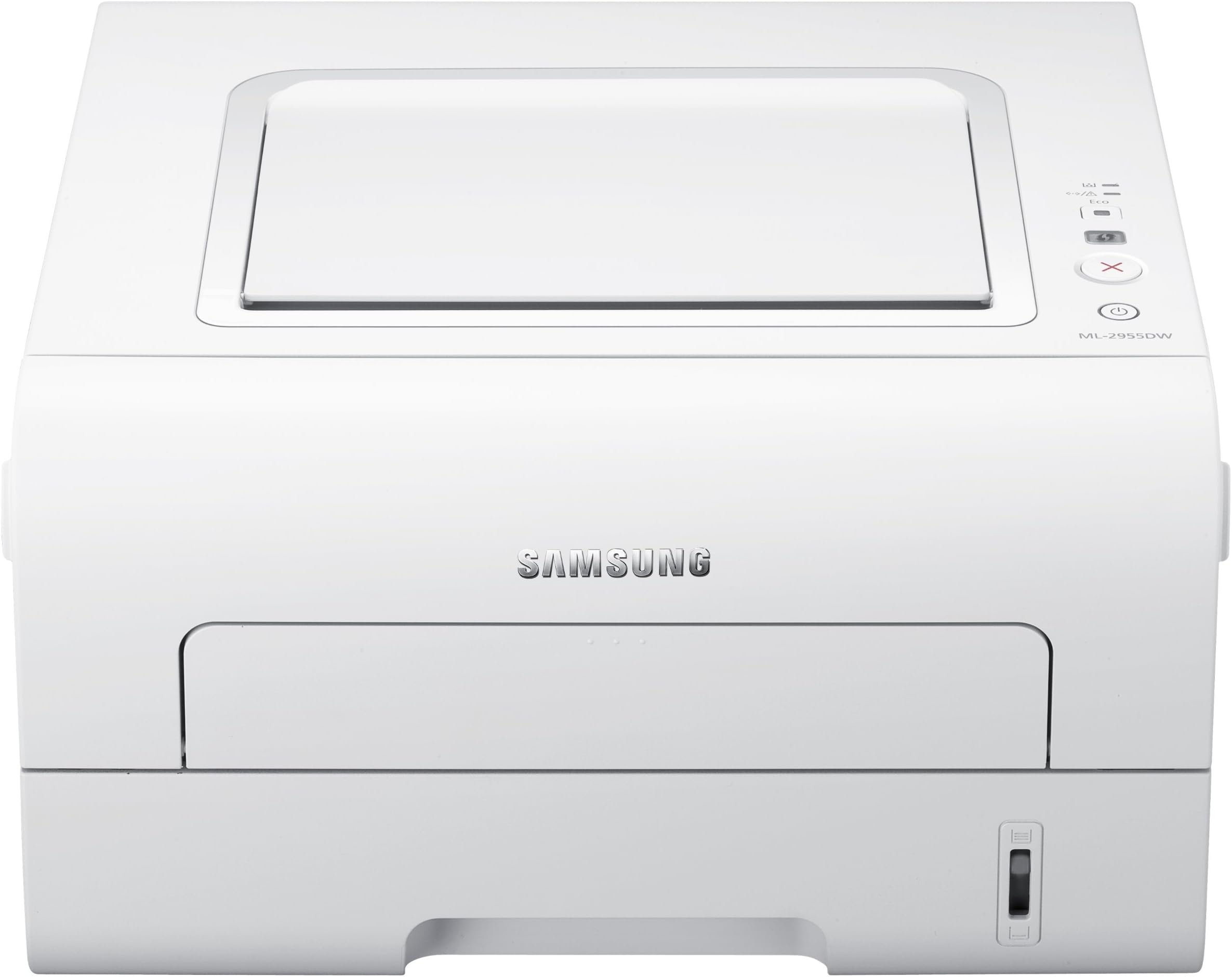
The Samsung ML-2955DW is a monochrome laser printer designed for professional environments, delivering 28 pages per minute with crisp 1200x1200 dpi resolution. It features automatic duplex printing, multiple connectivity options including USB, Ethernet, and wireless, and an Eco-Mode to optimize toner and paper use. Energy Star certified, it balances high performance with energy efficiency, making it a reliable choice for busy offices seeking speed and sustainability.
| ASIN | B005F4J9A8 |
| Additional Printer Functions | Print Only |
| B&W Pages per Minute | 28 ppm |
| Best Sellers Rank | 265,053 in Computers & Accessories ( See Top 100 in Computers & Accessories ) 437 in Laser Printers |
| Box Contents | Power Cable, User Manual |
| Brand Name | Samsung |
| Compatible Devices | Smartphones |
| Control Method | Touch |
| Controller Type | Android |
| Customer Reviews | 3.2 3.2 out of 5 stars (180) |
| Dual-sided printing | Yes |
| Duplex | Automatic |
| Global Trade Identification Number | 05053313249784, 08806071436456 |
| Hardware Interface | Ethernet |
| Ink Colour | Black |
| Item Weight | 0.02 Pounds |
| Manufacturer | Samsung |
| Maximum Sheet Capacity | 250 |
| Maximum Supported Paper Size | a4 |
| Model Name | ML 2955DW |
| Model Number | ML-2955DW/SEE |
| Model Series | ML |
| Network Connectivity Technology | USB |
| Other Special Features of the Product | Wireless |
| Output sheet capacity | 250 |
| Paper Size | 210 millimeters |
| Print media | Paper (plain) |
| Printer Output Type | Monochrome |
| Printer Type | Laser |
| Resolution | 1200 x 1200 |
| Specific Uses For Product | Office |
| Total USB 2.0 Ports | 1 |
| Total USB Ports | 1 |
| Warranty Type | limited warranty |
| Wattage | 320 watts |
A**R
Great little printer - pity about the wireless (updated August 12)
This printer was purchased after some research, as a replacement for my old Epson inkjet (which has given up the ghost). I have an excellent Canon pixma Ip8500 which is used for photographic printing and just wanted a reliable printer for documents. The Samsung was a good price from Amazon (currently £20 more!) and arrived with Amazons usual very swift delivery. It installed easily as 'wireless' via my Netgear router to my Dell Vista PC and I was very pleased with the printed output. HOWEVER, later that day I found that it had gone 'offline' and could not be persuaded to go 'online'. This pattern was repeated over subsequent days despite un-installing and re-installing. The printer would start up ok but some time later go offline. Internet researches seem to show this as a common problem but no solutions advised from Samsung. Have now re-installed the Samsung with a network cable but this, of course, defeats the object of purchasing a 'Wireless' printer............... Be warned! This is an update to my review. Frustration prompted me to look for software updates on the Samsung website and found there a very recent (July) Samsung Universal Printer Driver and downloaded this (20Mb). I should mention that the original software disc supplied claimed to have looked on line for updates during installation, and not found any! I uninstalled the original driver and ran the new one, without any usb or ethernet cables and it installed fine - did not even have to put in my router key. So we are now fully operational with wireless printing and my faith in Samsung is restored. I had to instal the new driver on my laptop and also the old 'spare' pc and am now able to print wirelessly through them also. Only slight snag is that when the printer goes to sleep it is viewed as 'offline' and I have to go upstairs to wake it up again. Have now increased my rating to 5 stars.
B**E
Good printer - shame about the wireless network
Good looking printer, well packaged, good delivery, etc. However the feature that caused me to select it was the potential use of it wirelessly with a range of Mac laptops. I am a pretty experienced SOHO computer user but the Mac wireless settings defeated me after two attempts comprising 2 hours. I don't know much about network settings but I would imagine few home users over 40 do. I had hoped it might print from the samsung iPhone app (4S) and no luck here either - it printer a photo as a small series of text characters - perhaps as I had not installed it for wireless use, but who would know?! This is my second samsung wireless printer that is used via a USB gamble, the first being the ML-1630W. Both good usb printers but that's not the point. There will not be a third time.
R**E
Good Printer, Poor Software
Trust me, despite what follows this is a good quality printer. I'm an accountant (yes, I know, I've already heard it) and I needed a mono laser printer for home use as I'm self employed. I don't need a huge, all bells and whistles printer, just something nice and simple for generating hard copy files. And, by and large, this is what this printer does. Good quality printing and relative cheap to buy and to run. Wireless setup was nice and easy and took less than 30 minutes and worked first time. Looking at some of the other reviews here, I may have been lucky of course. Print quality was better than I expected and more than adequate for my needs. However. The problem arose a couple of days after setup. For background purposes, I use Excel 2010 a great deal and I needed to print files for four near identical companies with Excel files brought forward from last year. I printed three of these files with no issues whatsoever. The fourth was not so easy. For some reason which I still cannot identify, the Excel spreadsheet could not be printed properly. I don't use the printer in Eco mode as the output is too small for others to read. However, the printer preferences all reverted to Eco mode without being edited by myself. I reset them to the settings I wanted but the output was still Eco mode - two pages to a side and double sided. After wasting over two hours investigating and at a time when I have deadlines to meet, I found the problem. The page setup in Excel had been changed to portrait from landscape for certain sheets. Also, if I go into the printer preferences via Excel, they are all set up as Eco mode. This is extremely annoying as I haven't done this - I can only assume that this has been done by the Samsung printer drivers. The end result is that I now need to go through over 30 tabs on the Excel spreadsheet and change the Eco mode defaults and page layout. Time consuming and extremely annoying. If it happens again, I will be returning the printer. So, as the heading says, good product, poor software. Amendment to original review Since I noted the above issue, I've started to have wireless network issues. The problem seems to arise if I don't use the printer for several hours. If it has been dormant it refuses to print even though, on the face of it, it has a wireless connection to my PC. This is extremely annoying and there doesn't seem to be a solution. Samsung's website is next to useless and the only help option seems to be to call their helpline at £1.70 a minute. This is not happening. So, my review is down from 3 stars to 2. And it only gets 2 stars because of the quality of the print during its intermittent productive spells. Further amendment to original review I probably shouldn't amend this review whilst in a bad mood but.... I've spent 45 minutes this morning trying to get it to print wirelessly with no success at all. And then, having decided to dig out my old inkjet, it printed without warning. I've done a calculation as to how much this printer has cost me in wasted time and it is over 3 times the original cost of the printer. So, although it pains me to give up, I will be buying another printer and it won't be a Samsung. And I'm reducing the rating to 1 star. Samsung UK support is almost non existent so I've used email support via their US presence with no success despite their Tech's best efforts - he can't be faulted.
L**R
A very good simple mono laser printer
This printer was purchased to cope with the production of simple duplexed black and white information leaflets where colour is not required and at less than £100 it has proved excellent value for money. It is extremely simple and straightforward to set up using the enclosed Quick Installation Guide. Once the software was installed, my PC found the wireless connection immediately even though the printer sits some distance away beyond 2 walls, a plethora of embedded domestic wiring and central heating pipes. Print quality is first rate and the eco function useful. Cartridge costs are reasonable if one takes the trouble to look around for recycled products. Duplex works well but it will only function with A4 or similar sized papers. Sadly, A5 is not supported so it's back to turning the paper over manually. This is the only reason for a 4-Star rating - had this printer operated duplex on A5, it would have earned 5 Stars. I would certainly recommend the Samsung ML-2955DW to anyone who wants a low cost wireless mono laser printer.
J**R
Estoy completamente satisfecho con su redimiento. Ocupa poco espacio, pasa casi desapercibida la pongas donde la pongas y cumple plenamente con su cometido.No tengo ninguna queja.
J**U
réception rapide, ma première imprimante laser, les explications pour le déballage ne sont pas très faciles pour quelqu'un qui n'y connait rien au laser, j'ai passé deux heures avant de pouvoir la brancher, (hélas mon mari était absent, il connaissait) j'avais peur de faire des bêtises, , les attaches collantes dur dur de comprendre, je ne savais pas qu'il fallait retirer le toner (je ne savais pas ce que c'était très différent d'une imprimante à jet d'encre), à la force je me suis lancée, il fallait tirer un papier transparen,t il ne s'arrêtait pas et ensuite de la poussière noire, j'ai vraiment crû faire des bêtises, j'ai secoué (comme indiqué) et remis le toner à sa place, mettre le papier fut également une galère, il fallai d'abordt savoir où tirer ce tiroir j'ai mis vraiment beaucoup de temps pour tirer ce tiroir qui résistait , le papier n'allait pas au bout j'ai fini par le tirer complètement et ensuite comprendre à décoincer ce tiroir pour pouvoir mettre le papier (le tiroir du coup à l'arrière dépasse beaucoup la machine) ensuite branchement alors là pas de problèmes j'ai l'habitude de manipuler mon ordi très facile, bien sûr j'avais installé le cd je suis ravie de mon acquisition car les imprimantes à jet d'encre beaucoup de problèmes (3) au total mes machines n'étaient pas rapides, souvent des problèmes, j'achetais toujours des toners d'origine j'ai acheté cette imprimante à mon avis pour le rapport qualité prix je n'ai pas pris avec couleurs car le replacement des toners est fort onéreux, l'équivalent d'une imprimante neuve cette imprimante n'est pas encombrante, assez légère ultra pratique la fonction recto verso, moins d'utilisation de papier je la trouve rapide à l'impression et moins bruyante que mes autres imprimantes qualité de l'impression très bonne j'ai noté 5 étoiles malgré mes problèmes de déballage mais beaucoup de personnes comprennent plus vite mais je pense rendre service à des personnes comme moi, car ce n'est jamais expliqué le déballage, les photos ne sont pas explicites sur le papier fourni pour quelqu'un qui n'y connait rien dommage qu'il n'y a pas un vrai manuel mais avec la mondialisation tout est comme celà à présent à nous de nous débrouiller n'hésitez pas cette imprimante est vraiment superbe pour la qualité prix
P**0
Facile à installer en mode wifi avec le CDRom fourni (l'installation se fait au départ avec le câble USB branché. Pensez aussi à noter la clé WEP du modem qui sera demandée pour mettre l'imprimante sur le réseau wifi du modem). La qualité d'impression est remarquable pour les fichiers en noir et blanc (bien meilleure qu'une imprimante jet d'encre). Mais elle perds évidemment en netteté pour les zones grises, d'autant plus que le gris est clair. Il ne faut pas s'en étonner, comme pour les journaux, le gris est fait de points noirs plus ou moins espacés. L'avantage d'avoir une imprimante dans le réseau familial est que n'importe qui peut lancer une impression sans être dans la pièce où est l'imprimante. Et ceci est vrai à partir d'un ordinateur, d'une tablette ou d'un téléphone disposant une connexion wifi. L'imprimante est à la fois plus économique et plus rapide qu'une imprimante jet d'encre (avec qui on fait rarement plus de 200 pages avec un jeu de cartouches, surtout avec une utilisation épisodique qui génère une nettoyage des têtes avant chaque impression). Ne pas oublier que pour un achat fait entre le 15 mars et le 15 mai, Samsung rembourse 20 euros pour l'achat de cette imprimante.
X**X
Imprime muy bien y rápido. Lo usamos en un despacho de traducción para imprimir traducciones juradas. Después de 18 meses dejó de funcionar bien - empezaban a salir rayas en el centro del papel. Llamamos a Samsung y lo recogieron por mensajero el día siguiente. Cambiaron el fusor y devolvieron la impresora en menos de una semana. Todo gratis. ¡Buen servicio de Samsung!
D**.
Wir waren auf der Suche nach einem netzwerkfähigen, halbwegs günstigen Laserdrucker - und haben, alles in allem, das richtige Gerät in diesem Drucker gefunden. Druckbild ist vollkommen in Ordnung, Preis/Leistung passt, Einrichtung war leicht. Einzig auf der Software-Seite müsste Samsung ein paar Ecken ausbügeln: - Der Windows-Druckertreiber ist offensichtlich nicht in der Lage, das Gerät aus dem Standby aufzuwecken: Er meldet den Drucker als offline, auch wenn das Drucken über die Mobil-App ohne Weiteres möglich ist. Da hilft auch nur das Ziehen des Steckers. - Die angesprochene Mobil-App macht das Drucken von dem iPhone aus leicht - auch wenn mir lieber gewesen wäre, dass AirPrint unterstützt wird, ist der Weg über die App vollkommen in Ordnung. Hier wiederum passt das Druckergebnis manchmal nicht: Ein "normales" (sprich: völlig unformatiertes) Word-Dokument hat verschoebene Buchstaben, so dass Wörter sich teilweise überlagern. Eine Regelmäßigkeit konnte ich nicht entdecken, es taucht immer an anderen Stellen auf. Die Hardware-Seite ist gut, fühlt sich nicht billig an, dezente Optik und klappert oder wackelt nicht auffällig.
Trustpilot
2 months ago
1 day ago