Buy anything from 5,000+ international stores. One checkout price. No surprise fees. Join 2M+ shoppers on Desertcart.
Desertcart purchases this item on your behalf and handles shipping, customs, and support to Vanuatu.
🚀 Elevate your WiFi game—connect faster, smarter, everywhere!
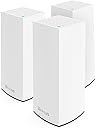
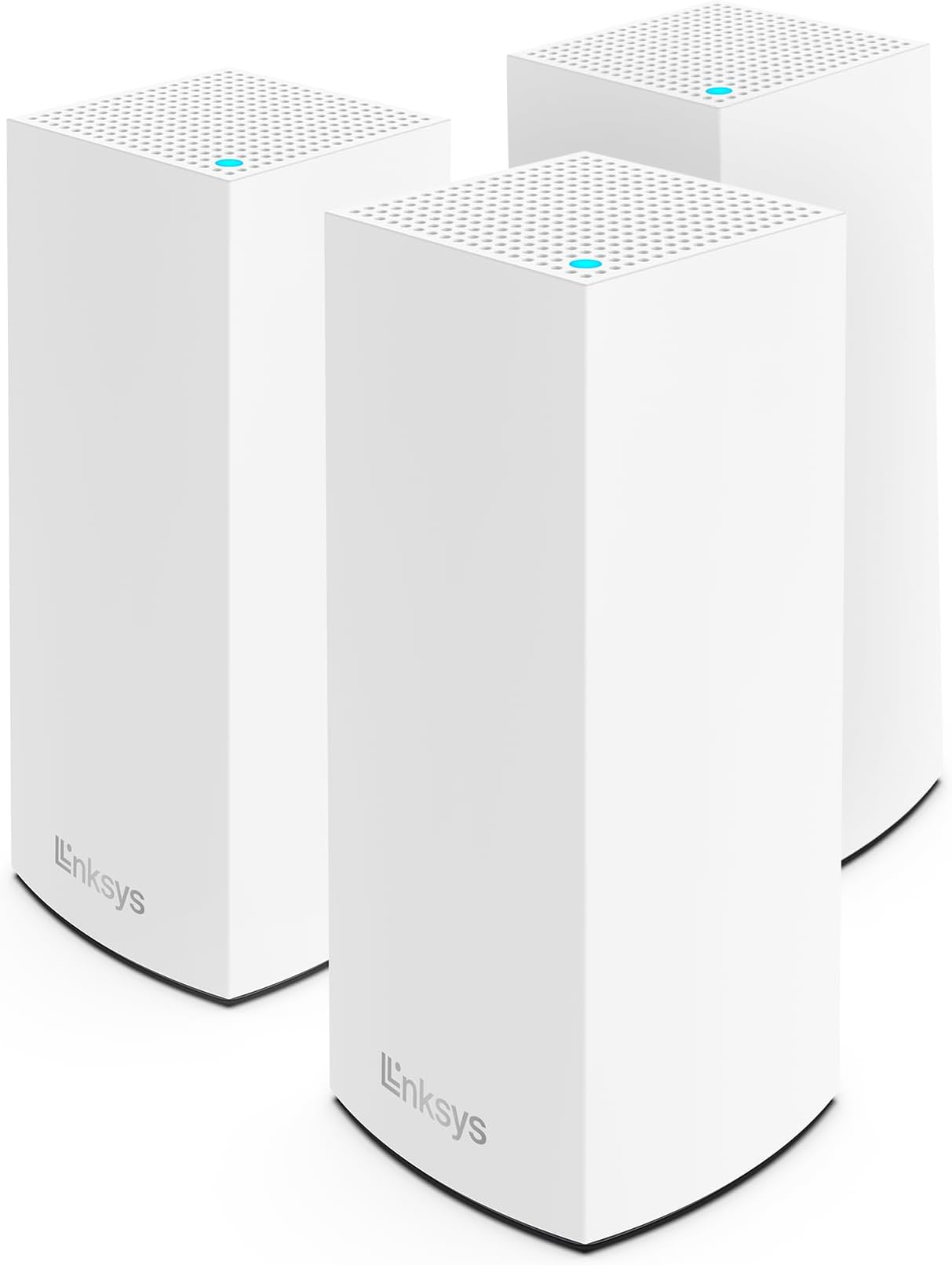
The Linksys Atlas Pro 6 is a powerful dual-band mesh WiFi system featuring AX5400 WiFi 6 technology, designed to deliver gigabit speeds and seamless coverage throughout your home. This 3-pack set ensures no dead zones with intelligent mesh networking and comes with an exclusive 3.5-year extended warranty, making it a reliable and future-ready choice for high-performance connectivity.


| ASIN | B099FHWNSF |
| Antenna Location | Home |
| Antenna Type | Internal |
| Best Sellers Rank | #49,060 in Computers ( See Top 100 in Computers ) #809 in Routers |
| Brand | Linksys |
| Built-In Media | Power Supply, Install Guide |
| Color | White |
| Compatible Devices | Iphone, Television, Gaming System, Xbox, Playstation, Tablets, |
| Compatible devices | Iphone, Television, Gaming System, Xbox, Playstation, Tablets, |
| Connectivity Protocol | Wi-Fi |
| Connectivity Technology | Wi-Fi |
| Control Method | App |
| Controller Type | App Control |
| Coverage | 2700 square feet |
| Customer Reviews | 4.2 out of 5 stars 243 Reviews |
| Data Transfer Rate | 5400 Gigabits Per Second |
| Frequency | 6 GHz |
| Frequency Band Class | Dual-Band |
| Frequency band class | Dual-Band |
| Global Trade Identification Number | 00745883834921 |
| Is Modem Compatible | No |
| Item Dimensions L x W x H | 8.6L x 8.6W x 28.5H centimeters |
| Item Weight | 2.04 kg |
| LAN Port Bandwidth | 1000 Mbps |
| Manufacturer | Linksys |
| Maximum Upstream Data Transfer Rate | 5400 Megabits Per Second |
| Mfr Part Number | MX5503-AMZ |
| Model Name | MX5503 |
| Model Number | MX5503-AMZ |
| Model name | MX5503 |
| Number of Antennas | 5 |
| Number of Ports | 1 |
| Operating System | RouterOS |
| Other Special Features of the Product | Guest Mode, WPS |
| RAM Memory Installed | 512 GB |
| Security Protocol | WPA2, WPA3 |
| Special features | Guest Mode , WPS |
| UPC | 745883834921 |
| Unit Count | 3.0 Count |
| Voltage | 240 Volts |
| Wi-Fi Generation | Wi-Fi 6 |
| Wireless Compability | 802.11ax |
| Wireless communication standard | 802.11ax |
M**Z
Ill get the job done but you have to get it right
Purchased this and brought it back home to SEA. Just remember purchasing it from MENA means your charge cable will be very different. This thing requires a bit of a learning curve setting up. Always, always remember the color of the light indicator when setting up. A solid purple is what you require to set things up, running the software while it is blinking blue or solid blue will always end with the app telling you that you are doing something wrong, of course you know Red means error. You have to be patient. When setting it up out of the bo, it would be easy but when you do need to reset and start from the beginning this is where it gets messy. I would also tell you to always have a cabled setup to run your back haul as it is very useful in those critical areas.
H**N
Buen producto
Buen pruducto, muy funcional
M**T
Excellent home network upgrade
With a few dead zones in my second story and struggling with extenders and repeaters that don't seem to work, I decided to finally dip my toes into a mesh system. With many options to choose from - actually, not that much to be honest as there's only a few brands - I decided on Linksys as they're one of the top tier brands in networking solutions. Netgears were my second choice but I found their systems to be fairly pricey. TP-Link seems to be Amazon's choice but I'm intentionally avoiding them as they have security issues and potential backdoors for nefarious actors. This particular Linksys model seems to tick off all the boxes in terms of price point (picked it up during Prime Day) and features. Setting it up was a breeze. Everything happens through the Linksys app, which to be fair, is not the best app out there as its slow and laggy. On the upside, you don't need to access the app too much once you're set up. From the app, you connect the main router to your modem and then set up the two additional child nodes. From what it looks like, it seems that you can continually add more nodes if needed. For my square footage, 2 child nodes offered more than enough coverage. When the child nodes are connected, you can start moving them to other areas of the home. The app lets you know the signal strength and if you need to reposition them. Like I said, everything happens though the app, from setting up the WiFi name and password and managing your devices, as well as updating the router's firmware. I wish there were more granular controls to manage the home network but it seems that most mesh systems are controlled through an app nowadays. Linksys should really work on their app so its faster and less buggy to use. Nevertheless, it works...albeit a bit slow. What's NOT slow is the speed. Immediately, not only did my coverage increase, but overall speeds as well. My previous router was a Nighthawk and I thought it was doing pretty well pulling in 250Mbps+. With this Linksys mesh, my speeds increased drastically, reaching upwards of 380Mbps and even seeing 500Mbps. All of the dead zone's are resolved as well...my upstairs on good days reached 60Mbps with my old setup. With this Linksys, I'm pulling 280Mbps consistently. Extremely happy with this purchase. Since both of us work from home, with multiple Zoom calls daily, this was a spectacular upgrade. Sure its not the latest WiFi 7 tech but for my simple home network, the performance exceeds my expectations. Note: This mesh system combines your 2.4 and 5 GHz signals together into one SSID. I was a bit hesitant at first as I typically like to keep them apart for some of my dumber smart devices but the router does a pretty great job at auto-assigning and I have not encountered any issues at all.
S**Y
Greasy Fast Speed! But App Needs Work
Bought to replace a very reliable and highly user friendly AmplifiHD - great system but capped out at around 100mbps on my Xfinity 400mbps account. Consistently hitting 350-475mbps throughout the house now! Very pleased with speed and installation. The Linksys App is sort of mediocre - for anything other than the basic installation (cable modem -> Velop main node, everything else wireless), expect some trial and error and very little guidance. For my install (system configured in Bridge mode behind an EdgeRouter) I had some false starts and confusion; everything worked out eventually but could be more helpful. One quirk that is not reflected anywhere that I could find: when in bridge mode the status indicator lights on all nodes turn red - the app says that means "no internet access" but everything works fine. Bottom line - powerful system,great coverage across my 2 floors and 4200 square feet; if you are using a non-baseline configuration and are not familiar with networking fundamentals, expect some challenges.
B**R
Linksys
Este producto es muy bueno yo tenía muchos problemas con mi internet por que era de 5 mg y no podía ver televisión y los compré y los conecte y ahora puedo mirar asta 4 televisores al mismo tiempo y no tengo problemas porque este producto uso más rápido mi internet estoy contento se los recomiendo
C**Y
Great addition. Works!
Recently upgraded to Linksys hydra pro 6 router. Had a Linksys wifi extender. Replaced extender with these. Setup was very easy using the app. Just added new equipment and app detected the child nodes. App is slow setting up the mesh routers but works flawlessly. Would recommend. I had places in my house that had weak signal. This solved the problem. I also have a room over the garage that had poor signal. I placed one of the nodes upstairs and it work great. My Roku tv no longer has weak wifi. Very happy with purchase. Got on sale but would still recommend if not on sale. I have had Linksys routers for many years and continue to be satisfied. Once setup you can check the signal strength of each node and make adjustments. I had to move a few around to get best signal.
Trustpilot
4 days ago
2 weeks ago