Buy anything from 5,000+ international stores. One checkout price. No surprise fees. Join 2M+ shoppers on Desertcart.
Desertcart purchases this item on your behalf and handles shipping, customs, and support to Vanuatu.
🎮 Elevate your game with speed and style — don’t just play, dominate!
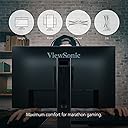
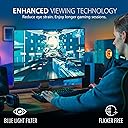
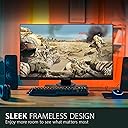
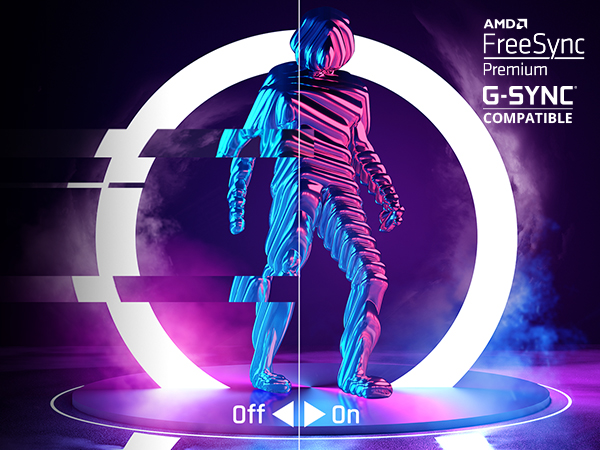
The ViewSonic XG2431 is a 24-inch Full HD IPS gaming monitor engineered for pro-level performance with a blazing 240Hz refresh rate and ultra-fast 0.5ms response time. Featuring FreeSync Premium and NVIDIA G-Sync compatibility, it delivers tear-free, ultra-smooth visuals. Its advanced ergonomic stand and customizable ViewMode presets ensure comfort and tailored gameplay for FPS, RTS, and MOBA enthusiasts. Ideal for gamers seeking high-speed precision and immersive color accuracy in a sleek, professional design.


| ASIN | B097S9SYM5 |
| Adaptive Sync | FreeSync Premium |
| Additional Features | Adjustable Stand, Blue Light Filter, Built-In Speakers, Eye Care, FreeSync Premium |
| Aspect Ratio | 16:9 |
| Best Sellers Rank | #66,429 in Electronics ( See Top 100 in Electronics ) #1,510 in Computer Monitors |
| Brand | ViewSonic |
| Brightness | 350 |
| Built-In Media | 3-pin Plug (IEC C13 / CEE22), DisplayPort Cable (v1.2; Male-Male), Quick Start Guide, USB A/B Cable (v3.2; Male-Male), XG2431 Widescreen LCD Monitor |
| Color | Black |
| Color Gamut | 72.0 |
| Compatible Devices | Desktop |
| Connectivity Technology | USB |
| Contrast Ratio | 1000:1 |
| Customer Reviews | 4.1 out of 5 stars 630 Reviews |
| Display Resolution Maximum | 1080 Pixels |
| Display Technology | IPS |
| Display Type | LED |
| Global Trade Identification Number | 00766907011074 |
| Hardware Connectivity | DisplayPort, HDMI, USB |
| Has Color Screen | Yes |
| Image Contrast Ratio | 1000:1 |
| Item Dimensions D x W x H | 9.4"D x 21.3"W x 20.5"H |
| Item Type Name | 240Hz Gaming Monitor |
| Item Weight | 15 Pounds |
| Manufacturer | ViewSonic Corp. |
| Model Name | VS18533 |
| Model Number | XG2431 |
| Mounting Type | Wall Mount |
| Native Resolution | 1920x1080 |
| Number of Component Outputs | 3 |
| Picture Quality Enhancement Technology | Fast-IPS, AMD FreeSync Premium, Adaptive Sync, Flicker-Free, and ViewMode presets |
| Pixel Pitch | 10.8 |
| Power Consumption | 54 Watts |
| Refresh Rate | 240 Hz |
| Resolution | FHD 1080p |
| Response Time | 0.5 Milliseconds |
| Screen Finish | Matte |
| Screen Size | 24 Inches |
| Screen Surface Description | Matte |
| Series Number | 1 |
| Shape | Flat |
| Specific Uses For Product | Gaming |
| Total Number of HDMI Ports | 2 |
| Total Usb Ports | 2 |
| UPC | 766907011074 |
| Unit Count | 1.0 Count |
| Viewing Angle | 178 Degrees |
| Voltage | 240 Volts |
| Warranty Description | Three-year limited warranty on parts, labor and backlight |
| Warranty Type | 3 Years Manufacturer Warranty |
N**O
Not bad, but don't use the 60hz strobe mode.
Okay so I got this because of the strobe mode. I am a gamer at heart, but I got into actually testing monitors on my free time especially when companies like RTINGs has a stupid vote system instead of just buying all and working hard.... I mean their job is reviews but they still limit themselves which doesn't make sense. Then you have youtubers which will lie about a product because they got it for free, calling a bad monitor "good" for the sake of not making the monitor maker "overlord" mad at them for a bad review. "no more free products if you say this monitor is crap" type of deal. Which generally gives RTINGs the upper hand as they buy all their displays for testing. No way for manufacturers to influence the review process with a heavy hand. So, where to start. Its an "fast IPS" 1080p 240hz display. The fit and finish is nice. I had zero dead pixels. The color is quite bad, but I have a tuning device which allows me to get more accurate color! So I color calibrated using my x-rite iDisplay pro (you can buy them here on amazon like me!) and got that sorted out.... You can find a post on BlurBusters forums where I did 240hz pixel response testing. Its pretty good. Not as fast as say an $800 LG nano-ips monitor, but fast enough compared to other monitors even some 200-300 bucks more expensive. FOR THE PRICE, this monitor is an absolute champ. I also took the blurbusters advice on the flicker backlight. This monitor, you can download a custom program from the viewsonic website which is in collaboration with blurbusters, where you can tweak the purexp settings, you can not only run through the preset modes, but you can also run a custom mode where you are given varying degrees of adjustment that most other monitors do not give you. WITH THAT IN MIND, I tried out the factory 240hz mode with the purexp enabled. Didn't seem all that special. To me, it felt like my old Alienware TN panel at 240hz without flicker backlight. I would say you probably don't even need purexp at 240hz. If you are someone who cannot use flicker backlight due to sensitivity, then don't. This monitor even without flickering at 240hz is pretty good. BUT, I also tried the 120hz mode using "large vertical pixel totals" using a custom resolution. This is to test to see if the custom mode works well enough or not. AND I HAVE TO BE HONEST, the 120hz with a custom flicker setting, works BETTER than 240hz with and without purexp enabled. I can say the motion CLARITY is amazing using this custom mode. However, you have to know how to setup a custom resolution to get this mode to work. Anyway, the motion clarity is INSANE. Its just that good. I can't believe how good it is! Playing FPS titles like Call of Duty, Battlefield, Halo, its way better than 240hz. I mean way better. Now on that note, and yes I am splitting this part, this is a warning. The 60hz mode for flicker. Don't use it. I don't care how much blurbusters boasts how amazing it is for console gaming. The 60hz flicker WILL hurt your eyes. Even doing the "large vertical pixel totals" to further tweak 60hz strobing, doesn't help. I enabled this mode and sure enough, my eyes started hurting INSTANTLY. I LITERALLY could not look at the monitor. I would wince and recoil at how bad the flickering is. Now don't get me wrong, I can handle flicker. I used to party with people with tons of strobe lights in the room listening to house/dubstep/trance/dnb/etc. This is WORSE. Your eyes just don't want to look at the screen. I even started having my eye water it was so bad. The 120hz mode, no issue, but 60hz mode, killing me. So don't use it. This is a warning. On the whole, for about 300-330 this monitor is amazing. I could honestly say I would pay MORE for this monitor if they included the "large vertical total" mode as part of the EDID information so users wouldn't have to go through the trouble of running a custom resolution to do it. The motion clarity you get is just THAT AMAZING. I could see in the future when Display Port 2.0 finally releases both in monitors and graphics cards, that we could get large vertical totals for 240hz which would make that even more amazing (need the higher bandwidth to do it. currently you are locked at about 120hz to 144hz with large vertical totals due to bandwidth limitations of HDMI2.0 and DP1.4). I would highly recommend this monitor to anyone in this price bracket. If you can afford more, obviously there are better displays out there. But for the price, amazing.
A**N
Absolutely amazing.
This product is best in class in terms of performance and price. Upgrading from 165hz to 240hz was very noticeable. Reaction times tests are about 15ms faster on average and general clarity in game is improved. this has a great build quality monitor stand is solid and the cable bungee works well, only flaw here is that the monitor buttons are a bit hard to use. For most power users, this would be an excellent choice if you’re looking to upgrade the feel of your games, it’s motion blur technology has been specifically engineered to be best in class for gaming, the only drawback is that pushing this setting to the extreme will decrease backlight brightness dramatically. however, the monitor on its light or normal setting is completely useable and works very well.
G**G
Great specs hide a poorly designed and built product.
I bought this at the recommendation of the blurbusters website, which basically said it offered one of if not the best pixel response times of any IPS monitor. However, what I didn't realize until I got to test it was that the pixel response times are not even across the screen. The 'best' response times are reserved for a single pixel scanline, and each pixel line up/down from their gets progressively slower, so unless your games all use the same focal point (or you re-calibrate for every game) some will appear blurrier in motion then others simply due to where you're eyes are focused on the screen. I first realized this after buying the screen and checking out the response times using the blurbusters strobe utility. The next thing you need to know is the color calibration out of the box and contrast on this are quite poor. I bought a color calibration device specifically to help me try and get decent colors out of the screen. Nothing could be done about the poor contrast though which even my 10+ year old Dell IPS could easily beat. A few months ago (roughly 1.5 years after I bought the screen) I noticed scanlines and color smearing was appearing on system boot when the motherboard info and such was shown, but it was fine once finished booting into Windows 10. At the time I thought it was something about the low bootup resolution that was causing issues. However yesterday I decided to plug it into a different computer that still has Windows 7 on it, and on that PC even in Windows aft its native resolution and various refresh rates the scanlines and color smearing persisted. Unfortunately it looks like this defect is far from an isolated case. For all these reasons I cannot recommend this monitor.
A**N
CRT level motion clarity
You must use large vertical totals and adjust the strobe width, strobe phase, and overdrive using the strobe utility ViewSonic makes available to get the magic out of this monitor. The motion performance is fine without doing anything but enabling PureXP, but at that point you could consider other options. Once the LVT and strobe have been adjusted however, there is no choice but this monitor. Comparing a CRT (GDM-FW900) at 85Hz side by side with the XG2431@85Hz, the picture on the XG2431 is arguably better. The CRT still has motion trails from bright white while the XG2431 has no trails and only the smallest, faintest blurring at the top and bottom of the screen. You will not notice these artifacts in game. The picture is also obviously sharper than the CRT. Otherwise the motion clarity is identical and in that way obsoletes the CRT whose advantages are now only deeper blacks in a dark room and smoothed low resolutions. You will however pay for motion clarity with brightness just like on a CRT. Adjusting the strobe width about 3/4 of the way with a very slight amount of additional blur vs the ideal 1/2 strobe width is a good sweet spot since it's so faint and relegated to the top and bottom of the screen. If your main priority in buying a CRT monitor is motion clarity don't even bother. Just buy this monitor and save yourself 80lbs and a significant amount of money. On that note however it should be made explicit. I would not have bought this monitor had it not been for the included utility. Without the additional adjustments from the utility the monitor is average. It's clear but it's not CRT clear and therefore not worth purchasing when I could compromise with other monitors or TVs that have motion problems too but higher resolutions, better colors etc and use a CRT when motion clarity matters. Monitor manufacturers take notice and allow full strobe/overdrive adjustment. There is no reason to not to allow it and furthermore, it should be adjustable through the OSD rather than through a program. The fact that ViewSonic isn't releasing a utility for every monitor they make, or at the very least the gaming monitors, is unbelievable because it is the only reason I even considered purchasing a monitor from them. Why bother when you could buy monitors with 4k resolution, bigger screen, or OLEDs with way better color? If monitor manufacturers on a wider scale would do what was done with this one monitor CRTs could finally be retired.
A**R
240Hz Didn’t Fix My Aim, But It Looks Great Anyway
The ViewSonic XG2431 has been an excellent monitor in my setup for years now. I really like how vibrant the display looks, and the motion clarity at 240Hz with its fast response features makes everything feel incredibly smooth, especially in fast-paced games. It was easy to set up and also has a lot of useful tuning options that I actually found myself using, which is rare for me with monitors. Even after years of use, it’s still going strong with no real complaints on performance. I will say I was secretly hoping the high refresh rate would magically turn me into the next Ninja or TenZ, but that definitely didn’t happen. Oh well. It's still a fantastic monitor. I just had to accept that my aim, unfortunately, does not scale with refresh rate :(
R**K
Disconnects fully if unpowered from active PC for long periods of time.
Grabbed on sale, this makes for an excellent product for its MHz and vibrant image, but there's one odd issue keeping it from a perfect score. After a prolonged period of troubleshooting and trial and error, I've found that this monitor will fully disconnect from an AMD Radeon RX 6600 XT graphics card run on a Windows 11 operating system, connected via the "display port cable" (not HDMI) if you depower the monitor while leaving the PC itself active for a prolonged period of time (multiple hours). Yes, this is a bad habit to get into, though that does not absolve the issue of it occurring in the first place should the end user wish to make bad choices with their own purchased products. This issue has thus far only been resolved via fully rebooting the PC (no need to reconnect the "display port cable" or power cable; neither does doing so resolve the issue itself without rebooting), and leaving the monitor powered if making the poor decision to leave the PC station powered on.
L**E
Incredible Motion Clarity
This monitor is a godsend to anyone who values motion clarity and their wallet. For people who play competitive games I really don't think this can be beat. You could go with a 360-390hz monitor and you would probably get a "noticeable" improvement in smoothness but those monitors are a lot more expensive and still don't come close to matching the amazing lack of ghosting this monitor has achieved. Two (rather small) caveats: #1: Brightness, enabling the backlight strobing (called PureXP in the monitor settings) will remove the users ability to control the brightness of the display and lowers the overall brightness. For the bright and normal settings this is not that bad and was still perfectly usable in my well lit room, however, the two higher modes make the monitor way too dim, this is a normal side effect of using backlight strobing. Luckily the bright and normal settings for backlight dimming work amazingly so I would recommend just setting PureXP to bright and calling it a day. #2: The stand is a little big, as someone who values my mousepad space this was slightly annoying, however I don't think most people will care and if you really do care I would recommend also picking up a monitor arm to make this a non-issue. tldr: great monitor, great motion clarity, pick it up you won't regret it.
B**D
Best 1080p 240hz IPS panel
BUY THIS OVER ALL OTHER CHEAP 240hz MONITORS. This is the first monitor I have ever used that its fastest response time did not cause inverse ghosting (aka The image is really clear with the 0.5ms fastest mode). The screens colors are really vibrant because of the IPS panel and thankfully my monitor has barely any blacklight bleed (this is lucky). The monitors image clarity is top tier even competing with OLEDs and 360hz+ IPS and TN panels way above its price point. In other words this is the best 1080p 240hz monitor you can buy. Other than the display itself the stand is premium and works really well. The control buttons are trash but once you have the best settings dialed in your good to go. 5/5 100% recommended.
W**E
À fuir à tout prix (vendeur et produit)
J'ai achété cet écran et au bout de 6 mois, il est tombé en panne avec les rayeurs blancs qui traverse l'écran, donc inutilisable. J'ai contacté le vendeur pour resoudre le problème (en trouvant, justement les autres avis clients qui disent la même chose que moi), et il me dit de renvoyer l'écran au pays-bas. Quand je dit que c'est inadmissible que cet envoi est à ma charge, il m'a fourni une étiquette de retour en .jpg (même pas .pdf) pour renvoyer l'écran. La poste n'a presque pas pu le scanner (comme, qualité .jpg). Zero communication de la part du vendeur, j'ai du renvoyer les mails encore et encore pour être mise à jour du progrès avec cet écran. J'en ai déjà remplacé, comme j'utilisais comme écran principal pour le travail, et le vendeur me dit qu'il faut voir avec le fabricateur pour voir s'il peut me rembourser. Après 6 semaines, aujourd'hui, j'ai toujours pas l'écran, ni le quasiment 300 € que j'ai payé pour, Amazon ne peut pas m'aider, et ce vendeur vend ***toujours*** cet écran pour arnaquer les gens d'ici 6 à 12 mois – même avec plus de 50 avis clients qui remonte ce même problème. À fuir – et c'est la dernière fois que j'achète un écran sur le marketplace (ou quoi qu'il soit de ce vendeur en particulier).
I**I
Best 240hz monitor
This is the best thing i bought in a while
A**.
Best 240Hz monitor for value
Initial impressions are pretty positive so far!! Very sturdy material and stand, can rotate 90 degrees which is pretty handy. Picture quality is also great. Reminder that this is a FreeSync Premium monitor so you have to enable that in the settings to make use of it. G Sync compatibility label is not there but I tried it with my RTX 3060 and G Sync seems to work fine. Tried playing FPS like Doom Eternal and Neon White with it enabled and it gave me a smooth stutter free experience at high 100-200fps. Make sure to connect your PC with the display port to make maximum use of the monitor, instead of HDMI. Note :- this monitor uses a 16A plug, so make sure to get an adapter to plug it into the normal pin(it works without issue)
D**L
Panel/Platine defekt
Finger weg von diesem Monitor, wie andere Rezessionen und reddit Beiträge beweisen. Nach nur 6 Monaten gab der Bildschrim aus dem nichts das Bild was ich angehängt habe aus. Getestet wurde das auf 3 verschiedenen Plattformen, ein R13 mit einer RTX3080, einen eigenmarke bau mit einer RTX 5090 und einem intel nuc mit intergrated graphics. Update: Ein Tag nachdem ich den Bildschirm an GLS übergeben habe, hat mir Viewsonic ein Neugerät übersendet. Respekt ! View Sonic Support möchte trotz schilderung und Fotos, den Bildschrim abholen und reparieren. Möchten ausschliesen das es nicht am Setup liegt. Das bedeutet für mich das mein Setup erst mal für längere Zeit unbrauchbar ist. Das ist in meinen Augen für ein premium Bildschrim nicht angemessen. Blur Buster hin oder her, View Sonic ist schon lange nicht mehr das was es mal war. Denke auch das bei Blur Buster viel mit sponsoring läuft. Es gibt genügend alternativen die durchaus bessere Ergebnisse liefern im Jahr 2025 Backlight bleeding des todes of doom, als auch eine unterirdische GSync kompatibilität mit flackern. HDR korekkt einzustellen ist katastrophal. Keine Firmware Software updates weit und breit. Dieser Bildschirm wird früher oder später die selben Fehler aufweisen beim kauf.
C**O
Miglior monitor 1080p
Non c'è molto da dire, il test come vedete dalla foto parla da solo.
Trustpilot
4 days ago
2 months ago