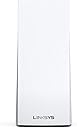
Ah, where to begin. Maybe at the end. The four-node Velop system is running like a dream. Five stars' worth. Support (by chat) has been very, very helpful indeed. Also five stars, all of them well earned. Reviews I have read, and many online threads, mention that Velop systems have major issues recovering from power outage, with manual intervention needed every single time. I tested that out well and proper, because I can't have that, and I'm happy to report that whatever devious ways of cutting power to some or all nodes I came up with, not once did it fail to recover (it could take a few minutes, but it always got there). Those reports were probably true at the time, but with the current firmware (as of 26/3/2021) there is no need to worry. So why only four stars? The problem was that I needed support in the first place; most reviews (and certainly the advertising blurbs) wax lyrical about the ease of setting it all up. Well, maybe. But not for me. Getting there was a two day slog with the whole world seemingly conspiring against it ever working. Features I love: - Guest network. Two separate wireless networks can be chosen to work at the same time on the same devices. The normal one, with access to things like home automation (if you're so inclined), network storage, network printers - and a totally separate guest network with internet access and no more. For the technically minded: separate SSID and password. - Device prioritisation. Up to three devices can be assigned priority, meaning that they will always get bandwidth even if other devices are trying to consume everything (gamers, streamers). In fact, those three will always get what they want, the others getting the leftover scraps. (caveat: if you have very fast internet (gigabit) then there are quite a few reports online that this feature actually harms your setup - I can't tell with my rural speeds). - The whole 'mesh' idea. Multiple velop devices around the house, servicing the same network name (SSID). Or names (SSIDs), with a guest network set up. Not the pain of repeaters/extenders with their OWN network name, meaning you need to switch from one SSID to another when moving from the range of one to the next (always causing interruptions). Perfect. - Never thought I'd say this, but control via the phone app works marvellously well. With all my interactions with the support team, I've seen that the more traditional wired connection to the router with a browser interface is (of course) also there for those who prefer it. Features I don't love so much: - The status of every single velop device can be found in the app, which is great once that works. Until it does, the only thing you have to see what's going on is one muticoloured LED. Four colours, meaning all different things, either solid on or blinking, again meaning different things. OK for some, Im sure. But, as so often, the colourblind (of which I'm an unproud member) are pretty much ignored. I cannot tell my purple from my blue, and I cannot tell amber or yellow from red. That can make for "interesting times". - Dimensions. Getting these things out of view is not as straightforward as with tiny, simple extenders. There's quite a bit of volume to them. The footprint, being a square and not a rectangle, doesn't help. - Getting at the support. I'm slowly, in general, getting more used to support via chat. Twitter and facebook? No thanks. Phone? Then I have no record - too volatile. So I chose chat. A word of warning. There are two different paths to chat support - and I don't remember them. But one works, and the other one doesn't. If you are going this way, and you find yourself with a pop-up that automatically refreshes and shows you your number in the queue, then you're fine. Stick with it. You'll get help. If, however, you find yourself on a page that isn't a popup, is mostly empty except for the reassuring remark that "we are connecting you to a support agent", three circles pretending to show progress, and a cancel button - then forget it. Nothing ever happens after that. - Not so much a feature, but a source of confusion. It took me long while to try to figure out the product identifiers, and I failed. AX, AC, MC, MX, WHW, VLP, magic numbers aplenty... a bit weird. They cover a combination of wifi standards, number of devices in the pack, and device speed/capability. The important things are the wireless standards. So ax/mx (aka WIFI 6) is more capable then ac/mc (WIFI 5) which in turn beats n (wifi 4) if you look up the standards. Want to know more? I don't, but be my guest: https://www.networkworld.com/article/3238664/80211x-wi-fi-standards-and-speeds-explained.html . The magic numbers for multipacks don't seem so magical at first glance. If you have an AC2200, the double pack is AC4400 and the triple pack AC6600. But just when you think something at least is logical, the AX4200 multipack is MX8400. Argh. This is where I went mad, then gave up. Our existing wifi more or less worked, but was messy for us and (worse) for our guests - it's a five guestroom B&B with our own living area below it, making a total of 8 bedrooms, a hallway, an office, two lounges and a kitchen to cover - over three floors. It's an old house with plaster walls internally, thick stone outside and some of those inside as well. Not ideal for supplying with wifi. What we had was a (Billion) modem/router, and four wifi extenders strategically placed. That more or less covered the areas that needed coverage, but it could be flakey and the different SSIDs where a pain, while many admittedly less important areas got no coverage at all. As we wanted to improve this significantly, we decided on a wifi 6 mesh system. The guest network feature gave us the final push towards the Velop. We thought that, if we were lucky, we might get away with just four devices, and if we were unlucky then more could be added easily. The least expensive way of getting four, at the time of buying, was not a three-pack and a single, but two two-packs. In pleased anticipation, setup was begun. Phone (Android 9) at the ready for the app, first node (to be configured as the one wired to the modem) connected and powered on - the rest was supposed to take minutes. Hah. The phone app would not recognise the node, and as only the phone app was presented as a way to configuration, the only thing for it was to call for help - a support chat session. This was not a fast experience (an hour to get through the queue, and about two hours with the agent to get the node configured) but it was a good one. Very helpful and knowledgeable person on the other side. Many things happened (I lost track - but I have the transcript should I ever need it), but in the end, the phone could connect to the new internet SSID and read my internet mail, as could the laptop. All good. Thanked support, rang off, started the phone app for node configuration - and had a fit. It would not start. Gave up for the day, came back the next for a new support session. Hardly any time in the queue this time, and again a very good experience with a second agent. Phone app made to work, one secondary node added just to be on the safe side (this involved hitting the reset button on the mother node five times within five seconds - a little thing I hadn't read anywhere, so maybe it helps somebody). It was another hour and a half on the chat page, but after that everything finally did work as advertised. I added the two remaining nodes in minutes. Unplugged them, then distributed them around the house. Started the app to monitor the network and saw TWO devices, not four! Don't panic as I did. Those devices weren't the nodes. They were the devices actually connected to the wifi: the laptop and phone... To look that the network components of the mesh system itself, you need to go to the menu, and find "Network Administration" pretty far down. That shows each of the four nodes. Unplug one, and it'll nag (good). It also nags on detecting movement (not in the room, but of the device itself). However, it did that with no reason, so I shut those notifications off pretty quickly. That's about it. Happy with the result. Very unhappy with setup. Happy with support. EDIT June 2024: Dropped a star, and gone on to replace this. Over the last half year, problems started and got increasingly worse. 1) The app would not do anything anymore. 2) Nodes were no longer interchangeable. Some would not work in same locations (though they are all bought at the same time). 3) Now and then, a (random) node would lose connection to the mesh, needing a restart, after which it would join again. 4) quite a few devices would only connect to one particular node. Always the same one. 5) Apple gear tended to start to refuse connection altogether. Or the mesh refused - I don't know. 6) Android phone connectivity also got increasingly iffy. 7) One Kindle did no longer connect either. Fine on the hub's wifi, which was switched on for that purpose. Between all these (often gradually worsening) symtoms, there was quite a bit of time passing. Power cycling did nothing at all to improve matters (except point 3). Factory reset *might* have, but that was not a mission I had time and motivation for. At 3.5 years, this stuff should not have been at end of life. And I'm quite convinced it's not, but at this point in the tourist season, there is simply no time for extensive nine product support chats. With confidence gone, today I ordered a new system (4-node tp-link x95 if you must know). Very disappointed that it came to this. So just three stars now, for the nearly 3 years that it worked to my satisfaction. Now, though, I would not buy LinkSys again.