Buy anything from 5,000+ international stores. One checkout price. No surprise fees. Join 2M+ shoppers on Desertcart.
Desertcart purchases this item on your behalf and handles shipping, customs, and support to Vanuatu.
๐ Unlock speed and style with MAIWOโs ultimate M.2 SSD enclosure!
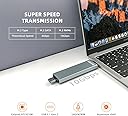
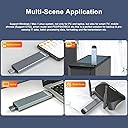
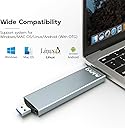
The MAIWO M.2 Enclosure is a versatile, high-performance storage solution supporting both NVMe and SATA SSDs in multiple sizes (2230 to 2280). Featuring dual USB A and USB C interfaces, it delivers blazing transfer speeds up to 10Gbps and supports up to 4TB capacity. Its durable aluminum alloy case offers excellent heat dissipation and portability, complemented by a user-friendly LED status indicator. Ideal for professionals seeking fast, reliable, and stylish external storage expansion.


| ASIN | B09MTCTZCN |
| Best Sellers Rank | #251 in Enclosures |
| Brand | MAIWO |
| Built-In Media | Instrution, Rubber stopper, Screwdrive, Screws |
| Color | Grey |
| Compatible Devices | PC, Phone, TV, pad |
| Customer Reviews | 4.4 out of 5 stars 205 Reviews |
| Data Transfer Rate | 1000 Megabytes Per Second |
| Enclosure Material | Aluminum |
| Hard Disk Form Factor | 80 Millimeters |
| Hardware Interface | USB 3.1 Type A, USB 3.1 Type C |
| Hardware Platform | Windows |
| Item Weight | 0.06 Kilograms |
| Manufacturer | MAIWO |
| Material | Aluminum |
| Memory Storage Capacity | 4 TB |
| Mfr Part Number | MAIWO K1683P2 |
| Model Number | MAIWO K1683P2 |
| Supported Devices Quantity | 1 |
| Warranty Description | 1. Shipment received with visible damages must be reported to us within Three (3) calendar days of the delivery date. In the event an item is sold without shipping charge, MAIWO STORE will refund the amount of sale. 2. All returns with missing part(s) (including, but not limited to, accessories, manuals, warranty registration cards, original manufacturer packing materials and retail packaging) wilโฆ |
B**B
Very Impressed
I am very impressed with this enclosure. First of all, it is so easy to install an NVme drive. Insert the rubber grommet into the hole for the 2280 (also has holes for smaller drives as well). Simply insert the drive into the slot and pull back on the grommet and it's installed. The USB-C port fits through a permanent USB-C hole in the enclosure. Included is the USB-A cover that you screw in (comes with magnetic screwdriver,extra grommet and screws, should you lose one...screws are really tiny)...and that's it. I used an old Samsung 512 GB 960 drive and this enclosure matches the speed of any latest gen USB-C drive you can buy. The chipset for the enclosure is Realtek...so it's decent. When you connect the USB-A to a USB-A port the speed is about 45% of the speed of USB-C. USB C is figure 1 and USB-A is figure 2. I also connected the drive using USB-A to USB-C cable inserted into my USB-C port and still got the speed of Figure 1. This enclosure is superb. Only caviat...expect because it houses an NVme drive...it is going to be much larger than the average USB flashdrive. All in all...I highly recommend this enclosure...it will work great even if you want to use for drive cloning. Worth the $$ in my book!
D**.
The enclosure works - most of the time
My computer is recognizing my SSD in the enclosure. Only issue I have with it, every now and then the enclosure loses contact in the hub, and I have to tap it to reseat. It's not just the slot it's in because I've tried it in other slots on my hub, and it still happens. For the most part, it works just fine. It's used to make backups.
M**S
Most brilliant compact ssd enclosure design ever
First of all, this has no cooling, I view this more as a usb thumb drive on steroids than I do a full fledge nvme full speed capable drive. Nearly all of the nvme enclosure requires some kind of a cable. This has both USB and type C built in and both sides are very solid. Installation was easy. I had a spare SK Hynix gold 500gb ssd laying around and was needing some fast storage transfers for a project Iโm working on from a laptop to a desktop pc. And the usb side Iโve seen on average 230-450 which compared to the usb 3.1 flash drives of 60mbps was a huge upgrade. And the type C side Iโve seen upto 1800mbps transfer. On smaller shorter files like a couple GB the speed is much faster but if youโre transferring 100GB the speeds slow down due to throttling probably because it gets really hot but thatโs to be expected. Even at its slowest transfer itโs still many times faster than the best usb thumb drive. I would highly recommend this for its durability and simplicity. The plastic caps are not interchangeable because usb and type c are different sizes. Iโm sure itโs possible to slide a m.2 thermal pad in there if you wish. The kit included everything you needed. Screws for the caps and the ssd installation. I think you needed this rubber thing to mount the ssd which threw me for a loop at first. And the tiny screw driver was better than the one I had so go figure. To sum it all up. I like how compact it is and i donโt have to worry about another cable potentially breaking it. The speeds are way better than any flash drive Iโve used. Installation was okay. Itโs very solid and not flimsy. Considering I forgot to install the second screw for the first two weeks it was still solid despite that.
R**J
Did not work at adertised speeds - updated to 5 star
Update January 2024 - Apparently there was an issue with the laptop I was testing on. On a new laptop, I'm getting full speed. I give it five stars now because of convenience, performance and price. I bought it a couple of months ago but did not have a fast enough ssd to test the 10Gbps speed. The slow SATA ssd that I tried worked at that speed (~450MBps) consistently. Recently I bought a PCI-E ssd and installed it. Unfortunately, the enclosure still worked at the 450MBps max sppeed even though the ssd supports 3500 MBps. I tried three different devices that all should provide 10 Gbps usb-c speed. I contacted both Amazon and the seller. Amazon couldn't help because it was over 60 days. The seller would offer a replacement if I ship the device back at my cost or a 30% refund if I didn't want to ship. Well, I cut my losses and am moving on. If you get this, make sure to test the speed within the return window!
R**N
Easy SSD card installation, quick housing assembly, and fast media/data transfer speeds too!
Easy SSD card installation, quick housing assembly, and fast media/data transfer speeds too! This ingenious SSD housing enclosure and media transfer adapter is quite easy to reassemble with your new or old SSD card securely installed inside it's sturdy metal housing enclosure. Once, your SSD card is securely installed inside this enclosure and it has been successfully reassembled you can now plug this media transfer device into a USB 3.2 port or you can flip the SSD enclosure the other way and plug it into a much faster type USB-C port for instant access to all your stored data or to enable rapid media transfers to your SSD card as well.... This peripheral media access\storage device is totally "plug-n-play" and should not require any additional device hardware\software drivers in order to make it function properly with your newer operating system version of Windows such as Windows - 10 and 11. However, if your SSD card is brand new and has never been formatted before, you will need to open the Windows computer management utility application and first mount or turn-on this SSD drive then you will need to format the entire drive as a Simple Volume if you wish to you the maximum storage capacity of your new SSD card, or if desire depending of the storage capacity of your new SSD card (mind you up to 4TB is the max on this storage\data transfer device) to make dynamic volumes, upon various drive partitions that is your choice as well... Although, I'd suggest just making the entire drive into one big non-partitioned simple volume drive, because it is the simplest kind of computer volume to make in the Window's Computer Management utility application without potentially permanently messing up you new SSD card drive. Unless, you really know what your doing when it comes to; formatting, partitioning, and making different kinds of volumes upon your newest solid state computer drive. Ergo, simple SSD volumes can be reformatted, partitioned, or expanded later on if desired, where as most dynamic volumes cannot be altered once made... Cheers & Blessings, -RMT, @11//21/2023.
M**D
Good transfer rates
Transfer rates are good enough. Makes for better offline storage or for sneakernet transfers.
T**K
Save money backup locally!
Great for transferring too and from cellphones. I love using this to backup photos. Saves me $20 a month on cloud storage.
K**N
too hot to handle
gets super hot, died after trying to transfer 200 gigs of media/documents from one pc to another. I love the form factor but the heat is a problem.
Trustpilot
2 months ago
1 month ago