


Desertcart purchases this item on your behalf and handles shipping, customs, and support to Vanuatu.
🚗 Cut the cord, not the connection — drive smarter with Motorola MA1!
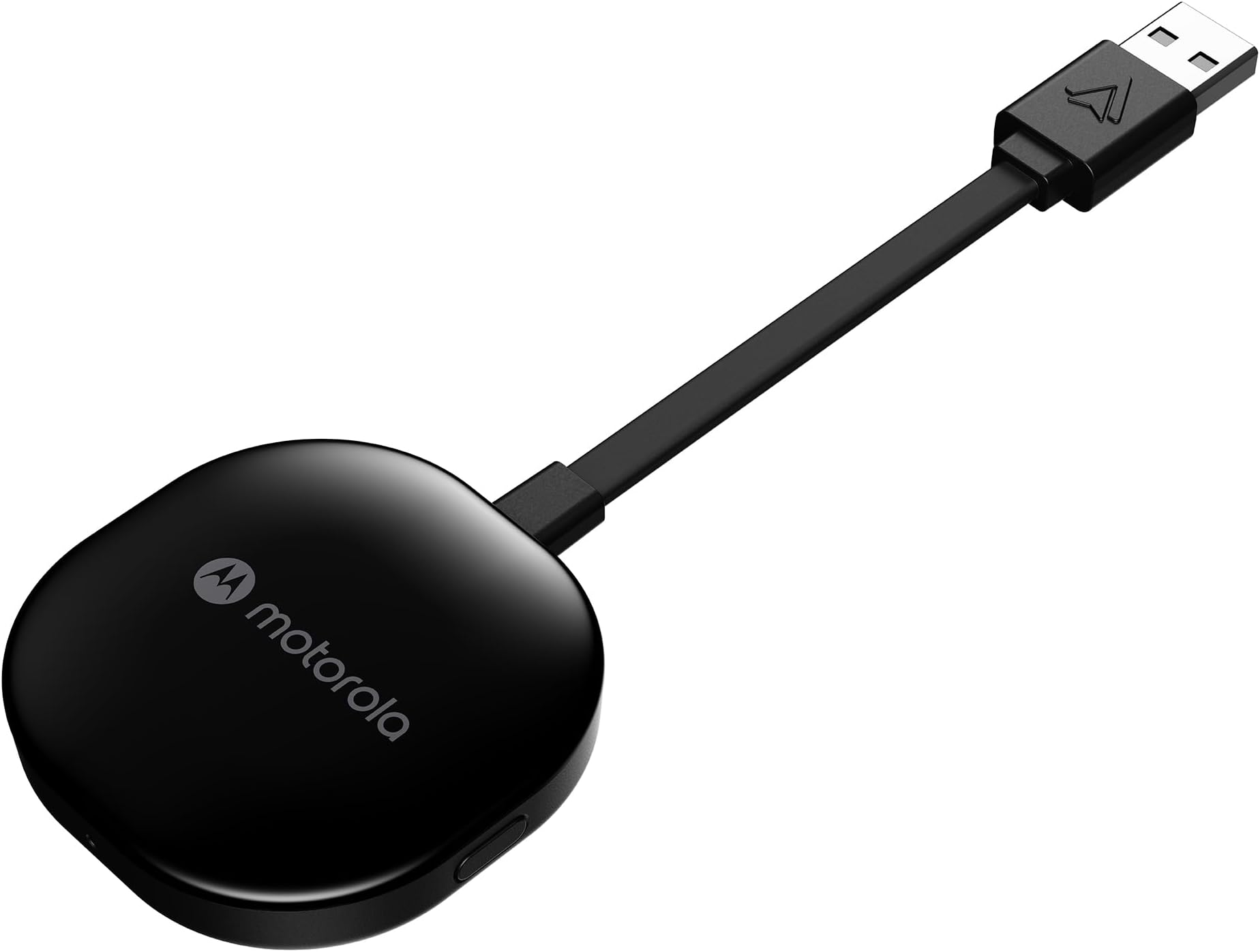
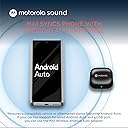
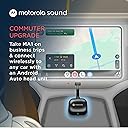
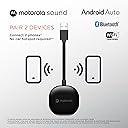
The Motorola Sound MA1 is the world’s first and only Google-authorized wireless Android Auto adapter, enabling seamless wireless connectivity between compatible Android smartphones and factory-wired Android Auto car systems via a USB Type-A plug. Featuring 5 GHz WiFi for fast data transmission, a compact design with a secure gel pad, and easy plug-and-play setup, it transforms your driving experience by eliminating cables while maintaining reliable access to navigation, media, and messaging apps. Compatible with Android 11+ devices supporting 5 GHz WiFi, the MA1 is a premium solution for professionals seeking a sleek, efficient, and officially licensed wireless Android Auto connection.




| ASIN | B09PQ95GY4 |
| Best Sellers Rank | #46 in Car Audio & Video Input Adapters |
| Brand | Motorola Sound |
| Built-In Media | Motorola MA1 Wireless Android Auto Car Adapter - Instant Connection Using Google-Licensed Bridge Technology from Smartphone to Screen - USB Type-A Plug-in - Secure Gel Pad |
| Color | Black |
| Compatible Devices | Android Auto |
| Connector Type | USB Type A |
| Current Rating | 1 A |
| Customer Reviews | 3.6 out of 5 stars 17,037 Reviews |
| External Testing Certification | ANATEL: 09363-2 2-08069 |
| Item Dimensions | 6.3 x 2.17 x 0.39 inches |
| Item Type Name | Motorola MA1 Wireless Android Auto Car Adapter - Instant Connection Using Google-Licensed Bridge Technology from Smartphone to Screen - USB Type-A Plug-in - Secure Gel Pad |
| Item Weight | 70 g |
| Item dimensions L x W x H | 6.3 x 2.17 x 0.39 inches |
| Manufacturer | Motorola Sound |
| Mfr Part Number | MA1 |
| Model Number | MA1 |
| Number of Items | 1 |
| Number of Ports | 1 |
| Package Quantity | 1 |
| Power Plug Type | No Plug |
| UPC | 810036773140 |
| Unit Count | 1 Count |
| Warranty Description | Warranty |
| Warranty Type | Limited |
V**V
Easy to install. Wireless functions as expected. Poor installation instructions.
Problem: Aftermarket android auto head-unit repeatedly disconnects and reconnects to my phone while driving long distances which wreaks havoc while listening to music, navigation, and phone charging. From what I've learned, modern phones draw significant power and data loads through the older USB controller within the head-unit, which overheats during long commutes and road trips. Solution: Buy a wireless android auto adapter. I chose the Motorola MA1 dongle because of past experience with quality products from Motorola, the company's direct ties to Google and it's android operating system, and because its owned by Lenovo which makes the best mobile computing products. Installation: I recommend ignoring the installation instructions. Instructions say to open the andriod auto app and enable wireless auto, and to make sure android auto is up-to-date which is not necessary. Android incorporated android auto into the OS in June of 2022 and Android Auto is no longer an app in your app drawer. There is no need to change any settings unless you own an old phone (android 13 or older). To install, simply turn on your car and connect your phone via USB to the head-unit like you would usually. Then disconnect the USB cable and plug in the Motorola MA1 dongle into the head-unit USB. Navigate on your phone to the bluetooth devices and pair to the dongle (it was called AndroidAutoXXX) and that was it! My phone started transmitting navigation and music to my head-unit and now I can charge my device using another more powerful source. Problem solved. Special notes: A lot of users complained that the dongle stopped functioning within a year. I suspect its a heat issue. I recommend not installing the sticky pad and let the dongle hang freely so that it can most efficiently expel heat. Do not leave the dongle exposed to the sun. Do not operate it in enclosed storage areas. I also recommend setting your phone to "forget" the previous bluetooth connection to the head-unit in case it prioritizes that connection verses the dongle bluetooth connection. Unexpected: The Motorola MA1 uses both the wifi AND the bluetooth connections at the same time. While connected to the dongle, you will not be able to connect to any other bluetooth or wifi source. Conclusion: I like it! Paid $50. Good value for name brand product. If it stops functioning, I will update my review. Good luck!
T**T
Worth the Wait? NO.
Review Written on June 22, 2022 >>>SUMMARY>>> The Motorola MA1 was released in January 2022. Due to Amazon's inability to control scalpers artificially inflating prices and my refusal to pay double, I was unable to purchase this product directly from the manufacturer for the MSRP until late June 2022. FIVE MONTHS. That is pathetic. To both Amazon and Meizhou Guo Wei Electronics Co., LTD (the manufacturer of the Motorola MA1), shame on you. If you're buying this for any more than $89.95, it is simply not worth it, due to the pre-attached cord, the power on issue, the inconsistent connection. >>>EQUIPMENT>>> I am utilizing a Pixel 5a and a Pixel 6 phone running the latest version of Android 12. The vehicles that were tested on were a 2020 Hyundai Santa Fe, and a 2022 Kia Seltos, both equipped with Android Auto (wired only) and Apple CarPlay (wired only). >>>PRODUCT REVIEW>>> Starting with Dimensions, the square part of the MA1 measures a roughly 2.125" (2&1/8", 54mm) square, 0.50" (1/2", 12.7mm) thick. The pre-attached cord measures 4.00" (4", 101.6mm) from the square to the tip of the male USB-A port. The cord is not removeable or replaceable and is not very easy to maneuver, making it difficult to mount the MA1 utilizing the (included) adhesive Jel Pad. This also means that when (not if, but when) the cord fails, you will have to buy a new MA1. If you have more than one vehicle that you want to use this for, I would recommend using Velcro (not included) instead of the included Jel Pad. There is one button on the right hand side of the square. This button is used for pairing purposes only. There is a light on the front of the square, which serves as an indicator. The USB-A port is not bi-directional. The entire body is plastic; the top with the logo having a piano black finish, and the bottom having a more rough finish. There's nothing stating what the plastic is, but the manual does state "do not expose to direct sunlight" so possibly some type of ABS. >>>SETUP>>> Before you do anything, plug in your phone directly to your car and make sure Android Auto is set up, otherwise you will have issues! Once you plug in the adapter, the indicator light on the front will start flashing blue. (Pro tip: if you bought it new and the light is flashing green when you first plug it in, you got a used one.) With the blue light flashing, go to the Bluetooth settings on your phone, find the "AndroidAuto-XXX", and connect. This seems like the initial handshake the MA1 does to connect your phone to the MA1's Wi-Fi. You need to have both Bluetooth and Wi-Fi turned on for your phone to use the MA1. I did not time the first pairing, Meizhou Guo Wei Electronics claims the initial pairing takes longer. Every other pairing for me took 30 seconds flat, on both vehicles, with each phone. For comparison, Bluetooth connectivity to each car's radio took 25 seconds. >>>USE>>> Everything works as expected. Phone call quality, good, with some normal amounts of lag. Music sound quality rivals that of Bluetooth, maybe slightly better (I'm not audiophile). It quite literally works like wired Android Auto, just without the wires. EXECPT... For Hyundai and Kia at least, the USB port does not power off immediately when you turn the car off and open the driver door, etc. This means that you will still be connected to the MA1 after you leave your car until the USB port powers off. The MA1 does recognize this (sort of), as your music will pause, but your phone will remain connected regardless until that 10 minute timeout hits and the car powers off the USB port. For the Santa Fe and Kia Seltos, this was roughly 10 minutes, but depending on your vehicle, your experience may vary. Additionally, connection to the MA1 unit does not occur consistently. Some times I wait 5 minutes after powering up my vehicle and no connection happens, other times it works in 30 seconds. >>>ADDITIONAL NOTES>>> Additionally, the indicator light will remain illuminated solid green when connected. The light is fairly bright, and can be distracting depending on how the MA1 is positioned. The packaging was nice, minimal plastic waste. The manual also states "Do not expose your product to fire, explosives or other hazardous conditions"... so don't do that... >>>CONCLUSION>>> After all the hype and the waiting and scalpers, I thought this had better be a perfect device. It is not. Its fatal flaws are the pre-attached cord, the power on issue, the inconsistent connection, and the lack of explosion-proofing (as stated in the manual). Everything else is solid, if you want to support a company that profits off of artificial price gouging.
C**Y
OMG, it works flawlessly! ALL my Android Auto issues are gone!
On a scale of 1 to 5, I give this awesome product a "10." I love Android Auto (AA), but as many users know, it's not the most stable of platforms. Upon starting my car, about 50% of the time my Android Auto app (on a Pixel 6) does not sync properly and I have to go through about 3-5 minutes of shifting USB port locations, reestablishing the bluetooth connection, re-pair the bluetooth to my car, switching my expensive USB cables around, and a host of other work-arounds just to get Android Auto connected with my Honda head-unit. It's a huge problem I've experienced on every car I've used AA on (a Honda, Hyundai and a Mazda) in the past 6 years I've been using Android Auto. But the Motorola MA1 adapter has resolved all issues! While it takes about 30 seconds for the MA1 to boot up, it does so flawlessly. And has done so for the past 5 weeks since I installed it, NEVER FAILING ONCE to start AA! A 30 second lag before head-unit connection is the only change in routine - this is nothing compared to the 5 minute scramble I go through if AA does not connect. Now, I simply turn the car on, drive away and AA starts up in 30 seconds ... just install it and forget about it. Installation was ultra-easy and took less than 5 minutes ... That's it! The hardest part may be pairing your car's bluetooth to the MA1, but I've become a pro at that due to constantly pairing my Android Auto to my phone almost every other time I use my car. But the literature walks you through the procedure and I've never had to repeat it since the initial install. I only have 2 minor criticisms. The 3" USB-C cord (comes with a USB-C to USB-A adaptor) limits where you can position the MA1, which is pretty small and unobtrusive. Plus the adhesive backing pad is not very effective in keeping the small dongle from becoming loose as you drive, and I can see it completely failing during the hot summer months. Other than those minor issues, what a great product! The MA1 saves me at least 30 minutes a week and is well worth your hard earned money. If you have Android Auto connection issues, as many users do, the MA1 is the solution.
R**N
Perfect for the Ford Maverick—Reliable, but maybe keep a spare.
I’ve been using the Motorola MA1 in my Ford Maverick for about a year and a half now, and for the most part, it has been a game-changer for my daily drive. The Setup Because the Maverick still utilizes a USB-A port, this adapter is a perfect fit. I didn’t want it dangling and cluttering up the cubby area, so I used a small piece of Velcro to mount it to the underside of the console. It stays completely out of sight, and the connection is rock solid. Performance Speed: Android Auto starts up very quickly—usually by the time I’ve backed out of my driveway, the maps and music are already on the screen. Reliability: In 1.5 years, I’ve only had a handful of "hiccups" where it wouldn't connect on the first try. A quick cycle of the ignition usually fixes it immediately. Price: It’s very reasonably priced compared to other wireless dongles, especially considering it's the only Google-authorized one. The Downside (Why 4 Stars) The reason I’m knocking off one star is longevity. My first unit failed after exactly 1.5 years. The Bluetooth simply cut out and refused to reconnect. Luckily, I had purchased a second one originally intended for my wife’s car (she ended up getting a new vehicle with built-in wireless AA), so I had a backup ready to go. I swapped it out, and I was back up and running in seconds. Final Verdict If you own a Maverick or any vehicle with a USB-A port and want to ditch the cables, this is the way to go. Just be aware that it might have a shelf life of around 18 months. Even with the failure, the convenience and price make it worth it—I’m just glad I had a backup on hand!
D**Z
Consistently Connects and Simple
I previously purchased the first adapter to come to market to allow a wireless connection for Android Auto. This was the AAWireless product and it served me well. I have owned it for a few years now. It generally receives the most favorable reviews of all the available adaptors, and this is due in part to its overall quality and the ability to do detailed configuration via the companion app. This is important in that some cars are more finicky with Android Auto than others and for those vehicles the app allows for adjustments to be made. However, for me, my phone often would not connect and I would have to toggle Wi-Fi and Bluetooth on a off to get it to connect. This can be common when you leave your residence and the phone has to switch from you home Wi-Fi to the car Wi-Fi. However, for me, this happened a lot when I was away from home and not switching from one Wi-Fi signal to another. After a few years, I got tired of trying to make configuration adjustments in the app and got tired of toggling Wi-Fi and Bluetooth on a off to get it to connect. On a whim, I decided to try the Motorola adapter. I noted that it is sold as the only USB adapter accessory using "Google-licensed bridge technology" to enable a wireless Android Auto connection. I thought maybe it would be more stable and connect consistently. I also noted that it does not have a companion app and as such, if it did not work, I would be back to my AAWireless product. Turns buying the Motorola was a good decision. It connects every time without fail. No more toggling Wi-Fi and Bluetooth on a off. I connects quickly. If there is a lag, it is when my phone needs to drop the connection to the home Wi-Fi and then connect to this adapter. That happens within about 30 seconds or less and most of the time, it is less. When I am away from home, it connects shortly after starting my vehicle within about 15 seconds. I think which manufacturer makes the best adapter is debatable. The AAWireless product worked well and I am not making this review to suggest it is not an excellent product. However, for me, this one is just simpler (no configuration needed for my vehicle) and it consistently connects and does so quickly. Simple, no drama, and it just works! That makes it the right choice for me and my 2018 Ford F150.
S**H
Stops working in less than a year
I have bought 2 of these; one in March 2025 for my husband and once in October for myself. The one I bought for my husband stopped working in February. And the one that I bought for myself just stopped working. It lights up but will not connect. And the first one I had bought, I actually had to return because someone must have returned a damaged one. it was doing the same thing that mine is doing now. So I'm wondering if this is a Motorola problem. It was great for the cost and size so I didn't have to constantly plug my phone in and just turn the car on and go. This is honestly just so frustrating because Motorola, I feel, has always been a decent name in the world of cell phone technology that I figured that this would last. I will be looking elsewhere for a replacement.
W**D
It Was Perfect, But Now is Not Reliable!
This device is definitely a must have if your vehicle head unit doesn't support wireless AA (Android Auto) natively. I have been waiting for this for years and is finally here. The difference about this one from the rest is that it used license technology by Motorola & Google so the connectivity between your phone to the device is seamless. The setup is very easy, just plug in the device into your vehicle USB then pair it to your phone Bluetooth. After that your phone will connect to the MA1 via WiFi to transmit your wireless AA to the head unit. Even tho your connected to the MA1 WiFi your phone will be able to use the cellular data. I have been using this for a several weeks and I absolutely love it. When you start up the vehicle it will not load immediately but it doesn't take long. Some people had complaint of the device draining your phone battery to fast. I don't have that issue and for that to happens there's a lot of factors to take in consideration. For example how old is your phone and the battery life retention. Also your using cellular data plus your streaming via WiFi that consumes battery. If you battery doesn't hold the charge you can plug the phone to another USB plug is your have multiple plugs in your car. That was one of my worries that if I connected the phone to a second USB it will take over the wireless connection but that's not the case. You can plug and unplug your phone and the wireless AA will be running no issues, and your phone can be charged. I'm using this on an 2017 Audi Q7 and it work flawlessly. Overall this a must have device if you want wireless AA in your vehicle. It's small, easy to use and to setup. Once you have it running don't need to messed with it anymore. ***Update*** This is an update from my original review. After approximately a year and 3 month my original M1 gave up. It's started to loose connectivity at first then it just got stuck on the white light I was not able to pair it anymore. The Bluetooth light never came back. The fact that this device it so easy to use and works flawlessly from the time I had it, I decided to order a second one. I did notice the packaging on the second unit look more retail than the original. The device itself looks exactly the same and works just as good. Despite my original unit died this device still worth the 5 stars as is easy to setup and works like charm. ***Update on second unit** So the second unit I order lasted about the same as the first, and the same issued happened. The device stayed on the white biking light and it didn't connect. Before I gave up on the MA1 completely, decided to contact Motorola support. To my surprised that went better than I expected. After explaining the issues they advised me that device entered into a loop mode. They gave me a few trouble shooting steps to correct the issue but unfortunately it didn't work. Thankfully the support staff was kindly enough to honor an exchange on my original unit and also replace the second since it was still under warranty. Now I can attest say that MA1 support team is just as good as their device and they respond fast. In case your MA1 gets stuck just like mine did. Plug it to the computer USB wait for it to power up, then press the button for 45 seconds (ignore the LED) then unplug it. Wait for few seconds then plug it back. If the device boot back up into paring mode you should be able to see blinking blue light. After than try it in the vehicle. ***Update On Replacement Units June 2025*** This another update for the two replacement units I received back in September 2024. It seems that after the original productions of M1A the quality control has gone very bad. Both of the replacement I received from Motorola went bad in less than 6 months, BOTH. One unit lasted until around April 2025 and the second went down a month later. I contacted Motorola to return both units and did not requested an exchange, instead I asked them to use the defective product to research the cause of the problem. At this point I honestly lost confidence in the product. The same issue happened as before, first lost of connectivity until it doesn't connect anymore. I now currently using the AA wireless for weeks and so far is good. I can no longer recommend this product until they fix the quality issue. I dropped it from from a 5 star to 3 because this product works when functioning properly but is no longer reliable.
N**B
Problems Connecting
I recently purchased the Motorola MA1 Wireless Android Auto Car Adapter, and I have to say that I was sorely disappointed with my experience. This review aims to shed light on the numerous issues I encountered, from the design to the overall functionality of this product. **Design and Build Quality:** First and foremost, the design of the Motorola MA1 left much to be desired. It's a small, nondescript black box that seems out of place in any modern vehicle. While aesthetics aren't everything, a little more attention to design could have made this device more visually appealing. The build quality is also a concern, as it feels flimsy and lacks the sturdiness one would expect from a car accessory. **Setup and Installation:** The setup and installation of the MA1 were far from the seamless experience I had hoped for. The included instructions were convoluted and poorly explained, making it challenging to get the device up and running. It took me far longer than expected to figure out how to connect the adapter to my Android smartphone and my car's head unit. This lack of clarity in the setup process was frustrating and time-consuming. **Performance and Connectivity:** Perhaps the most critical aspect of any car accessory is its performance, and this is where the MA1 truly falls short. The wireless connectivity was anything but stable. I experienced frequent disconnections and dropouts, which made using Android Auto a frustrating experience. The wireless connection often lagged, resulting in a delay when using navigation or switching between apps. This made for an unpleasant and unreliable user experience. The touchscreen responsiveness was subpar, and I found it to be slow and unresponsive at times. This lag in response made it cumbersome to use Android Auto safely while driving, defeating the purpose of having a car adapter in the first place. The audio quality was also disappointing. Music playback was plagued by frequent interruptions and skips, and phone calls were often muddled and distorted. This poor audio quality was not only annoying but also potentially unsafe while on the road. The device's ability to automatically connect to my phone when I entered the car was inconsistent at best. More often than not, I had to manually initiate the connection, which defeated the purpose of having a wireless adapter in the first place. **Value and Conclusion:** In my opinion, the Motorola MA1 Wireless Android Auto Car Adapter is a lackluster and frustrating product. It falls short in terms of design, setup, and, most importantly, performance. Its unreliability, lag, and poor audio quality make it a poor choice for anyone seeking a smooth and seamless Android Auto experience. There are other wireless Android Auto adapters on the market that offer better performance and reliability. Given the frustration and disappointment I experienced with the MA1, I would not recommend this product. It fails to deliver on the promises of convenience and ease of use, leaving users with a subpar Android Auto experience.
C**O
Smooth setup and stable connection
Well received and it arrived 1 week before expected date! Took out the MA1 to my car and was kinda expecting to spend some time setting up in my Civic (FC1) but to my surprise it only took me less than 5 mins and I am good to go ;) Very stable connection so far, driving for 40 mins without disconnection (fyi wired connection is known sometimes disconnects for this civic) and no lag to Spotify and Google map concurrent usage
D**Y
Works well, only disconnects on occasion
Bought this to replace a cable connection to my phone. Easy to set up, phone connects in 30 seconds from car starting. Rarely disconnects but there is one location near a winery where it always cuts out. Not sure what is blasting from around that spot. I found the self-adhesive pad to be weak for what I was sticking to in the car so bought 3M Double Sided Adhesive Tape Pads and this resolved the issue.
M**N
Una maravilla y compra obligada si tienes Android Auto en el coche
Como indico en el título estoy encantado con la compra. Me ha costado 69,99€, en lugar de los 89,99€ habituales, aprovechando la oferta del Prime Day. Eso de llevar el móvil en el bolsillo y que se active Android Auto de manera automática cada vez que arrancas el coche sin necesidad de conectar el cable, no tiene precio. Se conecta rápido, no hay cortes y todo funciona de maravilla, igual que si lo llevaras por cable. Eso sí, sólo funciona con móviles Android. Me costó algo configurarlo la primera vez porque vi en algún análisis que se conectaba a través de Wifi, pero no, se hace por Bluetooth. También es cierto que no leí las instrucciones donde dejaba bien claro que la configuración se hacía por Bluetooth, es lo que tiene no leer las cosas. El único inconveniente que le veo es que el cable sea fijo y que no sea algo más largo, por lo demás, me parece un producto perfecto e imprescindible si tienes Android Auto.
M**N
Bozuldu
Bir sene sonra ürün bozuldu.
D**G
Honest review, genuine purchase
Update: still working perfectly, nearly a year after purchase. Have used it on two Euro trips one of which was 15 hrs on the road. For my car it sits in the centre console to plug into the usb port, it is well ventilated. I purchased to use in a 2018 Ford Focus ST, running Sync 3.5. For some reason hardly anyone leaving a review for Motor products actually provide the car model and age. I found that with music streaming and using maps navigation with the phone plugged in to my cars USB port, the minimal charge provided by the cars port. My phone would barley increase its charge level, even a four and a half hour drive with a start charge of 54%, the phone only reached 100% ten minutes. So I decided to find a way to use Android Auto wirelessly. After researching, I found a number of devices available on Amazon varying in price. I was drawn to the Motorola MA1, because of the self learning element built in to the device. Apparently it can over time optimise everything depending upon your usage and used preferences. I am only a week in to using it. The set up was really easy (if stuck just type in Motorola MA1 set up in to YOUTUBE), I just plugged it in, opened connected devices on my phone and asked it to look for new devices. It appeared within a second, after clicking to connect and allow permissions and connect automatically, it was done. Around 10 seconds later my car showed the Android auto option and it was fully up and running. It connects automatically a few seconds after my car screen has initialised, about 8 seconds from opening the drivers door (it has become a lot faster than the first few time I used it, so I take it the self learning thing works). I have had no drop outs. Admittedly I have not bee on any long journeys since purchase and I have not tried to stream video on the car screen via the YOUTUBE app. I have had music streaming from most of my music apps whilst using a navigation app. My only grip and it is not really with the Motorola MA1, it is actually with Google and Amazon. If you use the car screen to open the Amazon music app and play your library playlists for some reason not all of my downloaded to my phone playlists show on the library list displayed by the car and then when you select a play list it does not show all the downloaded to my phone tracks and plays them in shuffle mode. I have tried every setting, I have contacted Google and Amazon, both of whom blames the other for this widely know common issue. Which occurs whether you connect via a cable or wirelessly.
Trustpilot
2 weeks ago
3 weeks ago