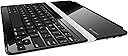
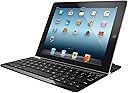
⌨️ Elevate your iPad game with the keyboard cover that means business.
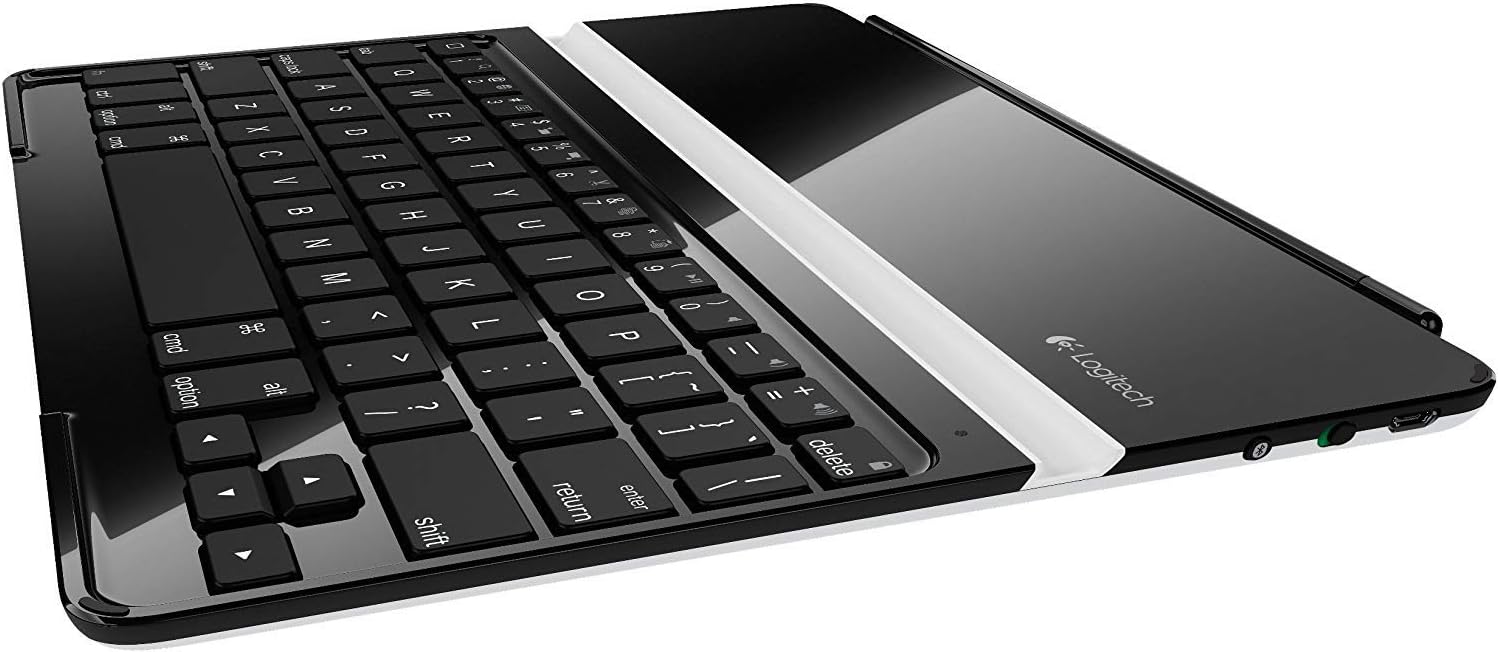
The Logitech Ultrathin Keyboard Cover for iPad 2 and New iPad combines a precision Bluetooth keyboard with a magnetic clip-on cover that doubles as a versatile stand. Designed for professionals on the move, it offers up to six months of battery life, instant wake/sleep functionality, and a sleek, lightweight profile that enhances your iPad’s usability without compromising style.
| ASIN | B007PRHNHO |
| Additional Features | Integrated Stand |
| Antenna Location | Gaming, Office |
| Best Sellers Rank | #2,222 in Laptop Sleeves #15,266 in Tablet Cases |
| Brand | Logitech |
| Built-In Media | Cover With Bluetooth Wireless Keyboard And Stand, Usb To Micro Usb Charging Cable, User Documentation |
| Button Quantity | 78 |
| Color | Black |
| Compatible Devices | apple-ipad-2, apple-ipad-3 |
| Connectivity Technology | Wireless |
| Customer Reviews | 4.2 4.2 out of 5 stars (2,876) |
| Enclosure Material | Hardsided |
| Global Trade Identification Number | 00097855086228 |
| Hand Orientation | Ambidextrous |
| Item Weight | 11.7 Ounces |
| Keyboard Description | Portable Integrated Stand Keyboard |
| Keyboard Layout | QWERTY |
| Manufacturer | Logitech, Inc |
| Model Name | Logitech 920-004013 |
| Model Number | 112CC1K017 |
| Number of Keys | 3 |
| Power Source | Battery Powered |
| Style Name | iPad 2 and iPad (3rd/4th generation) |
| Switch Type | Scissor-Switch |
| UPC | 163120271733 631058212567 800187923488 803982776600 887589042191 168141578427 100177372150 151903014004 764966410753 012300067133 097855086228 112840355353 719534959493 809099149931 745449860852 151903132227 |
| Unit Count | 1.0 Count |
J**D
Switching to the Logitech Ultrathin Keyboard Cover from the Apple Smart Cover
Let me start by saying that I love this product. What it is designed to do, it does very well. For those who are accustomed to using an Apple Smart Cover, it has a huge shortcoming that may be a deal breaker for you. Here is my take on a Pros/Cons list and I'll describe the shortcoming in the Cons. Pros: + Nice keyboard. It is well built and easy to type on. It pairs easily. It has convenient iPad specific function keys including one to bring up the virtual keyboard which is normally hidden when the physical keyboard is paired. + Easily and securely connects to the iPad as a cover via the magnets. It connects more forcefully and solidly than the Apple Smart Cover. It feels well connected from 0 to 180 degrees. + The slot for standing it up also uses magnets so it clicks in solidly. + It is beautifully designed. The back of the keyboard (the visible part when acting as a cover) looks much like the back of the iPad so when it is closed it really looks nice. Cons: - It is a cover, not a case. Those looking for a case that will protect the front and back of the iPad will be disappointed. I was accustomed to the Apple Smart Cover so this was not an issue for me. - Now for the biggest shortcoming. What to do with the cover when using the iPad strictly as an iPad (without a keyboard)? For example, with the Apple Smart Cover, you can roll it up to be a stand when sitting on a desk or a table, but also very common was to simply swing the Smart Cover all the way around so that it was flat against the back of the iPad. This is convenient when you want the iPad to be flat like when walking around. This is not possible with this keyboard case. If you open it more than 180 degrees, it will simply detach from the iPad. It works well as a cover and fits solidly. It works well as a keyboard with the iPad in the slot. If you want to use the iPad flat, you can simply remove the iPad, then what do you do with the keyboard cover? - And for a bit of a nit, it is a physical keyboard and so has the same sort of problems. I continually write in both English and Spanish. There is even a function key to switch the language. But doing so changes the layout of the keyboard, but obviously the physical keyboard does not change so now they keys are not as shown on the keyboard. So at times I need to bring up the virtual keyboard so I can type in a certain character that I can't find. All in all a great product. And what it does well, it does exceptionally well.
L**L
Great portable keybaord for iPad.
PROS: Thin, lightweight, excellent battery life. Shortcut keys are fantastic. Paired extremely easily. DOES work with the new iPad (3rd Generation, 2012). CONS: Not as "solid" feeling as the iPad itself. Fingerprints galore on keyboard surface. Back is easily scratched (see my review for a tip on how to avoid this.). Auto-correct doesn't work with this (or any other) external keyboard on the iPad. ---------------------------------- I'm writing this review on my new Logitech Ultrathin Keyboard Cover as we speak. It really is an excellent solution if you need to have a physical keyboard to type on... I'm not having a terribly difficult time adjusting to the size of the keys, although they are a bit small for my taste -- however, Logitech has used the available real-estate very efficiently, with no wasted space, so the keys are about as large are they're going to get. It's a good compromise. One thing that I highly recommend is buying these: Blue Lounge Design Kicks Protective Pads for iPad/iPad 2 and Other Tablets (KS-GR) Those rubber pads I ilnked above are fantastic for keeping the keyboard (and the iPad) from sliding around and getting scratched. They don't add bulk, like a case would, and seem to do an excellent job of preventing scratches. You don't have to remove them to fit the iPad into the slot on the keyboard! If you're going to buy this keyboard, you MUST get yourself those pads -- you will not regret it, although it will add to the price of what is already a pretty expensive keyboard... (Yes, I speak from experience -- I bought a 4-pack of those pads and have two on the back of my iPad, and two on the back of this keyboard -- they make all the difference in the world!) The keyboard itself is not quite as "solid" feeling as the iPad. I don't mean it feels like it's poorly constructed, but it just feels a tiny bit "flimsy." Maybe flimsy is too strong a word... I just thought that it would feel as solid as the iPad itself, and it doesn't, quite. I think it will be just fine, though. Just don't expect something that feels like an Apple product, because it's not. One complaint I have, and this is not specific to this keyboard, is that the auto-correct feature disappears when you're typing on an external keyboard like this one... I have yet to figure out how (if it's at all possible) to re-enable it for an external keyboard. Maybe this won't bother you, but it does kind of bug me a bit. One other thing: If the keyboard is plugged in charging, the on/off switch seems to have no effect - you hit a key on the keyboard, even if the switch is in the off position, and the keyboard will wake-up and will take over your iPad's keyboard functions if it's within range. Not a huge deal, just be aware of it -- I thought my keyboard was broken, 'till I realized that it only did this when it was plugged in and charging. One last word -- I'm using this keyboard with a 3rd-generation iPad, so YES IT DOES work with the newest iPad. Overall, I'm extremely pleased with this keyboard. Is it worth $100? Hmmm... If you need an external keyboard to type on, then you absolutely owe it to yourself to look at this keyboard... I bought it, and I'm not excited about the $100 price-tag, but I will be keeping it because it's better than any other keyboard-cover I've yet seen. I would've given it 5 stars if it only cost, say, $75 or so. If you have any questions at all, please respond to this review and I'll be happy to answer them. UPDATE: I've ugraded this from a 4-star to a 5-star review. When you compare this keyboard to some of the garbage keyboards that are available out there, it deserves 5 stars. This thing has turned out to be well worth the extra $30 to $40 you have to spend on it. Compared to what else is available for the iPad, this thing is worth every penny. Plus, it's been four months since I bought it, and I've only charged it the one time! I use it every day, for an hour or two, and it still doesn't need to be charged! Its battery-life is truly amazing! UPDATE 2: The battery finally went dead -- after TEN MONTHS of daily use!! I charged it up once back when I bought it in April, 2012, and the battery finally died here at the end of February, 2013! If only all our electronic devices had a battery that would last so long!!
A**R
Very nice product
R**A
Delivery was quick ,Good product ,those who do a lot of emailing from your I pad should get one of this , It works as a case and a key board ,
K**I
Appleの無料アプリでMicrosoft office(Wordなど)が使えます。 キーボードは押し心地が良く、time lag タイムラグもほとんどありません。 バッテリーは1回の充電で、1週間以上長持ちします。 iPad 4で使用していますが、専用に設計されているようで、just size ジャストサイズです。
P**N
Arrived yesterday. Works a dream; very easy to type on. Would be 5 stars except there is no catch to hold it closed i.e. when it is used as a cover, it is held on only by the magnet on one side like an Apple cover, so like an Apple cover it may come open or fall off when travelling.
V**I
Great product.....ipad gets a facelift ....transforms from a pad to mini laptop.....its a transformer...amazing
Trustpilot
1 month ago
1 month ago