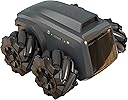


🤖 Scout your space, code your future, never miss a moment!
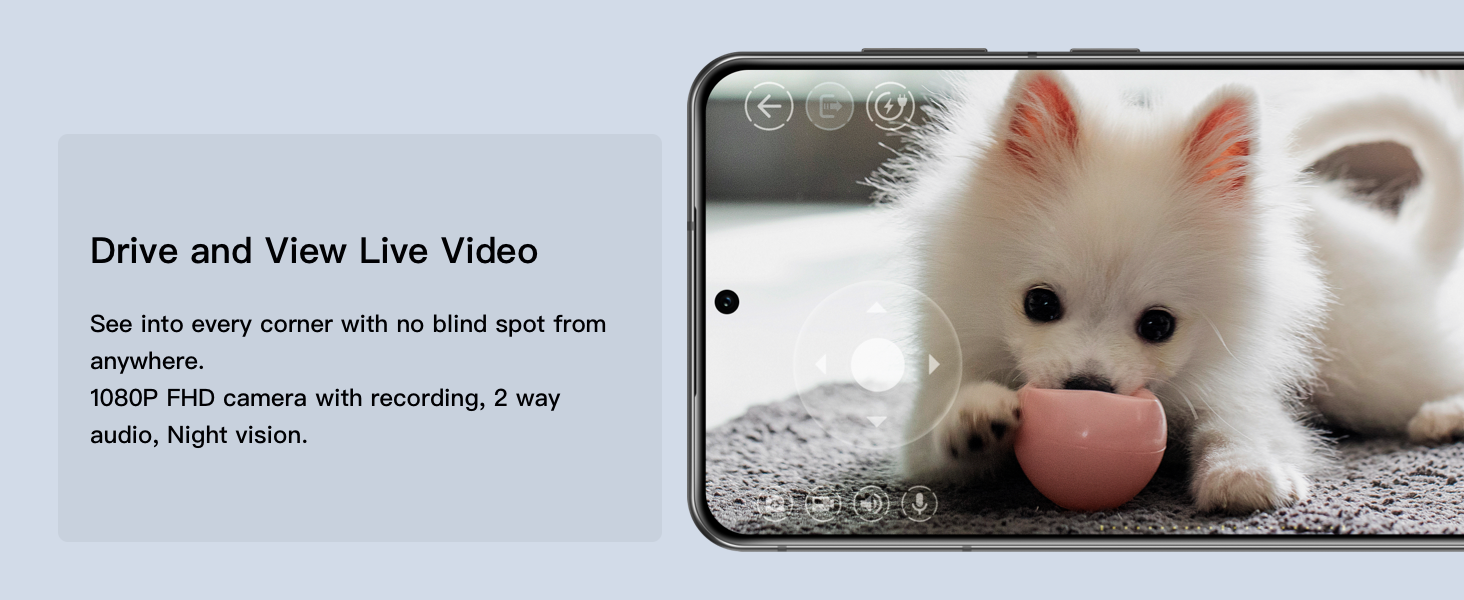
The Moorebot Scout is a compact, AI-powered indoor mobile camera robot featuring 1080P full HD video, omnidirectional mecanum wheels for agile movement, and secure peer-to-peer connectivity. Designed for home monitoring, pet interaction, and STEM education, it supports Scratch programming and open-source ROS development. With privacy-first pre-set patrols, two-way audio, and optional add-ons, Scout blends security, fun, and learning into one versatile device.
| ASIN | B09KN91RLZ |
| Additional Features | Remote Control |
| Age Range Description | Teen & adult |
| Animal Theme | no animal theme |
| Best Sellers Rank | #415,735 in Toys & Games ( See Top 100 in Toys & Games ) #575 in Remote- & App-Controlled Robots #4,728 in Kids' Electronics |
| Brand Name | Moorebot |
| Collection Name | All |
| Color | Black |
| Customer Package Type | Standard |
| Customer Reviews | 3.9 out of 5 stars 469 Reviews |
| Edition | Classic Edition |
| Educational Objective | Learn programming, robotics, and AI concepts; STEM education |
| Indoor Outdoor Usage | Indoor |
| Item Dimensions | 5 x 5 x 4 inches |
| Item Dimensions L x W x H | 5"L x 5"W x 4"H |
| Item Weight | 16 ounces |
| Language | English |
| Manufacturer | Moorebot |
| Manufacturer Part Number | SC3100 |
| Manufacturer recommended age | 10 years and up |
| Material Type | Plastic |
| Model Name | Scout |
| Model Number | SC3100A |
| Number of Batteries | 1 Lithium Ion batteries required. (included) |
| Number of Pieces | 1 |
| Occasion | Birthday |
| Operation Mode | Automatic |
| Outer Material | Plastic |
| Play Activity Location | Floor |
| Power Source | Electric Cable |
| Recommended Uses For Product | Home Security, Monitoring |
| Scale | Regular |
| Set Name | Scout |
| Size | Small |
| Style | Wheel |
| Sub Brand | Scout |
| Theme | Robot |
| Toy Figure Type | Play Figure |
| UPC | 735328619404 |
| Unit Count | 1 Count |
| character | Robot |
S**S
A must have smart companion
This little robot scout is a game changer for any smart home. Its sleek design, advanced AI, and impressive functionality make it standout tremendously from other robot home security systems in the market. Not only is it fun to navigate but it also offers other great features to enhance home security while not at home. From navigation and surveillance to entertainment and interactivity, it excels in every aspect. Although the price might be steep for some, the features more than justify the cost. I was pleasantly surprise by the battery life, which lasted several hours on a single charge. The included charging dock makes recharging a breeze, ensuring that it’s always ready to assist whenever needed. By the incorporation of advanced mapping algorithms, it effortlessly navigates through rooms, avoiding obstacles with precision. Overall, highly recommended for anyone seeking a helpful assistant and entertaining companion.
D**A
An inexpensive neat little multi role robot
It's smaller than you think. White bottle cap in the pics is for scale. It's a normal sized cap you'd get from a bottled water or whatever. Up front, this product is still new to me. I have not tried any programming. Think of it as more of a neat mobile camera tech toy, not a roving security guide for your home. More on that below. Think of this a a cool remote camera toy. Seems to be built well. I was able to connect to it from my phone over at another house. It has some adjustable settings. The auto on option on the IR nightvision is fun. The auto off doesn't off as well as it should IMO, and the only adjustment for those settings is high or low. This is fun, and I love it. I consider this a cool tech toy for children ages 8-90. Seems safe enough for youger kids. I've actively tried finding pinch points and the like, but I haven't found any. The only safety issue might be hair getting stuck around the axels (kind of like your vacuum cleaner!), so don't drive it on your head, or over your little sisters hair while she's coloring. I haven't done more than basic pathing to try it out. The more turns in you do in a route, the more off it looks like it becomes. Whatever "AI" they say is in here, is not what I would call AI. It seems like it's just trying to match the distances and turns by using "muscle memory". It doesn't have anything more than the most basic accident avoidance. Mine some how routed into a door frame. One side a wall, one side an open doorway. It turned right, wall. Turned left sees open door way. So it knows at the very least, it has an obstruction right in from of it, but just to the left is a wide open space. What it should do is back away from the object it's pressing it's nose too, reassess the options with the camera(it's pretty limited in sensors and such), then proceed through the open door and gt back on route. In reality, it wiggles around a bit more, then calls out to you to help unstuck it. It has almost no obstacle avoidance. It wont know what to do if someone put a box down along it's path, it won't avoid the chew toy. It does have some avoidance, which I found amusing. It can detect people and pets, and I'm assuming smaller people too, don't have one here to test it on. You can set it to follow you, or your pet. It doesn't work great, but it does work some. I thought it was fun and cute. Just don't try to walk towards it or pick it up when it's looking at you. I backs away in robo-terror, trying to escape the giant coming at it so it doesn't get stomped on. It really did throw it in reverse and back away at full speed until it found the wall Mine has connected to the charger 100% of the time, on both mecanum wheels and the tracks. I think the key is a solid bright(not shiney) surface behind the charger to give it more contrast. A couple times it will do some wiggles, or one time it pulled away about a foot, turned around to scope out the scene another time, and then backed in again. Nailed it that time. So sometimes it reconnects quick, sometimes it needs to have a think, but it's always managed to dock at the charger for me Remember, this is a budget robot. They say that it doesn't have auto mapping or navigation because of "privacy issues". Which is mostly bs. You could always add them with on/off options, or make another model that can do it. That excuse seems like it came from the Public Relations department. I think the real reason it doesn't have those features isn't because of privacy. It's because more sensors and better programing is means higher production costs, meaning higher retail price. Which is fine! I'm happy to have this relatively inexpensive little dood rolling around my place. But make another model that DOES have your features. They already offer to store the pics and vids from it on the cloud, but personally if I'm already sending pictures of my family and the layout of my house off to a remote cloud, it's not that far of a stretch to just allow it map and navigate itself. It has programming which I haven't looked at. It has pathing, which I've barely touched. I suppose you could make a path and a schedule to run it so it can do security sweeps around your house. Might work for you, might not from what I've read. Also, this thing isn't loud, but it's not a "Stealth Device". Unless you have a lot going on around you, you'll here it creeping up on you. What you can do to check on your house, is drive it yourself from your phone, anywhere you have cell service. Play with the animals while you're at work. Use the audio function to ask your significant other to start a bath for you so it's ready when your home, because texting is so 2023. Some other review said he was using it to check under his cars and stuff, so he could check the undercarriage without lifting the car. Someone else had said he was away from home and used it to shut a door the kids left open. I've tested this. It is torquey enough to shut interior doors. It can move my front door, but I doubt it could do it with enough force or fast enough to shut it. Finally... Some other reviewer said "it wont dock with the base station with the tracks on because it can't crab walk now. It tries to move sideways but can and just sits there"....... Bruh, you need to switch it from wheel to track mode on the controller. Same if your putting the wheels back on, put it back in wheeled mode. It changes how the bot moves, and it's smart enough to adapt to either choice of locomotion. You can tell right on the controller what you have the setting on. If the left thumb stick only offers forward and reverse, you're in tracked mode. If it has 4 direction indicators on it, it means it's still in wheeled mode.
B**E
Extremely Dissatisfied and Unsafe for Children
I recently purchased the Moorebot Scout - Tiny AI-Powered Smart Camera Mobile Robot with high hopes of enhancing home security and monitoring capabilities. Unfortunately, this product turned out to be a major disappointment, and I would strongly advise against purchasing it, especially if you have children in your household. First and foremost, the so-called "smart" AI capabilities of this robot are severely lacking. The human and pets recognition feature is incredibly unreliable and often fails to accurately identify individuals or animals. This undermines the very purpose of having a monitoring device in the first place, as it cannot be trusted to reliably alert you to potential threats or activities. Additionally, the integration with popular voice assistants like Alexa and Google Home is clunky and inconsistent. The promised seamless compatibility is nothing but false advertising. Setting up the device to work with these assistants is a frustrating and time-consuming process, and even when successfully connected, the commands are frequently misunderstood or ignored. One of the most concerning aspects of the Moorebot Scout is its lack of safety features, particularly when it comes to children. The FWD Mecanum Wheels, while touted as a selling point, actually pose a significant risk in a household with young kids. The robot's unpredictable movements and lack of obstacle detection make it a hazard, as it can inadvertently collide with furniture or, worse, cause harm to a child who might be in its path. Moreover, the night vision capability of this smart camera is extremely disappointing. The quality of the recorded footage in low-light conditions is grainy, blurry, and practically unusable. Considering that a significant portion of monitoring and security needs arise during nighttime, the poor night vision renders the device almost useless in those situations. Lastly, the auto patrol and docking feature, which is supposed to provide convenience and efficiency, falls far short of expectations. The robot frequently gets stuck or disoriented, often failing to return to its charging dock or losing its way during scheduled patrols. This unreliability defeats the purpose of having an autonomous monitoring device and leaves you questioning its overall effectiveness. In conclusion, I strongly advise against purchasing the Moorebot Scout - Tiny AI-Powered Smart Camera Mobile Robot. Its unreliable AI capabilities, lackluster integration with voice assistants, absence of safety features for children, poor night vision, and overall unreliability make it an incredibly frustrating and potentially hazardous product. Look elsewhere for a more reliable and child-friendly home monitoring solution.
P**S
Good for tech geek
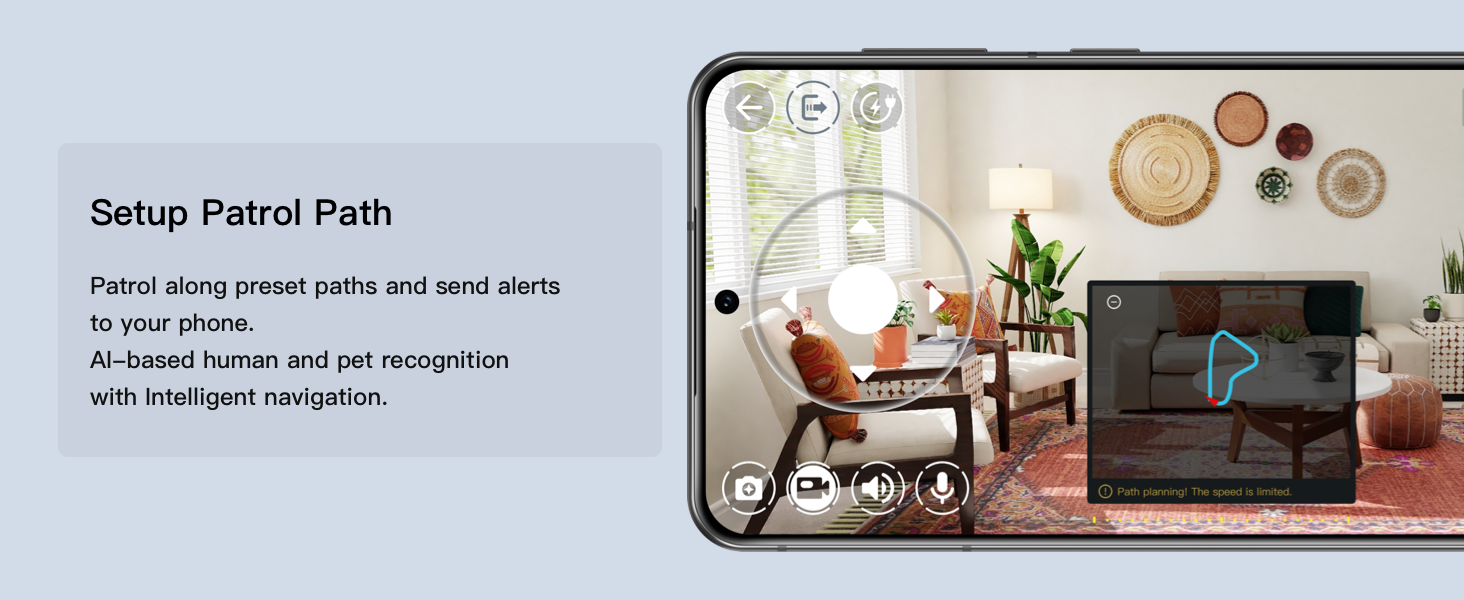
Awesome little robot, it is fun and really easy to use. The setup was very easy as well, it connects to my phone and wifi no problem. Controlling the robot is also easy, it’s very fun because I can make it drift lol. Into the security part of this, I think this is very sophisticated. I setup a path for the robot to go through every time I ask it to, I can also set it as a motion sensor and have the siren rings when it detects motion (you can actually set it to exclude different motions such as your pets). Speaking of pets, our dogs are very curious about this little robot and would try to play with it every time the robot is moving. Overall, I think the image recognition on the robot is very nice because it can automatically return to it’s home once it detects the checkered label on the home. I haven’t tried this feature yet, but it looks like you can setup your own automation by using the drag and drop feature from the software. :)
M**E
Not bad, but many improvements needed.
Overall: Quality hardware, poor software and documentation. After tinkering with Scout for some days now, I identified many issues, including: #0: Insecure: WiFi password cannot contain any special characters (?!) + connection via router requires internet access even if not using any cloud features. #1: The Omni wheels are worthless, robot cannot repeat a pattern. #2: Tracks help with accuracy, but robot flips over upon facing ANY obstacle. #3: Recognition of charging station checkered 'sign' is a hit or miss if not really close. #4: No documentation on how to offload data from the robot without cloud subscription. #5: General lack of technical documentation by the vendor, including not sharing the most important enablers of expending their custom ROS, i.e. connectivity scheme. How i solved most of the issues: #1 & #2: Use track wheels without tracks, with double sided tape (see picture). #3: Standing a black background behind the charging station seems to help. #4: Utilizing dedicated GL.iNet router, with remote connectivity service, 'expanding' the router network to the world securely. Bottom line - not bad, but many improvements needed.
H**R
Fun toy for tech minded adults
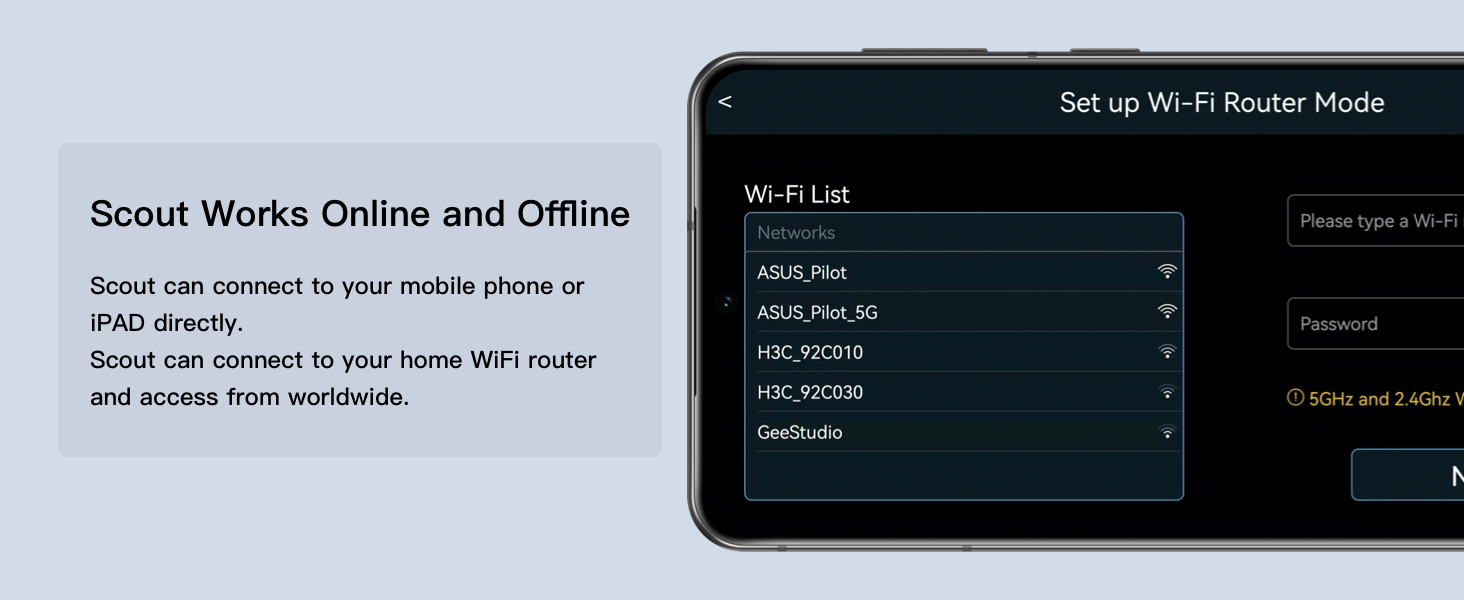
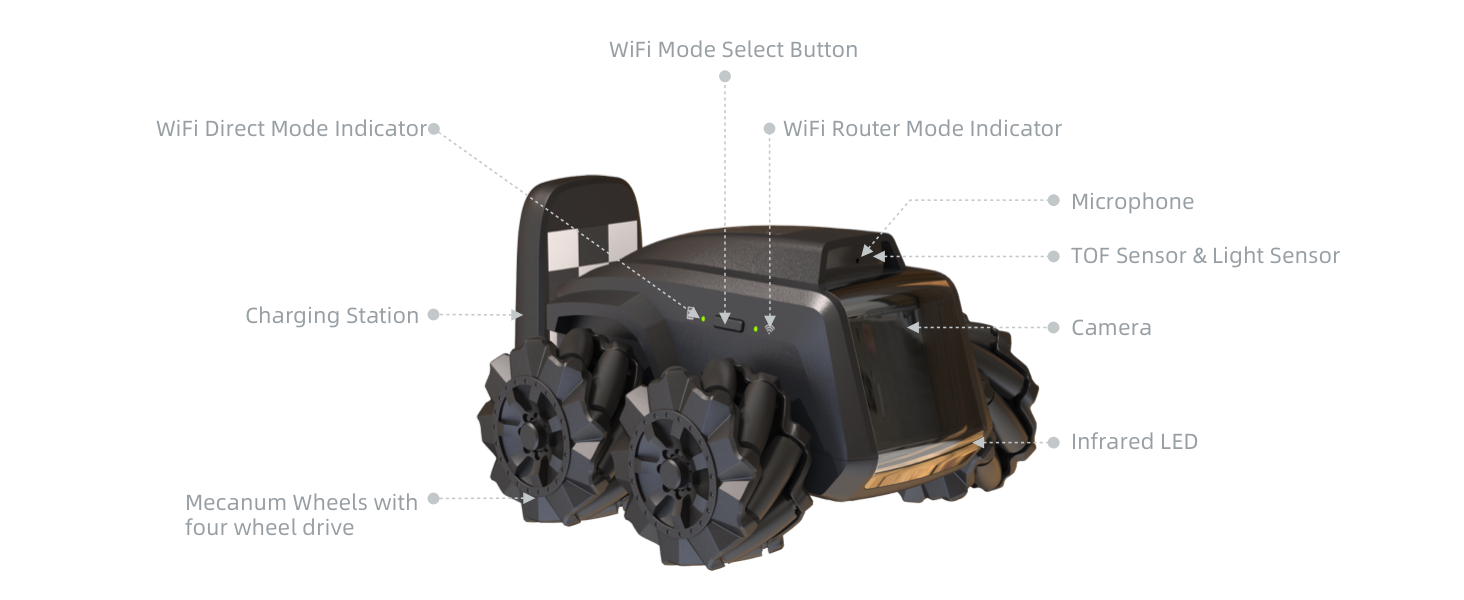
I had some trouble connecting directly to the robot. It's quite complex and the instructions could be better. Here are the detailed steps for an Android cell phone or tablet. 1. Fully charge the robot until you have four solid blue LEDs. Very important - don't be impatient like me 2. Download and install the Moorebot app while you're waiting for the robot to charge 3. Turn the scout on by holding the power button until the power light comes on 4. Wait for it to boot - about 30 seconds. It makes a cute ready sound when it has booted. 5. Make sure it is in direct connect mode. Press the button on the opposite side from the power button so the left LED is lit. It should be lit by default. It has a rectangular icon next to it. 5. Open the app and click on [Connect to the Scout's WiFi]. This opens the WiFi settings app. 6. The WiFi settings app lists available networks, find and select the one called robot-scout-xxxxx. The default password is r0123456 7. The connection should say "Connected, no internet" 8. If your device won't connect, try turning your phone's WiFi off and back on again. I had to do this. 9. Close settings and return to the Scout App. You see a message that says the Scout network is running 10. Click [Next] 11. This takes you to a page with [Monitor], [Patrol], and [Program] buttons. You now have direct control of the robot over short distances with line-of-sight. This page has a book icon in the top left corner which opens the user manual. This page also has a settings icon in the top right corner. Click this to enable control over your WiFi network. 1. On the settings page, click on Set up WiFi Router Mode 2. Chose the WiFi connection you want to use 3. Enter the WiFi password (yes, I know, I don't like it either. It has a camera, why can't I just point it at my router's bar code?) 4. Click [Next] 5. The robot now connects to the selected WiFi. It works better on my 2.4GHz network than my 5GHz one. You can now control the robot from anywhere as long as it stays in range of your router. Hope this helps. Oh yes - it's a lot of fun. But it has the AI capabilities of a jelly bean. Watching it try to dock is a laugh. Patrol mode is a joke too. It can only start a patrol from the charging station. But as it can never dock with the charging station you can't do a second patrol. The charging pins are on the back of the robot so it visually tries to line up with the charger, then turns around and backs up. The turn-around maneuver is not accurate enough, so it always misses. It's hilarious. Why aren't the charging contacts on the front?
M**R
This thing is great
I bought this September of 2023, it is now end of April 2024. I have loved using this robot... I use it to check in on my pets when I am not home, or if I am laying in bed and they are "up to no good" or fighting, I can open the app on my phone and yell at them or drive the robot into the middle of the fight and it works like a charm 😂😂 I did have one creepy experience about 2 months into owning it, where I was cooking in the kitchen and the robot randomly undocked itself from the charger and did a spin.. He went into the dark closet in a box for 3 or 4 days before I brought him back out. Not sure if someone ELSE was controlling him or what, but it was a tad spooky. All in all, I am glad I purchased this robot. A camera is stuck in one place... this lil guy can go over carpet, hardwood, and even into my cats tunnels at times 😂
A**R
Needs work
I've had this for about 8 months and here we are at the end of 2023. I got this to keep track of my house while I'm gone. My issues are mainly it drops connection to the wireless when it's less than 2 feet away from the wireless AP. None of my other devices or wifi attached things do that. It can't find it's way back to the charger. Both my robot vacs can do this.... Ok privacy reasons. Ok I get that but I should be able to flip a switch,check a box or accept some agreement. Look it's a fun toy but needs a bit of work. When I'm across the country trying to explore my house and it disconnects from the wifi and doesn't seem to try to reconnect. No,not a dead zone or a bad AP. It's like Google. They get 85% of the way there then call it good enough. Yes it has the latest firmware.
A**Y
Bad quality.
I bought this from Amazon UK, UAE, UK sends me used item instead of new, and UAE the quality is not good, cause to many problems like one wheel not responding, night vision delay in switching, wifi not found etc. Also, after a reset, the bot shows different problems, like a refurbished item. Returned 4 times due this. But i still trust Amazon. And will continue to purchase.
A**O
Parece tener muchos detalles que lo hacen ser molesto
Se le dificulta volver ala base casi siempre, los recorridos de patrullaje no se graban bien, la batería se drena muy rápido, la camara se percibe muy pobre en poca iluminación afuerza necesitas usar los infrarrojos, el audio de dos vías no es entendible casi nunca y suena muy bajo
D**N
Scout
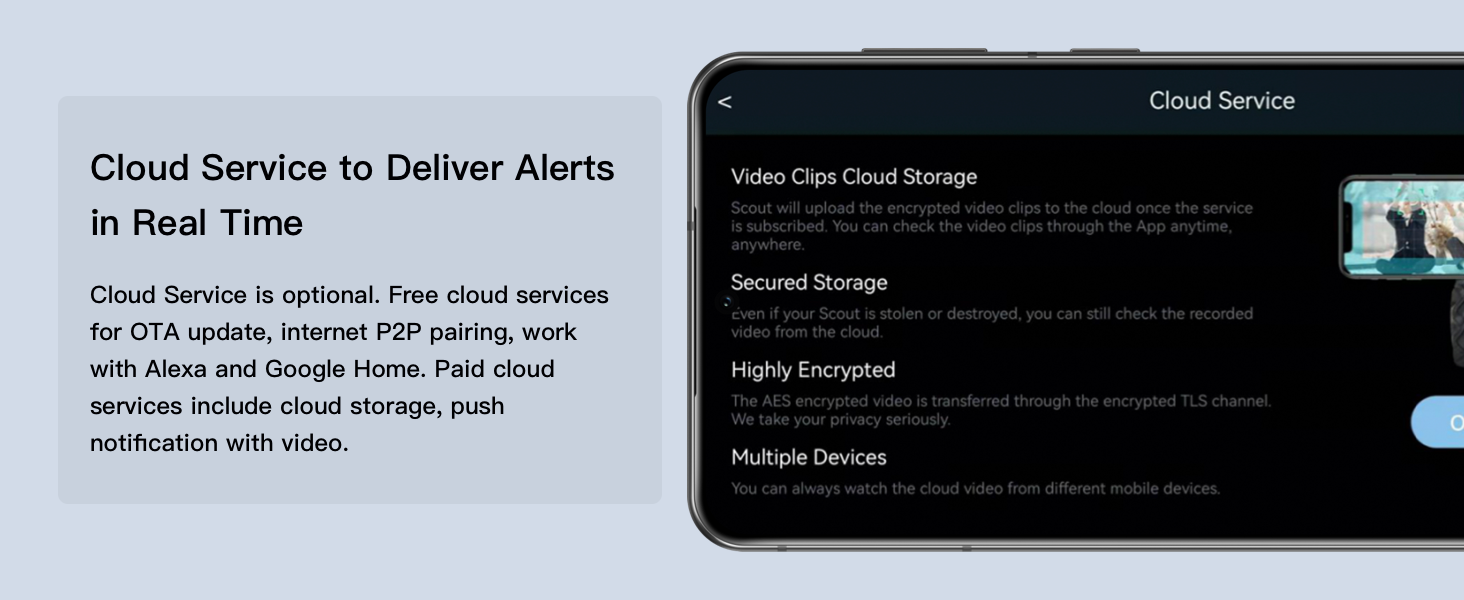
Love it. To get the cloud notifications for motion detection to work I had to reset it and start again. Other than that no problems.
D**M
very good for geeks and average users
Ended up with 2 devices, one I've keep on Moorebot services and other I've got for development. My 5 cents as regular consumer: 1. long battery life as mobile camera 2. very nice interface to drive around, attach to person or pets (follow mode) 3. some patrol function, but not yet ready for use 4. solid design, my drove off stairs (there is no cliff sensors) and no damage 5. day/night vision 6. good range on direct wifi, but lot better with mesh wifi 7. scratch programming for some easy to learn programming same as geek: 1. root access in 6 clicks 2. onboard python example 3. NO access to app after root access! (you have to do factory recover to use app after) 4. you need to develop full wrapper for remote control 5. you could develop C/C++/go/python on-board control, 512MB Ram, ROS, libs already on board 6. it will be optional tracks available, so better, precise driving for map creation coming Overall, good price, loots of use-cases and just fun to drive.
N**N
Amazing product
Great for routine surveillance and fun for small pets when away from home. Two way radio as well as multi directional controls to avoid getting stuck. Need more accessories for this little bot.
Trustpilot
3 weeks ago
4 days ago