We remain fully operational. Our teams are working around the clock to ensure your deliveries continue safely.

DOWNLOAD THE APP


Copyright © 2025 Desertcart Holdings Limited
DOWNLOAD THE APP


Buy anything from 5,000+ international stores. One checkout price. No surprise fees. Join 2M+ shoppers on Desertcart.
Desertcart purchases this item on your behalf and handles shipping, customs, and support to Vanuatu.
🚀 Power, Ports & Productivity — All in One Dock!
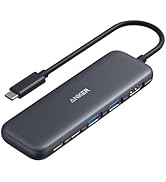
The Anker 575 USB-C Docking Station is a versatile 13-in-1 hub designed for professionals who demand seamless connectivity and power. Featuring an 85W laptop charging port, triple display support with dual HDMI and DisplayPort outputs, and ultra-fast 10 Gbps USB-C data transfer, it transforms any workspace into a powerhouse setup. Compact and travel-friendly, it also includes Ethernet, SD/microSD slots, and audio ports, making it the ultimate all-in-one docking solution for multitasking millennials.






| ASIN | B088F7SY6S |
| Best Sellers Rank | #20,892 in Computers ( See Top 100 in Computers ) #347 in USB Hubs |
| Brand | Anker |
| Color | Gray |
| Compatible Devices | Portable |
| Customer Reviews | 4.1 4.1 out of 5 stars (2,269) |
| Hardware Interface | HDMI, MicroSD, USB |
| Item Dimensions L x W x H | 12.6L x 8.9W x 4.2H centimeters |
| Item Weight | 0.82 Pounds |
| Manufacturer | Anker |
| Mfr Part Number | A83921A1 |
| Model Number | A83921A1 |
| Number of Ports | 13 |
| Smart Home Compatibility | Not Smart Home Compatible |
| Total Number of HDMI Ports | 1 |
| Total Usb Ports | 4 |
| UPC | 194644033583 |
| Unit Count | 1.0 Count |
| Wattage | 85 |
I**R
No funciona al 100%, no es compatible con mi PC de HP, no funciona para el Monitor, todo lo demás como teclados externos, micrófono funciona bien, pero lo principal que es la conexión entre laptop y monitor no funciona bien.
J**T
FINALLY! I have a lenovo laptop for work. I have a different lenovo laptop for personal use. My old dock was a thunderbolt 3 and with the latest teams update on my work laptop my audio would cut out when I could screen share on teams. I also noticed suddenly the keyboard and mouse got wonky on registering activity. well turns out my old doc was just dying. that's all there was to it. so I bought an expensive $$$$$ lenovo universal dock. and then all of a sudden the 2nd monitor would not display no matter WHICH laptop was plugged in. Updated drivers. Updated firmware. Power cycled. Nope. Returned. Bought another off brand dock. Monitor would work with my personal lenovo laptop but not with my work laptop. WTF am I going insane here? What happened to plug and play. Returned. Bought another off brand and now the speakerphone for conference didn't work. Bought a new conference speaker phone (which I was going to do anyways) but it still didn't work and it wouldn't charge if I hot plugged in. Returned. Bought this dock. FINALLY EVERYTHING WORKS! NO ONE BREATHE! Although admittedly now the SD card is stuck in the SD card slot.. and I fear I may need a pair of pliers later to resolve that issue.. so maybe the SD slot is not okay. It's 135w power supply that comes with the dock (nice for the price!) the USB Ports all work and there is one on the front for your keyboard/mouse - the rest are on the back. it's quiet. Anker is good about not having whining USB ports. So if you're one of those that thinks you have tenitus all the time because your electronics whine... you'll appreciate that their USB ports do not. HDMI port works!!!!!! So if you're using an old school cheap a$$ monitor that doesn't have Display Port Tech, you're good still. Power button is a nice touch because now you can power off the dock which will turn the external display off and any additional devices that have lights will turn off also.. so if you're home office is in your bedroom, this is a value add for you. It is compact enough to travel with but it's more block or brick style than slim pocket style. Rubber slip pad on the bottom is a nice touch to keep the power cord from pulling it off the back of your desk when you're not looking. Ethernet port also works Oh and my USB Hub extension that's plugged into the dock also seems to be working just fine although it has it's own external power supply so if you're daisy chaining just keep in mind you may need more than one power supply here.
C**D
This is for the "Anker Docking Station, PowerExpand 13-in-1 USB-C Dock, 85W Charging for Laptop" ** Update March 9th, 2023 ** So pretty much everything in the original review stands, but there is one issue that I touched on originally about the display refresh rate and resolution that I can clarify now. To get the resolution how you want it, you need to set the monitors to the same refresh rate first, then once the resolution is set and applied, change the refresh rate. That being said, I'm not sure if the refresh rate actually changes or if it just says it does. ** End of update ** So I just got this about an hour ago, and everything just worked! Both in Ubuntu 22.04 and Windows 10. Here's my setup. Everything is plugged into the dock and only the single USB-C dock cable is plugged into the laptop. Laptop: Dell XPS 13 9370 1TB SanDisk USB-C SSD (for booting into Ubuntu) 2x Monitors + laptop monitor (One monitor is Ultra Wide 2560x1080 144Hz, other is 1080p 60Hz) - Note: I'm using one DP port and one HDMI port Wireless keyboard/mouse Speakers Ethernet connection for Internet First of all, I was using a Dell TB16 dock before this but I had multiple issues with it. Long story short, I don't recommend the Dell docks, especially if you use Linux. ** Long story about Dell TB16 Dock ** Using the Dell dock, my monitor would randomly go out, and the network only connected at 100mbps, the soundcard is super quiet (even at max volume), it's always on and can get noisy when it heats up (it has a fan), the cable is built into the unit (non-replaceable) and is only about a foot and a half long (coming out of the left side of the unit) and the unit itself is rather large. Also, I boot off a USB-C SSD drive for Linux (which allows me to plug the USB SSD into almost any computer and boot into my Ubuntu OS); For whatever reason, I could never get it to show up as a boot option when plugged into the dock, even with ThunderBolt boot support and pre-module stuff enabled. ** End of the Long story about Dell TB16 Dock ** Now the Anker dock on the other hand is about a 1/4 of the size of the Dell dock, connects @ 1GB with no problem, allows me to boot off my USB-C SSD, has a power button to turn it off when not in use, it's silent, works without having to install any drivers on either Windows or Ubuntu, comes with a decently long USB-C cable (3 ft?) to plug into the computer (which can also be replaced and yes it charges my laptop too) and the sound volume is great. There is one oddity that happened, but I was able to fix it easily enough and it's likely not a problem with the dock but a software issue in Ubuntu. When changing the resolution + refresh rate in Ubuntu, it didn't properly scale the resolution (the resolution was right, but much of it was cut off or shrunk down as if the monitor itself didn't change resolutions but the computer did), I had to change the resolution + refresh rate to something else, then to what I wanted to make it work. To be clear, it worked when I plugged it in initially, but changing it to my preference required multiple changes to set it in properly. Once set, it worked as normal. I highly recommend this dock!
C**M
I’ve owned multiple Anker docks over the years and purchased this as an upgrade from a lower‑end Anker model I used daily for nearly five years. That older dock was dependable for basic use, but it never consistently handled a 4K monitor, especially when switching between machines. This 13‑in‑1 dock is in a completely different class. I’m using it with both a MacBook Pro and a Windows work PC, running multiple external monitors, and it’s been rock‑solid on both platforms. 4K output is stable, displays reconnect properly after sleep, and I no longer have to tweak settings or reseat cables. It simply works the way a dock should. Build quality feels premium, the port selection covers most real‑world needs, and performance matches the specifications. This feels designed for people with serious desk setups, not just occasional use. One small con: I’d love to see one or two additional USB‑C ports for accessories and charging, especially given how many newer peripherals have moved to USB‑C. That said, it hasn’t been a deal‑breaker in daily use. Overall, this is a meaningful upgrade from older or budget USB‑C docks. Based on long‑term experience with Anker products, this one delivers exactly what it promises.
T**P
I've had this dock for almost a year now (a year this month). As with all the WFH situation, it was purchased for that scenario and did it's purpose. Though it did get hot, the functionality was still there and I had no complaints. A few weeks ago, as per my morning usual, I roll out of bed and log onto work, except I noticed nothing was on. The dock was powered off (which I never power off). Any attempts to power it back on was futile. I even disassembled it from my work setup to try another outlet, different host device, etc and nothing. What I did notice was that it when it was plugged in, it was emitting this high pitch sound. Yeah, it sounded dead. After mulling around a bit, I decided to reach out to Anker. I thought maybe it wouldn't go anywhere .. but seeing how I paid a hefty price for this, I wouldn't expect it to die within a year. Anker supper was amazing. After supplying the proof of purchase and proof of the defect (It turned out it was the power supply that gave out), they asked me to ship it back to them and refunded me the shipping cost. Once I did, a new one was dispatched and I received it today. Looks like a different power supply as well compared to the previous. I quickly hooked everything up and everything appears to work fine. I hope this one lasts longer! Everything was done quick and efficiently with no hassles. I appreciate the customer service, 5 stars for that.
Trustpilot
1 week ago
2 months ago