Buy anything from 5,000+ international stores. One checkout price. No surprise fees. Join 2M+ shoppers on Desertcart.
Desertcart purchases this item on your behalf and handles shipping, customs, and support to Vanuatu.
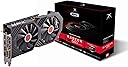
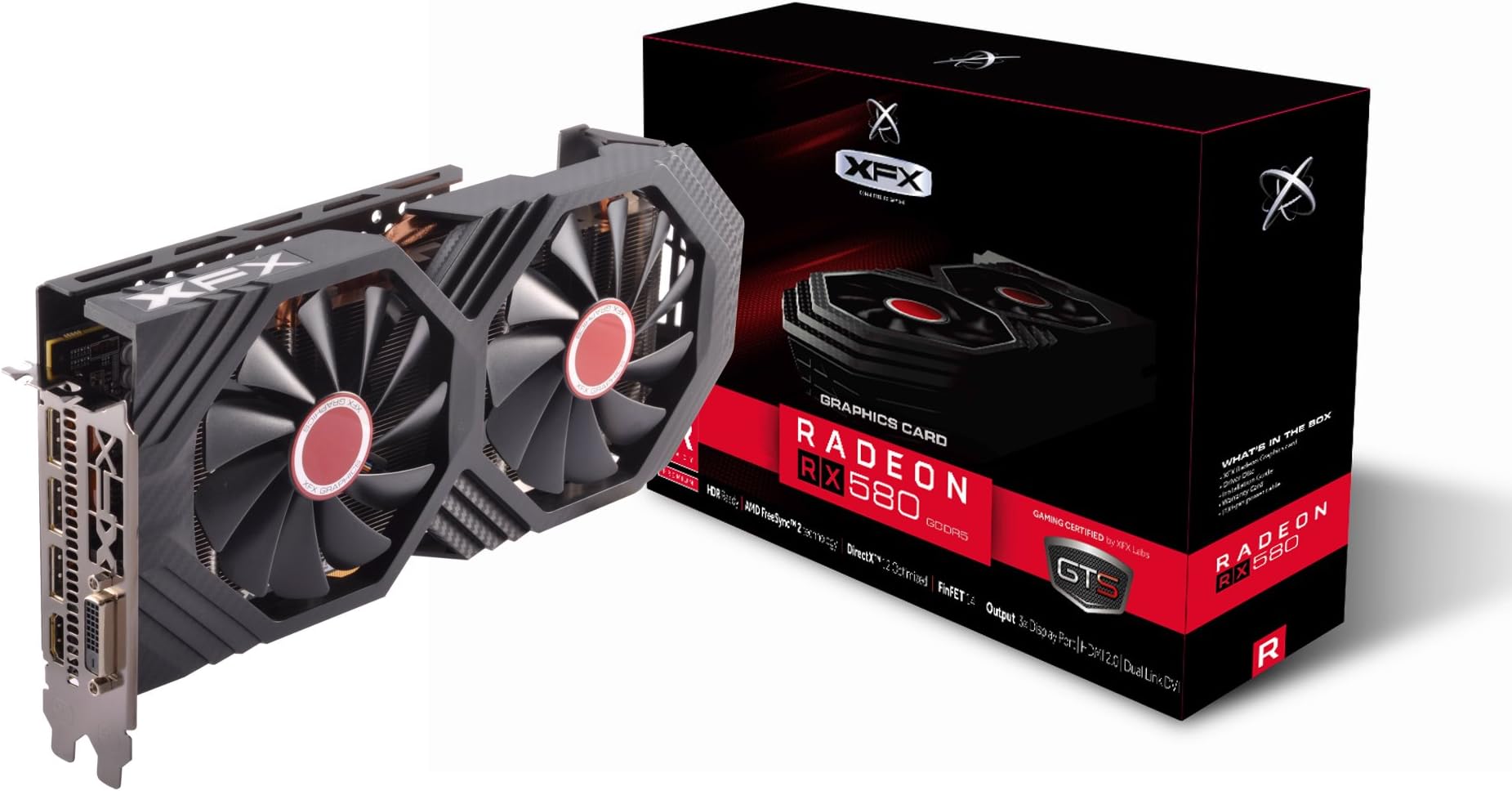
🔥 Unlock elite gaming power with the RX 580 GTS XXX Edition!
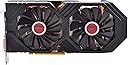
The XFX Radeon RX 580 GTS XXX Edition is a high-performance 8GB GDDR5 graphics card featuring a factory overclocked 1386MHz core, advanced Dual Dissipation cooling, and Dual BIOS for versatile use. Built on AMD’s Polaris architecture with 4th gen GCN cores and 14nm FinFET tech, it delivers smooth 1080p to 1440p gaming and premium VR experiences. Radeon Chill technology optimizes power efficiency and noise levels, making it a reliable choice for gamers and miners alike, backed by a 3-year warranty.


| ASIN | B06Y66K3XD |
| Best Sellers Rank | #20 in Computer Graphics Cards |
| Brand | XFX |
| Built-In Media | 8-pin to 6-pin power cable,Driver Disk Installation Guide,Installation DVD |
| Compatible Devices | Desktop |
| Customer Reviews | 4.5 out of 5 stars 8,192 Reviews |
| Display Maximum Resolution | 4096 x 2160 |
| Display Resolution Maximum | 4096x2160 |
| Global Trade Identification Number | 00778656074644 |
| Graphics Card Interface | PCI Express |
| Graphics Card Ram | 8 GB |
| Graphics Coprocessor | Radeon RX 500 RX 580 |
| Graphics Description | XFX Radeon RX 580 GTS XXX Edition |
| Graphics Processor Manufacturer | AMD |
| Graphics RAM Type | GDDR5 |
| Graphics Ram Size | 8 GB |
| Graphics Ram Type | GDDR5 |
| Item Dimensions L x W | 10.63"L x 4.88"W |
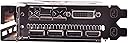
| Item Type Name | GTS XXX Edition RX 580 8GB OC+ 1386MHz DDR5 3xDP HDMI DVI |
| Item Weight | 2.5 Pounds |
| Manufacturer | XFX |
| Memory Clock Speed | 1386 MHz |
| Mfr Part Number | RX-580P8DFD6 |
| Model Name | RX-580P8DFD6 |
| Model Number | RX-580P8DFD6 |
| Number of Fans | 2 |
| UPC | 778656074644 |
| Video Output Interface | DVI |
| Video Processor | AMD |
| Warranty Description | 3 Years |
A**R
It does indeed work... with some constraints on AMD's part.
Though buying it here might not be as cheap as newegg, you have amazon's wonderful return policy to work with, for at least a while. The card itself works well, to reassure anybody who might be on the fence or needs a video card as soon as possible. A replacement card for my now dead 970 from newegg arrived DoA (One of those 100 buck sapphire 470s), so, out of panic, knowing that my RMA would probably take something along the line of two weeks, I snatched one of these bad boys up at a small premium compared to the offers on other sites. It arrived swift, as per usual, and it plugged in and got working right away. Honestly, I love it, i'd say its right on par with my old 970 at a very agreeable price. To anyone who hasn't looked at in depth performance reviews, one of these cards is able to handle pretty much every recent game, except overly resource-hungry modern titles, at a comfortable 40-60+ fps depending on the setting of your choice and whether or not you add additional shaders. Coming from anything below a 970, whether it be an r9 series, 7xx, radeon xxxx, you should be rather satisfied with one of these cards. I recommend them especially at this price point. I'm not sure if it's posted anywhere on this product page or brought to attention well enough, but you do get a selection of two out of three games coming out soon, so assuming you're interested in the division 2, DMC5, or resident evil 2, this could potentially be a very smart move so you don't have to purchase those any more. Small(large) edit: So, apparently I thought I was having issues with this thing once I switched to a 1440p monitor; however, there is a pretty gigantic quirk that I thought might bring light so some common complications with this card. This card is best for 1080p gaming, period. However, with 1440p it can work, but there is a bit of a complication with how AMD gpus tend to work in general lately, especially the Polaris line, which this card belongs to. You may notice that sometimes under intense load that your screen might flicker. This brought me no end of annoyance at first, but I discovered that you basically have to go into global settings (under "Gaming") with radeon's software and tab into wattman to do some editing. At the bare minimum, without any other adjustments, you need to adjust the power limit on this card to around +20%~ or more if it has to do any heavy lifting, otherwise it will throttle one way or another with differing symptoms. Amd has thrown out a bunch of efficiency software and tuning which end up under powering your card where it may need it in desperate times. This isn't overclocking, but this does actually allow for proper overclocking, if you don't wish to proceed any further than this, you don't need to. I'm not sure why they thought it would be wise to essentially choke this thing for power right out of the box, but it seems to be a reality. My card works as it should now 1440p, but do monitor temperatures with HW monitor, and adjust the fan speed curve as need be, just to be certain (My case has awful airflow). Wattman can be a fantastic utility, so utilize it! Just be sure you have enough power to back the card up, I do fine @ 550W and an i5 6600k, but you should plan out your power usage just as a precaution. Knowledge is power!
N**H
Solid value for 2560x1080
Oct 2018: This thing is HUGE. At 2560x1080 ultrawide, it slays the games I play. GTA 5 and Fallout 4 nearly max out (sometimes have to trade shadow quality for SSAA or vice-versa depending on preferences) and I have absolutely no problem maintaining 60fps with 70°c or below while playing them. I will be testing more titles but if you are below 1440p this card should be able to play anything at medium settings or above incl. new titles. I have it at 1384MHz with a custom fancurve to keep temps in check (this fan really isn't very loud at 50% or below anyways; I had to put my m.2 under the GPU which makes me a little nervous so I'd rather have the area as actively cooled as possible) but it does in fact sit at 0rpm unless you're gaming which is very nice. I'd recommend this card for any gaming under 1440p or even at 1440p lower-mid settings depending on the games you prefer; it seems very reliable so far and the 8gb vram is nice; having high-res textures in games is super nice, and I've had no problems; I'd recommend this over the 1060 6gb unless you can get one for $230 or less. Update: Pushing memclocks to 2250 in wattman will squeeze a few extra frames out of furmark and so far seems stable on my card. Increasing clockspeeds actually made performance slightly worse for furmark likely due to it causing throttling, so I actually have the core at 1350MHz and the mem at 2250MHz now, running a little better than stock. Edit 8 months later: I had IMC issues with Ryzen 5 2600 and tried rma this card thinking it was at fault because I had BSODs and CTDs while gaming. Ended up replacing the CPU and found out it was not the gpu. However playing far cry at 1080 ultra for 45 min caused the gpu to crap out. No Mobo would post with it installed. I have reached out to their support and hope to hear back. Last time they were prompt but I did assemble and reassemble the gpu with new tm (to no avail) which technically voids warranty. If they don't hold up on warranty that's my fault but if so I'll be ecstatic. Good experience mostly but too bad multiple faulty parts have left me with a great PC becoming useless. 2020: Laaaate update - XFX straight up sent me a brand new retail card many months ago and have had no issues since. RMA is very good in the US.
N**N
Pretty much plug and play for me. Huge upgrade from my old GPU.
I used this to upgrade a system I built several years ago. I thought the upgrade to a SSD was amazing,but this has been even better than that. Of course, I'm coming from a 1 GB GPU. I just plugged it in, plugged in the simple power adapter, booted, downloaded the drivers, and that was that. I also ordered a new power source (500 watt to 750 watt modular), but that won't arrive til next week. Therefore, not going to do any oc and if I have issues, I won't blame that on the graphics card. *** Just because this can run on a 500 watt power source doesn't mean all of your other components at full power can at the same time. Even if it works, pulling closer to max power through the power source (or any electronic device) will create more heat than a more capable power source processing the same amount of power. You're more likely to try components with an underpowered power source than you would be with a more suitable and higher capacity power source. You need to upgrade your power supply. Notice all of the videos of people complaining about issues show them running a 500 watt power supply. *** I am an Xbox gamer that has been wanting to dabble in PC gaming for a while. With the new Flight Simulator out, I knew it was time. I also put Forza Horizon 4 and several other play anywhere games on my PC. All full quality, no glitching or lag or pixelation of any kind. I didn't think about it ahead of time, bit I also edit videos and... man, that takes hours worth of processing down to 5 or 10 minutes. However, I won't do a lot of that til my upgraded power source arrives just to be safe. I'm also running just one monitor instead of 3 for now. There is no noise from any of the fans, and the heat hasn't increased enough to make any difference (I already had a ton of fans in my system). Really, I may never bother overclocking this. My CPU, a 6 core AMD processor, is slightly overclocked at 4 GHz (3.7 by default) and it does not contain a GPU core. I'm running 16 GB of basic 1866 MHz RAM (this is an older DDR3 motherboard) and two SSD's. There is nothing too fancy about this unit, but with this GPU, this computer isn't going to be retired anytime soon. Full gaming, video editing at fast speeds, not to mention I've been using it to work from home for the last 5 years making more at home than I ever did in an office; this GPU will be a component of my next build I'm starting next week. Awesome product!
D**S
A very good, if but a bit clunky, replacement for a GTX 970.
There never was any plan for an upgrade. I was going to stick with the 970 I chose when I built my rig till it stopped being relevant to PC gaming. At that point, I would phase into console gaming on my PS4pro and keep the PC around for work and other multimedia related activities. The PC had a severe crash during a gaming session where it took hours to recover from and it was no longer capable of playing any games for more than 10 to 15 minutes before the software would crash and I would be forced to exit manually. It was tolerable for a while till it started interfering with work where a skype video call would cause the display to fail and recover frequently. So I decided I wasn't done with PC gaming either so a suitable replacement would be needed. Cost: I was pretty frugal with my money when I built my pc. The 970 alone cost more than $440 at retail and I wasn't sure if I was willing to spend the same amount again. So it would seem I would have to settle for a downgrade or a refurbished model or both. Imagine my surprise when I saw an RX 580 show up at top of my list. Twice the memory and half the price? It was a compelling deal that I had to look into some more. Turns out the card is actually slightly more powerful than my 970. If you are in my position where you are not in a place to spend too much cash for an upgrade its a very easy choice to make. Performance: It has only been 12 hours since I have installed this machine and I am not very familiar with AMD cards. However, the installation was simple, it meets my basic needs effortlessly and I am able to play some of my top games in ultra settings without really having to deal with the software. There is an overclocking feature that I have yet to test out but after my 970, I am a bit apprehensive. The card is a brute for its class and so far it has been a worthwhile investment. This review will be further updated with in a months time. Cons: While it has been so far a beneficial investment its far from perfect. The card design is rather simple compared to the sleeker look of the 970 and AMD software console will take some time to get used to. There is also a high pitched whine when I am running a game and my tv temporarily lost signal in the middle of writing this review, so far it has happened only once. Conclusion: I am going to update this review in a months time as from all the reviews I have read, there are quite a few that had their card burn out within a month. I want to make sure my investment isn't a lost cause and am hoping for a positive feed back. for now I am content that I am able to resume my regular habits. At this point its easy to recommend at face value. Especially if you were looking for a cheap and fast upgrade.
L**A
Great for 4K/30 - 1080p/60 Gaming, and a steal if you want/sell the $120 bundled games!
I have had this GPU for about a week, and I've been really happy with it. While running at stock settings, the card runs relatively cool and quiet. My card overclocked pretty well, and I'm able to get an additional 10% of performance at the expense of higher temps and louder fans. At stock settings, the GPU stays below 70c at load, and up to 82c with my current overclock. I'm able to run the new Resident Evil 2 with Max settings at a locked 1080p/60 with ease. I am also able to run a locked 4K/30 in RE2 with no drops in performance. Many older games are able to run at resolutions up to 4K/60, and many modern games are even good at 1440p/60. AMD's software is leaps and bounds above what I remember from the Catalyst Software days. I remember having driver problems which cause sound problems over HDMI when I had an HD 7870. I also had problems with the Crimson Drivers in an RX 480 build I did for a friend a couple years back. In that build, I had to loan him one of my GTX cards for a few months because his RX 480 was unusable due to a driver issue that caused the screen to flicker black. After a driver update, the GPU finally worked for him. I have had no issues with my RX 580, and the only crashes I've had are from pushing my overclock slightly too far. After dialing my OC back, I have run it for hours straight with 82c temps without a hitch. Now the best part, I basically got this card for $85 thanks to the bundled games. I planned on waiting for AMD's new cards later this year, but I had a friend who told me he was getting Resident Evil 2 and The Division 2 when they released. I asked him if he would be willing to buy the codes from me to help lower the cost of a new GPU, and he agreed. So after tax, my $205 (including tax) RX 580 became an $85 steal after selling the bundled games to my friend for $120. If you know someone wanting to buy both games, or you intend on getting 2 of the 3 games, I believe this card is a no-brainer. You can easily sell the card for over $85 over the next couple of years if you decide you want to upgrade to something faster. Keep in mind, claiming the free games requires a bit of effort, and it would be hard to sell the free games to anyone you don't know. Basically, I had to create an AMD rewards account to claim the games. The account has to detect the GPU installed in your system to claim the free games, so you can't simply sell the AMD key to someone else. Once the AMD activation site confirms your hardware, it allows you to choose 2 out of the 3 games available: Resident Evil 2, The Division 2, and Devil May Cry 5. Once those games are chosen, then the AMD account has to be tied to your Steam account to activate the game to the steam library. Again, it works with a willing friend, but it will be difficult to do if you plan on selling the keys to someone you don't know well. All in all, I am really happy with this purchase. If crossfire was still worth using these days, I would buy another one and keep the bundled games for myself. It's that good of a deal. A final thought, if you are interested in all 3 of the bundled games, the RX 590, Vega 56, Vega 64, and the upcoming Radeon VII come with all 3 games: effectively lowering the cost of those GPU's a staggering $180! If my friend could have waited a couple of weeks to play RE2, I would have waited for the Radeon VII's release. But he couldn't wait, and I'm still very satisfied that I jumped on a great deal!
B**N
Still a great buy in 2019
Price: I purchased this card when it was $189.99. I received a prime gift card for $30 as a birthday gift and used it on this purchase. reducing to $159.99. Included at that time (and maybe still?) was a choice of 2 free games out of 3. RE2 Remake, DMC5 & The Division 2. Even at $189.99, this is still a good buy. I've seen it as low as $179.99. Also, I believe the GTS Black Edition is currently on sale for $189.99. If that card is cheaper or the same as this XXX edition, go for Black Edition as it is binned slightly better and is what I think to be XFX's top dog in the 580 line. Performance: My lotto luck was tip top with this one. I'm able to achieve the ideal sweet spot of 1500Mhz on the core which is really impressive, because this model is a single 8-pin power connector. To do that, I have to peg the core voltage @ 1.2 which isn't something I'm fond of due to thermals, but it's nice to know I can run stable if I so chose. The memory sweet spot of 2250MHz (x4=9000 effective) was also a breeze, at 0.900V. This memory overclock is the biggest gain in performance you will see with these cards. My final profile was 1400MHz core @ 1.05V, and the 2250MHz memory @ .9V. Fan curve is set to be @ 65% fan starting at 50°, ending at 72°, then ramping dramatically for anything hotter. Max temps I get while gaming, capped at 60fps, running 1080p ultra on everything is 60°-65°. It doesn't really get any higher while running something like Timespy Extreme or Unigene Valley Benchmarks. By the way, I recommend staying away from MSI Afterburner if using Radeon cards. Radeon Settings Global Wattman does everything just as good as Afterburner, and in my personal experience Afterburner was confusing my GPU-causing the fans to peg for no reason, and fight Wattman for the profile. If you are partial to Afterburner due to OSD, you can easily set up one between HWMonitor and RivaTuner. It's more customizable as well. Look up a tutorial on YouTube for that. As far as actual in-game performance, expect to be able to run anything high-ultra at 1080p resolution, 60Hz on triple A titles. The most demanding titles I have at the moment are probably Shadow of the Tomb Raider and Far Cry 5. In SotTR, there are a few NVidia gimmick settings you would probably want to dial down. I saw no difference in actual in game appearance. For Far Cry 5, I have an all around smoother experience using this card than with my 1070 ti. The rx580 just doesn't stutter at all. In all, I very much prefer this card over my other 1070 ti, due mostly in part of the Radeon Settings interface being awesome compared to NVidia Settings. Plus at 1080p, so far, there is no real need for anything more powerful. I got the 1070 ti because I enjoy tinkering with cards just as much as gaming. AMD is known for continual driver support, resulting in the whole "fine-wine" saying. In the future, the rx580 will probably out perform my 1070 ti. Just look at older examples to see what I mean. Anyway, great card.
G**M
Works great, except OC or downclocking the VRAM on Linux, great benching, MST works fine
EDIT 2: Have now tested the card with 6 monitors (first newest pic -- not to be confused with the older, mismatched size monitors in previous pics, where one was running off an RPi). The active/powered MST hub I attached works, and it DOES support all 6 screens, no additional configurations needed (even on Linux! as that's what I use). [NOTE: MST stands for Multi-Stream Transport, and it is the ability of later DisplayPort and Mini DisplayPort to attach 2 or 3 monitors to the same DP connector that show as physically separate screens (NOT just duplicating the screen the way some HDMI "splitters" do)]. I have tested this with both 1080p and 720p (I use 720, because my eyes are just too bad to see the smaller text, and previous scaling settings sometimes conflicted with certain programs), and both settings work fine. I am very impressed, overall, with how much this card is able to do. Other than OC on Linux or downclocking the VRAM, the only other things I can think another user might need to test are higher res monitors (I will NOT be testing that, due to eyes) and VR performance (probably will not be able to test this myself for at least a while, if I even am able to, at all, with my awful eyesight). Looking back at the original review, though, I DO have to update a couple other things: 1) I have not experienced that screeching noise in a long time. It might have been a wire I was using. 2) When I wrote that fan controller, it is no longer quieter than my RPi, although it is still quieter than my new high-powered fans (in other newest pic). 3) I have tried it with some games, and it plays them fine. It also benches really well on Heaven -- I tested it a while back across a 2x2 of my monitors (before buying the newest ones) with max spec and 3D anaglyph, and it still ran well, so you can easily use this for most games. ----- EDIT 1: Have now had card for about a year, and I've added more monitors to it, as you'll see in my newest pics. It's still going strong, but I did replace the thermal paste on the sink with Arctic MX 4. I find that I was able to lower temps on it by getting more powerful fans and improving cable management. Have written software to control the fans and clock on it from a Web UI, but I have had no luck getting it to overclock to the supposed 1386MHz, nor have I had any luck clocking down the VRAM. Perhaps that is the curse of using Linux, but I USUALLY use it just to run many screens, so I don't particularly NEED to OC the GPU clock. Would be nice if the VRAM clock rate could stay down, though, to save power -- the issue I've had with that is that it keeps going back up to 2000MHz right after I write to the /sys/ driver file; screens flicker as it clocks the VRAM down, but then it goes right back up. IDK if such an issue exists on other 580s, so I can't rate that down, b/c it might not have anything to do with XFX. --------- ORIGINAL REVIEW: So far, seems to be working quite well. I am currently using it with 3 displays (2x 1080p monitors and 1x 1680x1050 TV -- aspect ratio sucks on the TV and can't display 1080p w/o part of the screen falling off the sides -- not the card's fault; it does that on whatever it's connected to). All of them are connected to the displayport connectors using DP to HDMI cables. Monitoring it from my sensors program, it tends to run (after having warmed up) between 47-50°C idle, or around 49-52° with a YT video playing. Have not actually tried it for gaming or mining yet, though. Pretty much noiseless. My Rasp Pi with coolers is actually louder than this card. Do, however, recommend that your case be designed with airflow in mind, and maybe get more powerful fans. When I was using a positive-pressure design, the air passing over it and through the holes in the PCIe slots was not enough, and it both idled around 53-55°C, AND it pushed my CPU temps up by around 5-7°, as well (CPU is right above it). Changed this, and both cooled down by several degrees. Running it with Debian GNU+Linux, and as long as you have the amdgpu driver installed, it seems to have no issues. Sadly, have not found any software to control its clocks or fans through GNU+Linux, though. NOTE: It's important to know that it actually registers as an RX 470/480. I talked with someone about this, and it's because it uses the same Polaris chips, just clocked up and updated. Couple little glitches that sorta irk me, but not enough to bring down score: 1) Sometimes, it produces a low screeching-like noise on startup for each monitor. Probably a signal transfer thing. Weird, only happens sometimes, a little annoying, scared me a bit at first. 2) It also causes my BIOS screen to flicker several times after POSTing and before the bootloader runs. Also freaked me out the first couple times, but now I'm used to it. Neither of the aforementioned glitches occurred when using my Ryzen 5 2400G iGPU (before purchasing this card), so I think it has something to do with the card itself (could be the wires, though, but I have no other DP devices to test them with). Not major, but things that I paid attention to, nonetheless. As far as I'm aware, if you experience this, it's not an actual issue, just a quirk -- will update on that if I need to, though.
N**R
Overheating, monitor turns on/off
As an update (June 2019), this card has completely died on me. No overclocking, actually I turned the clock speed down to keep in step with the heat and turned the fans on earlier and to higher speed with the AMD tuner software. I have large tower with plenty of of intake and exhaust fans and my chipset temperature is 33 Celsius on idle, so it's not my system. Also my older card doesn't have this problem. This card- just simply gave up on a pause screen for 1 minute, playing Assassin's Creed: Odyssey. The fans were spinning but nothing seems to help this card in control. I have to say this isn't the first ATI card doing this to me, but at least my previous RX 480 was stable, although it was running a bit hot. My previous GFX card was a GTX 980 and runs without a hiccup, no overheating no issues whatsoever, what I needed is more RAM, my GTX had only 4, and some games today won't even try to load the textures for high/very high settings if the game doesn't detects at least 6GB of RAM. What happens is, the game (any game using 3D engine apparently) runs ok for about 5-10 minutes and then the monitor suddenly goes to sleep for about 2 seconds, and then it comes up. It will keep repeating this until I turn off the game. Also the fans are way too loud on this. Even with not so demanding games, games that were made 3-4yrs ago, the fans kick in and run loud like it's struggling to keep the heat down, even though an on-board graphics from Intel or AMD could run those games with no issues. I only got this card, because I built a whole new AMD system, Ryzen 2600 CPU 16GB RAM 480GB SSD +1TB HD *(prevously GTX 980) I literally tried all settings on both the card, the monitor, my PC, even fresh installation of Win10, then card driver cleaning, replacing fans in my pc case, adding more, buying new diplayport cables, trying HDMI cables, nothing fixes it. I have an LG Ultrawide with FreeSync monitor) Looks like I'm putting back my old card now, realizing I'm not the only one with this issue, I'm out of the time bracket to return it, so just be aware, there is a reason why this card is so cheap.
J**H
Solid gpu
Good value for money. Runs games at high fps in FHD. can play less intensive games at 4k in about medium settings
S**G
Cheap, reliable and has 6-8 pin power adapter
Yes, there's a free 6-8 pin adapter because most of the people would buy this type of graphics card were upgrading to their GPU. If I knew it comes up with an adapter, I should've wasted 50aed 2 weeks shipping adapter from China. Installed on old HP Z600 to replace Nvidia Quadro.
D**.
impec
cela fait un petit moment que je l'utilise et elle est juste parfaite . pas de soucis pour faire tourner les jeux actuel
S**R
Good GPU
Decent GPU with nice performance and easy to install of course if you know what you are doing.
A**H
Ziemlich klasse Gerät
Temperatur steigt bei manchen Spielen auf gut 42Grad (7 Days to Die zB.), aber ansonsten kann ich nichts neatives über die Karte sagen, sie tut was sie soll, das genügt mir. Die Radeon Treiber machen mukken, wenn man 2 Bildschirme laufen hat und bei etwas anspruchsvolleneren Spielen auf dem 2. Bildschirm z.B. ein YT Video laufen hat, dann gibts fehlermeldungen und man muss YT schließen. Aber ansonsten alles TOP.
Trustpilot
1 month ago
5 days ago