Buy anything from 5,000+ international stores. One checkout price. No surprise fees. Join 2M+ shoppers on Desertcart.
Desertcart purchases this item on your behalf and handles shipping, customs, and support to Vanuatu.
✨ Capture the sky, own the moment 🚁
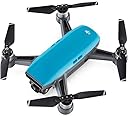
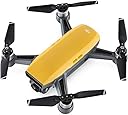
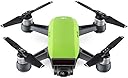
The DJI Spark Fly More Combo in Sunrise Yellow is a compact, feature-rich mini drone designed for professionals and creatives alike. It boasts intelligent flight autonomy with GPS, vision positioning, and a 2-axis gimbal stabilized 1080p camera. With up to 15 minutes of flight time, a 1.2-mile control range, and intuitive hand gesture controls, it delivers stable, cinematic aerial footage in a pocket-sized form. The combo includes extra batteries, a remote controller, and a shoulder bag, making it the ultimate portable drone solution for millennial managers seeking to elevate their content creation and social presence.


| ASIN | B071ZGBK5X |
| Age Range Description | Adult |
| Are batteries included? | Yes |
| Battery Cell Composition | Lithium Ion |
| Best Sellers Rank | #477,080 in Toys & Games ( See Top 100 in Toys & Games ) #1,974 in Hobby RC Quadcopters & Multirotors |
| Brand Name | DJI |
| Color | Sunrise Yellow |
| Connectivity Technology | Wi-Fi technology |
| Control Type | control |
| Customer Reviews | 4.3 4.3 out of 5 stars (1,658) |
| Global Trade Identification Number | 00190021295490 |
| Included Components | Aircraft body, Battery charging hub, Charger, Manual, Micro USB Cable, Propeller Guard, Remote Controller, Shoulder Bag, Storage Box, extra Intelligent Battery, extra Propellers |
| Includes Rechargeable Battery | No |
| Includes Remote? | No |
| Item Weight | 1.49 Pounds |
| Manufacturer | DJI Europe B.V. |
| Material | Plastic |
| Maximum Range | 1.2 Miles |
| Media Type | Flash |
| Model Name | Spark |
| Model Number | CP.PT.000900 |
| Optical Sensor Technology | CMOS |
| Part Number | CP.PT.000900 |
| Special Features | Lightweight |
| UPC | 190021295490 |
| Video Capture Format | HD |
| Video Capture Resolution | 1080p |
| Warranty Description | 2017-5-22 |
| Wireless Communication Technology | Wi Fi |
T**.
Great for design
Moved my intro to the bottom so can get right into the Spark. Really impressed by this lil bird. I started out with a jjrc and that was a flop. Then I moved to the little Cheerson cx10wt. Pretty cool but needed 3 just to have any flight time. By the time I got this spark I was ready for a real bird. I found the first flight to be impressive. It was so stable in the air. I had the Spark out in +15mph winds and it just sat there locked in position. I got just the spark it self and used my iPhone6 to start. It was cool for a bit but was lacking that real wow factor after a time without the remote. I've been slowly amassing pieces and close to a sweet set up. I like going this route cause I get to set it up my self. I don't need their bag for instance. I've ordered a hard case. I got the SKYREAT 6 in 1 Rapid Battery Charger (nice fast charges). Got a battery from family for Christmas and my 3rd battery should be arriving today in fact. (Got the Spark just before the cold snap so now temp finally rising Chicagoland) I have flown it almost every day. I got it just before thanksgiving, arrived early so had time to set up practice and do a dronie for Thanksgiving photo. Everyone loved the footage. I got to test out the active track a few times before winter took over. It followed me around as rode bicycle down the street (was still using phone). There is a bit of a curve to tracking as I could tell. You have to know how to be tracked to keep the tracking going. Keeping your self fluently to its moments as to not wonder off screen and lose the track. Still very impressive. Once I got the remote it was a game changer going from 12mph to top speed showing in my app of 33mph. I thought that I would miss out on the flipping the other drones can do.The remote made this obsolete. Having more fun zipping around. To date I've sent it out 2000ft. Not even 1/3 its max distance. I had the otg cable from a tablet I had got before. Seems to make it one less step than going to settings and connecting WiFi then jump over to the app. Though I keep seeing weak video connection in the app with the cable, it has been very stable with the cable. I'm still putting together all the pieces ex. aftermarket case, backpack to keep it safe as I plan to take it on the motorcycle. I am very happy with the all the options out there. Other drones you don't get as much surrounding the product. Soon I will be able to just throw the case in the backpack and go. I went with a camera sling bag so I will be able to set up and have fast access to the spark. As I've been writing this my 3rd battery arrived. I'm currently charging it with the drone it self for the initial charge before moving to the Skyreat. Firmware has gone smoothly. I have done the first 2 batteries and spark firmware over the WiFi. Where you have to fiddle with the connection between downloading and updating. I plan to do this new battery firmware update with the otg cable to see if it fixes the back n forth with the connection loss when you do the firmware. I really love this Spark. I wanted to get the Mavic but the price just wasn't feasible at this time with all the extras would need. I can report that I have taken phone call in flight. Put them on speaker and was still flying flawlessly. Not one for Bluetooth ear pieces so not sure how that would work out. I have my Bluetooth still turned on on the iPhone6. I have not noticed any interference. I have not ran it with Bluetooth connected to anything yet. I did run into the messages about the phone cpu overload. I found that this was caused by keeping video in the editor in the app. Once I deleted the video content in the face of the editor the overload messages stopped.I also added this info to the DJI forum hopefully they will look into that. Signal strength is amazing with the remote. I could not go over my house with the phone but with the remote I am able to fly over the house, direct interference from the house and no signal loss. Wondering if could actually make laps around the house. The cold weather has kept me from flying too much. I still have brought it out and have flown it around in 0 degrees. The only problem I've found is the gimbal will not respond in the cold as everyone else says. Really wanted to do a 360 of all the snow cover yet even trying to warm the Spark up before flight the gimbal still does not respond well. I have seen that the spark can carry the weight of the LG 360 cam so will be getting one of those for next winter. I have tried to use the hand gestures. They work ok. Not sure with the cold as I've been all bundled up. I have gotten it to work yet it seems very picky. I could not get it to take a picture with the gesture. ( no gloves, still bundled up). I have used gesture to launch then connect to the Spark with the phone while in the air (have not tried with the remote yet). That works really well. Expecting hooking to the remote in the air should work well too. Over all I'm very happy with this purchase. I cannot wait for summertime when I can really get some use out of it at some of the events we produce. I would recommend getting a Spark. It has been a blast. I come from a very aerobatic aviation background. My father was headliner at Oshkosh, Sun n Fun, Chicago Air And Water show, and many others. We had Extra 300 #4.I was one of the only people to go through his whole routine without puking lol. Have so many hours never logged. We were doing what red bull does before they ever got into the game. We have moved into producing shows now and I wanted to get something more professional. This is turning out to be the perfect purchase to start with. I do a lot of 3d work and the image is perfect to place into Cinema4D R18 and Aftereffects. I also ride a lot, so I wanted something compact. This so far is measuring up well. I have already used the footage to place my 3d model airplane in our front yard. I've been working on another video placing more 3d into the footage. Its a game changer for my design. I wanted to use the cx10s to try and do this 3d work yet the footage was very lacking. Now I can get cinematic quality with the Spark. I also plan to use this with green screen so I can get many different angles without having to have a ladder for one lol. We do the pyro for WW2 reenactment hoping this will work well giving the ability to track vehicles and get a much broader view of the battlefield. Super anxious. The Spark has opened many doors a normal camera just cannot do. I will try to update more as time passes and I get to use the Spark more. I hope that this info will help. It is a really good purchase. I'm so happy that I decided to get the Spark. In the future I plan to get the way-point app and to try out the VR app with the iphone goggles I have. Just go for it.
D**0
easy to fly drone with surprising camera/video capability
I’ve had the DJI Spark for a month now, and I’m impressed. I give it 5 stars. The build quality, stability in flying, and portability are all impressive. So far it’s exactly what I wanted. If I encounter a fatal flaw, I’ll update with a reduced rating…. I won’t list pros and cons. From my point of view, I’ve always been fascinated with remote-control flight toys. Over the years, I”m not sure how many $25 or $35 or even $70 remote control helicopter or airplane gadgets I bought. For a $500 drone, this is just what I’ve always wanted. It’s a quality, stabilized, easy to fly drone with surprising camera/video capability. They hit my price point. ⁃ This thing is crazy small. Packed up in the shoulder bag for the combo kit, with remote and spare battery, it looks smaller than a lunch bag for work. ⁃ It’s well made. Has a nice feel and heft, quality rotor motors and LED signal lights, and doesn’t feel like a toy. The shoulder bag in the combo kit is surprisingly well made, as is the battery charger. The drone body itself is the size of an iPhone Plus in footprint. ⁃ I’ve never flown a real drone before. So far I’ve not lost control of this yet, and pretty quickly felt ok using the joysticks to send it up to 290 feet, or swoop it around in sports mode in an open field. ⁃ It hovers precisely stable, adjusting for wind. I quickly felt confident of how it just parks itself in the air if I let go of the controls. The phone screen shows you lots of detail and exactly what the drone camera sees. You can move the camera gimbal up and down. ⁃ The instruction manual is pretty good too. It seems sparse but when you read it again, it has a lot of detailed info concisely stated. The Spark is packed in a foam box with printed manuals, but they are tiny. I downloaded and printed the current user manual in full size, and also saved that PDF in my iPhone iBook app. ⁃ If you want just a toy, read reviews of this or check YouTube instruction videos and the DJI forum for users. I think yeah, if you mostly want a selfie drone with hand gestures, this can do that. But it is designed for a lot more capability. It has "quick shot” programmed modes, and lots of control using joysticks and options on the phone screen. ⁃ Dive down into the app, and you can set options for gimbal sensitivity, speed or distance limits, many photo/video options. In that app you can see a history of each flight, a google-like GPS map of where the drone flew, with a playback of the onscreen messages from the flight. Other settings let you dive down and calibrate the internal compass or IMU. Or see the temperature of the battery cells. They’ve shoved a lot of the technology of their bigger photo drones into this “toy” that is a full-featured drone. ⁃ Get the combo with the remote controller. Your smartphone by law has limited wifi transmit power. With the remote control you get good quality joysticks and can watch the drone in the sky as you fly up to several hundred feet high and 3/4 mile away. It has smart modes to bring it back and land if you lose contact, or if the battery gets low. I haven’t tried those yet. One battery can fly for about 15 min. ⁃ It uses GPS and has map knowledge. Be prepared for lots of on-screen warnings. It enforces no-fly zones, such as all of Washington DC. Presumably some “yellow” warning areas can be unlocked via the app for 3 days. I haven’t tried that yet. This thing looks like a toy so most passersby are amazed. DJI forums have many posts about drone fliers being kicked out of parks or marinas or public places. ⁃ The cached video the DJI app saves on the smartphone is fun, but the true HD quality video files and pics are on the micro-SD memory card in the drone. You’ll need to read the manual to learn how to get the real HD footage. Friends are amazed when I show them the HD video from this “toy” which has an active optical 2-axis gimbal. Purists will want the better optics/gimbal of the Mavic or the Phantom. But this tiny drone is one I’ll actually shove in my backpack on a trip. ⁃ Did I say do research and read the manual and online videos? :-) DJI releases firmware updates to the Spark, installed via computer or the phone app, The first couple updates fixed a lot of complaints about gesture control not working right, I've also found the quick shot modes are quirky. “Helix” goes way too far out and doesn’t spiral. “Dronie” stays oddly low and goes too far away. “Circle” and “Rocket” work well. Read up about how the precision landing for return home can work. But nevertheless, using the remote control and playing with the options, so far it hasn’t done anything crazy. The pause button basically parks it in air and so far it has been easy to bring it back and land gently. Basically it's everything you'd want in a $1000 drone for half the price. Treat it like it is a $1000 drone since you can crash it if you don't know what you're doing, ⁃ If it randomly falls out of the sky, I’ll update the post! DJI forums reported that happened to some Sparks.
E**O
Chegou em perfeito estado, antes do prazo... Lindo produto. Melhor do que eu esperava. Porém a descrição dizia que viria homologado, mas o distribuidor avisou que era um erro nessa descrição, eu tive a opção de não querer mais o produto. Optei em ficar pelo custo benefício. E ainda comprei pelo Meliuz.
D**N
It's amazing what you can get for under $1000 with drones these days. At $629 ( for the basic done ) or $1000 for the fly more combo ( Which has 1 x Remote Controller, 1 x Propeller Guard set, 4 pairs x Quick Release Propellers, 2 x Intelligent Flight Battery, 1 x Battery Charging Hub, 1 x Shoulder Bag ) it is amazing Value. This thing is also so small, about half the size of the mavic. You can get about 50Km/h in sport mode, which is very fast, and the battery is *upto* 16 minutes flight time. In Australia make you get the CASA 'Can i fly here' app ( available on web as well for pre-planning ) as it is very important to drone properly ) eg only fly upto 120m ( which doesn't sound like much, but when you get up there with your drone it is very high ) and restricted areas ( within 5km of airports etc ) This has a 2 axis gimble ( Mavic has 3 axis ) which performs great. Video are stable and look amazing. The video resolution is Full HD ( 1080p ) ( Mavic is capable of 4K ) which for most people looking to get this drone will be more than adequate Definitely recommend the RC Controller, without it ( and just using your phone ) you can only 100m, while with the remote it extends that out to 2km ( though you still need to be able to have line of sight as per the casa guidelines ) Extra batteries are also well worth it, to extend your flying time Maybe the only thing that would be better with the charging hub would be for it to charge all the batteries at the same. Unfortunately it only charges one at a time, which is a bit annoying. You can get charging hubs that charge all batteries at the same time ( much quicker charging ) for about $50 off ebay/amazon etc. Well worth it if you have more than 2 batteries. Definitely as great drone and well worth the money.
D**R
Vine de un Syma y de un Tello; el primero para empezar en el mundo de los drones, el segundo ya algo mejor, por cierto, antes de dar una reseña, si vas empezando en este mundo, compra el Tello, además de que te vas a divertir mucho, no es tan costoso; si por el contrario ya tienes alguna idea de los drones el Spark resulta algo así como ¡¡¡¡¡Espectacular!!!! ya sé, no es un Mavic, no es un Phantom, pero si quieres algo mejor, debes pagar algo mejor. No sabiendo qué esperar, cuando prendes al pequeño se escuchan los motores y el sistema de ventilación, lo que no sucede con drones de bajo costo; ahí es cuando entiendes que este no es un juguete aunque pudiera parecer; todo debe llevar un orden, desde fijarlo en tierra, comprobar las hélices, la batería que esté bien fijada; pasas al software de DJI para que ahora éste señale la calidad de trasmisión, potencia, GPS, brújula, es ahí cuando ya puedes empezar a disfrutar a este gran pequeñín. Recomiendo que sigan los pasos, sí o sí, por seguridad de su compra y por seguridad de los demás. Por cierto, el dron debe ser registrado en México, yo lo hice y dos días después me otorgaron el documento, entonces no existe ningún problema y todo se hace en línea. Calidad del aparato 10 Funciones 10 Video/Fotografía 9 Batería 8 Alcance 10 (con control y cable, si fuera con el celular, le daría un 5) Software 9 Aconsejo que compren el paquete que incluye el control, otra batería y más cosas, pues yo fui sólo por el dron y con el uso en celular no sube a más de 10-15 metros y ya pierdes señal por lo que tuve que comprar por separado todo lo demás; ya con el control, cable OTG y antenas, a 60 o 70 metros de altura no tienes nada de pérdida de señal (cable y antenas que aquí en Amazon están bastante baratos y debes comprar sin dudarlo). Hasta hoy muy feliz con mi compra, además de que por su tamaño resulta un buen compañero en viajes, cabe en una mochila sin problemas. PD No lo vuelen cuando los vientos sean medios o fuertes, existen aplicaciones que les dan esa información.
S**Z
If you are complaining about "choppy video", the best solution is to use a fast android tab or smartphone. Anything less than 2Ghz and below android 7 is too slow for seamless streaming. The other thing that will enhance your video experience with the spark is to install a micro SD on the aircraft itself. I know all this from experimenting with older versions of tablets and smartphones, even using a direct cable to the controller but nothing makes an ultimate improvement other than a fast smartphone or tab (I am using a Sony Xperia XZ Premium and the difference between it and a Galaxy tab 2 is amazing). There's really nothing else that I can add to all the 5-Star reviews for Spark, Ease of control through an awesome app gets a 5-star. Stability even in windy conditions of about 20mph (which I tested mine at), is incredible, especially when you use the "Tripod mode" for super smooth and stable shots. Attached video is a short clip of a much larger (10 minutes) shot of my rooftop which I wanted to inspect for a long time but was scared of climbing a ladder. Spark's camera gimbal is only 2-axis but its perfectly fine and does as good a job as a 3-axis gimbal stabilizing a much larger camera, particularly when you put the drone in "Tripod" mode (did I mention Tripod mode already?). Highly recommended if you are done with your entry level drone and ready to step up, but don't want to spend thousands on a fancy professional drone. With its awesome price point, Spark will surprise you ever step of the way.
G**.
ok...this may or may not be a compulsive purchase but as of yet...I LOVE IT and it is....totally awsome. I recommend the fly-more kit because of the remote control, second battery, prop guards (very useful in the begining and indoors) and 3 battery charger. the bad is good but it doesn't fit everything and well.... is not the motiving factor here. all of this purchased seperatly is far more than the value of the fly-more I recommend you order a land pad and a little plastic thing to safely stow the remote with no danger of breaking the controls. also recommend a 3rd or even 4rth battery....they last about 10m and trust me...that's not very long when you are having fun! up sides to this model: too many too count...it's incredible and just as efficient and inteligent as the Mavic dow sides: 1080p is a bummer but still ok for most stuff...30fps however does suck hard...because you can't do really smooth slow motion videos if your intent is to do any type of quality editing. and last... 24mbps...this is bad... that number (for people not aware) reffers to the quality of the recording itself ... a decent quality would have been at 50mbps...and as an example...the Mavic Air...does 100mbps... so what that means is that there is far less image info being recorded... it's a bummer.... so if you want to make killer vidoes...Mavic Air is the choice... but if you want to capture fun, memorable moments, and mostly in very bright environements... SPARK IT !
Trustpilot
3 weeks ago
3 weeks ago