Buy anything from 5,000+ international stores. One checkout price. No surprise fees. Join 2M+ shoppers on Desertcart.
Desertcart purchases this item on your behalf and handles shipping, customs, and support to Vanuatu.
๐ Upgrade your rig with the ultimate NVMe speed and cool confidence!
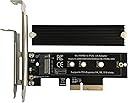
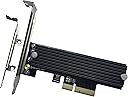
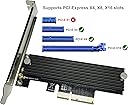
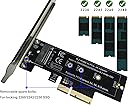
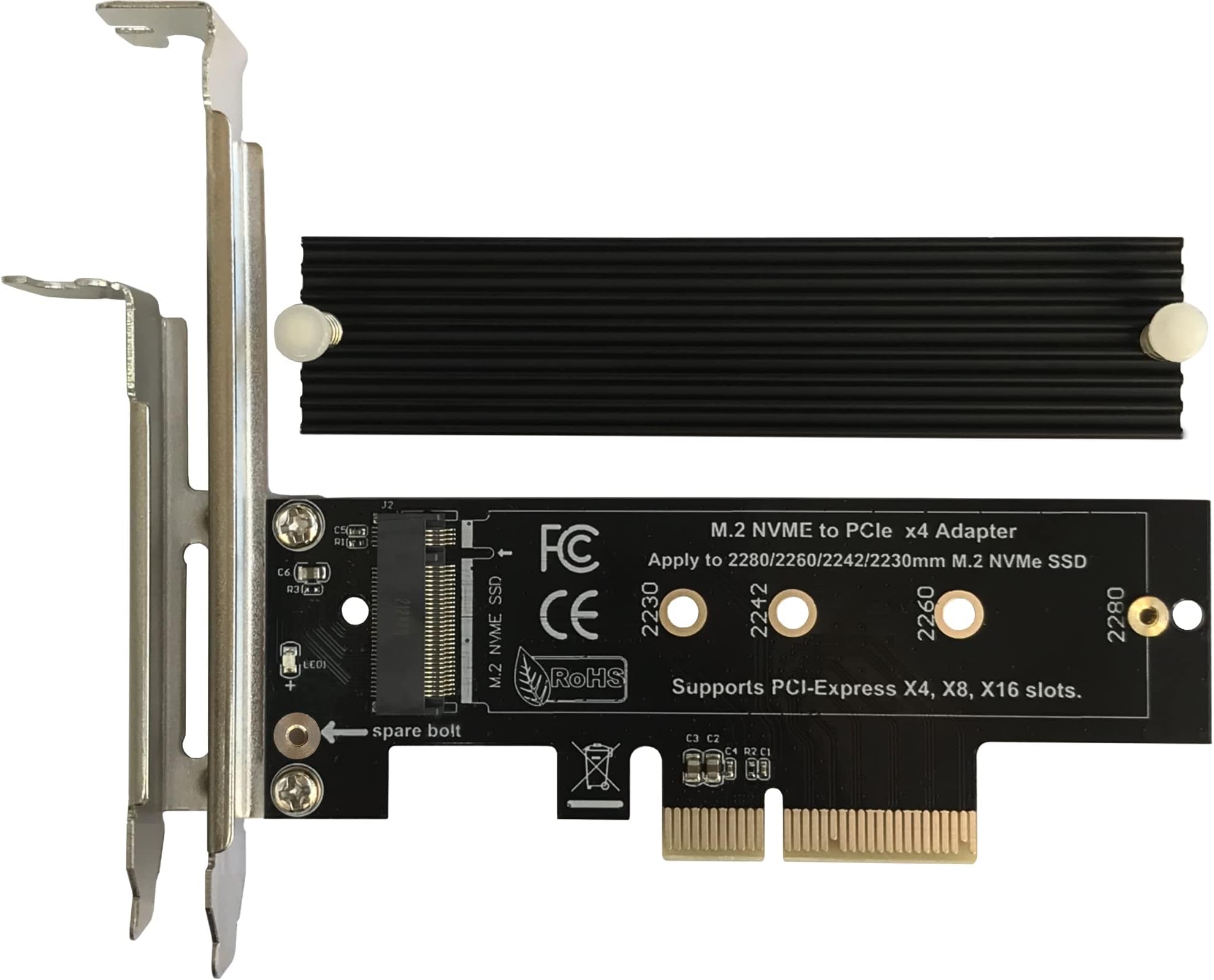
The Bejavr M.2 NVMe to PCIe 3.0/4.0 x4 Adapter is a high-performance expansion card designed to unleash the full speed of PCIe 3.0 and 4.0 M.2 SSDs up to 64Gbps. Featuring an aluminum heatsink with dual thermal pads, it ensures optimal cooling for sustained performance. Compatible with PCIe x4, x8, and x16 slots and supporting multiple M.2 form factors (2280/2260/2242/2230), it offers broad OS support without requiring drivers. The package includes all necessary brackets, screws, and a screwdriver for a hassle-free professional installation.
| ASIN | B09JM5FVC7 |
| Brand | Bejavr |
| Color | Black-X4 |
| Compatible Devices | PC |
| Connector Type | PCIe |
| Customer Reviews | 4.6 out of 5 stars 713 Reviews |
| Finish | Aluminum |
| Finish Type | Aluminum |
| Item Dimensions | 4.72 x 3.54 x 0.67 inches |
| Item Type Name | M.2 Adapter |
| Item Weight | 80 Grams |
| Item dimensions L x W x H | 4.72 x 3.54 x 0.67 inches |
| Manufacturer | Shenzhen Beijiahui Electronic Technology Co., Ltd. |
| Mfr Part Number | M.2-1 |
| Model Number | PCIE-X4-M.2 |
| Number of Items | 1 |
| Number of Ports | 1 |
| Package Quantity | 1 |
| Smart Home Compatibility | Not Smart Home Compatible |
| UPC | 616908871538 |
| Unit Count | 1 Count |
| Warranty Description | One-year warranty |
P**.
Very Good SSD to PCIe Adapter Card
I am really impressed with this NVME adapter card! Supports PCIe standards 1-4 at least. This card supported my new 8TB WD_Black SN850X SSD (with built in Heat Sink) on my Asrock Phantom 7 Z390 motherboard. No issues whatsoever. The UEFI (BIOS) recognized the new drive instantly. Furthermore, both my Windows 10 and Pop_OS! Linux partitions are able to see and access the SSD without issues. Thus I can confirm this adapter card works with Windows 10 and Linux. (I do not have Windows 11 so I can not vouch for supportability. However there are not any drivers nor cables which need to be installed so the adapter card probably will work fine with Windows 11.) The nits I found, which are not enough to take off any points are: 1) the Manufacturer does not offer ANY support and states if there are issues to take it up with the Seller. 2) the instructions for installing the drive are good, instructions for the installation of the support bracket are weak at best, and the instructions are poor for installing the included heat sink that comes with the card. The kit come with 2 thermal pads - one for each side of the SSD. Since my SSD has a built in Heat Sink, I am using the card without the Heat Sink that comes with the adapter card. (So the poor instructions for installing the included heat sink were not applicable to me.) Also I found the that using any of the included thermal pads made my SSD too "thick" for installation. Therefore if your SSD has an included Heat Sink, just install it without the thermal pads. Overall I am very impressed by the quality of the card especially given its inexpensive price. Recommended.
G**S
Works Great For Me...
Pretty straight forward overall... Took a few minutes to check everything out and get it put together. The instructions are decent and give you the jist, but I could see it being a little confusing if you didn't have any experience with these things. Having a quick video tutorial would be helpful. I will not post a video with my review, as I've already installed mine and didn't think about it. Otherwise I would have. But, there is already a video posted by a guy down the main page. He bought one for his son. His video was great and helped me through the steps. So check his out. One small issue I did encounter was that my NVME drive (Samsung 970 Evo) has a fairly pronounced controller on the down facing side of the drive. So, when I put the thicker thermal pad down first, combined with the thickness of the controller, it caused the drive to have a slight bend in it when fastned down... If that makes sense. So for that reason, I decided to put the thin pad down first, which alleviated that issue, then put the thicker pad on top. This is reverse of what the instructions say. Maybe not all drives will share this concern. And one other piece of advice I will offer is when tightening down the heat sink on top. Be careful not to over tighten the screws. If you do, it will begin to bend the board. So, just get them started and lightly fasten them just a bit. They won't go anywhere. After that, I just added the bracket and it installed easily. And for those that are wondering... Do you really need the heat sink? Probably not. But that will depend great on your system build. I have a highly ventilated case, with 10 fans and balanced air flow. So, since I don't use the drive constantly, it would be fine without the heat sink. But, I used it anyway. You mileage may vary. I would suggest you play it safe unless you're confident. I haven't done any formal speed testing, but I use only NVME drives in my motherboard so I'm used to the speed and moving large multi-gig files between them. And I can tell no difference in them at all. Zero difference to my eye and counting seconds in my head as I was testing the difference moving a 10 gig video file between two drives installed on my mobo and then using this one to read/write to the others. So, all good for me. So, overall, the packaging was done well. All parts needed were included, including a small screwdriver. Instructions were basic, but functional. Watch the video the other guy posted. Double check for possible bending when you tighten it down. And the overall look, feel, and quality of the board seemed solid to me. So based on my experience I would definitely recommend this. Much better and faster than using a USB adapter, which would only be a fraction of the speed of using a PCI-e connection. Hope that was helpful... Thanks!
D**R
Simple, affordable, and it just works!
Installation: Very easy to install. After trying several similar adapters, this was the cheapest one that actually worked for me. Just screw in the M.2 SSD and plug the card into the PCIe slot no drivers or complicated setup needed. True plug-and-play. Speed: Supports full PCIe 3.0/4.0 x4 speeds without issues. I connected a 1TB M.2 NVMe SSD and it runs at top speed with no bottlenecks. Functionality: Straightforward and reliable. Recognized instantly by the system with no fuss. The included aluminum heatsink helps keep the drive cool under load. Build Quality: Solid build with a good aluminum heatsink that feels sturdy. It gives some peace of mind for thermal management compared to bare adapters. Value for Money: Excellent value for a budget adapter that includes a heatsink. You get quality and performance without spending too much. Fit: Compatible with standard M.2 sizes and works fine in PCIe x4, x8, and x16 slots. The M.2 2280 I installed fits perfectly and stays secure. Summary: Not a flashy product, but it does exactly what itโs supposed to at a great price. If you want a simple, no-hassle PCIe adapter with cooling, this is a solid choice.
R**T
The smaller than average width was a lifesaver!
This card was able to fit in my computer where a normal sized one couldn't. I'm thrilled to have found it! It's also a preposterous bargain, although if you think you'd feel safer getting one that costs more, I certainly wouldn't blame you. I might have felt the same way, but didn't have any choice about it. I can tell you that it's been functioning flawlessly for just about a month now with my Windows 11 system drive. The very nice heatsink that's included with the card makes it even more of a fantastic deal. You're going to need to attach the bracket it to it, which is a little tricky, but if I can do it, you can do it. There are a couple screw choices for mounting the heatsink, so just see which feels better for you and don't worry that there are leftovers when you're finished. The thermal pad that goes between your M.2 and the heatsink is a double-sided sticky thing, and you have to be VERY CAREFUL peeling the protective plastic sheet off each side. It's difficult and frustrating and easy to damage the pad if you get angry at it. I hope I gave you a good idea of the pros and cons here, and my personal opinion is that even with the minor difficulties this is one of those 'bargain of the century' situations.
G**.
Instructions could be better, but overall good.
I like this adapter, and I've had no issues getting it to work, even in a PCIe 1x slot. The only issue is that the instructions are minimal at best. The default setting is for a 2280 SSD installation; however, they provide a second mounting screw and nut to allow shorter SSD's such as 2232's. It is labelled 'standby nut'. That extra hardware is mounted to the PCB by the mounting bracket. They also provide two thermal pads, a thicker one to go on the underside of the SSD (to the PCB) and a thinner one to go on top (under the heatsink). You will need the thicker pad to stop flexing of the SSD when you mount the heatsink with the included plastic screws or spring clips. The quality seems adequate, and I've had good results with the device. The drive was immediately detected as a secondary drive in the disk management console. You may have issues as a primary drive depending on your motherboard. The inclusion of full and half height mounting brackets is a nice touch. If the instructions were a little more complete it would be a 5 star item.
R**K
Works great in the Alienware Aurora R6 (and presumably all later models)
I wanted to speed up my Alienware Aurora R6 (which only uses PCI 3.0), so I used this nifty pci card and an NVMe drive. I used the free program "DiskGenius" to clone my old drive to the new NVMe drive, and everything worked perfectly. Speeds around 3000MBps read and write (because it's just PCI 3.0). What's nice is if I ever upgrade to a newer computer, I know this device and my NVMe drive can do PCI 4, so much faster speeds. This comes with a simple heatsink and two strips of very gooey white silicone paste to put (1) between the NVMe and the card, and (2) to put on top of the NVMe drive to go between it and the heat sink. After that, you will want to use the plastic anchors or screws (I used the plastic screws & nuts) to *gently* secure the heatsink to the PCI card. Be careful not to tighten one side too much or it will put uneven pressure on the heatsink and one side will be bending away from the NVMe drive. You just need enough tightness so it doesn't fall off. If it isn't perfect, don't stress about the heatsink; it's mostly idiot proof, and not even strictly required (though recommended for best performance).
B**Z
Easy to install SSD and it just works
This is a handy little product that reuses NVME SSDs by packaging them into a PCIe board that plugs into an available slot. It takes around 5-7 minutes to assemble (the small screws require taking some care - don't lose them) and within 10 minutes you're up and running. Installed in a Dell Precision desktop running Ubuntu Linux 24. Since I have I have only one M.2 slot, I needed either an external enclosure or an internal PCI solution, like this. Inexpensive, useful, easy to install and it just works - gets my recommendation!
D**D
Works
Works great. No motherboard detection issues. I have not done any bandwidth or IO test, but everything seems to be working correctly.
M**N
Works fine
Works fine even though shipping was slow
B**O
Overheating
I've had quite a bit of problem with this card, the computer only recognizes the SSD 2/3 of the time when I turn on the computer and I have to keep restarting it until it does. The problem seems to be with overheating and even though it says it comes with the thermal sink, it doesn't really work. When getting one of these, keep in mind you might have to put an extra fan in as well.
Trustpilot
2 weeks ago
3 weeks ago