Buy anything from 5,000+ international stores. One checkout price. No surprise fees. Join 2M+ shoppers on Desertcart.
Desertcart purchases this item on your behalf and handles shipping, customs, and support to Vanuatu.
๐ Elevate your hustle with power, portability, and precision.
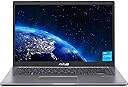
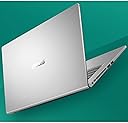
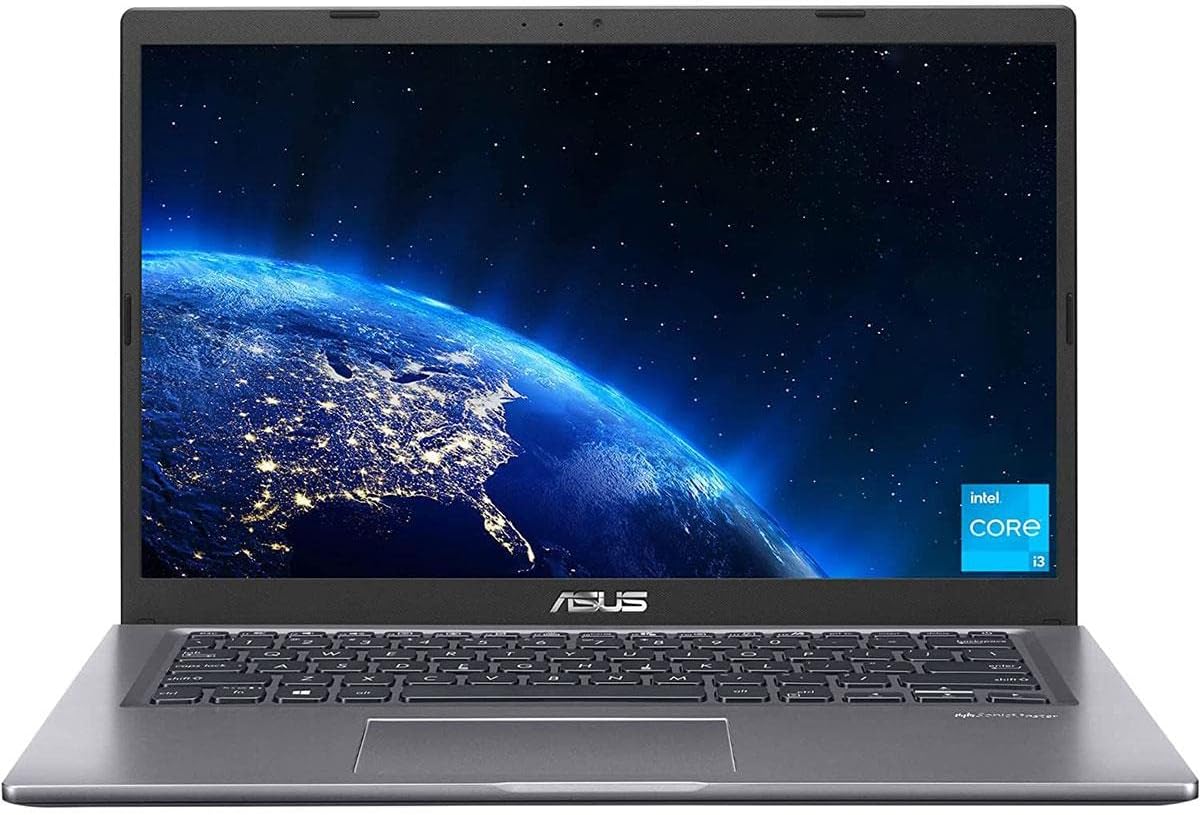
The ASUS VivoBook 14 Slim Laptop combines an 11th Gen Intel Core i3 processor, 4GB DDR4 RAM, and a speedy 128GB PCIe SSD to deliver efficient everyday computing. Its 14-inch Full HD IPS NanoEdge display with anti-glare coating offers wide viewing angles and vibrant visuals. Weighing only 3.3 pounds and featuring a fingerprint reader for quick, secure access, this slate grey laptop runs Windows 11 Home in S Mode and supports fast dual-band Wi-Fi 5 connectivityโperfect for professionals seeking a stylish, portable, and reliable device.


| ASIN | B09SVQG3ZZ |
| Audio Recording | No |
| Battery Cell Type | Lithium Ion |
| Best Sellers Rank | #41,240 in Computers & Accessories ( See Top 100 in Computers & Accessories ) #6,480 in Traditional Laptop Computers |
| Biometric Security Feature | Fingerprint Recognition |
| Bluetooth support? | Yes |
| Brand | ASUS |
| Built-In Media | F415EA-AS31 Vivobook Laptop, Power cord & Adapter, Warranty Card |
| CPU Model | Core i3 |
| CPU Model Generation | 11th Gen |
| CPU Model Number | Intel Core i3-1115G4 |
| CPU Model Speed Maximum | 4.1 GHz |
| Camera Description | Front |
| Color | Slate Grey |
| Compatible Devices | External displays, mice, keyboards, storage devices, printers, and other accessories that connect via USB, Bluetooth, or Wi-Fi |
| Connectivity Technology | Bluetooth |
| Control Method | Touch |
| Customer Reviews | 4.4 out of 5 stars 841 Reviews |
| Display Resolution Maximum | 1920x1080 Pixels |
| Display Technology | FHD |
| Display Type | FHD |
| External Testing Certification | Nรฃo aplicรกvel |
| Form Factor | Laptop |
| Front Photo Sensor Resolution | 2 MP |
| Graphics Card Ram | 4 GB |
| Graphics Coprocessor | Intel HD Graphics |
| Graphics Description | Integrated, Integrated - 2022 Version |
| Graphics Ram Type | DDR4 SDRAM |
| Hard Disk Description | SSD |
| Hard Disk Interface | Solid State |
| Hard Disk Size | 128 GB |
| Hard-Drive Size | 128 GB |
| Hardware Interface | Lightning |
| Has Color Screen | No |
| Human-Interface Input | Touch Pad |
| Is Electric | No |
| Item Dimensions L x W x Thickness | 12.81"L x 8.5"W x 0.78"Th |
| Item Weight | 3.3 Pounds |
| Keyboard Description | Ergonomic |
| Keyboard Layout | QWERTY |
| Lithium-Battery Energy Content | 90 Watt Hours |
| Manufacturer | ASUS |
| Memory Clock Speed | 4.1 GHz |
| Memory Speed | 2400 MHz |
| Microphone Form Factor | Built-In |
| Model Name | ASUS VivoBook 14 |
| Model Number | F415EA-AS31 |
| Model Year | 2022 |
| Native Resolution | 1920 x 1080 pixels |
| Number Of Cells | 2 |
| Number of Ports | 7 |
| Operating System | Windows 11 Home |
| Optical Storage Device | No Drive |
| Other Special Features of the Product | Fingerprint Reader |
| Processor Brand | Intel |
| Processor Count | 2 |
| Processor Series | Core i3 |
| Processor Speed | 4.1 |
| RAM Memory Installed | 4 GB |
| RAM Memory Technology | DDR4 |
| RAM Type | DDR4 SDRAM |
| Ram Memory Maximum Size | 4 GB |
| Rear Facing Camera Photo Sensor Resolution | 13 MP |
| Resolution | 1080p |
| Screen Finish | Matte |
| Screen Size | 14 Inches |
| Specific Uses For Product | Personal |
| Total Thunderbolt Ports | 2 |
| Total Usb Ports | 3 |
| UPC | 195553668095 |
| Unit Count | 1.0 Count |
| Video Output | Thunderbolt |
| Video Processor | Intel |
| Virtual Reality Ready | No |
| Voltage | 19 Volts |
| Warranty Description | 1YR International*/Eligible for 1YR free Domestic ADP upon registration with 1-way free shipping/2-way FREE shipping for standard hardware warranty repair |
| Warranty Type | Limited |
| Webcam Capability | Yes |
| Wireless Compability | 802.11ac |
| Wireless Technology | Wi-Fi |
A**Y
Corsair RAM + Update the BIOS + Linux
For a $215 Black Friday sale, I cannot complain. This is a solid budget laptop. Battery life is mediocre at 4-5 hours, but that was expected. I decided to add 8GB RAM with a $20 stick of Corsair Vengeance (CMSX8GX4M1A3200C22). The RAM works now, but initially it did not. To be clear, neither ASUS nor Corsair say that this RAM is compatible, even though the timings and format are correct. The laptop shipped with BIOS version 306, which would not POST the extra RAM. After updating to BIOS version 314, the Corsair RAM works. Not sure which of the eight versions between 306 and 314 actually fixed the compatibility. I reformatted the SSD and installed Ubuntu 22.04. Technically, Ubuntu does work, albeit with some irritating hardware issues. When the lid is closed or sleep mode is manually invoked, the screen does turn off. However, the battery still loses 13% per hour, increasing the battery life to at most 8 hours. The drain was much lower with Windows 11, so Ubuntu is clearly failing to invoke sleep mode (or at least falling short of whichever S1-S4 level Windows was achieving). This means that the laptop must be plugged in or shut down before I go to sleep. Memory management is also substandard. On the original 3.8GB of RAM, the entire operating system would frequently freeze. Based on qualitative observations, as the system approaches the RAM capacity, it appears to be initiating an offload to pagefile without sufficient resources to execute the transfer. ASUS never claimed that this laptop was Linux-compatible, and I can confirm that the combination indeed has issues.
C**S
Fantastic! (so far)
I bought this ASUS PC from Amazon for $199.99 via a Lightning Deal. I've only had it for two days but I've been amazed by all the features for so little money. I removed S Mode so I could install Brave browser and a couple other things. For privacy, I uninstalled OneDrive, turned the microphone and camera off plus I put a sliding cover over the camera lens. I uninstalled McAfee and a few apps I would never use. This PC has an SSD, an FHD non-glare screen (great picture!), good speakers with sufficient volume, plenty of ports, a fingerprint reader and a backlit keyboard!!! For $200!!! 12-6-22 UPDATE: After having the PC for nearly a week, I've discovered some weaknesses. I'll start with the 4GB RAM (3.7GB useable), it isn't enough. I had the PC freeze up when I had 9 browser tabs open, it took a while to get the browser to close. I did some testing, monitoring RAM usage via Task Manager and found RAM usage to reach up to the 3.7GB max with only 2 browser tabs open. This is a problem. I've had up to 6 tabs open without the PC freezing up since then but don't want to push my luck. I ordered an 8GB DDR4 3200MHz memory stick from Amazon for less than $30 which I intend to install myself. I've never even opened the case of a PC but I watched some YouTube videos of the upgrade procedure and it appears to be quite simple on this PC. The second weakness I've discovered is the Wi-Fi speed, it's slow. I used Ookla Speedtest to compare the speed to an inexpensive Lenovo 11.6" Chromebook I've had for a year. In the same location, testing one immediately after the other, the Chromebook got more than twice the speed of this PC. I repeated the tests several times, this PC was getting around 200Mbps while the Chromebook was getting around 440Mbps. This was on my home internet with no one else using it. Both were connected via Wi-Fi 5. I can make do with 200Mbps but I would think the Wi-Fi should be as fast as that of a Chromebook that I paid even less for. The third weakness is the battery. The PC will run for a few hours on a charge, which will probably be fine for some people. If you're on the PC most of the day, or night, you will probably need to charge it a few times per day. All things considered, I'm sticking with the 5-star rating because this PC has a lot of great features, I only paid $200 for it, and after the RAM is upgraded to 12GB (4+8) it should be a great PC. UPDATE 12-7-22: Amazon delivered the memory stick today. I had never opened the case of a PC before and it took me less than half an hour to complete the upgrade! I don't think links are allowed in reviews so I'll just say a YouTube video by Cadillac Computer Center showed me everything I needed to know. I'm no techie and this upgrade was easy, nearly anyone could do it. The added memory made the PC function much better, faster, smoother. Great upgrade! UPDATE 12-12-22: I just replaced the Wi-Fi card/adapter with a Wi-Fi 6E card ($20) and download speed doubled! Testing on my home internet with no one else using it, in the exact same location, download was 200+ Mbps just before the upgrade and 400+ Mbps just after. Upload remained about the same, 115-120 Mbps. This upgrade is only slightly more challenging than the memory upgrade because it involves replacing something rather than simply adding something but it's still very easy, just be careful with the tiny wire connector. UPDATE 12-20-22: After the two easy upgrades, this PC has been great. After updating Windows 11 to the newest version, uninstalling some things, installing others and running cleanup, there's 34.2 GB of 117 GB usable storage in use, 83.6 GB free. I'm sure that's plenty for my use but I'm going to add a 512 GB 2.5" SSD anyway, there's an empty bay for it to go into. It will be in addition to the 128 GB SSD, not replacing it. This will be my final upgrade, hopefully it will go as well as the two previous ones. The SSD and adapter/connector I've just ordered only costs $40 so I'll have $287 + tax in this PC, a fantastic bargain! I just realized I never mentioned the touchpad, I don't use them. I turned it off and use a wireless mouse so I can't comment on the touchpad. The fingerprint reader works great. I've tweaked settings, personalizing the PC (gotta have my lime green cursor, so much easier to keep track of, among other things). This will not be my primary PC once the new toy thing wears off but I've been on it several hours every day since I got it and I really like it. I'm retired, spend most of my time at home and have a desktop PC with a large monitor, 640 watt speaker system, backlit keyboard and wireless mouse that is my primary PC. This will be a great laptop to have on hand as a backup and for occasional use. Unlike the Chromebook (hate it) I bought a year ago for such purposes, I like this PC so much that I'll kinda hate relegating it to stand-by status... but my desktop PC rocks! UPDATE 12-23-22: I performed my third and final upgrade by installing a 512GB 2.5" SATA III SSD that is in addition to the original 128GB SSD. Installation was a little difficult simply because the installation kit, which was supposed to work on this PC, presented a problem. A soft plastic piece that is supposed to wrap around the SSD and fit into the PC's bay would not do both, no matter how many times I tried. Eventually, I did some trimming of the plastic piece and made it work. The SSD is isolated in that it doesn't contact anything other than the soft plastic and it fits in the bay quite snugly so it should be fine. After installing the SSD, I needed to make it do more than occupy space and a great YouTube video by Northern Viking Everyday walked me through it. In 'Settings' -> 'System' -> 'Storage' -> 'Advanced storage settings' -> 'Where new content is saved', I set new apps to be saved to the original SSD and basically everything else, documents, photos, video, music, to be saved to the larger added SSD. The original SSD will be the operating system and the added SSD will be data storage, as this old dog trying to learn new tricks understands it... Still 5 stars for this bargain PC! UPDATE 1-8-23: One final(?) note: I read some negative reviews that were based on this PC being in S Mode. It says it's in S Mode in the product title, how do you miss that? I was unfamiliar with S Mode so, before purchasing, I did a quick web search for 'Windows S Mode' and one of the first links to come up took me to a Microsoft site page with simple instructions for removing S Mode (it limits you to Microsoft software). I bought the PC (obviously) and one of the first things I did was to remove S Mode so that I could install Brave browser, Ookla Speedtest and anything else non-Microsoft that I wanted. The people who returned the PC because it's in S Mode could have removed S Mode within about a minute's time and had a very nice PC at a bargain price. It does need the previously mentioned inexpensive memory upgrade but that is extremely easy to do. The Wi-Fi upgrade probably isn't necessary, I did it to take advantage of my home internet's Wi-Fi 6. The storage upgrade probably isn't necessary if you don't intend to store many large files on the PC. I didn't need it but did it anyway, I think I was just on an upgrade kick and wanted to get 'just one more' in. As always, I recommend buying from Amazon and not a third party seller. If it doesn't say 'Sold by Amazon' (defaults to seller with the lowest price), scroll down to 'Other sellers on Amazon' and look for Amazon there. I prefer to buy from Amazon just in case there are any problems, even if it means paying a few dollars more. Due to its many features and bargain price, I really like this PC, still 5 stars! UPDATE 2-8-23: I decided to add one more update, that's because I'm still using this PC for several hours every day. I thought I would have gone back to my desktop PC before now but I haven't yet. The room that my desktop is in has been on the chilly side and I got used to using this laptop in a warmer room. My opinion hasn't changed, everything I've said previously still applies. If I were to look for a nit to pick, I would say that the speakers, while decent, lack bass, but I could say the same about the other laptops I've owned. The speakers are fine for most things but I've been using extra bass headphones for listening to music and watching movies. With all the features this PC has, it seems like a much more expensive one. A good friend just ordered this PC, I hope he's as happy with his as I've been with mine. Still pleased, still 5 stars! UPDATE 4-10-23: Still going strong, still five stars!
E**R
Nive computer for a great price with bad battery life
This computer is very nice and for the price I paid ($239) it's really a great deal. I did buy more memory which was very easy to install. It has a nice keyboard that lights up, the screen is good and the computer works great for every day activities like browsing the web, watching videos and working on Excel. The one drawback is the battery life. The battery only lasts a few hours even on eco mode and these days you can find many computers, even low priced ones that have better batteries. Overall I still think it's a great deal.
D**Y
Sleek Design and Powerful Performance - VivoBook Enhances Your Productivity and Style
The ASUS VivoBook 14 Slim Laptop Computer combines sleek aesthetics, powerful performance, and portability, making it an ideal choice for professionals, students, and anyone seeking a reliable and stylish laptop. With its compact design, vibrant display, and impressive specifications, this laptop enhances your productivity while turning heads with its modern look. The standout feature of the ASUS VivoBook 14 Slim is its slim and lightweight design. With a thickness of just under an inch and a weight of around three pounds, this laptop is highly portable and perfect for on-the-go use. Whether you're commuting, working from various locations, or studying at a coffee shop, the slim profile and lightweight construction make it easy to carry and pack. The 14-inch Full HD display offers crisp visuals and vibrant colors, immersing you in your content. The NanoEdge bezel design allows for a high screen-to-body ratio, maximizing the display area while keeping the laptop compact. Whether you're working on documents, watching videos, or browsing the web, the display provides an enjoyable and immersive viewing experience. Under the hood, the ASUS VivoBook 14 Slim boasts impressive performance. Powered by an Intel Core processor and ample RAM, it handles multitasking, productivity apps, and light creative work with ease. Whether you're editing documents, creating presentations, or running software applications, this laptop delivers smooth and responsive performance. Storage options include a solid-state drive (SSD), offering fast boot times and quick access to your files. The SSD provides ample storage space for your documents, media files, and applications, ensuring you have everything you need at your fingertips. Additionally, the laptop comes with multiple USB ports, an HDMI output, and an SD card slot, allowing for seamless connectivity and convenient expansion options. The keyboard on the ASUS VivoBook 14 Slim is designed with comfort and precision in mind. The keys have a comfortable travel distance and provide a satisfying typing experience. The ergonomic design promotes efficient typing, reducing strain on your wrists during long typing sessions. The precision touchpad offers smooth and accurate navigation, ensuring effortless control and interaction with the laptop. In terms of connectivity, the laptop offers Wi-Fi and Bluetooth support, enabling wireless connections to the internet and peripherals. The integrated webcam and microphone are suitable for online meetings, video calls, and virtual classes, allowing you to stay connected and engage with others seamlessly. The ASUS VivoBook 14 Slim also prioritizes your security with features like a fingerprint sensor, allowing for secure and convenient login without the need for passwords. This added layer of security ensures your personal data remains protected. In conclusion, the ASUS VivoBook 14 Slim Laptop Computer combines style, performance, and portability to deliver a compelling package for productivity on the go. Its sleek design, vibrant display, powerful specifications, and comfortable keyboard make it a versatile choice for professionals and students alike. Whether you're working, studying, or enjoying multimedia content, the ASUS VivoBook 14 Slim enhances your productivity and brings your digital world to life with style.
C**L
Nice little laptop
This laptop is top notch! It's no power house but it doesnt need to be (for me). Size and battery life for this laptop are my most important options and this device doesn't disappoint. The keyboard fits my typing style well and the keys feel great. The keys are not squishy nor clicky. They lean more stiff but not clicky at all. Comfortable come to mind. The backlit keyboard - white LEDs - really allows this keyboard to be used in low light conditions. I didnt expect a backlit keyboard at this sub-$300 price point. I'm very pleased with this device! The screen is very easy to read and brightness isn't an issue. I've not experienced glare with this screen, either. I wouldn't attempt serious gaming with this device but cards and turn-based, low-res games are probably ok. The OS (win 11 Home) loads incredibly fast with the M.2 drive which is another bonus at this price point. The only negatives I see are the minimum 4GB memory and the 128 GB M.2 drive. But, these can be upgraded so are small issues. Overall, I'm incredibly pleased with this laptop!
T**M
Best choice for reasonable price
I have a mac m1 laptop, but needed a Windows one, because of my job. So I decided to buy this one. First of all I added RAM and ROM, to 12 and 512 gb. I used this configuration for some months and couldnโt find anything bad. It is quite fast, compact for moving around, good battery life, display is not even close to apple retina, but for $240, OMG, it is AMAZING! In the end I would like to add some features that makes the work with this laptop comfortable: 1) fingerprint scanner- works good, fast enough , easy to setup 2) keyboard backlight- I thought Iโll get just โturn on and turn offโ, but there are 3 options 3) windows 11 on a board- easy to change the ssd, easy to install OS to the new one. No need to google, it activates automatically ๐ For the price, Iโm very happy that could find this one๐ โญ๏ธ โญ๏ธ โญ๏ธ โญ๏ธ โญ๏ธ
S**O
Nice Laptop for the Price
This is my second Asus laptop in the last 6 months. The first replaced a Dell which would no longer boot - said I needed a new copy of Window and contact the manufacturer. NO response from Dell. The machine in this review replaced a still functional HP which I've been so-so about over the years (despite it having a top of the line processor when new and at, what I thought was a higher end machine (not a gaming machine, though). So, given my history and how the machine was used decided to give ASUS a try. Have been happy with it so far. So, this ASUS - the one actually being reviewed - is pretty much the same as the first except a higher generation I3 processor. Turn on and set up went well EXCEPT that it comes with the malware/virus MS Office 365. I hate subscription computer programs so had bought a licensed copy of MS Office Professional. Even though it showed up in the list of program, the machine would not use it. Kept showing pop-ups to buy and use 365. NOTHING I did would get rid of these pop ups and, once the trial period for the pre-installed 365 was up, none of the Office apps would run even though the licensed copy of Professional continued to show up in the list of installed programs. I reached out to ASUS and had a "chat" with first level support. Was actually kicked off because of inactivity while I was trying what they suggested. On the second chat, the problem still not resolved. Promised a call from second level support which never happened. My problem was actually solved by the software vendor. However, the root of the problem is the pre-installed virus/malware MS Office 365. Bottom line I gave this machine 3 stars because, well, if you buy it, you're pretty much on your own if you have a problem. (Contrast that with the software supplier who couldn't do enough to help me.)
E**C
Amazing laptop for the price
Got this laptop to take to school so I wouldn't have to take my Asus z g14. I was looking for something that wouldn't break the bank and something that is reasonable in price-to-spec ratio. For $300 this is no doubt the best laptop you could buy. Pros: - Comes in S mode but can easily be switched out(I've seen quite a bit of negative reviews about the laptop being in s mode and some individuals are unaware it can be removed. Instructions on how to switch out of s mode can be found on the Microsoft Support site)** - Runs off an m.2 sdd - Can add a 2.5" SSD or HDD (+1 Upgradability) - 4GB of ram is soldered onto the motherboard and there is an additional slot to add 1 ram module(+1 Upgradability) - Great specs for the price - Amazing for school, light gaming, and productivity - Very sturdy build quality - Has a fingerprint sensor - The fingerprint sensor unlocks the laptop very fast. In comparison to my other laptop(Asus z g14), the vivobook laptop reads my finger almost instantly - Backlit keyboard - Good keyboard that's satisfying to type on - Bright screen, with nice colors - 720p webcam - Surprisingly good microphone for the price - The charger is small making it very portable - Very responsive trackpad - lightweight Cons: - doesnโt charge by type c :( - In order to add a 2.5" SSD or HDD a SATA HDD FCC is not included(a bit inconvenient but for the price of the laptop I'm not complaining, it's just worth noting) - Speaker sound quality isn't the best, by default the format was at 24bit,48000Hz(sounded like a tin can) I changed it to 16bit, 192000Hz and it sounded a bit better - Battery life isn't the best - The air the fan produces kind of just flows through the laptop and isn't link physical linked to the CPU with a heat sink, making it not as effective in cooling(this shouldn't really be a concern if you don't plan on running heavy software) Overall for the price of $300 you really can't go wrong, this is an amazing laptop.
S**D
Power Adaptor
Laptop is worthy for the paid amount. There is a problem with the power adapter type (US plug), which is difficult to find here & not even mentioned on the description. Normally power adapters comes with different plug types inside box but this was only offered with US type.
M**F
good for the price
I like that this has upgradable ram, nvme ssd and wifi. onboard 4gb 3200mhz. battery is small at 37Wh. you can set max cpu % to 30% to limit power consumption from 30w to 7w to extend battety life. the ips screen is about 68% srgb with yellow tint. no color change when viewing from extreme angle
M**N
ุจุฏูู ุถู ุงู
ุงูุตุฏู ุช ุงูู ู ุงููุด ุถู ุงู
M**O
Great Performance and Excellent manufacturing Quality.
Used for personal home computing, excellent keyboard well spaced,light in weight and very sturdy.Asus alaso gives a 90 days Warranty extension for a feedback on the product
S**W
Affordable product, bad warranty.
International buyer take note. Amazon US sold product warranty only cover for US region, thus once sold outside of US, the Asus warranty automatically become 1 month and not 1 year as stated. International warranty not applicable if product not registered in US and only apply to US consumers travel abroad while using the product. 1 star for such warranty services. Buy at your own risk. I would give 4 star for the product. Easy to upgrade the storage and memory. The missing 1 star due to not inclusive of 2.5" HDD bracket in the package. 5 Star for the price during promotion and sales. Overall moderated to 3 star.
Trustpilot
2 weeks ago
3 weeks ago