Buy anything from 5,000+ international stores. One checkout price. No surprise fees. Join 2M+ shoppers on Desertcart.
Desertcart purchases this item on your behalf and handles shipping, customs, and support to Vanuatu.
👀 Work smart, see sharper — your eyes will thank you!
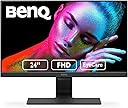
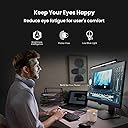
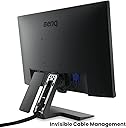
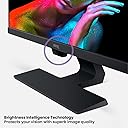
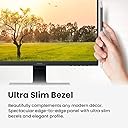
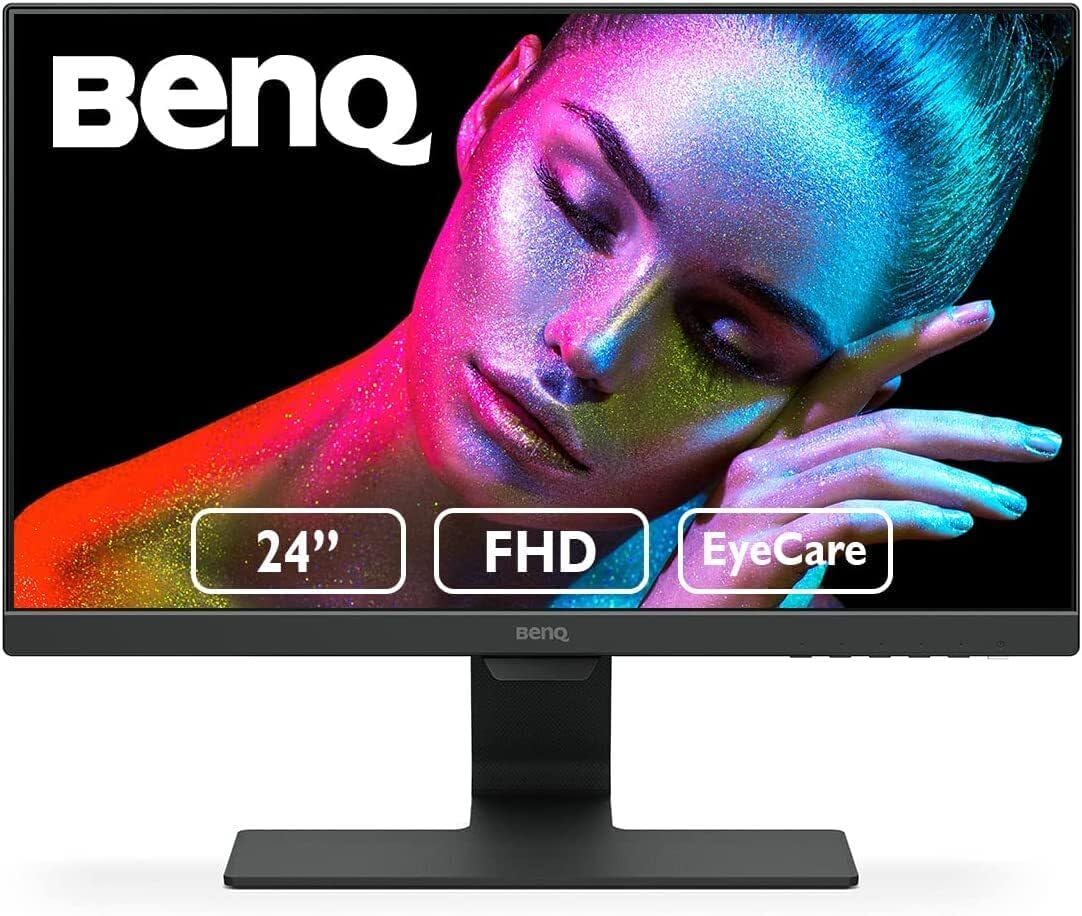
The BenQ GW2480 is a 24-inch Full HD IPS monitor designed for professionals seeking eye comfort and productivity. Featuring adaptive Brightness Intelligence, low blue light, and flicker-free technology, it reduces eye fatigue during extended use. Its ultra-slim bezel and cable management offer a sleek, clutter-free workspace. Connectivity options include HDMI, DisplayPort, and VGA, complemented by built-in speakers. Ideal for office work, casual gaming, and multimedia, it balances quality and affordability with a 3-year warranty.


| ASIN | B072XCZSSW |
| Adaptive Sync | FreeSync |
| Additional Features | Blue Light Filter, Built-In Speakers, Flicker-Free, Frameless |
| Aspect Ratio | 16:9 |
| Best Sellers Rank | #3,256 in Electronics ( See Top 100 in Electronics ) #137 in Computer Monitors |
| Brand | BenQ |
| Brightness | 250 Candela |
| Built-In Media | monitor, plugs |
| Color | VIOLET, BLACK |
| Color Gamut | 72 |
| Compatible Devices | Laptops, Desktops, Gaming Consoles, Tablets |
| Connectivity Technology | D-Sub, DVI, HDMI (v1.4) 1 DisplayPort (v1.2) 1 VGA 1, VGA |
| Contrast Ratio | 1000:1 |
| Customer Reviews | 4.7 out of 5 stars 12,192 Reviews |
| Display Resolution Maximum | 1920 x 1080 Pixels |
| Display Technology | LCD |
| Display Type | IPS |
| Global Trade Identification Number | 00840046037079, 04718755079160 |
| Hardware Connectivity | D-Sub, DisplayPort, HDMI, VGA |
| Has Color Screen | Yes |
| Image Contrast Ratio | 1000:1 |
| Is Electric | Yes |
| Item Dimensions D x W x H | 6.9"D x 16.54"W x 21.26"H |
| Item Type Name | Eye-Care Monitor |
| Item Weight | 8.4 Pounds |
| Manufacturer | BenQ |
| Model Name | GW2480 |
| Model Number | GW2480T |
| Mounting Type | Wall Mount |
| Native Resolution | 1920x1080 |
| Number of Component Outputs | 1 |
| Picture Quality Enhancement Technology | Yes |
| Pixel Pitch | 0.276 |
| Power Consumption | 27 Watts |
| Refresh Rate | 60 Hz |
| Resolution | FHD 1080p |
| Screen Finish | Glossy |
| Screen Size | 23.8 Inches |
| Screen Surface Description | Glossy |
| Series Number | 2480 |
| Shape | Flat |
| Specific Uses For Product | personal, gaming, business |
| Total Number of HDMI Ports | 1 |
| Total USB 3.0 Ports | 1 |
| UPC | 840046037079 |
| Unit Count | 1.0 Count |
| Viewing Angle | 178 Degrees |
| Voltage | 220 Volts |
| Warranty Description | 3 Year Manufacturer |
| Warranty Type | 3 Years Manufacturer Warranty |
S**D
Nice
Pros: - 3 inputs: VGA, HDMI, DP - has speakers - Ambient light sensor - VESA 100 - Narrow bezel - Stand with cable management - Bright IPS and nice colors - Good OSD with DDC/CI (this is when you can adjust settings via software, in addition to the monitor buttons) Cons: - Only 60 Hz - Matte finish, not glossy (just my personal taste, although some people might find this a plus) Generally good feature set compared to similarly priced models. Honestly I had in mind other monitors but they were either out of stock or had issues with the connector locations when mounting to VESA 75 (meaning the mount plate on my VESA 100/75 dual monitor stand would block the connectors on a VESA 75 monitor, specifically the Philips 246E9QDSB). In any case, I settled for this one and can't complain. I'm sure you can find others at this price range just as good or perhaps trading off features such as 75 Hz but only with two inputs for example. Or maybe no IPS or not VESA compatible. I use this for basic desktop applications, work, etc. Not a gaming monitor, although if you are not a hardcore gamer you may get away with this. If you have an nVidia card you can set the RGB dynamic range from 16-235 to 0-255. This means that you'll use the full color gamut the monitor can handle and get (marginally) better contrast and more colors. Not a massive noticeable improvement, but it's there. Image is pretty good and even (not much backlight bleed). The monitor is 60 Hz out of the box but I overclocked it to 75 Hz using the nVidia control panel. You can verify your refresh rate. I searched online for "hz checker" and used www.testufo.com. I confirmed the before and after refresh and it works fine. Do it at your own risk as I don't know anything about overclocking monitor refresh rate. The last thing I'm gonna say is not necessarily specific to this monitor, but it grinds my gears that it's so hard to find a gloss finish monitor this days. Most are matte finish. I personally prefer gloss because the colors tend to be more vivid. Reflections don't bother me as much as the washed out color effect you get on a matte monitor.
J**A
These Monitors Are Gorgeous!
Okay, take it from somebody who's into technology and knows quality when he sees it... these monitors are most definitely quality and at a very cheap price. I didn't want to upgrade from my old Dell 17" monitors, but when one burned out, I had to do it. It was time to go widescreen anyway. :-) After searching and searching, I decided to give these BenQ monitors a try mainly because of the reviews (okay, and low price too). I'm SO GLAD I DID! Image is crisp and sharp. They produce little to no heat and they simply look gorgeous side-by-side! By the way, don't let the look of them when you unbox them fool you. The look of the screen almost seems like a matte, black finish. It seems like an old projector screen and you think, "how can this finish create a clear image?" But then, when you turn them on for the first time, they simply just "Wow" you! Trust me, it happened to me. Wasn't expecting that at all. LOL Also, when you connect the power cable, make sure you push it all the way in. It's a little hard, but it's meant to be that way so that it has a solid and stable power connection. Seriously, couldn't find any cons to this purchase... Highly recommended! Jaime Ojeda
R**F
Quality monitor that does a lot right
I originally got this to have handy for my basement home server setup, and it has worked well in that regard. I made sure to get an otherwise decent monitor in case it needed to be deployed into more frequent use, and the recent COVID-19 "pandemic" has seen my wife and I now both working from home. Thus this has been promoted to daily use. The included stand only requires one screw, and it's captive in the stand (I previously had this mounted to a ceiling vesa mount). Thus when I needed to put this to use, I wasn't hunting for a screw. Well done. It's a very capable monitor with crisp text, good viewing angles, and multiple inputs (one of my requirements for use with my servers). The refresh rate is more at home in the workplace than for gaming, but that's fine for our uses. The brightness, contrast, and color reproduction were good out of the box, and we were able to refine each to meet my wife's needs. Recommended if you need a quality monitor for a home office and do not need to switch to a portrait orientation (without using a vesa mount, which this supports).
C**U
Good
It's a good budget monitor, and I I don't have an issue with the reactive brightness. I can play with overhead lights and then completely in the dark and I never have to change the brightness. It's also not a drastic change that's immediately noticable, it's a comfortable transition that doesn't bug my eyes or make me strain to see (and I have poor eyesight lol). It's also very sturdy and heavily built which makes it feel more expensive than it is. I've played a multitude of games (valheim, skyrim, wow, rust, fallout etc) and they all look great running high graphics. I don't notice delays, shadows, or any other malfunctions and colors/textures seem true. The only complaint I have is that the screen came with a burned pixel which sucks. I decided not to send it back as it's on the top left and I don't see it while I'm playing games, but when I edit photos I can really see it and it gets annoying. Overall though, good monitor and I'm happy with the purchase.
H**R
Great monitor, especially for the price!
I purchased this monitor to replace a 10+ old monitor on my work macbook. I'm going from a 1920x1200 to 1920x1080 monitor and hate to lose the larger vertical space but that's what the majority of monitors are using these days! The only complaints I would have about this monitor are minor, 1. I perfer having an external clip behind the monitor as I have some cables that need to be run but out of the way that don't plug directly into the monitor itself (such as a camera and a mouse charging cable.) However, if this were a monitor that hat the back exposed I can see this being appealing and cleaner from both sides, just not something I would need. 2. The power button is big and bright underneath the bottom right edge of the monitor so it's not obtrusive like the Xbox 1 controllers but it's noticeable. If doesn't draw attention for the most part but is bigger and brighter than I would like. Neither of these is enough to ding a star since it does what I purchased it for and it looks great! Image quality is top notch (while IPS panels have a slower response time they produce much better color and image quality, I'm not gaming but working so it's just what the doctor ordered.) The imagine is nearly the same quality as the Macbook Pro retina display while using the proper profile. I really didn't have to do much to get it setup an working, unlike monitors of old where I could spend many hours tweaking to get just right. I'm very happy with this purchase, especially since it popped up on my price watch at below $100!
S**M
Budget friendly beauty
I ordered two of these upon the recommendation of my son who is in IT at a firm that standardized on this monitor. I've been buying monitors since the time when a high end 19" CRT cost over $1,000. These monitors replaced smaller LCD monitors with IPS screens. The stand is sleek, sturdy, and holds the monitor at the correct height if it is placed on a desk or table that is nominally 29"-30" high. Out of the box the monitor is extremely bright. After turning down the brightness the image is beautiful. Text and graphics look great. The width is useful for running 2 applications side-by-side, for wide spreadsheets and for CAD applications. I don't use the monitor's integrated speakers. The only negative is that the lighted power button is too bright. I taped a little piece of paper to the bezel to block my view of the bright light. Considering the monitor's great bang for the buck I won't deduct a star for such a minor flaw.
A**R
A Affordable Quality IPS Monitor That Is Good For Most Things!
BenQ is a new brand to me, never heard of them before. But I saw the reviews and most people were raving about this one, so I thought I would give it a shot, considering the price was good on it. I bought this monitor for use with my tablet, I use it to monitor a security camera feed, as well as surf the web, watch video's, and do a little gaming. I have a 55" 4K TV for my main computer, so I really only needed the monitor for the tablet. PACKAGING: The package that it comes in is certainly not thrilling to look at. It has a generic look to it to re-emphasize the fact that, you did not buy a high end monitor. However, they did package the monitor up very well in the box it came in, foam on both sides, and everything that comes with it neatly tucked away in the foam as well. WHATS INCLUDED: The box contains the monitor itself, a power cord, and a short HDMI cable. Also included, is a quick start guide, warranty sheet, and a driver disk, which also has the full product manual in PDF form. WARRANTY: BenQ monitors come with a 3-year warranty, which is pretty good! Oddly however, they changed their policy, and you no longer have to register your product with them, in order to validate your warranty. You are however, required to keep your purchase receipt as proof of ownership, if you should ever have to use your warranty. For online shoppers, that is your invoice page, take a screenshot. SETTING UP: Setting this monitor up is super simple, place monitor face down on the protective foam bag. Grab both pieces that make up the stand, connect them together, then screw in the built in nut, then push the stand into the monitor until it locks in place. What is great about this stand, is that it has a place to rout your cables for a neat install. Rout your power cable, and your data cable through the keepers within the stand, then plug them in. Then put the backing cover back on the stand, it only wants to go on properly one-way. PORTS: This monitor has the standard 3-pin computer cable port for power. This monitor comes with the ancient standard VGA port, the previous standard HDMI port, and the latest standard, Display port. It also has a speaker port, and a microphone port. I have it connected up to my tablet using HDMI at 1080P 60-hertz. SPEAKERS: Some people might not know that this monitor is a unique one, that actually comes with speakers. The built-in speakers however are pretty horrible, but this is to be expected due to the monitors size. The speakers can't be over 2-inches in diameter more then likely, which is why the sound is so weak in volume. The sound quality is terrible, the speakers do not produce quality bass, nor quality highs. The speakers pretty much just produce mid-range. Recommendation, use a pair of Edifier R1700BT bookshelf speakers, or a pair of headphones. SCREEN: The screen is an IPS (In Plane Switching) design that measures 23.8-inches diagonally from corner to corner. Unlike a TN (Twisted Nematic) panel which suffers from poor blacks, and major color distortion when viewed at an angle, IPS panels maintain quality deep rich color, with quality blacks, and practically no viewing angles. The only drawback to an IPS display, is that it has a higher response time, and as is with this screen 8ms, and is only 60 herts refresh rate, which is why its not great for gaming. GAMING: As an addition to the previous paragraph, this monitor would not be good for competitive gaming. A true gaming monitor should have a response time of 3ms or lower, and up to a 144 hertz refresh rate or better. The 8ms that this monitor supports, can cause you to see ghosting. And operating at only 60-herts, an action in the game, can happen quicker, then you can see it, which means, you have a higher chance of getting fragged in online play, rather then you doing the fragging. However, having said that, if your a non-competitive gamer, and you only play single player games like Dead Effect, or simple games like Plants Vs Zombies, this monitor will actually be fine for gaming. QUALITY: The quality that this monitor provides is pretty good for the price. While it may not be the best monitor for gaming, it does however produce rich color that actually looks really good. This monitor seems to prefer warmer tones to colors, even if I set the display to be a more cooler blue, it still is warmer then many other screens that I've used. If your looking for a monitor that provides you 100% accurate color reproduction, this may not be the one for you. If your willing to deal with the warmer tones, then this will be just fine for you. The quality of blacks is probably one of the best I've seen on computer monitors, there is very little light leak through on the edges, its hardly noticeable at all. With a TN panel, you would see grey's instead of blacks, and there would be light leak all over the place. There are no dead pixel's that I can see, and the screen is very smooth with a matt finish, which helps reduce glare. The monitor uses a thin bezel design as well, which I like. MENU: This monitor uses a simple menu system, with the use of 4-different buttons, to navigate. Its not the easiest, nor the most logical menu setup, that I've ever used, but it works. Whats a cool however, is that the monitor displays what each button does on screen, so you don't have to look under the monitor with a flashlight to see its icon. (Icons only display on screen when in menu) I turned off all dynamic options, both brightness, and contrast, I don't need my monitor making choices on my behalf. I set the brightness to 50% and the contrast to 70%. EYECARE: This monitor comes with patented EyeCare technology. The company makes it seem so fancy in marketing. All it is, is there is a photocell under the monitor that senses light. When the light is low in the room, it darkens your screen. When the light is bright in the room, it razes the brightness of the screen. Basically, this EyeCare technology is best suited for those who stair at a screen all day in an office, and don't want to have headaches. You can turn this feature on/off in the menu. BEST SUITED FOR?: In my opinion, this monitor is best for people who do office work, production work, programming, security office camera feeds, web surfing, Youtube watching, and light gaming. Additionally, this would make a great streaming monitor as well. WHO IS THIS NOT FOR?: This monitor is not for people who are heavy gamers. Because of the naturally warmer color tones, this may not be the most accurate monitor for photo editing or video editing. However, if your not bothered by that, I still say its a good monitor for production work. WHAT WOULD I PREFER? I'd prefer a menu layout that was more logical. I'd prefer separate volume up and down buttons, instead of having to enter the menu to change volume. It would be nice if the monitor had a Tosslink port for audio input, most computer's today have a Tosslink audio output port. I'd also prefer higher quality speakers, if your going to put speakers in your monitor, do it right. And if you had a Tosslink connection, you'd have a high resolution sample rate and frequency response, which could actually produce quality sound. CONCLUSION: This monitor has been working out great for me. I am actually surprised at how good the quality of the screen is, for the cost. It used to be you had to spend 400 dollars or more to get an IPS monitor of this size, I'm very impressed, for the purpose I am using it for. While it may not be the best monitor, its a pretty good one for the price. Considering my usage of this monitor, I am going to give it a 5 out of 5 stars. PS: Picture of monitor showing rainbow color, is me running the tablet in Daydream COLORS mode, which is like a screensaver. And the other picture showing me playing a game on my tablet, is the game Dead Effect.
D**D
Good Monitor for $120
The monitor is nice and large but lacks in the deeper blacks (FIXED). On my laptop screen, it shows a nice and dark black, but on the monitor, it seems to be dulled out and grayed, but it isn't too bad. For PC gaming, I'd highly recommend getting a higher refresh rate monitor such as 120-144hz because it would utilize those frames better. For consoles, this would be a perfect monitor as you probably wouldn't be going over 100 fps anyway. For others looking for a monitor to just surf the web, this would also be a perfect and relatively cheap option for a monitor Overall, a great monitor, but would wait until its under $120 if it wasn't already. A regular price of $150 seems a bit too steep for a 60hz monitor. EDIT I found the reason as to why the blacks weren't as dark. For some reason, the monitor comes in with nightlight turned on by default, filtering out blue light. Also, the adaptive brightness was also off by default. Make sure to configure your monitor after installing it.
A**S
Excelente (buen producto y servicio regular) ACUALIZACION: DOS AÑOS DESPUES
En cuanto al servicio de reparto: Mal siendo un cliente prime tardaron en casi una semana en entregarlo. Lo compre en buen fin y puedo entender que los pedidos que reciben son muchos, pero 6 días en entregar un producto ?? te perdonaría 3 pero bueno. Finalmente reporte con Amazon y me resolvieron, al día siguiente me dieron mi producto. El tipo iba como de malas (no se si por el reporte) pero bueno no fue grosero ni nada y mi producto llego en buenas condiciones. Desde la caja, hasta le producto en si. Buen servicio de quejas de Amazon. Y rara vez Amazon falla, pero esta vez si me decepciono. Pero finalmente como de 10 veces que he pedido solo esta me han fallado. En cuanto al producto: Excelente, la resolución es buen (yo en lo personal ya no recomiendo el modelo de 28" porque se verían los pixeles ya para la resolución este o el de 21"). La pantalla es anti reflejante. La configuración es regular. La respuesta con respecto al PC al que este conectada, es excelente. Y lo que mas me gusto es que no necesitas ni una sola herramienta para armarlo. Materiales de buena calidad. La calidad de la imagen es buena. Por el precio esta excelente. Super recomendado, aunque solo tengo un mes con el. Cualquier problema en el futuro actualizare, si no actualizo es porque voy bien con el. ACTUALIZACION (DOS AÑOS DESPUES) Excelente equipo, no me ha defraudado, es de uso rudo diario, hay días que trabajo mas de 10 horas y sin problemas, no veo pixeles quemados, ni nada. Sigue igual que como cuando nueva, los botones de la pantalla no me han fallado ni nada. Enserio todo va excelente, quizá el único pero que le pongo es que cuando me mude, no la pude desarmar para llevar la pantalla y el soporte por separado para ahorrar espacio y no se fuera a romper alguna pieza, pero fuera de eso, estoy mas que feliz con mi pantalla, quizá no es la mejor pantalla del mercado, pero he estado jugando Halo Infinite multiplayer y en varias partidas he sido el MVP, eso de que se necesitan mas Hz y resolución es puro marketing, si eres bueno jugando, eres bueno asi estés jugando en una tele de caja la pantalla no tiene nada que ver y esta hace un muy buen trabajo. Y para el trabajo como arquitecto ni se diga, autocad, revit, sketchup, twinmotion, excel, word, powerpoint, photoshop, falsh e illustrator, ningún problema, todo se ve super bien con la resolución en estos softwares que son de diseño y se necesita muy buena resolución.
T**S
Great Monitor, wide screen, easy on the eyes
The screen is wide enough to view multiple windows at once. I have been stuck with my laptop screen since working from home in March. Getting this monitor was a sort of redemption, I now find work more enjoyable and I'm more productive. The monitor came with an HDMI cable, so you don't have to buy another. The only problem I have with it is that I can't extend the height of the screen but it can go back and forth. The high point for me is the eye-care technology that adapts the screen brightness to lighting of the room, making it easy on the eyes. Picture resolution is also good. It's been a good investment for me.
ض**د
شاشة ممتازة وماركة مميزة حيث إن شركة بينكو شركة تايوانية
المنتج ممتاز جدا وهى 2 فى 1 حيث انها تستعمل كشاشة تليفزيون وايضا كشاشة كمبيوتر حيث انها مزودة مخرج hdmi لاستعمالها كشاشة تليفزيون ومخرج viga لاستعمالها كشاشة كمبيوتر والماركة محترمة جدا ووممتازة انصح بهذا المنتح
F**I
تفي بالغرض مقابل السعر
حجم الشاشة وجودتها وتصميمها الممتاز
N**T
Terrific Monitor
Best monitor in it's price range I bought 24 inch height adjustable variant of this monitor for Rs. 10500 during Covid lockdown after spending a month searching for a perfect monitor for WFH situation No other brand is providing similar product at this price range Resolution of Monitor is very high & quality of colors is very realistic Also the design of the Monitor is kind of very professional, minimum bezel, matte blackish body tone. It goes very well with my Thinkpad T495 Some people have commented about the inbuilt speaker of the Monitor not being loud but I can not comment on that part as I have never used them & use output of my Laptop speakers only for audio So I would suggest to don't look here & there for any other product & go for this one.
Trustpilot
3 weeks ago
1 month ago