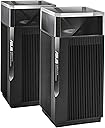
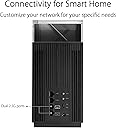
๐ Elevate your home network to pro-level speed and security โ donโt get left buffering!
The ASUS ZenWiFi Pro AX11000 XT12 2-pack is a premium tri-band WiFi 6 mesh system designed for expansive whole-home coverage up to 6000 sq.ft and 6+ rooms. It features ultra-fast dual 2.5Gbps WAN/LAN ports, 12-stream WiFi delivering up to 11000Mbps, and exclusive ASUS RangeBoost Plus technology for superior signal range. Included lifetime AiProtection Pro powered by Trend Micro offers commercial-grade network security. With easy setup and AI Mesh compatibility, itโs ideal for professionals demanding top-tier speed, coverage, and security in a sleek package.


| ASIN | B0B8BKJVHS |
| Antenna Location | Security |
| Antenna Type | Fixed |
| Best Sellers Rank | #87,454 in Electronics ( See Top 100 in Electronics ) #311 in Whole Home & Mesh Wi-Fi Systems |
| Brand | ASUS |
| Built-In Media | Power Adapter, Quick Start Guide, RJ-45 Cable, Warranty Card, ZenWiFi Pro XT12 x (2) |
| Color | BLACK |
| Compatible Devices | Laptop |
| Connectivity Protocol | Wi-Fi |
| Connectivity Range | 6000 Square Feet |
| Connectivity Technology | Wi-Fi |
| Control Method | App |
| Controller Type | Vera |
| Coverage | Up to 6000 sq.ft. and 6+ rooms |
| Customer Reviews | 4.5 4.5 out of 5 stars (92) |
| Data Transfer Rate | 11000 Megabits Per Second |
| Frequency | 5 GHz |
| Frequency Band Class | Tri-Band |
| Has Internet Connectivity | Yes |
| Has Security Updates | Yes |
| Is Modem Compatible | No |
| Item Dimensions L x W x H | 4.53"L x 4.53"W x 9.49"H |
| Item Type Name | Router |
| Item Weight | 3.31 Pounds |
| LAN Port Bandwidth | 2.5 Gbps |
| Manufacturer | ASUS |
| Maximum Upstream Data Transfer Rate | 2500 Megabits Per Second |
| Mfr Part Number | XT12(2-PK) |
| Model Name | ZenWiFi Pro XT12 |
| Model Number | XT12(2-PK) |
| Number of Antennas | 8 |
| Number of Ports | 2 |
| Operating System | ASUSWRT |
| Other Special Features of the Product | AiMesh, Internet Security, Mesh Router, WPS |
| Router Firewall Security Level | High |
| Router Network Type | Tri-band |
| Security Protocol | WPA-Enterprise, WPA2-Enterprise, WPA2-PSK |
| UPC | 195553714334 |
| Warranty Description | 2 Year warranty |
| Wi-Fi Generation | WiFi 6 |
| Wireless Compability | 5 GHz Radio Frequency |
D**.
possibly Fastest wireless backhaul to date
In my setup I get 1+ Gbps backhaul speed. The extra throughput is due to additional 5.9 Ghz band in the 5Ghz-2 channel, which is the default for wireless backhaul. XT12 wifi6 generally is said to be preferrable to the wifi 6e version of the same mesh when used with wireless backhaul, because 6e has only one channel of the same band type. if 6E dedicates the 6Ghz channel for the backhaul (which i take it is the default in that version), then for the clients the whole mesh becomes the equivalent of wifi6, not 6e. On the other hand, the 6GHz band performance for backhaul may vary -- it would perform slightly faster if the nodes are close but worse if the nodes are farther and/or there are obstacles. The latter is usually the case. (certainly is the case for me). The XT12 wifi 6 on the other hand has a flexibility to chose between 5 and 5.9 Ghz bands in its wifi 5Ghz-2 channel which is its default setting for the wireless backhaul. In practical settings this yields faster speeds for backhaul than with a generic wifi6 5GHz. I don't know how intelligent this algorithm is, but balancing open clients between 5 and 5.9 GHz it in theory can use the best combination as a appropriate. Also, 5.9Ghz is way less crowded (there are no actual wireless clients for this band, and very few router models). And there's no loss in functionality for the wireless clients when 5GHz-2 channel is dedicated for the backhaul, either (since there are no 5.9Ghz clients). Conducted 3rd party benchmarks for wireless backhaul seems to confirm as much. Of course if one has a wired 2.5Gbps backhaul to the satellite, then the wifi6E version becomes more versatile in terms of type of client connections. Note that this system has 2x2.5Gbps ports, so it is possible to daisy-chain XT12 satellites with multi-gig speeds (rarely available on other mesh types). Bottom line, the advice is to stick with wifi6 version if one plans to use wireless backhaul; otherwise, wifi6e has ability to connect 6E clients on 6Ghz band (those that support it). I also like the ability to have management both in app and via web UI, neither of which requires an asus account (only if you want the remote internet-side management). I like the AI mesh feature as well, which makes this mesh cross compatible with other AI-mesh enabled Asus routers, including the less expensive xt8 models. XT8 are said to also have ability to use 5.9GHz band (enabled with a firmware update), so they may constitute a cheaper way to extend the mesh further if needed (although their radio apparently not as advanced as XT12's). On the cons, i noticed the satellite having an intermittent connection drops after about 1 month uptime. Seems to fix itself after reboot of the satellite (without eco mode), but that's a bummer. Also, it seems that even though i can hit my nas at 1.2...1.3Gbps speed with smb over the wireless backhaul (a pc connected via 2.5Gbps wired port to the satellite), the ookla speed test from the same pc maxes out at about 900Mbps, even though the Asus ookla test client at the router connected directly to the internet (same test server) consistently shows 1.4 Gbps connection. So there seems to be some additional speed loss when routing from wireless backhaul to WAN as opposed to LAN, at least for the test protocol. So even after spending $700, my local router-to-office bridge is still slower than my internet connection! Still, it is a huge improvement over my previous tri-band wifi 5 mesh performance. All in all, because of the advanced firmware/hw features, Asus seems to be the winner at this point if you need a fastest wireless backhaul mesh. AI mesh really just has no analogs in other brands, as well as the external account-free android app management. Update: With the latest firmware i still observe annoying satellite disconnects. They anecdotally seem to be less frequent if I disable DFS channels, but it is annoying nonetheless. Hope it will be fixed with upcoming firmware (still beta). -1 star (for the money!). Update: disconnects seem to have gone away now. There has been a few firmware updates, so perhaps the issue was resolved. Going back to 4 stars. Still not five as I feel it might be cheaper. But imo, in the end it is totally worth it.
L**S
Neighbors get 3 bars
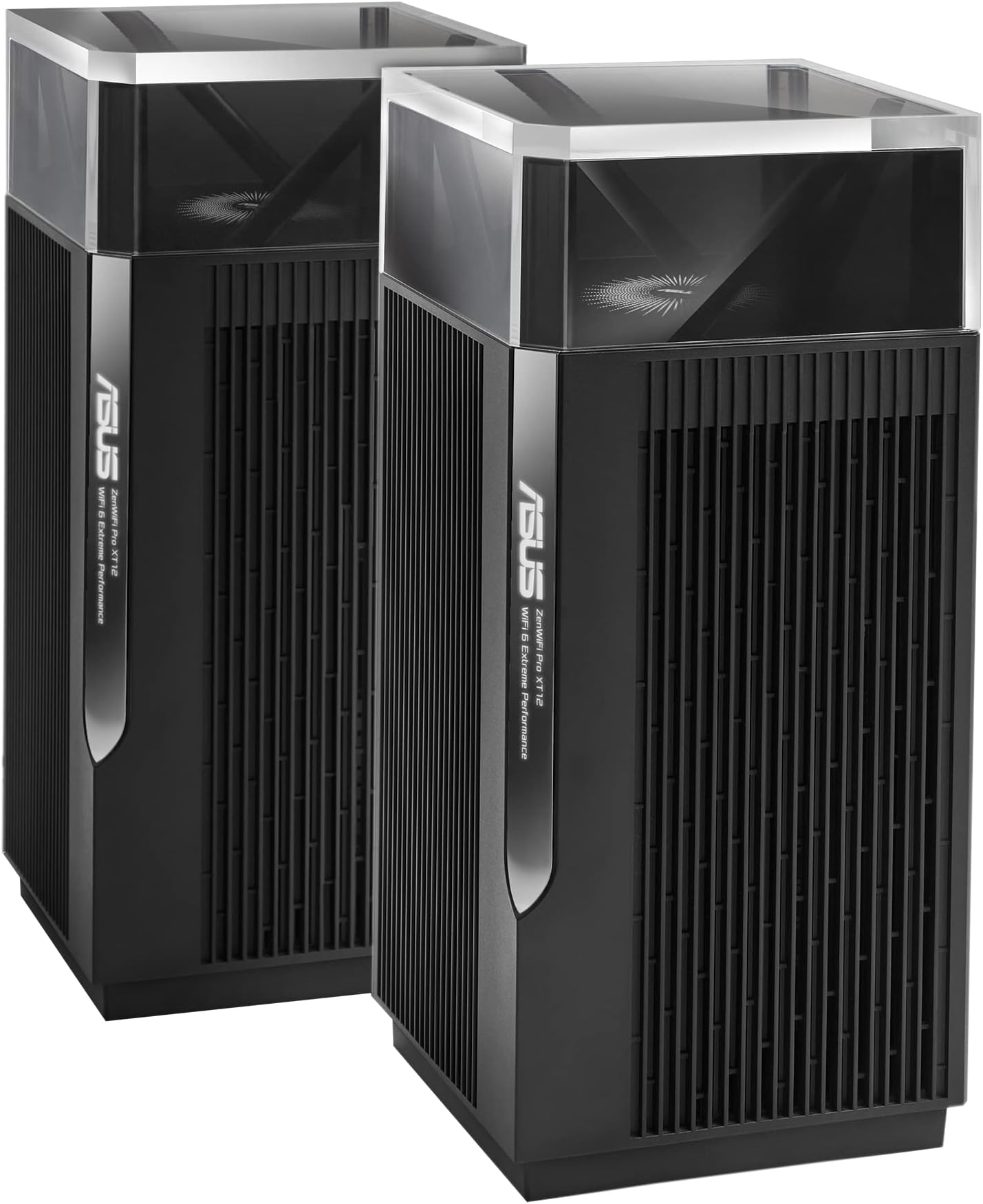
So I did so much research on these mesh systems and I did not want to spend 750 on one but I didn't want to get one of the other lesser systems and it not be enough for my property. I was looking at getting two ROG Rapture AX11000 and the AX92U system instead of this but it was about the same price and they were on sale at the time for $350 (ROG Rapture) a piece. I read multiple places the AX92U ran real hot and would lose connection between the two routers and read the AX11000 also lost signal randomly between routers and you had to reconnect and I didn't want to mess with that at all to be honest. I watched so many videos and I read so many reviews about the XT12. I eventually read a review on dongknows.com about the XT12 and it sold me with him giving it a 9/10 rating. Long story short if you are going to be wired backhaul use the ET12 but if you are using a wireless backhaul use the XT12 since it has a dedicated band for backhaul and the ET12 does not. I have a 19,200 sqft lot at my property and I placed the main router in the attic and the node router above my main garage upstairs maybe 50-60ft away through two walls (has a built out living space above it). I have 900mbps service with a SB6190 modem and I can stand at the back fence of my lot and get 300+ mbps its 80ft from the main router. In the house its near 600mbps. I also have another garage on the other side of the main garage and I get 250mbps in that garage off the node about 40ft away through two walls. Roaming between the routers is flawless and the app is simple and easy to use. Highly recommend this if you want huge range, fast speeds and to give your neighbors 3 bars. I hesitated because I didn't think it would have the range but it is incredible how far it can reach. Update: Iโve had this 6 month almost and still killin it. Love the hell out of this setup. Added my property drone picture to give yโall an idea of how good the range is. The garage I mention the node is in is in the middle building or main garage.
M**N
Super WiFi performance
I replaced my 7 year old Orbi RBK52 WiFi mesh system with the Asus Zen WiFi Pro XT12 2-piece system today. All of my devices connected w/o issue. Wired and WiFi performance are equally good - I'm getting 560+ Mbps on a 500Mbit connection. I was also able to use link aggregation between the XT12 router and my Asus AS6702T NAS. Setup was pretty straightforward. I have two whines: 1) The router could not be located via the locate utility or via IP Address when connected to the old router. I had to disconnect the Orbi router and place one of the XT12 units in its place and then IP Address 192.168.50.1 brought up the devices Web page and permitted me to complete the setup (I dislike using any manufacturer apps). 2) During the setup process it was never displayed to me that the satellite unit had been detected, causing me to try many times to get the satellite detected in error. Luckily, I checked the configuration and noticed that the satellite unit was already detected. I was about ready to rebox it and return it until that discovery. All whines aside, So far, I am quite happy with the XT12. I have used ASUS routers previously, so I am familiar with their UI. Update 5/8/23: I have encountered an issue while creating DHCP reservations for devices that require a constant IP Address. Initially, as I added each reservation and applied the change, the router would make the update and restart. After about the 8th device however, the router would apply the change but failed to properly restart. Although visibly it appeared to restart, WiFi didn't work, no device got an IP Address, and the web page was not instantiated. I resolved the issue by manually rebooting the router. I have the latest non-beta firmware as of 5/8/23 installed.
Trustpilot
5 days ago
1 day ago