Buy anything from 5,000+ international stores. One checkout price. No surprise fees. Join 2M+ shoppers on Desertcart.
Desertcart purchases this item on your behalf and handles shipping, customs, and support to Vanuatu.
⚡ Elevate your game and workflow with the ultimate 12-key command deck!
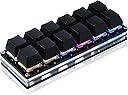
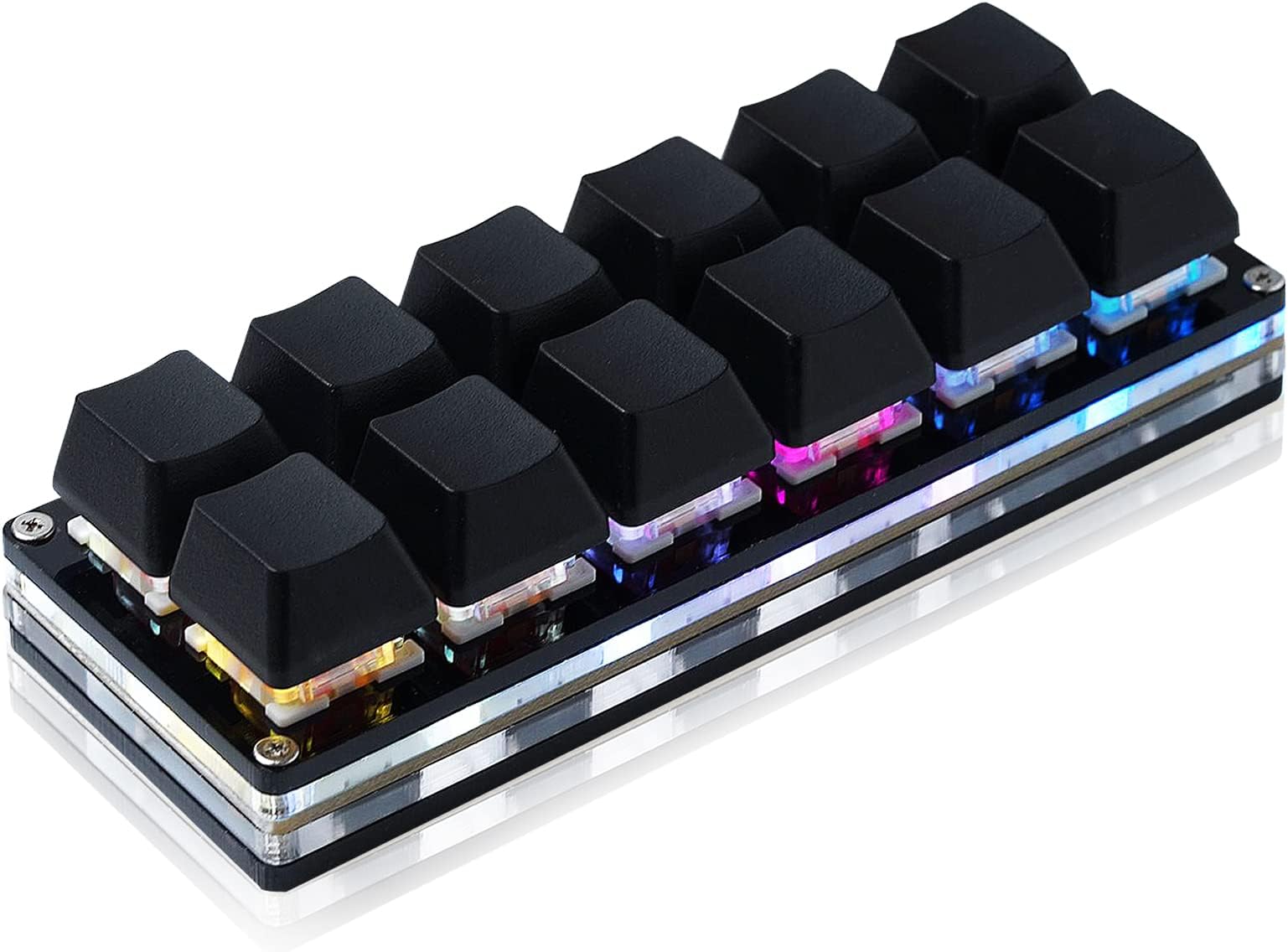
The BTXETUEL 12 Key Mechanical Gaming Keyboard is a compact, wired USB-C keypad featuring 12 Otuemu Red Speed mechanical switches for rapid response. It supports plug-and-play across multiple operating systems including Windows, MacOS, Linux, and Android. Each key is fully programmable for shortcuts, macros, and media controls, enabling personalized multi-step operations. Its foldable, ambidextrous design with RGB backlighting and high-friction pads ensures both style and stability, making it a versatile tool for gamers and professionals alike.
| ASIN | B0BBS3D3JV |
| Additional Features | Foldable |
| Best Sellers Rank | #2,828 in Video Games ( See Top 100 in Video Games ) #245 in PC Gaming Keyboards |
| Brand | BTXETUEL |
| Built-In Media | USB Cable |
| Button Quantity | 12 |
| Color | black |
| Compatible Devices | PC |
| Compatible Operating System Family | Linux, MacOS, Windows |
| Connectivity Technology | USB-C |
| Customer Reviews | 4.0 out of 5 stars 552 Reviews |
| Enclosure Material | Acrylonitrile Butadiene Styrene |
| Hand Orientation | Ambidextrous |
| Is Electric | Yes |
| Item Dimensions L x W x H | 4.6"L x 1.7"W x 1.1"H |
| Item Weight | 4 Ounces |
| Keyboard Backlighting Color Support | RGB |
| Keyboard Description | Multi Functional |
| Keyboard Layout | QWERTY |
| Manufacturer | N\\C |
| Mechanical Keyboard Switch Model | Otuemu Red |
| Model Name | Black 12-Key Keyboard |
| Model Number | Black 12-Key Keyboard |
| Number of Keys | 12 |
| Power Source | Wired |
| Special Feature | Foldable |
| Switch Type | Mechanical Red Switches |
| Theme | gaming |
| Unit Count | 1.0 Count |
| Warranty Description | 2 |
M**N
AWesome purchase, very customizable, happy with purchase! Will be buying more in future
Worked AWESOME with the customization offered , look for "" old <dot> sayodevice <dot> com/device "" Tested it using beamNG racing game, and the game recognized and used it seperately from my other keyboard perfectly. I like the lighting variety and the pattern changes. Seems to be a re-used old keyboard part from an Asus setup or similar, so I was a bit sketched out. Used a virtual OS setup to talk to this, and found zero "filthy" handshakes of data, though that doesn't mean they don't exist. LOVE this!
R**G
I like it very much
Great for the price. Good build and a nice feel to the keys. I tried to swap out the switches. The factor switches were in very tightly. Once I got them removed, none of my Kailh switches would fit. The pin connectors were so tight that they ended up bending the leads on my switches. Looks like the factory red switches have thinner leads. I probably could sand the leads down a bit to fit but I didn't want to go through the trouble. As such, I just reinstalled the factor red switches back in. The pad itself has some good weight to it which keeps it in place on my desk. Configuration software offers a strange user experience. It is going to take most users some patience and time to figure out. There are two versions; v2 and v3. The v3 of the software is much better and more refined. However, v3 only supports Windows. So I run the configuration within a VirtualBox Windows 11 instance. There are plenty of RGB lighting options and several overlays. I am using two different overlays with one key to switch between the two. I configured the key to change color depending on the overlay that is currently active. It is pretty configurable. Supports one key password, scripts, macros, key mapping, and mouse mappings. I purchased a set of transparent keycaps that hold labels from X-keys and printed some labels for my main overlay. Looks and works great.
S**N
12 programmable keys, swappable switches, lighting, macro and password/text functions available
I've got several of these in different configurations. I have a smallish desk and anything I can do to save a little space is worth the effort. I use an 88 keyboard and these products for extra controls or specialized setups according to specific games. My left hand has nerve issues and I can't "easily" stretch my hand across the keyboard for game play. These let you put just the buttons you need right next to each other. I bought this one for Quinfall which uses 1-6 and F1-F6 as spell control (you can also put potions and other stuff on the quick bar) for those playing magic classes. These come with red switches, if you don't like red switches you can easily buy the standard keyboard switches you like (blue, brown etc.) and replace them, switches are not expensive at all. This keyboard has one plug in, at least one of my products has two but that seems to be the exception not the rule with these things. The cable that comes in the box with it is proprietary in some manner as I haven't had any luck getting other usb C cables to work properly with this keyboard. Whatever the difference might turn out to be, all of these products work with the cables that came with them with every other unit. I would suggest you somehow mark/label your cable because they look the same as any other A to C cable. The sydos software comes either as a download or it works just by going to their website but I have found if you want to update the firmware in the kyboard you'll probably need the download version to do that part. The software is powerful and the lighting effects have many options. You may want to unplug other keyboard products you own while programming this as I've found my standalone wired ten key products seem to interfere with the sydos software and must be unplugged during programming only.
A**R
Software is so absolutely abysmal i want to cry
As much as i love its physical profile its software is absolutely abysmal. Its slow, laggy, clunky, and browser based. Constantly keeps erasing the settings and when i try to restore from a back up it gives me an error like half the time and have to go through and painfully set it up again. The other day it just stopped working with chrome and just shows a black page with "running..." In small print... Im so fed up with it. Don't waste your time, money, or hair...
J**Z
OIK,it came in. I haven't even gotten the product yet, and Amazon wants me to rate it.
Update. The device came in and works well. A small piece of paper in the package has the link to the software. Microsoft objected and I had to tell it to load anyway. I found the software easy to use. I changed the default keys to the Function keys and tested it in Digital Combat Simulator, which uses the FN keys. They worked perfectly. The software allows you to change the keys in many ways, including writing macros. There are four (4) layers of key programming, although I don't know how to change from on layer to another. I just needed one layer. I am happy with the device and recommend it to anyone looking for 12 custom keys that can be used in many ways. Maybe, after I get the dang thing I will an honest rating. I keep getting emails saying, "It's coming soon." But, no product. So much for the vaulted two-day delivery. Now, I get this email wanting me to rate a product that hasn't arrive after almost a week.
S**.
Ordered both colors, one came DOA - NOT hot swappable like advertised
Just got two of these macropads today. I ordered both the black and white versions. The black one arrived DOA. It would connect to my PC and light up for around ten seconds and then make the disconnect noise, and the lights and switches stop working until you pull the cable and reconnect. Hopefully the replacement works better. The white one works though so I'll focus on that. There is another con. Despite the listing title stating "hot swappable" (12 Key Mechanical Gaming Keyboard One Handed Keypad USB-C Wired OSU Keypad Programmable and Hot Swappable Keyboard) this macropad is NOT hot swappable. The switches are soldered reds that are not my thing. I had planned to use tactile switches so finding this is disappointing. They'll likely become gifts after I make sure they can take a little use. The software is a little frustrating. I visit a dozen links regularly for work and bought this specifically to keep them easily accessible. After a little googling I was able to figure out how to get everything loaded. Will update as I put some time in with these. Aside from that, I'll be back looking into RGB settings. I needed a break. I'm sure I'll figure it out and be able to accomplish what I want. While this frustration is a big con, it's not the worst software I've used, and it's hopefully a "set it and forget it" situation so it's forgivable. Not everything can be as polished as VIA. If you're still reading, the pad itself feels really nice. It's lightweight but feels nice overall. The transparent middle is a nice touch, and the RGBs get bright. The pads on the bottom are really grippy! It gives me enough confidence that it's not going to move around under general use. I am not a gamer so I can't compare it in that regard, but I imagine it would handle a fair amount of abuse. As I get some time in with these I'll update my review to better reflect the product as a working item than an unfortunate failure. -----------------UPDATE----------------- After some time with the pads, I can give an update. The configuration software works if you use it how it's designed, but it's not at all intuitive, and there's zero help available without youtube. My new biggest pet peeve comes with the strings section of the app. You have 128 strings (where you save the output from a button press) available, but with five layers and twelve keys, there are only 60 possible keys that can be assigned total. This wouldn't be a negative if not for the fact that you have 68 pointless strings (if you'd even use 60), and each string is limited to 59 characters. I bought these to save URLs to common paths, and I've had several I couldn't set because of the length restriction. It would be smarter to limit the string count to 60 and allow more characters per string.
T**.
Works well. Can program more than one function to one button.
Great device and well-worth it for the Black Friday ~$20 price You can program more than one function to one button, for example, Windows Key+Print Screen. Most keyboards require you to press a "function" key to control media, which is unacceptable. Now I can hit one button to make the volume go up or down, play/pause, skip track, etc. Cons. The color setting and possibly other programming functions are buggy but you can keep trying. After programming it, don't forget to hit the "save settings" button or all of your settings are lost. I wish the keys were clear and you could print an image for the inside that would light up. I ordered some transparent X-keys brand that should work, though they add $7 to the cost. But the backlighting on this device works about as well as it shows in the picture, with the solid keys. And you have to memorize what button does what.
A**K
It could be better
The keypad itself is well built if a bit bland. My main issue is the software. some people have raised questions about its saftey given that it is made by a relatively unknown manufacturer, but my issue is the amount of features and how they have been designed. I purchased this thinking I might set up some macro keys for Helldivers 2 strategems to give my poor fingers a rest. The software doesn't readily allow you to bind more than 3 keys for basic tasks... not the end of the world, but it forces you to record actual keystrokes and safe it as a profile... it keeps the time between each keypress, so if you wanted the macro to be instant, you're outta luck. Ironically, in windows 11, it appears you can't turn off Windows shortcuts like ctrl+w (closes current application). Funny enough, ctrl+wasd keys is what I need to set up a macro for, but trying to DO that in this software actually just closes the software. That unfortunately makes this totally useless for the task I wanted to accomplish. That all being said, If you want a reasonable option that doesn't cost you a ton of money, this device still has some value. It is pretty easy to set up simple macros with. If you want something more robust, you should probably look at something closer to a Streamdeck.
D**I
Funktioniert
Erwartungen wurden erfüllt. Mann muss allerdings nicht den Software download benutzen, sondern den normalen Homepage link. Darüber kan man die Tastatur nach eigenen Wünschen einstellen
F**M
キー割り当てソフトが日本語未対応
キーに機能を割付けするブラウザソフトが日本語に対応しておらず、設定方法がわかりづらいが、割付け完了できれば快適。キーの反応も良い。この手のゲーミングキーボードはピカピカ光って困るが、本品は常時消灯できるのでビジネス用途でも利用できる。USB切り替え機を経由して、個人用PCと業務用PCの両方で活用している。
M**S
Fantastic device that works great in Linux Mint 22 under WINE
I got this device to be an alternative to my logitech g600 since they've been discontinued, and because in Linux (Mint), the custom buttons can only store a single key press and not a macro, since the macros are logictech G hub specific. I was surprised to find that Sayo offered not only a web configuration app but a download as well. I'm sure i'm not the only one that ins't comfortable with a website being the only way to configure my device. because sites are notorious for going down without warning. So i initially downloaded the Linux application and found that it doesn't work very well, as the connection it establishes with the device is a really janky pseudo network connection to the usb device and then provides you with a local ip address to connect to in a browser. The main problem is the connection is spotty to the device and doesn't stay connected long enough to make any kind of usable changes. It also has a bad habbit of seg faulting so its nigh unusable. what did work to my surprise is the windows application, as it ran flawlessly under WINE. I was able to make macros and set button colours without issue. I set the 6 buttons on the left side to be SW Fn buttons to switch function layers. On all other layers i set the lower left most button to be a SW Fn0 button to return to the main layer. the macros are easy to make, only took a minute to understand how to set a key press then release, each a different command. otherwise the key is never un-pressed. I tested the macros in the respective Steam games i made them for and they work flawlessly. I even connected the board to another system and they continued to work as everything is stored on the device itself. all in all i'm very happy with this purchase and would recommend if you're looking for a low cost macropad solution that isn't hard to get working in Linux, provided you're fine with using WINE.
ギ**ラ
コレは便利!
ハンコンのスイッチが足りない!でもボタンコントローラは高いので。 YouTubeで紹介されていたのでこちらを購入してみた。 これは!いいですね~。ハンコンのボタンを簡単に増やせます。 反応もいい。あとは耐久性に期待。
P**O
Consiglio l'acquisto
Consiglio vivamente questo tastierino sia per lavoro che per giocare (nel mio caso con Mfs2024)
Trustpilot
3 weeks ago
4 days ago