Buy anything from 5,000+ international stores. One checkout price. No surprise fees. Join 2M+ shoppers on Desertcart.
Desertcart purchases this item on your behalf and handles shipping, customs, and support to Vanuatu.
🚪📲 Unlock convenience and security from anywhere—your garage, your rules!
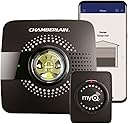
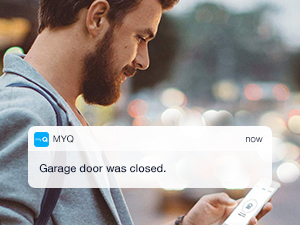
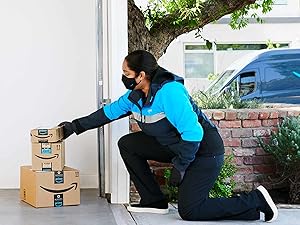
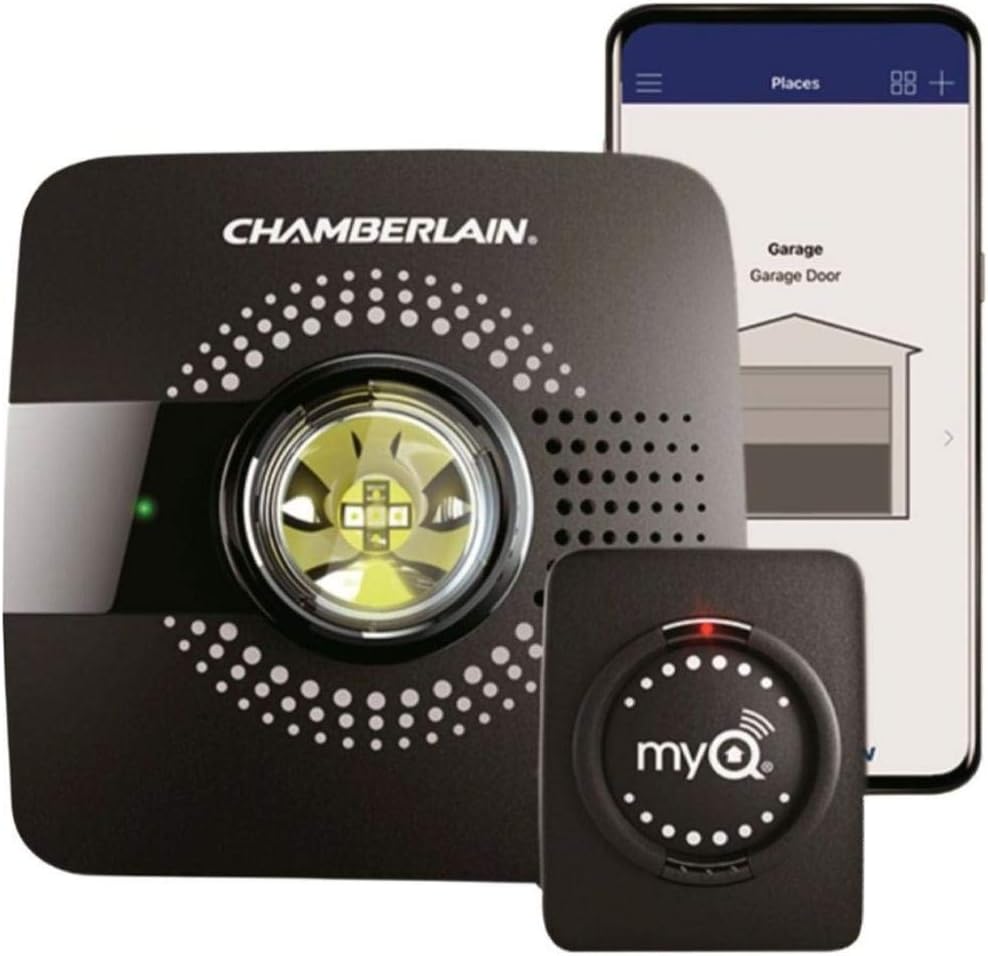
The Chamberlain MyQ Smart Garage Hub (Model MYQ-G0301) transforms your garage door into a connected smart device, allowing remote control and real-time status updates via the myQ app. Compatible with most garage door openers since 1993, it supports 2.4 GHz Wi-Fi and integrates with Google Assistant and IFTTT. Featuring easy wireless installation, guest access for up to three users, and enhanced package security through desertcart Key, it’s designed for modern homeowners seeking convenience, control, and peace of mind.


| ASIN | B075H7Z5L8 |
| Battery Cell Type | Lithium Metal |
| Best Sellers Rank | #787 in Bullet Surveillance Cameras |
| Brand | CHAMBERLAIN |
| Built-In Media | Door Sensor, Mounting Hardware, Power Adapter, Wi-Fi Hub |
| Color | Black |
| Compatible Devices | Smartphone |
| Connectivity Technology | Wi-Fi |
| Control Method | App |
| Customer Reviews | 4.3 4.3 out of 5 stars (41,225) |
| Global Trade Identification Number | 00012381184064 |
| Item Dimensions | 4.5 x 1.5 x 4.5 inches |
| Item Type Name | Chamberlain Discontinued Item |
| Item Weight | 0.5 Pounds |
| Manufacturer | Chamberlain |
| Manufacturer Warranty Description | One Year |
| Maximum Range | 15 Meters |
| Mfr Part Number | MYQ-G0301 |
| Model Number | MYQ-G0301 |
| Smart Home Compatibility | Smart Home Compatible |
| UPC | 012381184026 012381184064 |
| Unit Count | 1.0 Count |
| Voltage | 110120 Volts |
A**N
OPPOSITE EXPERIENCES!!!
I stress about packages sitting on the doorstep, so I was really excited about Amazon Key where they deliver packages inside your garage with this Chamberlain garage door opener. I am so pleased with this convenience and no longer worry about packages. I have set this up in TWO houses in difference states, with different internet providers/equipment and totally different experiences. In the first house, it was very easy to set this up. I followed the instructions in the box to initially get started. It comes with two parts: a “hub” which is the brain of the thing that plugs in to an electrical outlet, and a sensor that sticks to the back of your garage door with provided Velcro sticky mounts. First you install the MyQ app on your phone, and the app provides you with step-by-step instructions. It’s really easy. It also asks if you want to “show me”(watch a short video for certain steps). You can skip the short videos if you want to, but I found them to be very helpful. The major steps are: (1) sync the hub to your phone (2) connect the hub to your wi-fi (3) stick the sensor onto the back of your garage door (4) test the connection between the garage door sensor and the hub and test that it opens the door. After everything tests out okay, they tell you how to mount the hub in a permanent place. It needs to be plugged into an outlet in your garage, within 50 feet of your wi-fi source (your router), and at least 6 feet off the floor. I mounted mine to the ceiling in the garage, plugged it into the same outlet where the garage door opener is plugged in. The whole setup was very easy. So far, Amazon has delivered 4 packages inside my garage—out of the rain and away from passers by. I do not usually have a need to open my garage door remotely, so I pretty much use this just for Amazon Key deliveries. But, have you ever left home and then wondered if you remembered to close the garage door? This gizmo will let you know if your door is open or shut. Relief. Some people complained that the MyQ app is not integrated with other apps like SmartThings. I don’t really care about that. This device cost $30, and it came with a coupon to get $30 off my first Amazon Key delivery (limit of one). I have two individual garage doors, and purchased a second sensor for the second door. The first garage door setup was basically free. How can you beat that?? I had such a good experience with house 1, that I decided to do the same set up in our vaation home, in a different state. TOTALLY OPPOSITE EXPERIENCE tried literally everything, but the Hub would not connect. I finally concluded that my brand of router/modem in the vacation home was not compatible. I spent many hours researching this on the internet and also on the phone with both MyQ and Chamberlain both. They were both very helpful, but NO LUCK it just would not work. The router we were using was TP Link AC1900 Archer 8, and the modem was Netgear CM600. One or the both of them just did not work with this MyQ devise. TWO YEARS later, we changed internet providers to Century Link--they provide their own router/modem so I am not longer using the TP Link/Netgear equipment. I decided to try the MyQ hub again and it was VERY EASY to connect with no issues with Century Link's Quantum Fiber equipment. We have two separate garage doors with two separate openers. I was able to connect both garage openers to the same hub, and order an extra sensor for the second garage door. I am VERY HAPPY to be able to use Amazon Key service in our vacation home now. I don't know why, but it currently costs the SAME regardless of whether you purchase a complete HUB WITH the sensor OR a second sensor alone. Even though I could use the original HUB for the second garage door, I ordered the complete hub/sensor set and am using only the sensor for the second garage door. I figure that I have a "free" backup HUB in case I have a problem with it later. I write honest reviews to help others make informed purchases. I do that because I read reviews myself and appreciate how helpful they can be. I hope my review helped you.
R**D
Works well but here's a way to make it work better...
Let me start by saying I was on the fence for months as to whether I should actually buy this Garage Door opener from MyQ. The reviews on Amazon were very mixed and I wasn't too pleased that once I bought into this product, I would probably have to spend more. I will talk about that in a moment. I actually decided to make a purchase during Prime Day when the cost of this item sold for about $20 less than it regularly does. It seemed like an absolute bargain at that point. The installation was very simple. The mounting was a bit of a nightmare only because MyQ didn't fully explain that process in their directions. The installation process is a breeze, thanks to the mobile app which does an excellent job of walking you through the process, complete with videos that make a novice like me an expert. You basically use the app to pair the base unit and the sensor. The sensor comes with two-sided tape and gets placed on the inside of your garage door. The problem I ran into was the screws. MyQ provides you with 2 different sized sets of screws. They don't tell you that if you use the anchors, you must use the shorter screws. I used the longer ones. Now, I am sure most of you who are more handymen than I am probably could have figured that out on your own, but for someone not as mechanically inclined, it would have been nice for MyQ to give a better explanation of screw usage in their instruction manual. Once I undid the initial mistake, I was able to successfully mount the MyQ to my garage ceiling beam. One other note to make here: The mounting bracket is also a bit of a problem. You have to go through two sets of holes to drill in your screw. It's a little cumbersome. I wish the bracket was designed a little better to make it easier. I am guessing this was the best MyQ could do. All in all, I am not taking any stars away in this review for the clunky install and bracket. I am guessing most of you who are more handymen orientated won't have an issue. So, once installed, the garage opened and closed as expected using the remote. No issues there. The real nice surprise here was that, for the moment, MyQ is no longer charging people $10 a year to integrate MyQ with Google (and I think) Alexa. Previously, there was a subscription charge. That caused a huge amount of backlash from customers. I even swore I would not buy this product if a subscription was mandated. Well, for now, that subscription has been put on hold. You can get free integration for your smart device. Be aware that for the moment MyQ is saying this could be only temporary. Voice integration with Google Home Hub is not as fluent as you would hope. You can't just say, "Hey Google, is my Garage Door open?" of "Hey Google, close my garage door." You have to say, "Hey Google, ask MyQ if my Garage Door is Open." I am not exactly happy about that extra step. Also, do realize that there are extra security measures put in place that prevent homeowners from giving smart devices opening commands. You can't say, "Hey Google (or Alexa) open my Garage Door." The reason behind this is so burglars can't yell that command from outside your home in hopes of your smart device picking it up. HOWEVER....HOWEVER...HOWEVER... There is a new, free software workaround that allows you to open and close your garage door through Alexa (and probably Google) commands. You don't need to buy the $15 kit. If you want more information you can reply to me in the comments. One other thing I need to mention here. If you want iOS/Homekit support you need to buy the additional $90 MyQ bridge. I found that aspect to be unfortunate as that add-on is severely overpriced. I will end up purchasing it just so that I can open and close my garage door using the new iOS 13 Carplay functionality which puts Homekit on your navigation screen. It would be great, as I arrive home to say, "Hey Siri, open my garage door." So, bottom line: The MyQ garage door opener works great out of the box. Some of its smart home command functionality is limited, but there are workarounds.
F**H
2 Month Review and a BIG INSTALLATION TIP
Got this one at Thanksgiving and I've had it up and running since. Installation was a PITA. First time through with the app, the unit would not pair with my garage door opener (18 year old Genie). Once it fails to pair, the app really doesn't seem to offer an easy way to try again. The only solution seems to be to uninstall the app and re-install to start over fresh. Did that twice before I figured out why it wouldn't pair with the Genie opener. The app's instructions simply tell you to "take the MyQ into the garage" where it walks you through connecting it to your Wifi and pairing the Bluetooth door position module. I happened to put mine on the workbench next to the car (maybe 8 - 9 ft from the Genie door opener on the ceiling) and everything went well with connecting to Wifi and pairing with the Bluetooth module on the garage door (mount it high enough so the vehicle doesn't block the Bluetooth signal). But when I tried to pair the MyQ with the Genie garage door opener, it failed. The app tries for a couple of minutes then no joy, no clues, nothing. Going to the MyQ website was useless. After spending 30 minutes trying to figure out how to re-do the pairing in the app, I gave up and uninstalled then re-installed the app. Second attempt to pair with the Genie opener also failed. NOTE: You have to reset the MyQ using the buttons every time it fails before you can start the entire installation procedure over. However, in the app, even when it fails, you have to compete the remaining installation steps ("next", "next", etc.) until you wind up with a non-functioning MyQ and an app that doesn't allow you to repeat the process. But, the hint comes after the door opener pairing step when it mentions "mount the unit on the ceiling within 6 feet of the door opener." (The app always assumes the pairing was successful.) Guess what? You have to have the unit within 4'-5' of your garage door opener BEFORE you start the pairing process and LONG BEFORE you mount it on the ceiling. Seems logical in hindsight but the sequence of installation instructions doesn't give you that MAJOR hint before the pairing fails. Third time was the charm when I put the MyQ on top of the car under the door opener (about 4' separation) and tried to pair it again - bingo! Finally got it paired with the Genie opener, backed the car out, got the ladder, mounted it on the ceiling about 3' from the door opener and all was well. Since then I haven't had any problems. It comes in very handy when I'm trying to remember if I closed the garage door. The app connects pretty fast (a few seconds) and even though I'm only a block away it tells me that the door has been closed for 45 seconds. So, once you get it installed and working, it seems to work well. After two months I haven't had any issues with it opening or closing by itself or any other foolishness like that and the app connects and gives me the status reliably. I've only had to open the door remotely once (from my office) but it worked perfectly and i could confirm that my son closed the door when he left. All in all, a really good investment at the Black Friday price of $20.
B**9
This works flawlessly despite claims to the contrary
Before purchasing the myQ Hub to monitor my two overhead car doors, I reviewed probably 200 customer feedback postings. While I noticed a number of negative claims that the MYQ-G0301 didn't work well I was hesitant to take those comments at face value as I had previously installed a myQ Chamberland opener on a 3rd overhead garage bay for my golf cart bay and had no issues at all in the last year with it. The G0301 installation went smoothly and flawlessly, but repeating the words of a number of posters in this blog YOU HAVE TO CAREFULLY FOLLOW THE INSTRUCTIONS for a number of reasons. !!! First and foremost you MUST have a good wifi signal in your garage, and it highly likely that will NOT be the case for most garages as they are probably not very close to where you have your router installed. USE YOUR SMARTPHONE to check the wifi signal where the Hub will be installed. If it is not a good solid 2 or 3 bars then I guarantee you will have installation issues!! The solution is to add a wifi Range-Extender to your installation. I used the TP-LINK model TL-WA855RE and was impressed with its ease of setup and the performance improvement it delivered! It resulted in a 4-8 fold improvement in wifi signal strength and made all the difference in the world. Two. Make sure you install the Hub no further away from the closed doors than the door opener motor, and the door sensors as close in-line with the Hub as practical. Yes. I have TWO doors controlled by the single G0301 Hub. In the attached image you can see where I installed the Hub (yellow circled highlight) and the door sensors (red highlighted rectangles). Note also that several reviewers have noted that the orientation of the Hub may be critical to proper operation. The myQ Installation manual never comments on this but shows that the power plug is on the backside of the Hub (the side furthest away from the door) so I followed that approach (note image yellow arrow pointing to power plug). I noted that several reviewers also commented that their door sensor fell off of the door when they used the sticky-back Velcro fasteners. I suspect they didn't properly clean the door surface as I have never had a Velcro fastener fail to stick. To the contrary, I can hardly ever remove them when they are no longer needed as their adhesive grab is so tenacious! But to be safe I used the screws provided in the install kit. It was simple and easy to do and should be a solid attachment means. All in all, I would wager that 99.9% of the user problems stated in these posts is a result of either poor wifi signal or not following the installation instructions. Finally, as a retired Chief Engineer for various radio and tv stations, and knowledgeable of radio (including wifi) issues, I would suggest to those users that have experienced their doors opening/closing randomly and without reason, that such actions are virtually impossible without a good underlying cause, which for all door opener devices, is simply the fact that their opener is picking up a transmitted code from a rogue remote control in their area. Somehow such a remote signal has been previously learned by the user's door opener. The solution is to clear out (erase) all codes and then go thru the programming steps again for the user's remotes (and myQ Hub). In my humble opinion, this is a wonderful addition to my garage and solves the problem of driving away and later discovering I forgot to close the garage door. Also, the peace of mind that results from automatically closing all the garage doors (should they have been left open) at the end of the day, is priceless. I am a happy camper and give myQ 8 out of 5 stars.
A**R
Works great - install app first and follow directions closely
Overall very happy with this device. I was able to get it installed and working within 15 minutes. In use, the system does exactly what I wanted it to do - I can check my phone to see if the door is open/closed, and can hit a button to close the door. I was able to easily setup a push alert so that if the door is left open for more than 10 minutes after a certain time at night, I will get alerted. No more getting up in the morning to find the door was left open all night! My one gripe is the annoying beeping when the app closes the door. This is included as a safety feature, but goes WAAAAAYYY overboard - the beeping goes on for 15 - 20 seconds AFTER the door has finished closing. I read a number of comments where people just yanked the speaker off the board, but I didn't want to alter the device in case it fails withing the return/warranty period. I did find a very helpful comment about using a very small screw/bolt to silence the speaker without damaging the unit. Find a screw that is just a tad bigger than the hole in the black plastic speaker housing, and screw it in just far enough to put pressure on the little disc inside. This will prevent it from making noise, and you can still take the screw out should you ever need to return the device. A tiny, fine threaded machine screw, with a flat tip would be best to avoid damaging anything. Installation notes: First off, don't do ANYTHING until you download the app onto your phone. The app does a fantastic job of detailing every step needed, and you can tell they have updated the app with common user problems. I read a lot of reviews on this product before purchase, and here is what I suspect people have had trouble with: 1- you have to have a fairly decent WiFi signal in your garage. If the signal is weak, add a repeater/extender before you bother trying to get this working. 2- follow the instructions in the app EXACTLY - don't try to put the hub on the wall by the door to your basement, or in a canoe in your back yard... put it on the ceiling, right by the garage door motor. 3- the instructions in the app tell you NOT to mount the hub to the ceiling at first. This was important in my installation. At first, I had the unit directly behind the garage door motor. The pairing process between the opener and the hub would time out and fail. After a few tries, I held the hub a little bit to the side of the opener, and it paired right away. It seems that the placement of the hub in relation to the opener, and also to the remote on the door, is very imporant - so don't screw the bracket into your ceiling until you have things working.
J**N
Painless installation, works as advertised
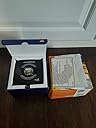
I wasn't sure why I needed this thing. It opens my garage door on my phone and what else? Oh, it allows Amazon to deliver packages indoors? Ok. Why not? That was pretty much my thought process. I got it for $23 on Treasure Truck, it only runs $29 at full price though. The packaging comes with a door sensor, a small installation kit and the main MyQ Door Hub. Instructions are all online via the App, but are easy enough to follow. Specifically, they will show you a short video and then step you through the process with illustrations. The door sensor is mounted with velcro mounts on the door. It was never specified what this sensor does or how it communicates with the hub, but it's easy enough to put it left or right of center on the top panel. It's battery powered so I'm sure this thing will be dead in at least a year's time. Then the main hub is plugged into the same plug as the garage door opener about 5 feet away from the opener. You run through some steps with the units Learn button (make sure your unit has this) and it connects it all together. My unit failed to "learn" with the door opener on it's first try. They said that would happen and I tried again and it worked fine. It did complain about low Wi-Fi signal but it was strong enough to connect. I imagine that will be a common complaint for customers. The last part had me link to my Amazon account to use the "Key" feature. The trouble is that I got the Captcha wrong and had to do something else. The App timed out and it left it partially installed. Meaning I had to run through the whole process (quickly) and it finally worked. I suggest paring with Amazon Key after making sure the main App works. I was able to pair with Key in about 1 minutes after I got away from the Captcha (it trusted me the second time around for some reason). I will try Key this week, which promises $10 off my first order which would bring this product down to $13. Google Assistant does not work, it complained about some premium subscription for $10 a year. It would have been nice if it worked for free. Alexa seems to suffer from this needless cash grab as well. There are workarounds online if you are so inclined, I'll just use the App directly instead. FInal thoughts, it's easy enough to install and the App is easy enough to setup. My main use will be the Amazon Key feature to secure my packages. One thing of note, my garage is detached and I have two cameras pointed at it. If an Amazon employee were to try anything, I'd be able to see it. However, if my garage was attached, I'd be very hesitant to use this. They do assure you that drivers are vetted and it's only good for one open and close, but still, I probably would not let somebody have access to my house, especially unmonitored. With a detached garage, basically they have only access to yard equipment. It's a neat little gadget that seems to work well enough. Leave yourself about 1 hour from start to finish for installation.
C**3
Works sometimes but mostly DOES NOT!
Final update: I got rid of this unit and replaced it with the NexxGarage which had worked like a dream. Save yourself the time and aggravation and DO NOT buy this Chamberlain Opener. Read my full review below if you want to know my experiences with it. UPDATE 3 (10/19/18): This Opener and app has continued to be frustrating in all ways. While the app has been doing a decent job at monitoring the door being open or close, it has FAILED at closing the garage door on the times when we needed it to work the most. On several occasions my wife forgot to shut the garage after leaving for work. The app alerted me that the door remained open which is good. The bad part is that every time I tried to use the app to close it, it would just endlessly spin the wheel and never close it. I would give it some more time and then try the app again and that is when you get “Close Error.” The garage door is then stuck open until someone physically closes it at the house using a garage door opener that works. For the life of me I cannot understand how they sell this product when it cannot complete the one simple task it is supposed to do. I do not recommend this Opener and I do not recommend Chamberlain products. UPDATE 2 (2/9/17): The app has once again failed to work without reason. The hub shows a solid green light meaning it’s connected however when I use the app to open the door the only thing I get is a spinner icon. This Opener is more like a Beta product than a public version. I am totally disgusted with this Opener. UPDATE 1: I have updated this review after having contacted Chamberlain and going through further steps to reset the My Q Hub. I performed a reset originally but never heard the audible “beep” which I am informed is to signify the unit has been totally cleared of previous memory. I factory reset the unit and connected it to my new WiFi Ranger Extender and all has been well for the first few days. I will update this review should the unit lose functionality but for now it appears to be working properly. ORIGINAL REVIEW: I originally bought the first generation MyQ Garage Door Opener and installed it to my existing Chamberlain Opener. It seemed like it was the greatest thing until I started seeing that the door position would sometimes not register on the app and alert me that the garage was open. I would check my garage door only to find the door closed. I tried changing the batteries in the door sensor as well as resetting the hub as directed by Chamberlain. This also did not work. Often time the app would show a spinning circle over the door hen I tapped it to open or close the door. I thought that there was an issue with my internet connection to the hub. I ended up buying this new updated Chamberlain MyQ thinking they corrected any firmware bugs or issues from the original. I was wrong. I installed the new one and within a few days I got the first issue which was that the MyQ server was not responding. I checked the hub and the light Was solid green indication a connection to the internet. I figured I would go for broke and buy an internet range extender even though the hub was not far away from my router. Everything was reconnected and the very next day I got the same message saying that the MyQ server was not responding. Why would Chamberlain sell this product if it doesn’t work??? It’s like buying a front door to your house that only opens “sometimes.” I am extremely disappointed in this MyQ Opener and I DO NOT recommend you buy one unless you want to be aggravated.
N**6
Good, but....
The product works, I'll give it that. But there are some gotchas. Here is the first one. You set it up via your smartphone. Many devices do that. But if you have a smartphone that will use EITHER WiFi or Celldata access, you must first turn off the Celldata access! If you do not, your phone, while trying to get into the MyQ device, will constantly switch to the cell network trying to get an internet connection, and your install will fail. The instructions do NOT tell you this. Ya gotta be a guru to know that trick. Once past that, the install goes very well as long as you follow the instructions. But there is an issue with guest access. To do that your guest needs to install the MyQ app on their smartphone, which requires you rto have the serial number of the door opener available. If you do not, you cannot complete the guest setup. Remember to log that SN in a place where you can find it. My wife has the MyQ app installed and configured for her son's garage door. We started trying to give her access to our door as well, but ran into issues. We did not pursue it further, but there does seem to be issues with managing doors from different MyQ accounts. If you want to use IFTTT with this product, Chamberlain requires you to pay a monthly fee for that ability. What?? This is nothing but a money grab. Chamberlain does not provide any servicing through IFTTT, and in fact, has attempted to block third party apps from using this product. If you plan to use IFTTT, then find a different product and skip this one. (I knew this before I bought it, but I did not plan to use it with IFTTT.) My primary reason for getting this was to enable garage deliveries from Amazon, and I now need to buy something to try that out. You do need the Key From Amazon app as well, and set that up. Not hard, just another thing to do. Overall, it works to open and close the door, and log all door movement. I'd like to see their setup instructions modified to help those who do not understand how networking works, and I'd like to see a smoother guest access.
D**B
Funciona correctamente.
Accesorio bastante útil para dar acceso al conductor de Amazon o ML cuando no hay quien reciba las entregas personalmente. A diferencia del modelo de color blanco, este dispositivo es compatible con los motores que traen botón de aprendizaje color amarillo. La instalación fue sencilla y no me llevó mas de 30 minutos. El instructivo dice que el modulo se instale alejado de cosas metálicas, sin embargo lo instalé en la misma estructura que sostiene al motor y funcionó sin problemas. Por otro lado, el sensor de posición lo atornille en el panel superior del portón y la instalación fue sencilla. Una vez que el usuario principal configura su perfil en la aplicación, se pueden agregar accesos adicionales en forma de copropietarios (pareja, hijos) o usuarios temporales.
K**S
Worked perfectly1
Installed about a month ago, so far so good. No issues with connecting to the garage opener, had to switch to my IoT wireless network last week, was easy to change networks. The app works fine as it's very simple, like the logging of opening and closing ability. I was able to open for a courier last week so they could drop-off a package securely. I also have a camera in the garage, so I know what's happening and can see the delivery taking place. When the garage is closing, there's an audible beeping prior to the garage moving, good safety measure. All and all, I would recommend this product.
G**.
How to make an old Craftsman garage opener SMART
I was a bit reluctant to buy this, taking in consideration that I have an 20 year-old Craftsman 1/2 HP garage opener. I wasn't sure it would work. According to the specifications it should have, so I gave it a try. It was a breeze to install it. Following the app instructions, pairing took less than 30 seconds. The rest depends how fast you find the place to install it and screw some (4) screws :) I now have a smart garage opener, that I could easily open/close from anywhere via the MyQ app. Moreover I bought it on special so really worth the money. I highly recommend it. All the best
F**B
Funciona a la perfección, fácil de instalar y configurar.
Excelente producto, volvió "smart" el portón de la cochera. Ahora podemos saber a distancia si el portón esta abierto, cerrado y cuánto tiempo lleva cerrado. La instalación y configuración fue muy sencilla, tomar en cuenta que si se configurara con un dispositivo iOS las instrucciones son diferentes (venia incluido el instructivo). Cuando el portón se cierra por medio de la app el hub acciona por unos segundos una alarma sonora y visual para advertir del cierre.
C**N
Buen producto a secas
Compatible con motor Chamberlain PD220 del 2016 Mexicano tomen en cuenta que el sensor está diseñado para trabajar en portones tipo cortina de lo contrario tendran que realizar adaptaciónes para que funcione correctamente, contemplando el costo del control RF original es una exelente opcion para multiplicar los controles en usuarios o controlarlo a distancia.
Trustpilot
2 weeks ago
1 month ago